Vlan tuning: Mikrotik router RB4011iGS+ and not Mikrotik switch, which have default VLAN1( not deleteable or change)

Hello,
I have main router Mikrotik RB4011iGS+ and Mikrotik Hap ac3 working as swich +AP in my network. Recently I got not Mikrotik smart switch, which is manageable , but probably not so smart because it has default VLAN1, which can not be changed or deleted. (Diagram is below)

Here is my main problem my base (management VLAN) on Mikrotik is 99, but not Mikrotik switch has default VLAN1 and I can not change it.
And I can not get any IP address according my VLANS on any port of that switch. Both Mikrotik working fine and I get all Vlans with expected IP.
I connected my Mikrotik RB4011iGS+ and not Mikrotik switch by SFP+ port which is trunk. Well on Mikrotik Trunk port is recommended as PVID =1, but now switch default VLAN1 so trunk port PVID must be what number on switch…? If I put PVID 1 on switch for trunk ?
Do I have change Trunk port on Mikrotik better to other number let’s say to 2, because of default VLAN1 of switch, which trunk port number PVID for switch must be…, totally lost here…

Here is my diagram for better understanding:
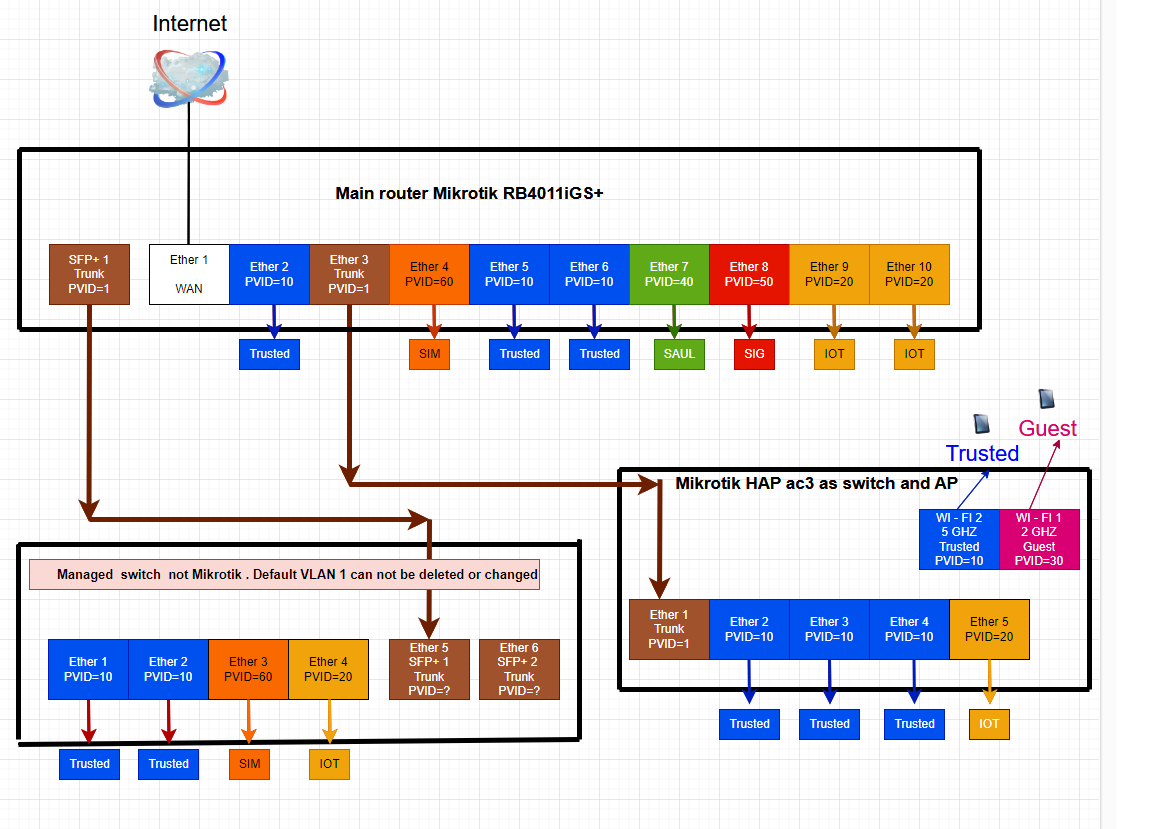
Diagram.png
Here is also my export files for main router Mikrotik RB4011iGS+
RB4011iGS.rsc (9.1 KB)
And export file of Mikrotik HAP ac3, working as switch+AP
HAP.rsc (3.27 KB)
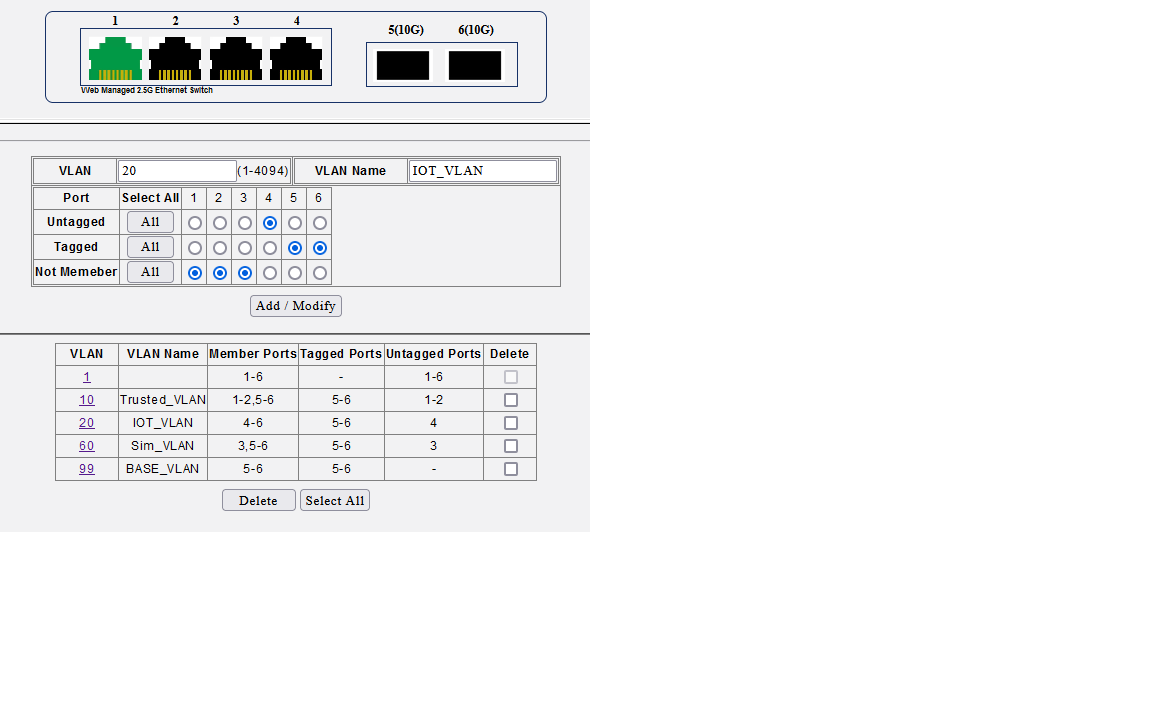
Here is print screen config of the non Mikrotik switch.
I confused what to do with its default VLAN1, leave as default, meaning all ports is untaged…
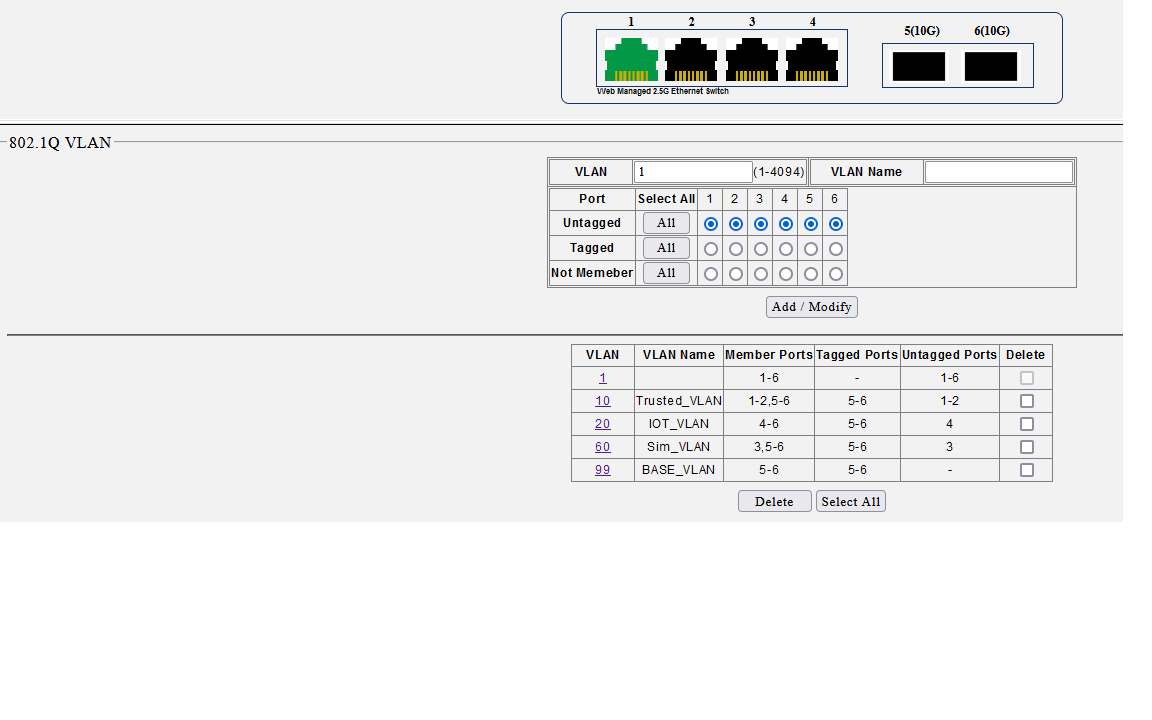
Default VLAN1.png
Well I want just such VLANS to be on my non mikrotik switch as untaged:
Trusted_VLAN vlan-id=10 - PVID10
IOT_VLAN vlan-id=20 - PVID 20
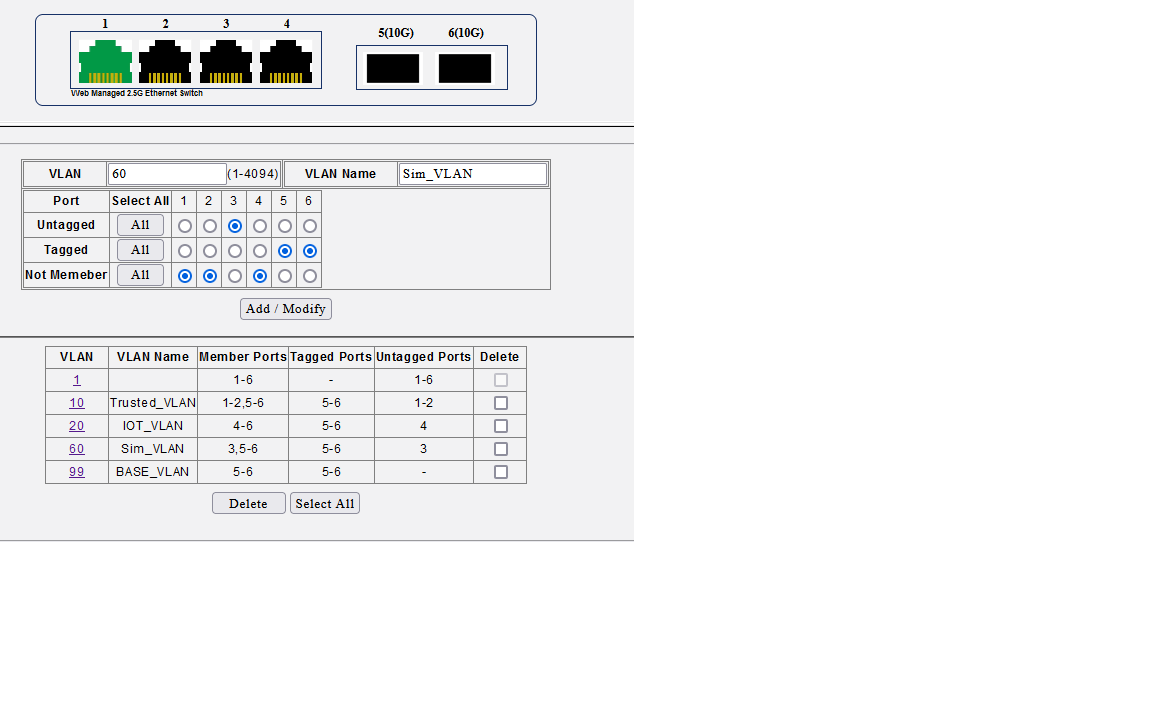
Sim_VLAN vlan-id=60 - PVID60
BASE_VLAN vlan-id=99 well do I have to configure on non mikrotik switch VLAN 99 as trunk ports like this or I don’t have to configure it in non Mikrotik switch at all?
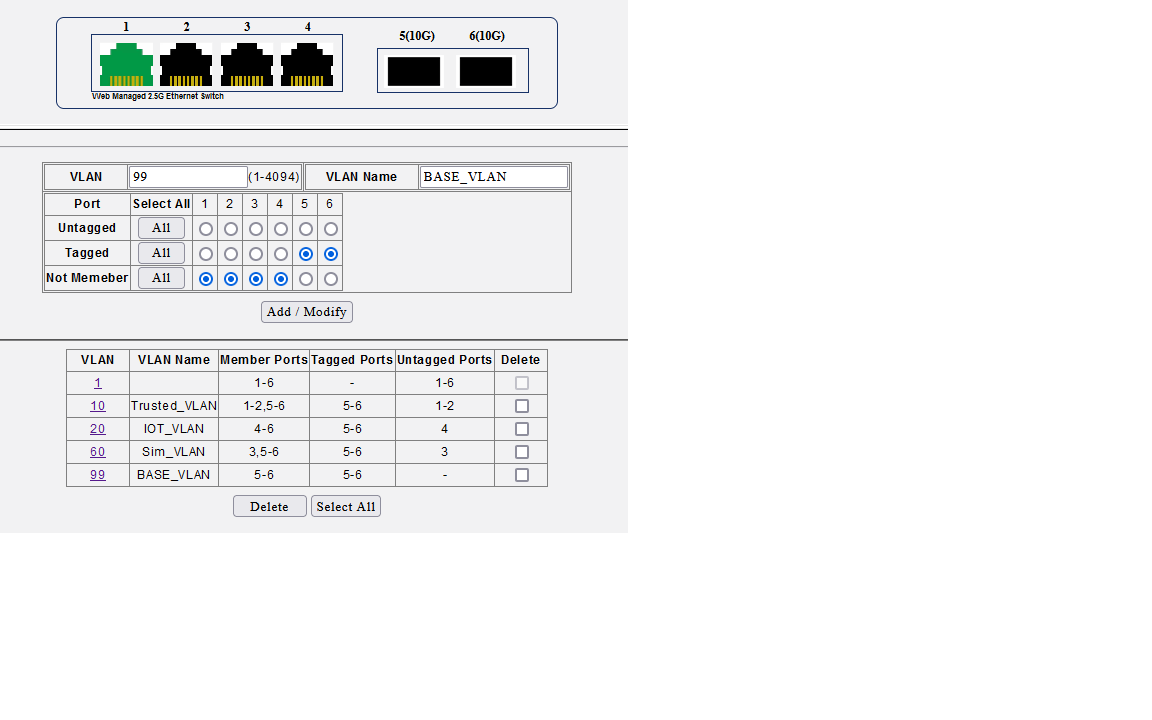
VLAN 99.png
Well other my ports configured like this on non Mikrotik switch:
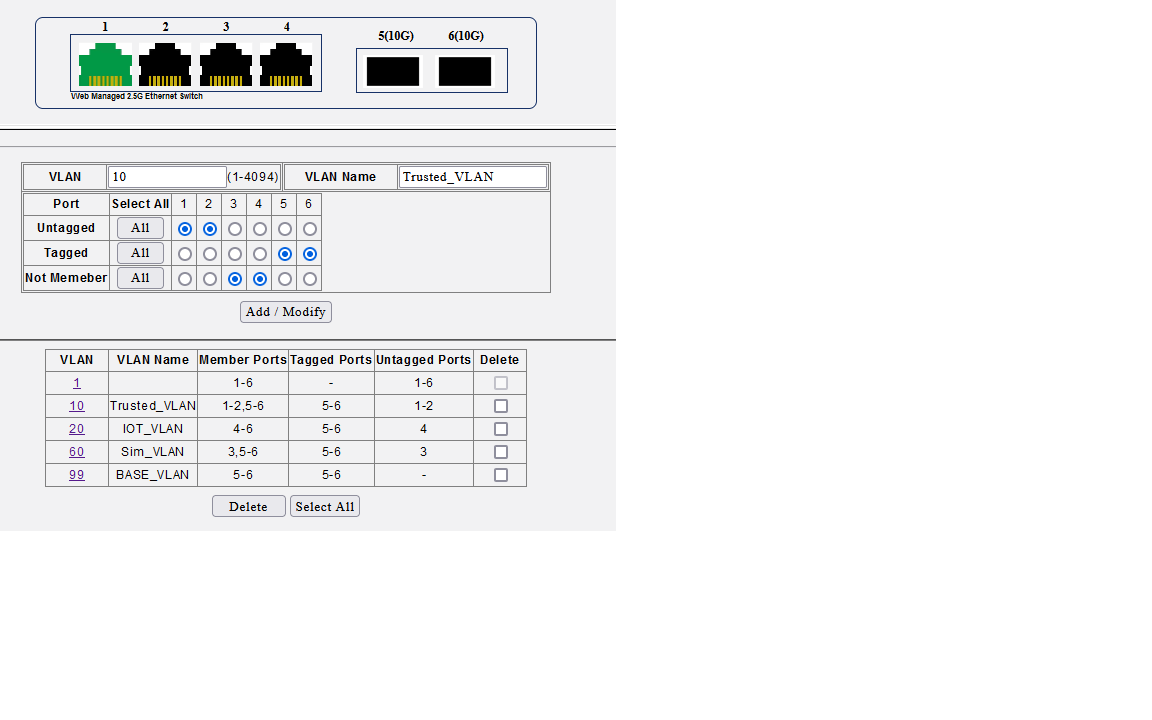
VLAN 10.png
VLAN 20.png
Vlan 60.png
Is that correct or what must be changed?

And finally PVID number on switch ports not clear to me , especially for trunk ports, which is port 5 and 6 in my case. Must it be pvid= 1 like on Mikrotik trunk ports?
I am not sure because default VLAN is 1 on switch… And as for security reasons it is better not to be on default VLAN1, but it is not changeable in this switch.
So probably my biggest misunderstanding is: do default VLAN1 means PVID=1 on switch?

Ok so here is print screen like I configured it : VLAN port setings and accepted frame types. Probably it is not ok…
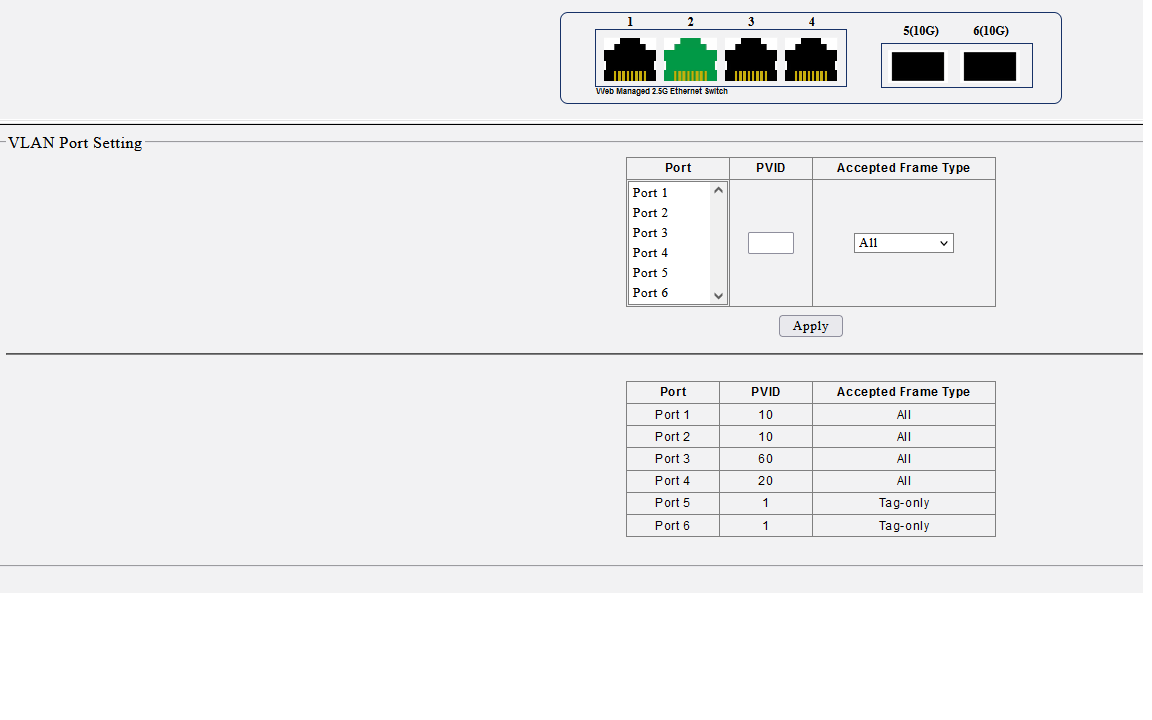
Vlan port seting.png
And the last I am puting on non Mikrotik switch static IP address of my base VLAN 99 of the pool BASE_POOL ranges=192.168.44.10-192.168.44.254

I put like example 192.168.44.15 and I choose netmask 255.255.255.0 and my main router IP as gateway (print screen below)
What I noticed that if I see in winbox on my main Mikrotik router in IP - ARP ARP table IP adress 192.168.44.15 status shows as failed…
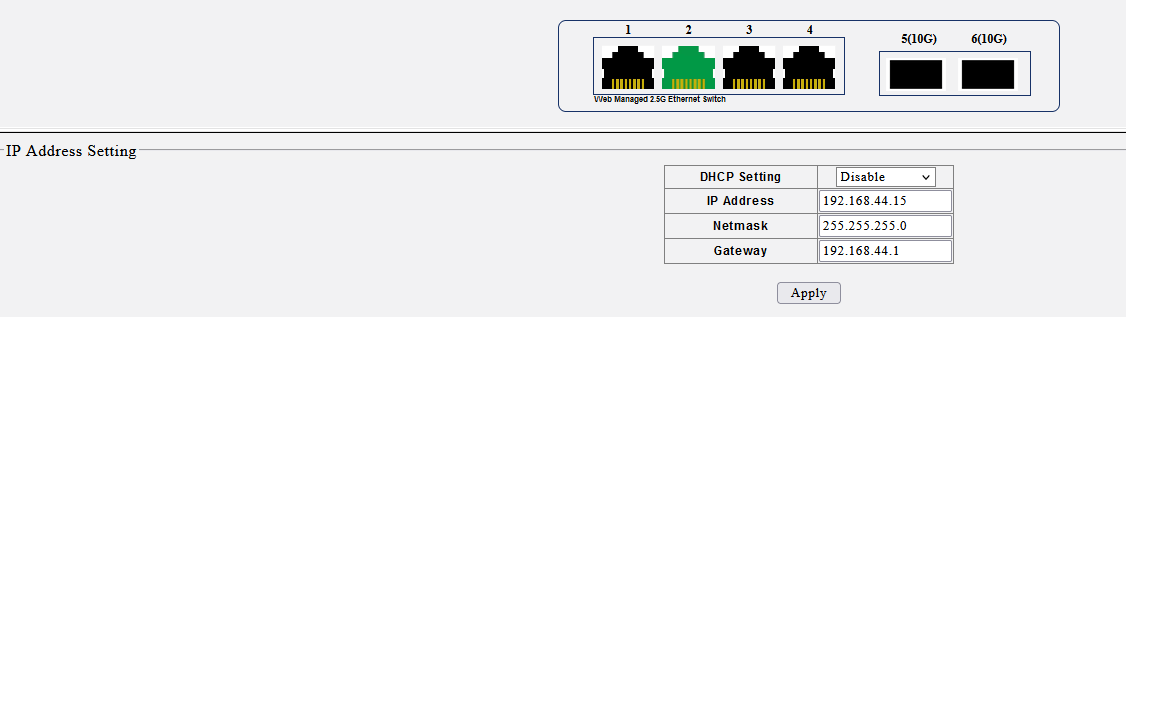
IP address.png
Thanks for support in advance

When you decide to go back to the sane approach of configuring the router, assistance is possible.
In other words, what needs to be done is setup your managed switch properly.
It should be easy to set it up as required, what is the make and model please.

Thanks Anav for support.

Model is described as LG-SWTG124AS.

Well, you did scrape the bottom of the switch market to find that copy of somebody elses technology LOL.

Okay so change back the management vlan on RB5009 back to vlan99.
Going on trunk port to Smart Managemed switch from router (Sfp +1) will be vlan99,10,20,60
Will assume on trunk port on smart switch incoming is Ether5.

This stays true:


VLAN10
Untagged FOR 1,2 Tagged for 5,6

VLAN20
Untagged for 4, Tagged for 5,6

VLAN60
Untagged for 3, Tagged for 5,6

VLAN99
Tagged for ether 5,6


PVID Settings.
Port1 PVID=10 frame type only untagged/priority (access)
Port2 PVID=10 frame type only untagged/priority (access)
Port3 PVID=60 frame type only untagged/priority (access)
Port4 PVID=20 frame type only untagged/priority (access)

Put in the Ip address of the switch on the Vlan99 subnet,

Most Likely Setup–> LIke a TPLINK switch

VLAN1 No Name
untagged for ports ether5 and ether6
PVID set to 1 for ports ether5 and ether6
frame type, only tagged for ether5, ether6

+++++++++++++++++++++++++++++++++++++

Most managed switches consumer, come default with
all ports are members of VLAN1
all ports are untagged on VLAN1
All ports are assigned a PVID of 1.

Thus rule of thumb is that any port which is an access port is no longer a member of vlan1, (no longer untagged on vlan1) The pvid is replaced with the untagged vlanXY
Conclusion, trunk ports keep vlan1 as untagged and vlan1 thus remains a member of those ports with pvid left at 1.

After configuration
Only trunk ports are members of VLAN1
Only trunk ports are untagged on VLAN1
Only Trunk ports have pvid of 1

Thanks Anav very much.
Really good and clear explanation.
I will try it today in the evening and hope it willl work and let you know.

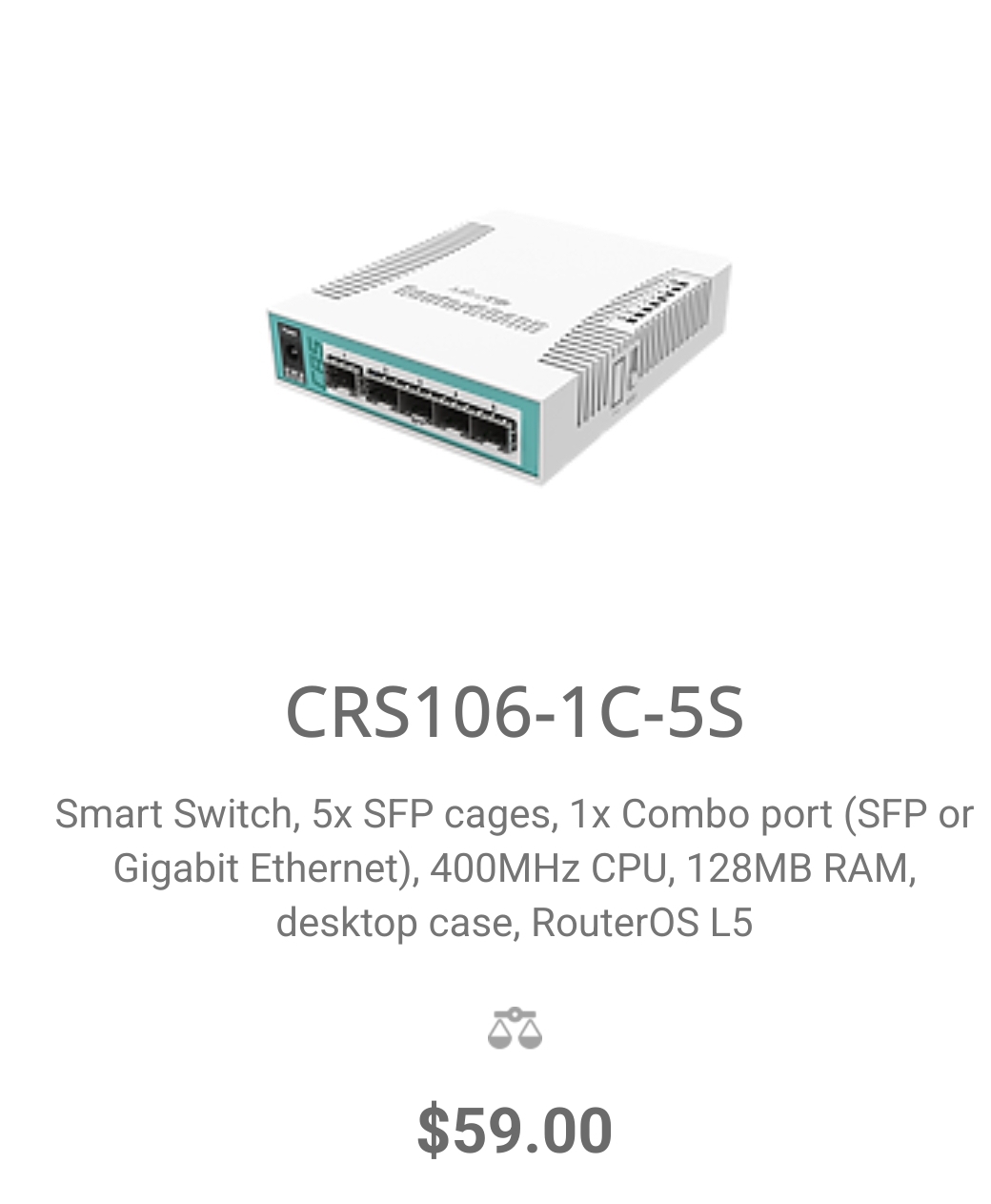
Out of topic. I would like that Mikrotik would redisigne below indicated switch more for home lab users too. That it would have at least 1 sfp+ and 4 × 2.5Gb port.
Even if it cost more , I would know that it is swich that I have from trusted producer like Mikrotik with so great support.
Regards from Lithuania
Screenshot_20240517_080640_Firefox.jpg

Only as a side-side note, that switch seems one of those that are re-branded with semi-random names, there is a thread discussing them here:
https://forums.servethehome.com/index.php?threads/cheap-interesting-chinese-4x2-5g-2x10g-switch-but-also-problems-with-dacs.40767/
and a github repository with some (possibly useful) info here:
https://github.com/up-n-atom/SWTG118AS/

Factories are designed to copy brand names and pump out cheapo copies…
Would never support such companies myself.

@anav did you read some networking books in the past 1–2 years or maybe cleared your CCNA 200-301? You seemed to have stopped being an idiot and seemed to have learnt some decent real networking.

Naw, dont have time, just have had the benefit of good influence by posters here. :slight_smile: