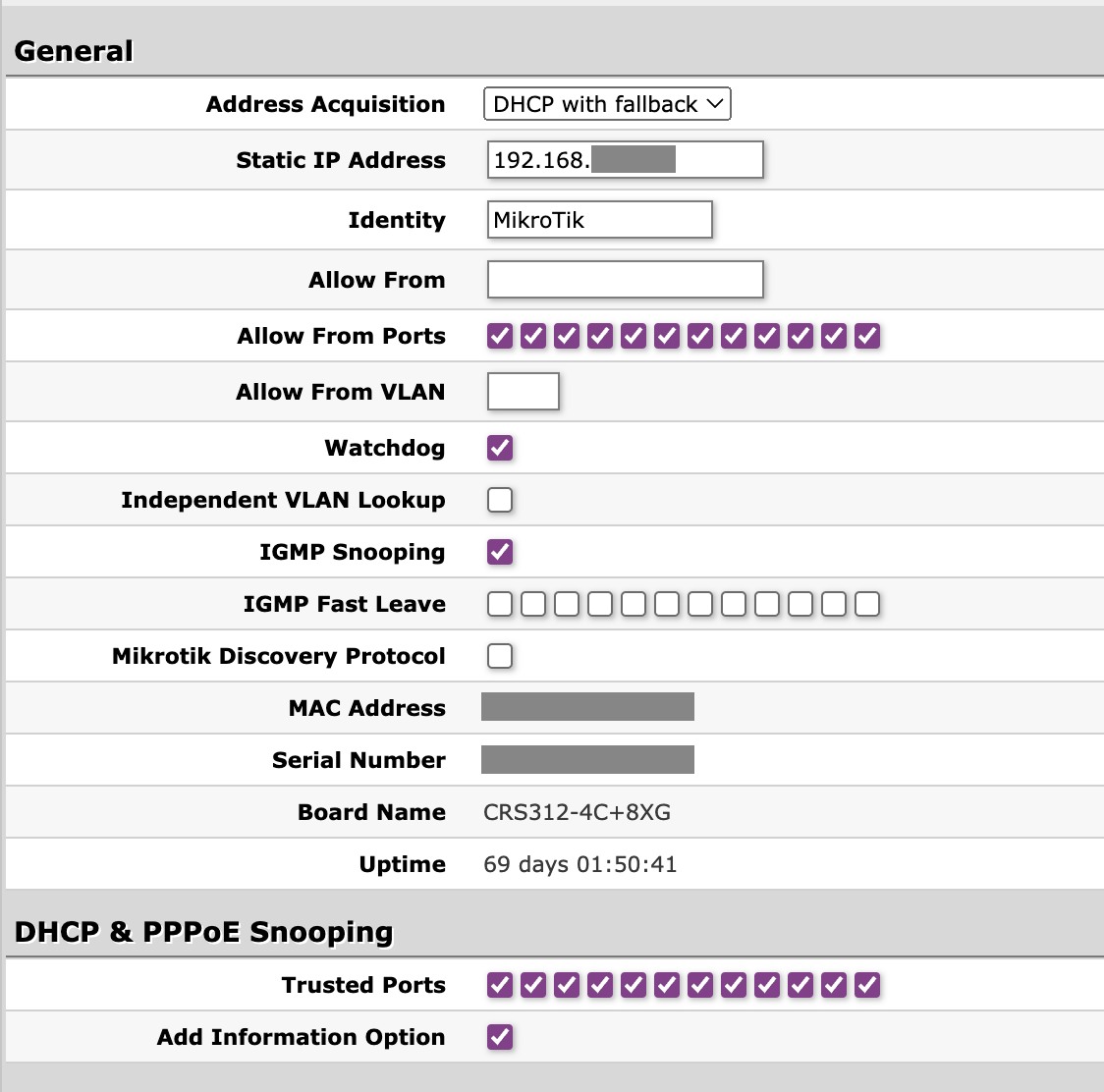
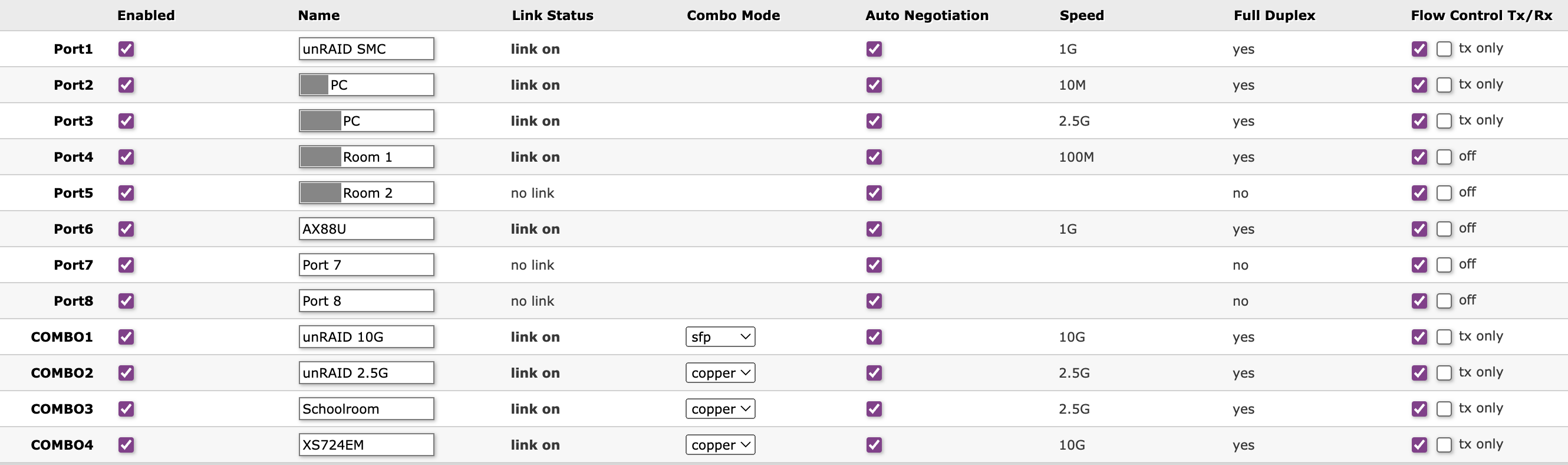
I’ve attached screenshots of the GUI’s Link and System tabs on 2.13. The Link tab shows all the currently connected devices and the negotiated speeds. The DHCP port will be COMBO4, which is connected via 10GbE copper to a Netgear XS724EM switch (firmware latest at 1.0.2.8 ). The XS724EM switch is connected via SFP to an Asus AX89X router.
Not sure if this matters, but there is a Wi-Fi node connected to the CRS312 (labeled AX88U). I first became aware of the problem in 2.16 because all my wireless clients were dropping off that node. That’s when I saw that every device connected to the CRS312 was no longer reachable.
No VLANS are in use on my network (all “disabled” in the CRS312 GUI), and no LAG is configured on the CRS312.
This switch is “mission critical” in the sense that it links key devices in our home network, which is why I rolled back to 2.13 at the first sign of trouble. I’m happy to upgrade to 2.16 and then capture and submit logs, but I don’t know how to do it in the SwOS GUI.