I am wondering what the intended way/most convenient way is to update RouterOS. I did notice the nice improvement that WinBox shows that a new version is available.
But why do I need to update through multiple steps?
Check for Updates | Update and Install
Reboot
System | Routerboard | Upgrade
Reboot
(Not sure if #2 really is a full reboot).
Why can't there be a one stop update functionality that performs both steps either in one or automatically? The above seems to require two reboots with extra wait time for remote devices (VPN needs to wait for system clock to be current to be able to re-established the connection for the second step).
What is the use case of updating the RouterOS package but not the RouterBoard?
How do those here in the forum that maintain a larger number of systems with updates? I don't think that you manually log into each machine and performs those steps in order.
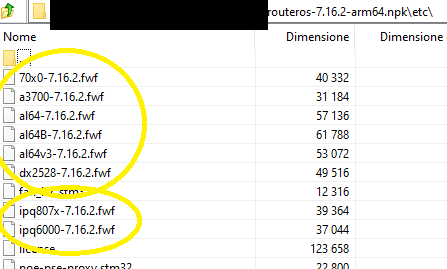
You can update your router Ros7 and wifi packages (asuming your router has wifi), by just having them uploaded to the router files and rebooting, then you don't have to check -> download & install -> reboot, its u download the file once, drag and drop into routers files and reboot the router.
Routerboard firmware as far as i know you can use:
/system routerboard settings set auto-upgrade=yes
/system reboot
Good question that we, forum users, do not know the answer. It's MT decision and we, long time users, had to accept that procedure as one of MT world oddities.
I just explained above that it's possible to do it with just a reboot... But the laziness in reading other people's posts... (steps on CPEs from 6 to 9)
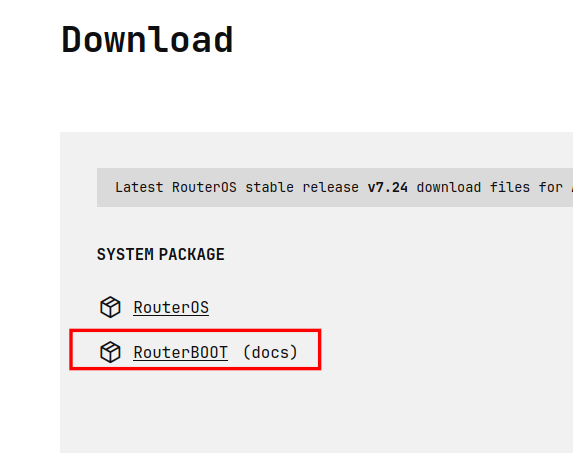
Currently have 7.24 installed and downloaded routeros package for 7.23.3. Extracted the matching fwf file (look at routerboard firmware-type output), uploaded to device and indeed: upgrade-firmware: 7.23.3. That's neat. Thanks @rextended
Thanks for sharing. I learned a lot from this thread. I do understand that some users with large installations have more involved QA requirements for new firmware than we do. I suppose that @rextended is probably using LTS releases because otherwise it would not be practical to wait months before installing them in production (the release would be superseded by newer releases). I would imagine this timeline to be challenging with the current frequency of security updates.
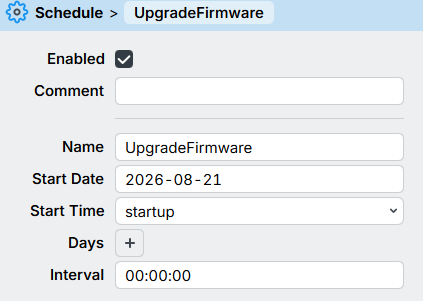
To summarize: the easiest solution to update in one go for systems with auto-upgrade is:
BAD IDEA. It's bad regardless anything, it could easily go into a boot loop.
Who knows if they change something, some names, values... (CONCRETE example: 7.24p like in SwOS...)
you'll lose the device until you do a netinstall.
Always start with :delay 110s, on this type of scripts...
so you have plenty of time to go in and delete the script before it reboots.
Honestly,
if I had a few months, MAYBE I could write something to do it within RouterOS,
but why bother when, within Linux or Windows,
a few command lines can extract the files and make them available for download from the CPE?
(Okay, I'm always thinking in my work environment)
Even if you have a hotspot or something else,
the peripherals simply reach your server (or the isolated internal machine)
where you've placed the files and download them.
After all, updating production devices doesn't have to be done with every single version of RouterOS...
Or not?