I try to setup a IMHO very basic start setup. But it does not work and I do not understand why!! Since I all ready spend many hour trying to get it working, I decided to ask for help.
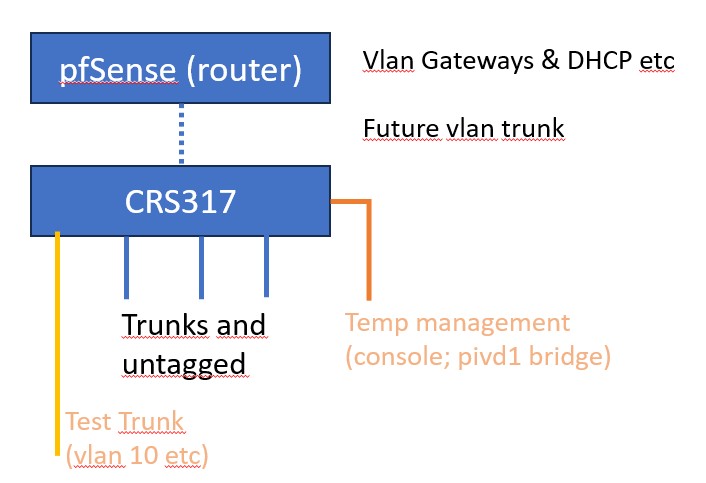
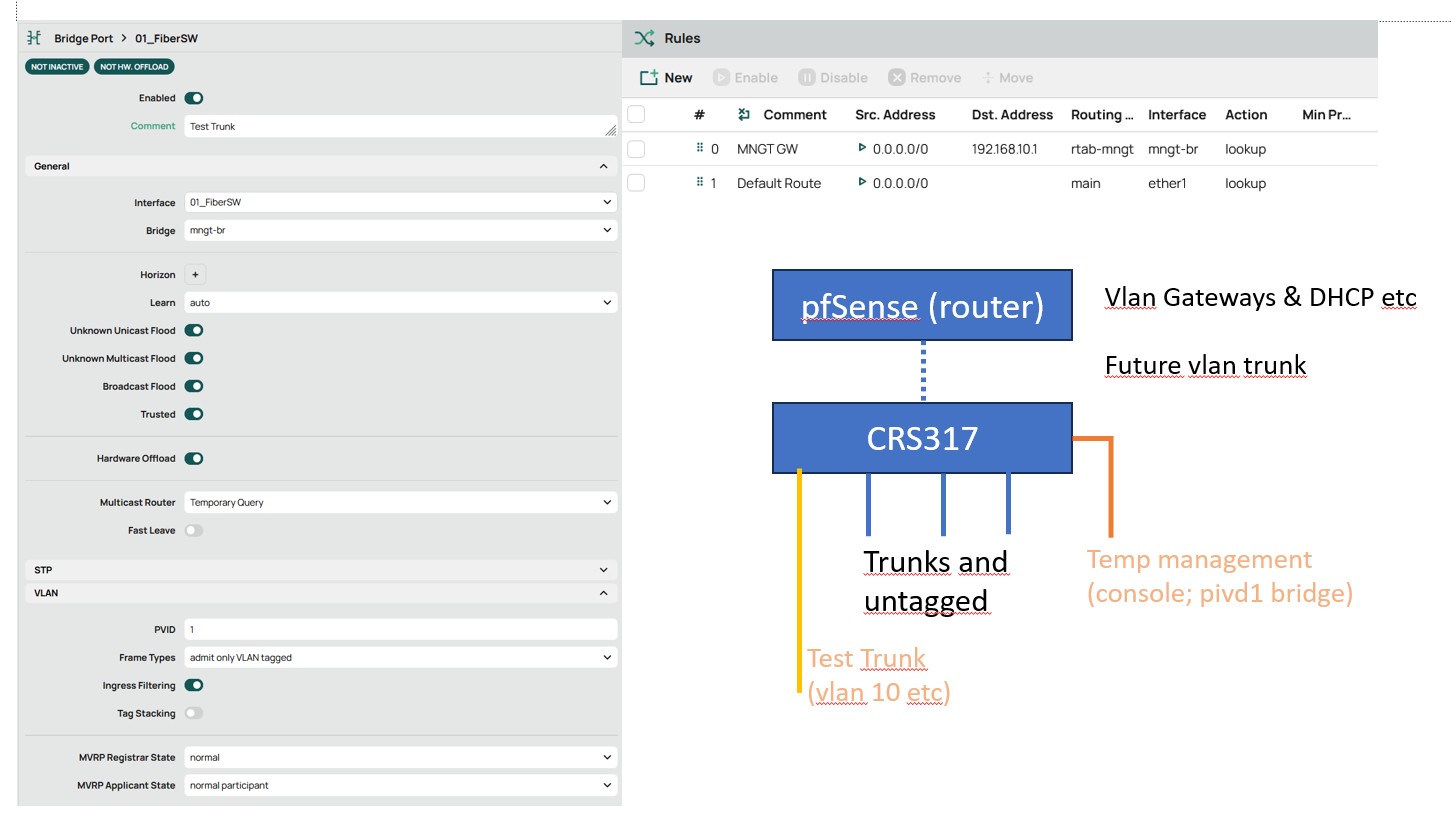
In the picture you can see that the intention is a router (pfSense) and a switch (the CRS317) as the core switch for my 10G-network.
As a start I did connect an untagged lan-port, behaving as a local pc (192.168.88.0/24 range) to the console port. That way I did some basic switch configuration work (assigning bridge ports to bridge vlans etc, nothing more).
I defined sfp+1 as a temporarily test trunk carrying vlan10 (tagged) being my management vlan. If the config is ready the switch will be connected to pfSense and to trunks and some end devices. Perhaps I will use part of the CRS as emergency router later on.
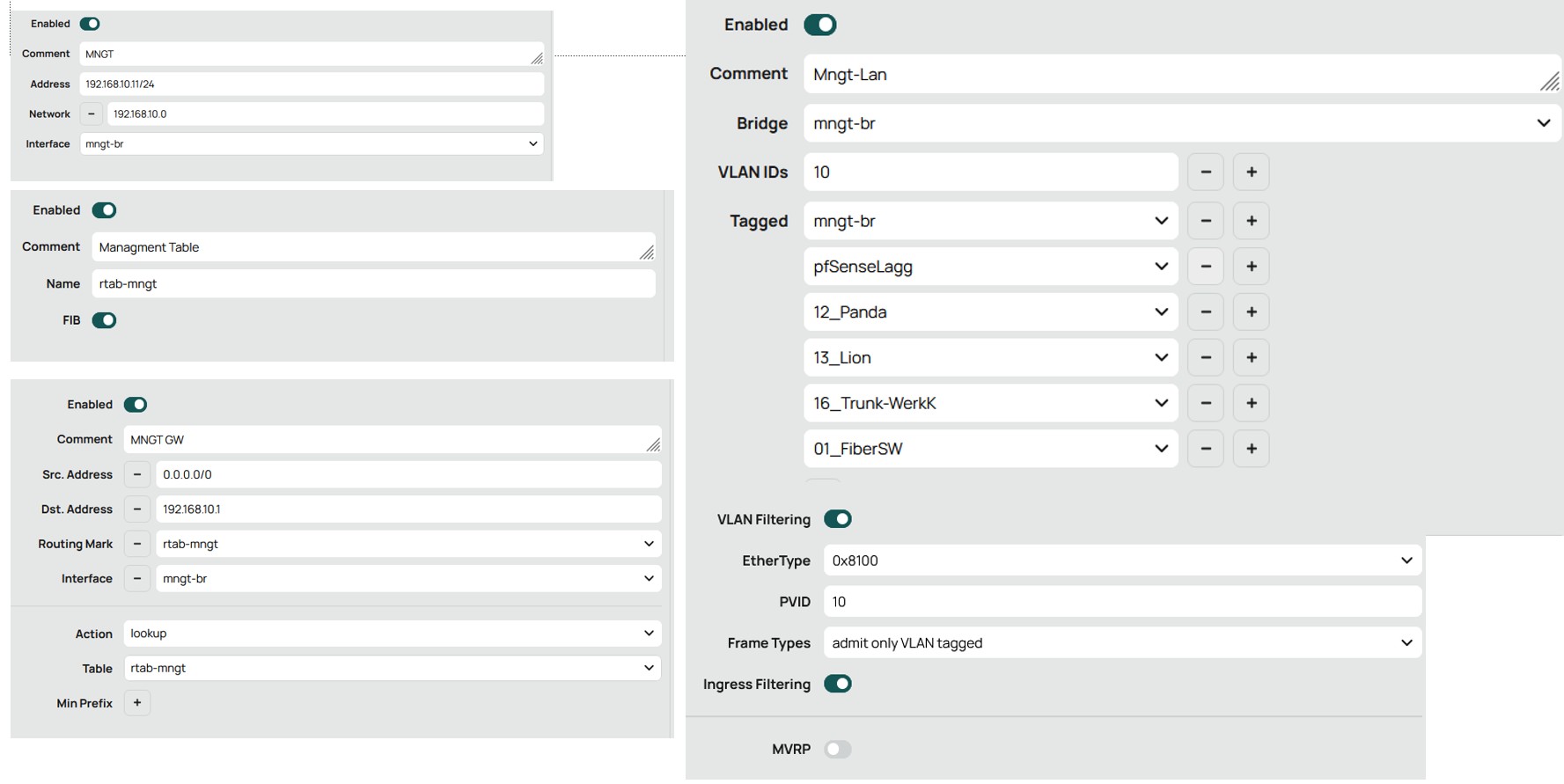
I did define a second bridge intended as bridge for my management lan and assigned an IP-address to that bridge.And did try to setup a default route for traffic as arriving via the mangement vlan
The Idea is that all vlans not needing crs-cpu/bridge access are hosted on the default bridge. Trunks do carry a combination of the management and ‘normal vlan’s’ ‘Normal’ vlans have a dhcp-server active on pfSense. E.g. for the management vlan I use fixed assigned addresses.
So this config really seems peace of cake … however I seems to overlook something / doing something wrong. The reason to ask for help
It is not the best approach to “define a second bridge”. Keep everything in one bridge, define VLAN subinterfaces with that bride as parent interface, and configure VLANs and VLAN filtering on the bridge. Putting an IP address on the VLAN subinterface enables the management via that VLAN, you can remove the IP that is directly on the bridge once that works.
It is also not good to communicate your setup using screenshots. Make a /export of your config and include it with the post as </> text.
Which both have interfaces named interfaces in the first menu and ports in the second … ???
Both have vlans … ???
That can’t be IMHO !!!
I did define things like interface names in the interface menu
and vlans in the bridge menu
and assigned the managment IP to the bridge and not to a vlan
and have a bridge per vlan, also required IMHO if you have multiple gateways, since the bridge should IMHO filter the vlan related pivd
The article provided and video only show one bridge.
To configure the switch the best thing for you do to is take one port OFF the bridge and do all your configuring from this safe spot.
Configuring OffBridge
So remove ether24 from /interface bridge port
Modify the following entry /ethernet
set [ find default-name=ether24 ] name=OffBridge24
Give it an Ip address /ip address
add address=192.168.77.1**/30** interface=OffBridge24 network=192.168.77.0
Add it to the default LAN Interface List Members /interface list member
add interface=OffBridgde524 list=LAN { also add to a management or trusted interface list if you have one }
Now you should be able to plug your laptop into ether5, change the IPV4 settings on the laptop to 192.168.77.****2, then using winbox enter the router with username and password.
Do all the config here…
Note the netmask of 30 on the address only allows two addresses to work on the router, .1 and .2.
Review the video and when you have something close post here for review/comments
/export file=anynameyouwish ( minus router serial number, any PUBLIC WANIP information )
I decided to use the console port as emergency management port which should also work in case I have to to a factory reset. That Idea implies that the management part of the factory / default configuration can not be changed. So the console port have to stay on pivd 1, the address on 192.168.88.1 and the default / main bridge is reserved for this purpose.
By the way no other port/sfp should have pivd 1 for security reasons.
My normal management vlan has another vlan no / pid and will arrive via the pfSense lagg. So I will not use a dedicated port for that, unless I have a spare port, but even then I think not, since I can use the console port as really necessary. Since the real management vlan also needs access to the CPU, I need to setup a extra (mngt) bridge.
If I am going to use part of the CRS as emergency firewall in the future, the CPU is by far not strong enough to replace pfSense, there will be at least another bridge being the GW for the VLAN behind the firewall.
IMHO / I think that in case of a CRS vlans etc should be defined on the bridge and not on interface level. So there are significant insights in how I would do things that shown on the advised you tube link.(I would also do additional settings like ingress checks etc)
Problem is that I think … that my config is not very far of … what not takes away that there is a least one significant error …
routing ???
For info, I think that I did at least made one mistake. Since vlans seems to be 1:1 associated, and I want to combine multiple vlans in trunks, that probably implies that all interfaces have to belong to the same switch (the default bridge). I am talking here about the brige function itself not the bridge cpu-access function. So I assume that .e.g. my management vlan is part of the default bridge and the mngt-bridge is (tagged) member of the vlan. It still does not work, but that is a change I made.
Actual I see on the bridge overview that the mngt bridge is periodic sending some data (arp?), but I do see nothing on the mngt vlan, nor received data on the bridge GUI, when sending a ping. So the bridge is probably not connected with the vlan
Without the config, all i here is opinion of some things that may or may not be relevant, its akin to hearing blah blah blah…
Please post the config for assistance.
/export file=anynameyouwish ( minus router serial number and any public WANIP information (probably none as this is a switch)