OK, will look again for possible “obvious” values in the config.
This is not fully predictable as the wifi RF environment plays a major, and it is difficult to account for all MT different devices and RouterOS versions.
But RF wifi environment should be known before doing settings. Like in this one for the 2.4 GHz spectrum: http://forum.mikrotik.com/t/hap-lite-as-an-access-point/155253/1
Just reading your config, and thinking load. Apart from starting with 40 MHz channel width, based on the above tests and checking the “Registrations” table and LOG. Not much you can do.
http://forum.mikrotik.com/t/hap-lite-as-an-access-point/155253/1
-“RouterOS 7.1.1” is a potential problem. Many reports on this forum of people having to go back to 6.49.2
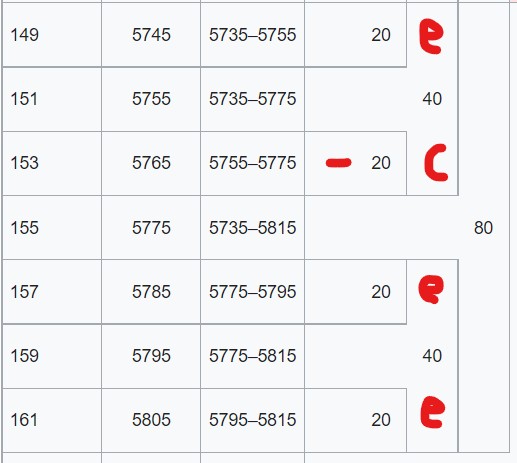
-“set [ find default-name=wlan2 ] band=5ghz-n/ac channel-width=20/40/80mhz-eCee country=no_country_set disabled=no
frequency=5765 frequency-mode=manual-txpower mode=ap-bridge ssid=AB-HOME5G-TOP wireless-protocol=802.11
wps-mode=disabled”
—> 80 MHz is wide, but correctly set for “no-country”=FCC=US, country must be filled in, manual-txpower ???, SSID with non standard characters “-”
-“/caps-man manager set ca-certificate=auto certificate=auto enabled=yes” - could be disbled
" /interface detect-internet set internet-interface-list=WAN lan-interface-list=LAN wan-interface-list=WAN" - prefer not to detect but set manually, what is done correctly already
/interface list member
add comment=defconf interface=bridge list=LAN
add comment=defconf interface=ether1 list=WAN
add interface=pppoe-vivo list=WAN
- “/interface wireless cap set bridge=bridge caps-man-addresses=127.0.0.1 discovery-interfaces=bridge interfaces=wlan1,wlan2” - cleanup ?