So I’ve been having a rash of issues lately with Apple products working over wifi. Everything from Invalid County Code(802.11d) to the device connects, gets an IP but won’t pull up any pages.
I’ve seen so many posts about Apple products and Mikrotik wifi issues. I’ve read them all and nothing seems to help. Is there some special rain dance or sacrifice I can make to make these damn things work with Apple products correctly? I’m using hAP AC2 on 6.48.6. I’ve lost 2 days on this issue and I’m about to start looking for another wifi router because of this. Everything works but Apple!!
EDIT: If you have a config for this, I’d be very interested in seeing it if you’d share it. I can’t imagine what I’m doing wrong. I’ve went to Apple’s website and did everything they suggested as far as wifi router settings.
You are better off posting an export of your config.
Here's the config...
apr/19/2022 16:38:30 by RouterOS 6.48.6
software id = LEFF-CPFH
model = RBD52G-5HacD2HnD
serial number =
/interface bridge
add name=LAN
/interface wireless security-profiles
set [ find default=yes ] supplicant-identity=MikroTik
add authentication-types=wpa2-psk,wpa2-eap eap-methods="" group-key-update=
15m mode=dynamic-keys name=GW supplicant-identity="" wpa-pre-shared-key=
############ wpa2-pre-shared-key=#############
/interface wireless
set [ find default-name=wlan1 ] band=2ghz-g/n country="united states3"
disabled=no frequency=2462 installation=indoor mode=ap-bridge
security-profile=GW ssid="#############" wmm-support=enabled
set [ find default-name=wlan2 ] band=5ghz-a/n/ac disabled=no frequency=5240
mode=ap-bridge security-profile=GW ssid="############"
wmm-support=enabled
/ip pool
add name=dhcp_pool0 ranges=10.0.0.10-10.0.0.250
/ip dhcp-server
add address-pool=dhcp_pool0 disabled=no interface=LAN lease-time=1d name=
dhcp1
/snmp community
add addresses=::/0 name=#####
/interface bridge port
add bridge=LAN interface=ether2
add bridge=LAN interface=ether3
add bridge=LAN interface=ether4
add bridge=LAN interface=ether5
add bridge=LAN interface=wlan1
add bridge=LAN interface=wlan2
/ip neighbor discovery-settings
set discover-interface-list=!dynamic
/interface wireless access-list
add comment="Nicole's Laptop" interface=wlan2 mac-address=28:CF:E9:15:BE:03
vlan-mode=no-tag
/ip address
add address=10.0.0.1/24 interface=LAN network=10.0.0.0
/ip dhcp-client
add disabled=no interface=ether1
/ip dhcp-server lease
add address=10.0.0.78 client-id=1:a8:20:66:38:fa:8e comment="Work Laptop"
mac-address=A8:20:66:38:FA:8E server=dhcp1
/ip dhcp-server network
add address=10.0.0.0/24 dns-server=10.0.0.1,1.1.1.1 gateway=10.0.0.1
/ip dns
set allow-remote-requests=yes servers=1.1.1.1,8.8.8.8
/ip firewall filter
add action=drop chain=input src-address=36.110.228.0/24
/ip firewall nat
add action=masquerade chain=srcnat out-interface=ether1 src-address=
10.0.0.0/24
/ip service
set telnet disabled=yes
set www disabled=yes
set api disabled=yes
set api-ssl disabled=yes
/ip upnp
set enabled=yes
/ip upnp interfaces
add interface=LAN type=internal
add interface=ether1 type=external
/snmp
set contact=GW enabled=yes location=GW trap-community=GWSNMP trap-version=2
/system clock
set time-zone-name=America/Chicago
/system identity
set name="#############"
/system logging
add topics=wireless
/tool romon
set enabled=yes
I have 4 Apple Extreme WiFi Routers connected to hAP AC2 in client sites … all work well
- Make sure that you Apple wireless Router is in bridge mode
In all my cases the Tik device has its WiFi disabled …. For WiFi strictly relying on the Apple WiFi. The reason the Extreme WiFi is far superior to the Tik WiFi. If you insist on wanting to use the WiFi built into the Tik you will need to rely on g,n and not use ac on the Apple.
If you mean Apple products like the iPhone, iMac, iPad etc then its mostly having to do with interference from other WiFi transmitters in close proximity to your Tik … in that case others will need to chime in to help you cause my Tik WiFi knowledge is very poor ….
I’ve been using the WiFi on a hAP ac lite and a hAP ac successfully with Apple clients for many years. This includes countless iPhones, iPads, MacBook Pros, Apple TV’s and a bunch of non-Apple devices. I don’t know if the hAP ac2 is fundamentally different.
My setup:
I use “N-only” on the 2.4G band and “N/AC” on the 5G band.
Security is wpa2-psk only.
If you don’t need 802.11a, you might try getting rid of that. I suggest this because I found our older Apple TV (3rd gen I think) wouldn’t work in a “mixed mode” environment that included 802.11a, hence no “a” on my network.
Other than that, nothing else is jumping out at me while looking over your configuration.
John L.
I would disable wpa2-eap and set the group key update to at least an hour (maybe more)
Apple recommends enable all g/n a/n/ac protocols in their docs and WMM being enabled. But I normally I set “only n” and “n/ac”, but do set WMM to enabled: some iPads seem to like that being enabled (even if you don’t have QoS/queues for it). Agree on removing the wpa2-eap and group key too..
A couple more things:
- Use “distance=indoors” (In winbox, hit “Advance” button, then option is in Advance tab) - IMO, this is almost certainly what’s causing an issue with an Apple device
- Lower AMSDU limit/threshold from 8192 to 4096 (on “HT” tab) - search forum for the why, likely more important with 2.4Ghz.
I have the same issue with my ap. ios devices cant connect after entering wpa2 password. Even with the settings above… ugh. An outdoor camera connects fine though..
[SOLUTION]
I have a hAP AC lite and I have conected an iPhone and an iPad. This config work for me:
on your wireles interface: set band to 5GHz-N/AC, channel width 20/40MHz eC, and enable WMM support
on your security profile: auth method WPA2-PSK only and group key update 00:55:00
my config:
/interface wireless security-profilesadd name=wifi authentication-types=wpa2-psk group-key-update=55m mode=dynamic-keys
/interface wirelessset [ find default-name=wlan2 ] band=5ghz-n/ac channel-width=20/40mhz-eC country=no_country_set default-authentication=no default-forwarding=no disabled=no frequency=auto mode=ap-bridge name=5GHz radio-name=“My Zone” security-profile=wifi ssid=“My Zone” wireless-protocol=802.11 wmm-support=enabled
I recommend setting group key update to 12h (tik now do 24h on latest testing).
Here’s a list of docs from Apple on Wifi settings and trouble shooting.
https://support.apple.com/en-au/HT202068
https://support.apple.com/en-au/guide/deployment/dep98f116c0f/web
https://support.apple.com/en-au/HT203068
https://support.apple.com/en-au/HT206207
We have tons of apple devices here, also in my house there are plenty, and I have never seen any of the mentioned issues.
My suspicion is this could be related to your country/region?
Also, some time ago there was an interesting bug with apple devices, that if you have another brand chinese wifi router that they were using, they somehow learned the 802.11d country code from that one, and then problems start with all other brand devices, if the 802.11d code is not there (mikrotik does not broadcast it).
Well, last week a user reported a problem. 1 cAP ac in his room, RouterOS 7.7. CAPsMAN with local forwarding, WPA2-Enterprise, EAP-TLS for the clients:
- My android 11 smartphone works
- His iPAD with firmware 16.2 works
- His Windows 10 laptop with some Intel AX2xx card works.
- His iPhone 14 iwth firmware 16.2 is connected but doesn´t receive any IP address.
Test SSID with WPA2 PSK with the same VLAN settings: His iPhone connects and receives an IP. Back to the first SSID with WPA2 Enterprise + EAP-TLS: iPhone is connected but doesn´t receive any IP.
All hints by Apple (resets, reboots, …) don´t help…
Got a call from a customer tonight.
“We are back in town and wireless works… but our iphones and ipads won’t connect.”
I think they have been away for over a year…
They are one of my installs that still has cAP AC. 5 of them and one of them is running as the caps-man BUT with local forwarding on.
Updated them from some 6.x branch to 7.7
“Our stuff connects now… thanks.”
Lets see how long that lasts.
Dear community !
Since my troubles are also related to Apple products, i try to ask here instead of creating new topic.
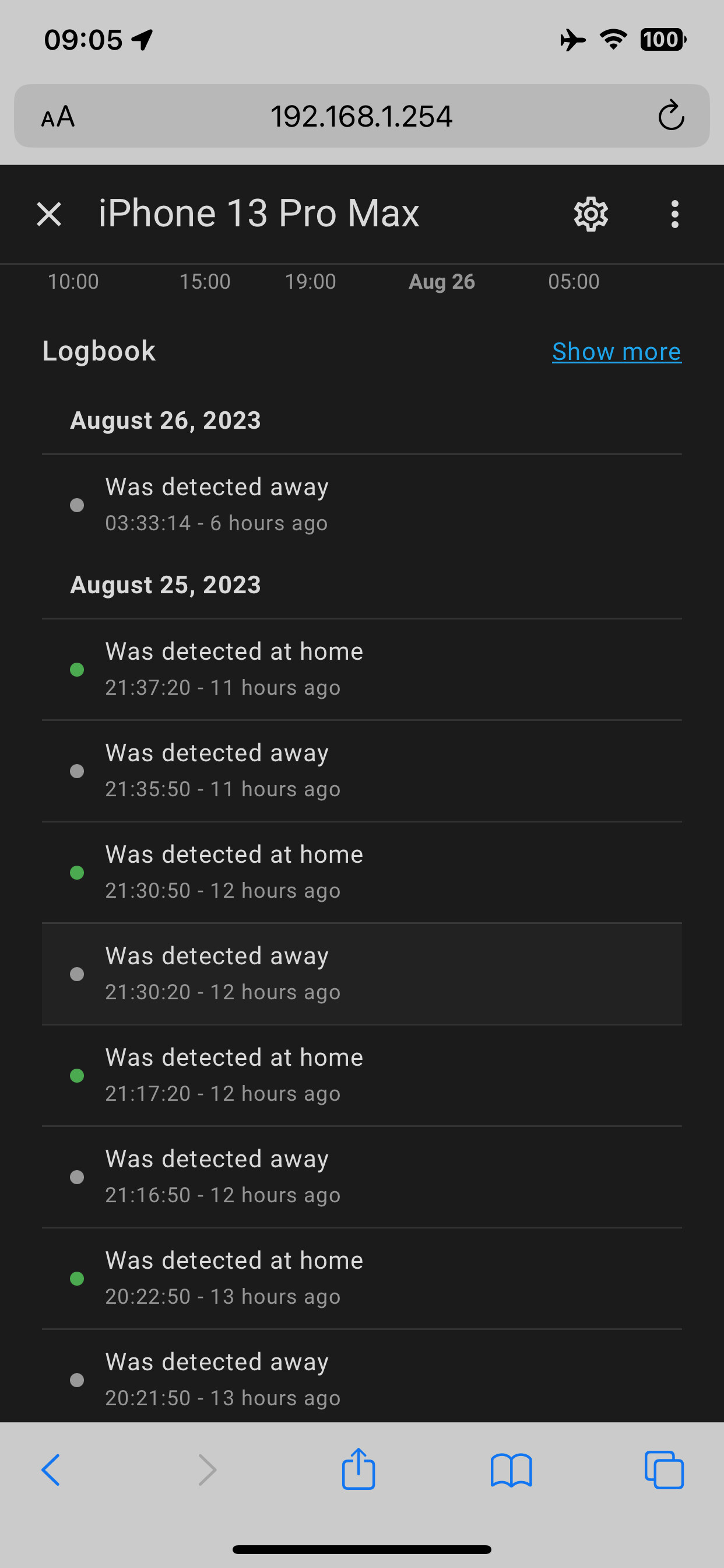
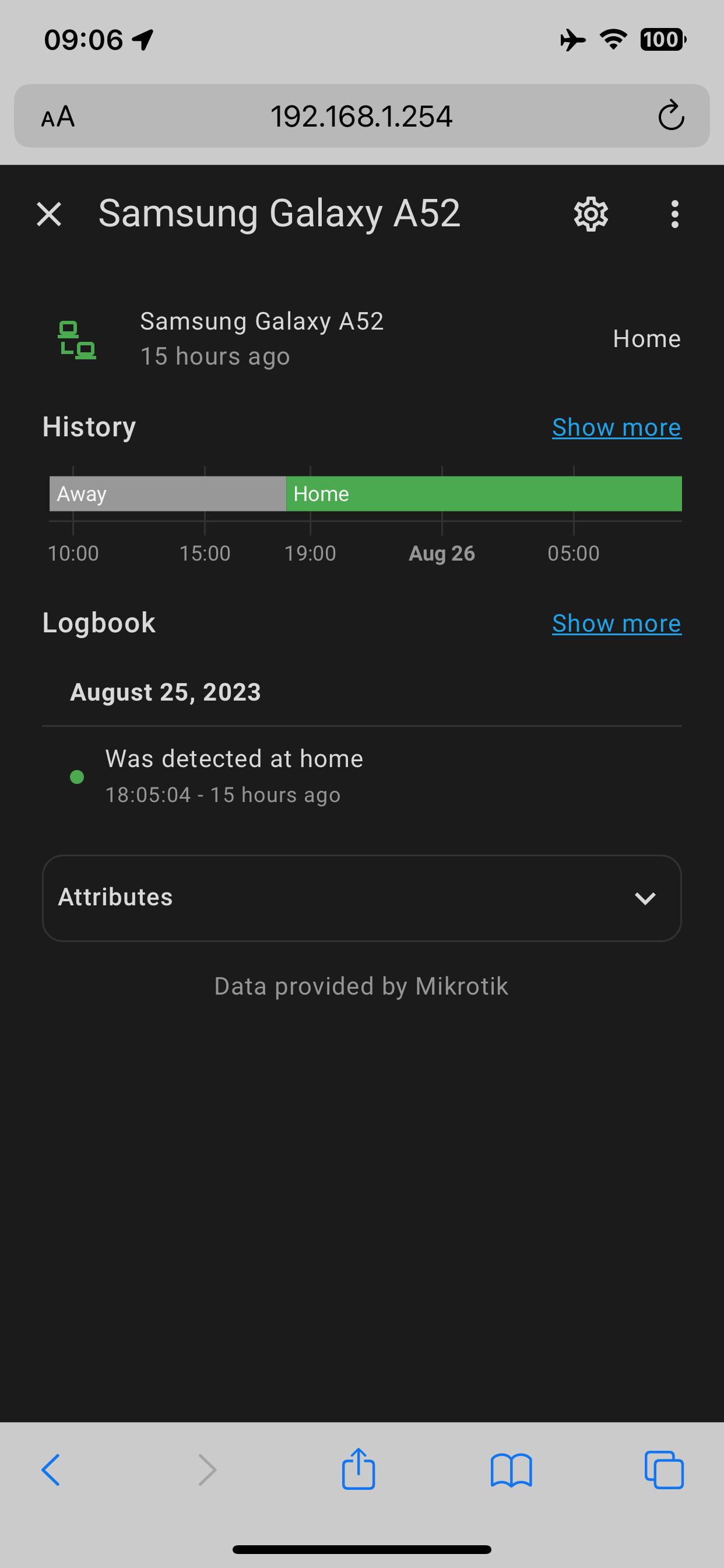
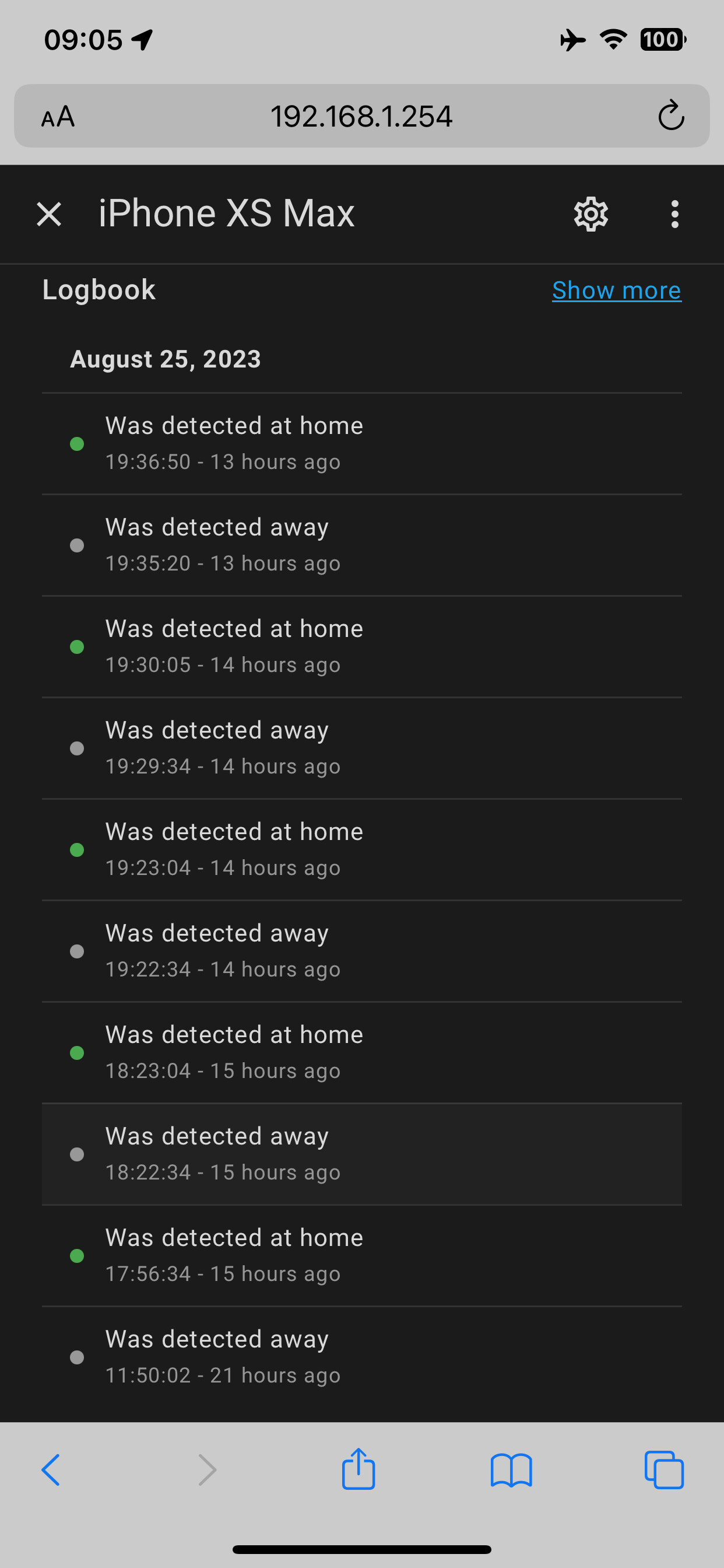
I would like to kindly ask you for help, since i have serious problems after upgrading from “hap ac3 / generic WiFi” to “hap ax3 /wifiwave2” and my Apple devices. It looks like some energy/powersavings kicks in on end devices, and the results are missed WiFi calls and not working smarthome automations based on presence (presence measured-automated by WiFi connection of our phones). Im posting my configuration and also screenshots of smarthome presence history, also comparison to an Android phone (which works great). Im using those smarthome automations and WiFi calling (because of poor GSM) for years, and with generic driver on hap ac3 worked everything without problems. Have still some “ac” MikroTik devices in garden, also everything works as should. I found lot of informations from the past, set beacon, etc…, but the issue is still there.
Can you please help me, what else can i do ?
Thank you very much !
# model = C53UiG+5HPaxD2HPaxD
# serial number =
/interface wifiwave2
set [ find default-name=wifi1 ] channel.frequency=5180 .skip-dfs-channels=all \
    .width=20/40/80mhz configuration.dtim-period=3 .mode=ap .ssid=\
    "MikroTik WiFi" disabled=no mtu=1500
set [ find default-name=wifi2 ] channel.frequency=2412 .skip-dfs-channels=all \
    .width=20/40mhz-Ce configuration.dtim-period=3 .mode=ap .ssid=\
    "MikroTik WiFi" disabled=no mtu=1500
Stop posting massive screenshots.
Using 40MHz on the 2.4GHz band is crap (unless…etc.). Set it to 20MHz.
Can you share your config on your previous device as well? Then we have something to compare.
Wear eyeglasses, stop looking on them or buy a monitor with higher resolution…damn
Thank you very much for your reply. Sadly, the old device was reset and reused in different location. The setup was quite the same, of course as much generic driver and wifiwave2 settings could be the same. The reason of 40Mhz on 2.4Ghz is, that im apartment, without any WiFi networks around, so why not benefit from 40mhz in such a setup. But i made already try to set only 20Mhz, but the story is the same  I have really no clue how to avoid the disconnecting under "sleep"
@dwndlr you’re here asking for help, so you’ll have to play nicely. And posting huge screenshots is not nice (I’m often using a tab to read this forum and post (hopefully useful) replies and I’m not going to start using a huge tab just to please you).
Since you’re using dual-band AP, I’m guessing you are using 2.4GHz band (among others) to maximize coverage (you get the performance on 5GHz band). If that’s the case, the using only 20MHz channel will give you 3dB better signal strength, hence slightly bigger coverage.
There are many ways to determine that certain wireless client id not connected any more and since you didn’t post full config (and actual log vontent from AP/router) it’s not possible to say what needs to be changed.