WINBOX GUI need a bit of touch up

I wonder if someone ever notice that it is somehow difficult to use winbox on any crt lower resolution screen than 1024x768.

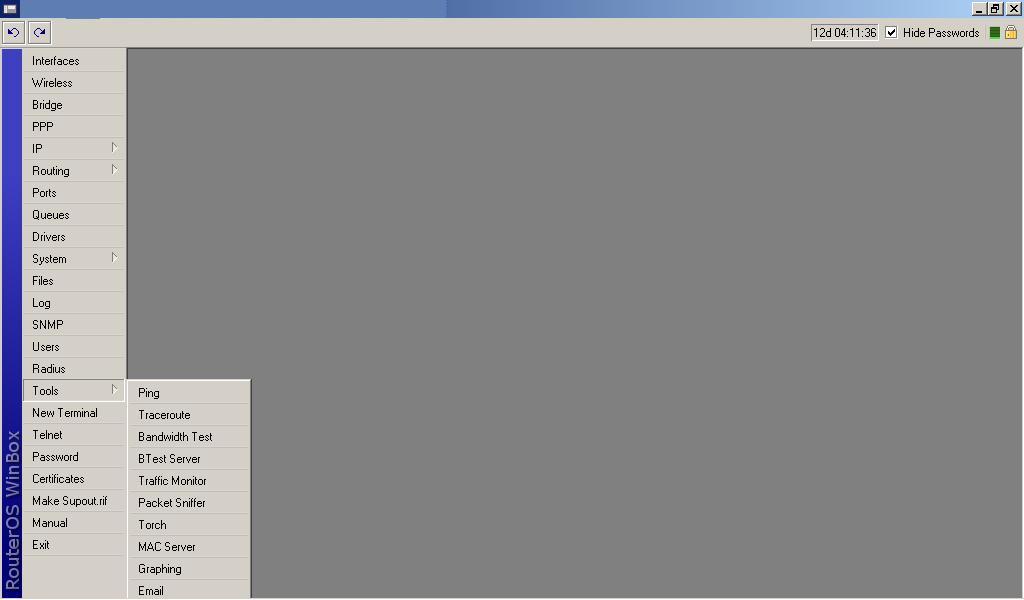
for example: Tools menu, i am unable to find netwatch because of its location place right on the bottom of the screen. the last submenu from tools is pingspeed, can’t see the rest of the tools’ sub menu…

Or is it only me? :smiley:

.. especially for v3 ROS with full packages installed… the main menu seems to be more than v2.9… can see the submenu (from TOOLS or SYSTEMS …) even with big screen…

any comment mikrotikers?

:smiley:

EDIT: I’m Using WINBOX v. 2.13

I don’t mean to be rude or anything but…come on…less then 1024x768? If you’re on that old of a monitor you need to learn the command line as you video card may overheat from the Winbox visuals =P

I expect WINBOX should not force user to use big screen right?

imagine you have a space in the rack that’s only fit a 14inch monitor

if everyone have to fully learned command line, the what’s the use of winbox? …come on… :stuck_out_tongue:

it should be easily fixed, just move the submenu to the centre of the screen, instead of the location of submenu starts from the main menu…

just an input…

It’s been ages since I have seen a monitor that doesn’t support 800x600 :smiley: There are tons of small sized LCDs that will work in a rack

We need to used Winbox in a Acer Aspire One Netbook to connect, but the max resolution is 1024x600. It’s possible to solved that?

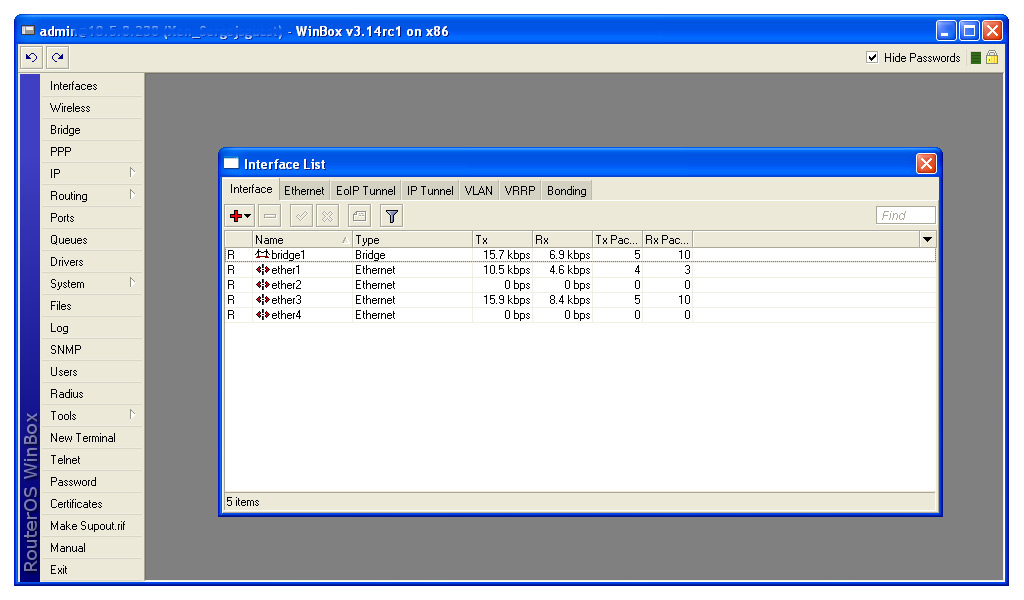
this image is taken on a 1024x600px screen. As you can see, winbox fits entirely on this screen

what problem are you talking about?
600px.jpg

Try to open Tools and access to Netwatch. It’s out of the screen.
Edit: Attach a screenshot
winbox.jpg

exactly the problem i’m having with winbox…

filed as bug, will fix

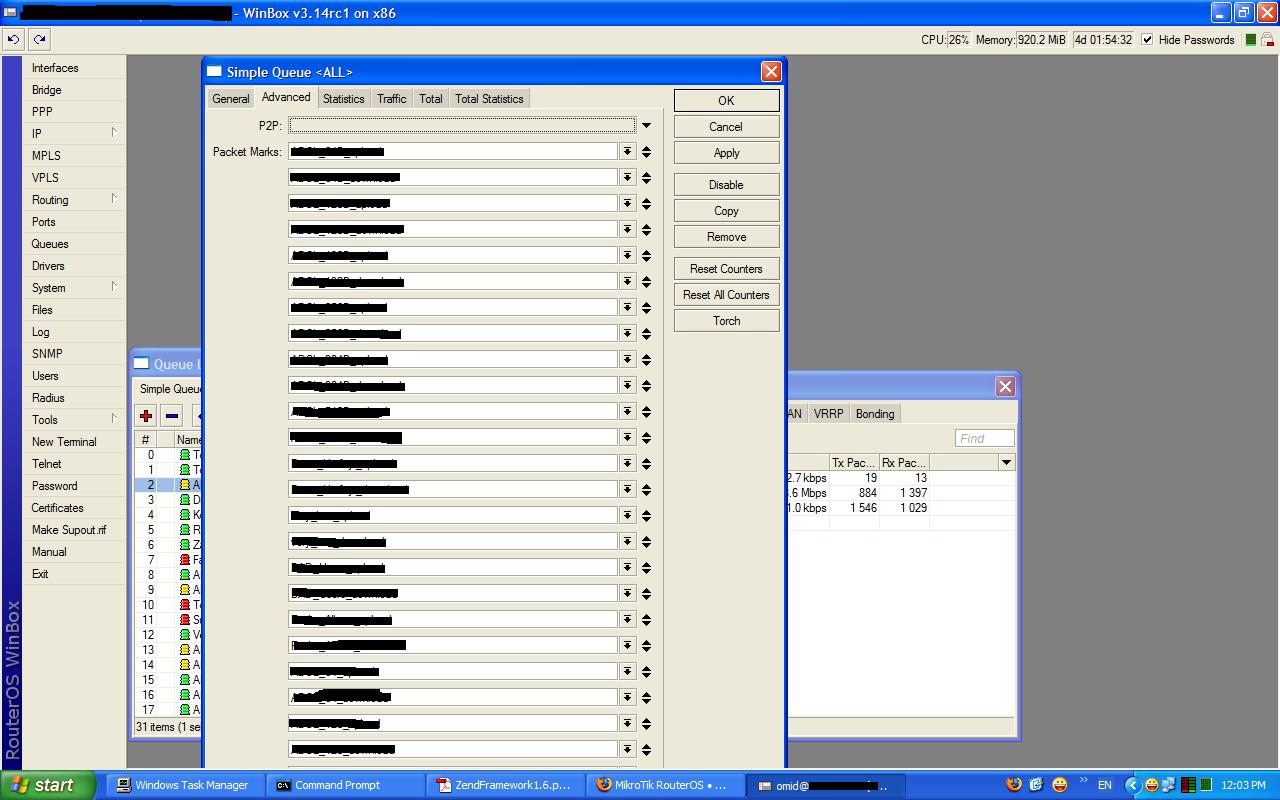
please fix this one also . the resolution is 1200x800 .
simple_queues.JPG
a scrollbar may solve the problem

are you sure you need so many packet marks in one rule? try using the console for this kind of idea :slight_smile:

as you see this is my “ALL” queue which is parent of all other queues and i can not use the default parent because of complexity of my network .

i already do this for years but i just wanted to inform you . just adding a scrollbar when needed is not so hard :wink:

why do you need so many marks if you can just specify your network as target? currently I don’t see any reason for so many marks …

C’mon… If it can be done, leave the man alone…

I too was bothered by this several times. [edit:] Especially the tools->netwatch, wich in CLI is hard to see, or to see all information provided by winbox.
Centering menus on screen instead from menu option down, would be good, and a scroll bar, when it’s needed, yes indeed. Centering menus on screen should be only a few lines of code.
Put it as “optional” not bug… it still works ! :slight_smile:

:astonished: you are right . it did not work in 2.9 and i did not test it in 3.x . it is much simpler now . thanks

don’t mind me asking, which type of eeepc you are using? Thinking of getting one for myself, maybe the 4G series, but worried that it doesn’t take windows xp on the little space (4GB).
Cheers :smiley:

i found an “optimized” windows installation - 100Mb :slight_smile:

what kind of ‘optimised’ windows is that? 100MB installed?? :open_mouth:

where do i get it?

You will have to google for it. Yes, installed a little over 100Mb.