*) added “Find Next - F3” tooltip for Find field;
*) added support for CTRL+ and CTRL- keyboard shortcuts for Zoom in and Zoom out;
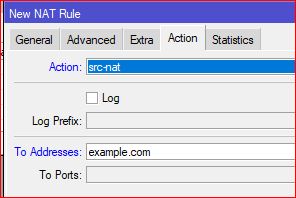
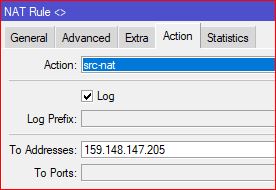
*) added support for DNS names in address type fields;
*) do not scroll to first log entry when minimizing WinBox if Log window was open;
*) fixed crash when an active Terminal window was opened when WinBox was minimized;
*) fixed crash when opening session with Health window open;
*) fixed multiple “peer” parameter presence when editing an IPsec policy;
*) fixed secure connection establishment after trying to connect to legacy mode devices;
*) fixed session file size increase with each WinBox usage;
*) improved window resizing and scaling behavior on systems that include high DPI monitors;
*) show disabled item icons in gray;
If you experience version related issues, then please report them to support@mikrotik.com.
*) improved window resizing and scaling behavior on systems that include high DPI monitors;
YES finally I can have Safe Mode Enabled and not fear that I forget to disable it and trying to close Winbox. Before the prompt if I still would like to close was not formatted correctly and I could only select Yes. No I can see all options and select no!
It is a very nice addition and makes it easier to use external IP addresses in rules/line without first to have resolve it manually. It is a one-time-resolve and if you have to use dynamic then a addresslist could be used.
What a pity… it appears they do not consider it important. I cannot believe it is difficult to reproduce because it is
reported by several users and occurs under different operating systems…
In the already existing OTR (one-time-resolve) it uses the DNS of the router. I tested it with a domain only existing in static DNS of router. That domain is not present in the DNS that the client uses.
It’s the opposite and it’s been always like this (and confusing beginners). For example, if you do “ping some.hostname.tld” in terminal, it uses resolver on router and you’ll see it added in cache. If you enter some.hostname.tld in Tools->Ping in WinBox, then it’s WinBox doing the resolving on the client where it runs. When you check router’s dns cache, you won’t find it there (assuming that client doesn’t use the same router as own resolver).
Why would they do that? There should be no reason for winbox to touch user input unless it is required by the router…
The new function where you could e.g. use a DNS name in a firewall rule and it will be resolved one-time could be done in winbox as a quick fix, but it would be better when the router does it (so it also works in terminal). It seems “easy” to make one function for that which does the syntax validation and possible resolving.
Cisco IOS has done this for ages. You enter a DNS name in a config term line and when you then show the config it has been replaced by a literal IP address.
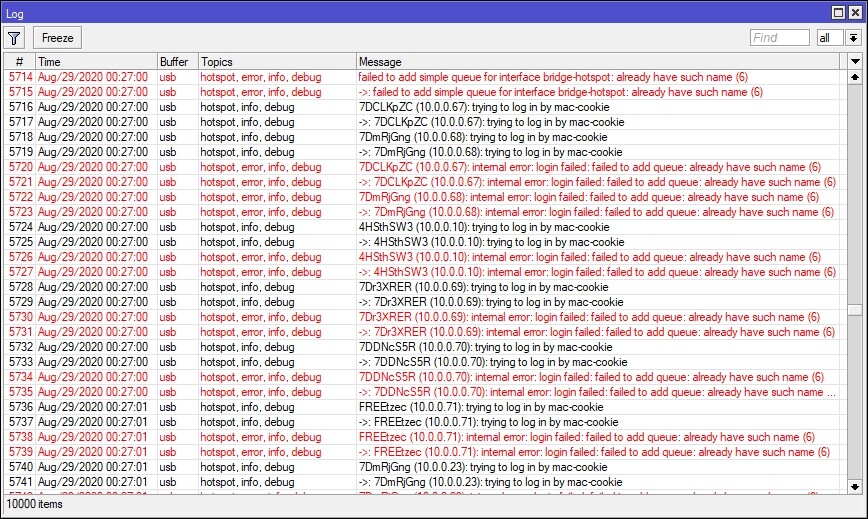
When I update to Winbox v3.25, on the Hotspot>Active tab, everything is ok, the connection is ok. But in the event when turn to Hotspot>Host tab, everything is gone wrong, everybody in the hotspot has been disconnected, then when I back to the Hotspot>Active tab, all the active has been disconnected. Pls, refer to the attached pic…
For now, I’ll back using v3.24 which is back to normal status…