Indeed looks like a wine issue. I just wiped my wine prefix for winbox and redid it and it’s been fine so far. Some old left over file probably, strange as I haven’t had that issue before. Everything was already up to date. I didn’t save a copy of the old wine prefix to compare, if it happens again I will. Using wine-7.10 (Staging)
Well,
here on wine-5.0.3 (Ubuntu 5.0.3-3ubuntu2) and ubuntu 21.10, “open in new window” starts immediatelly a new winbox window connected to the mt I selected.
Normal.
Please make DHCP Lease / Address List drop down menu alphabeticaly sorted, the same way like all other places where you can select address lists. Thanks!
@IntLDaniel is already possible, what exactly are you referring to?
Open in New Window
It all started months ago, can’t really remember the date, I have reported it here but cannot find that post.
If I remember correctly, it started with Wine 6, and is still issue in Wine 7 (today it’s 7.10 Staging on openSUSE Tumbleweed), and all versions in between.
This is tcpdump of the connection attempt:
[1|root@r7|~]tcpdump -i eth0 -n host 192.168.11.4
tcpdump: verbose output suppressed, use -v[v]... for full protocol decode
listening on wlan0, link-type EN10MB (Ethernet), snapshot length 262144 bytes
20:35:15.474158 IP 192.168.188.14.53444 > 192.168.11.4.8292: Flags [S], seq 4106296519, win 64860, options [mss 1380,sackOK,TS val 3154152991 ecr 0,nop,wscale 7], length 0
20:35:15.488577 IP 192.168.11.4.8292 > 192.168.188.14.53444: Flags [S.], seq 587906557, ack 4106296520, win 65084, options [mss 1240,sackOK,TS val 772457344 ecr 3154152991,nop,wscale 4], length 0
20:35:15.488629 IP 192.168.188.14.53444 > 192.168.11.4.8292: Flags [.], ack 1, win 507, options [nop,nop,TS val 3154153006 ecr 772457344], length 0
20:35:15.497415 IP 192.168.188.14.53444 > 192.168.11.4.8292: Flags [P.], seq 1:42, ack 1, win 507, options [nop,nop,TS val 3154153015 ecr 772457344], length 41
20:35:15.516603 IP 192.168.11.4.8292 > 192.168.188.14.53444: Flags [.], ack 42, win 4066, options [nop,nop,TS val 772457368 ecr 3154153015], length 0
20:35:15.532489 IP 192.168.11.4.8292 > 192.168.188.14.53444: Flags [P.], seq 1:52, ack 42, win 4066, options [nop,nop,TS val 772457387 ecr 3154153015], length 51
20:35:15.532517 IP 192.168.188.14.53444 > 192.168.11.4.8292: Flags [.], ack 52, win 507, options [nop,nop,TS val 3154153050 ecr 772457387], length 0
20:35:15.536130 IP 192.168.188.14.53444 > 192.168.11.4.8292: Flags [P.], seq 42:76, ack 52, win 507, options [nop,nop,TS val 3154153053 ecr 772457387], length 34
20:35:15.554634 IP 192.168.11.4.8292 > 192.168.188.14.53444: Flags [.], ack 76, win 4064, options [nop,nop,TS val 772457410 ecr 3154153053], length 0
20:35:15.584703 IP 192.168.11.4.8292 > 192.168.188.14.53444: Flags [P.], seq 52:86, ack 76, win 4064, options [nop,nop,TS val 772457438 ecr 3154153053], length 34
20:35:15.584745 IP 192.168.188.14.53444 > 192.168.11.4.8292: Flags [.], ack 86, win 507, options [nop,nop,TS val 3154153102 ecr 772457438], length 0
20:35:15.585012 IP 192.168.188.14.53444 > 192.168.11.4.8292: Flags [P.], seq 76:176, ack 86, win 507, options [nop,nop,TS val 3154153102 ecr 772457438], length 100
20:35:15.605216 IP 192.168.11.4.8292 > 192.168.188.14.53444: Flags [.], ack 176, win 4058, options [nop,nop,TS val 772457460 ecr 3154153102], length 0
20:35:15.608602 IP 192.168.11.4.8292 > 192.168.188.14.53444: Flags [P.], seq 86:282, ack 176, win 4058, options [nop,nop,TS val 772457461 ecr 3154153102], length 196
20:35:15.608643 IP 192.168.188.14.53444 > 192.168.11.4.8292: Flags [.], ack 282, win 506, options [nop,nop,TS val 3154153126 ecr 772457461], length 0
20:35:15.608950 IP 192.168.188.14.53444 > 192.168.11.4.8292: Flags [P.], seq 176:276, ack 282, win 506, options [nop,nop,TS val 3154153126 ecr 772457461], length 100
20:35:15.634706 IP 192.168.11.4.8292 > 192.168.188.14.53444: Flags [P.], seq 282:382, ack 276, win 4052, options [nop,nop,TS val 772457486 ecr 3154153126], length 100
20:35:15.635317 IP 192.168.188.14.53444 > 192.168.11.4.8292: Flags [P.], seq 276:376, ack 382, win 506, options [nop,nop,TS val 3154153153 ecr 772457486], length 100
20:35:15.661293 IP 192.168.11.4.8292 > 192.168.188.14.53444: Flags [P.], seq 382:1514, ack 376, win 4046, options [nop,nop,TS val 772457507 ecr 3154153153], length 1132
20:35:15.664184 IP 192.168.188.14.53444 > 192.168.11.4.8292: Flags [P.], seq 376:492, ack 1514, win 502, options [nop,nop,TS val 3154153181 ecr 772457507], length 116
20:35:15.683116 IP 192.168.11.4.8292 > 192.168.188.14.53444: Flags [P.], seq 1514:1646, ack 492, win 4039, options [nop,nop,TS val 772457538 ecr 3154153181], length 132
20:35:15.726137 IP 192.168.188.14.53444 > 192.168.11.4.8292: Flags [.], ack 1646, win 502, options [nop,nop,TS val 3154153243 ecr 772457538], length 0
So login has passed OK (if I try wirh wrong user/password it immeditely tells me so), and “downloading DLLs” (or something similar, it passes too quickly) also passes (there is nothing to download since I have already connected to this router with this ROS version), and then it stalls
20:35:25.746962 IP 192.168.11.4.8292 > 192.168.188.14.53444: Flags [.], ack 492, win 4039, options [nop,nop,TS val 772467602 ecr 3154153243], length 0
20:35:25.747006 IP 192.168.188.14.53444 > 192.168.11.4.8292: Flags [.], ack 1646, win 502, options [nop,nop,TS val 3154163264 ecr 772457538], length 0

20:35:35.998840 IP 192.168.11.4.8292 > 192.168.188.14.53444: Flags [.], ack 492, win 4039, options [nop,nop,TS val 772477852 ecr 3154163264], length 0
20:35:35.998887 IP 192.168.188.14.53444 > 192.168.11.4.8292: Flags [.], ack 1646, win 502, options [nop,nop,TS val 3154173516 ecr 772457538], length 0

20:35:46.228604 IP 192.168.11.4.8292 > 192.168.188.14.53444: Flags [.], ack 492, win 4039, options [nop,nop,TS val 772488082 ecr 3154173516], length 0
20:35:46.228634 IP 192.168.188.14.53444 > 192.168.11.4.8292: Flags [.], ack 1646, win 502, options [nop,nop,TS val 3154183746 ecr 772457538], length 0
And here Winbox gives up, counts 5 seconds, reconnects and from now on everything works fine.
Same thing happens when both devices are on same network segment, when using cable or wifi, even via VPN.
Yes, it might be something in newer Wine, but maybe it would be easier for developers of Winbox to communicate with developers of Wine…
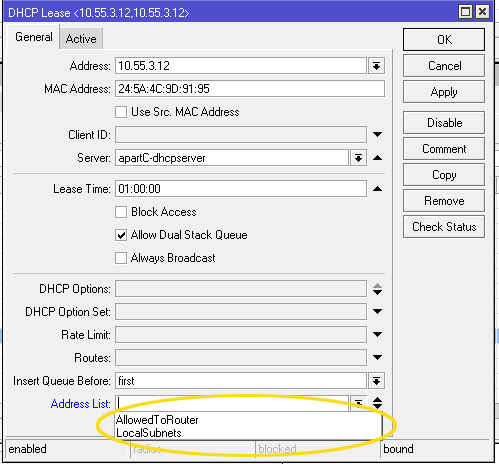
Yes @IntLDaniel, now I understand where, and is true: is not alphabetically sorted (tested on 3.36 both 32 and 64, ROS 6.46.8 and 6.48.6)
Yes, very uncomfortable for us. I divide hundreds of our wisp users via DHCP to different groups, sometimes I need to change it and it is very difficult to search the right group in the list 
I think that I found a bug with WiFIwave2 on WinBox.
When checking for a WiFi client connected to my hAP ac3, I spotted this:

WinBox is not showing Hours, Minutes or Days.
CLI is fine, like below:
[the-only-user@hAP-ac3] > /interface/wifiwave2/registration-table/print
Flags: A - AUTHORIZED
Columns: INTERFACE, SSID, MAC-ADDRESS, UPTIME, SIGNAL
#   INTERFACE  SSID            MAC-ADDRESS        UPTIME         SIGNAL
0 A wifi-iot   <redacted> IoT  7C:49:EB:XX:XX:XX  23h34m48s90ms  -36
[the-only-user@hAP-ac3] >
Yup, it’s in seconds. And I agree that humanized display would be nicer.
Speaking of time in WinBox, the address list timeout input field in IP filters should allow inputs like “1h” as the CLI does, and it should translate inputs like “01:00:00” to “1h” for the same reason.
Bug v3.36?
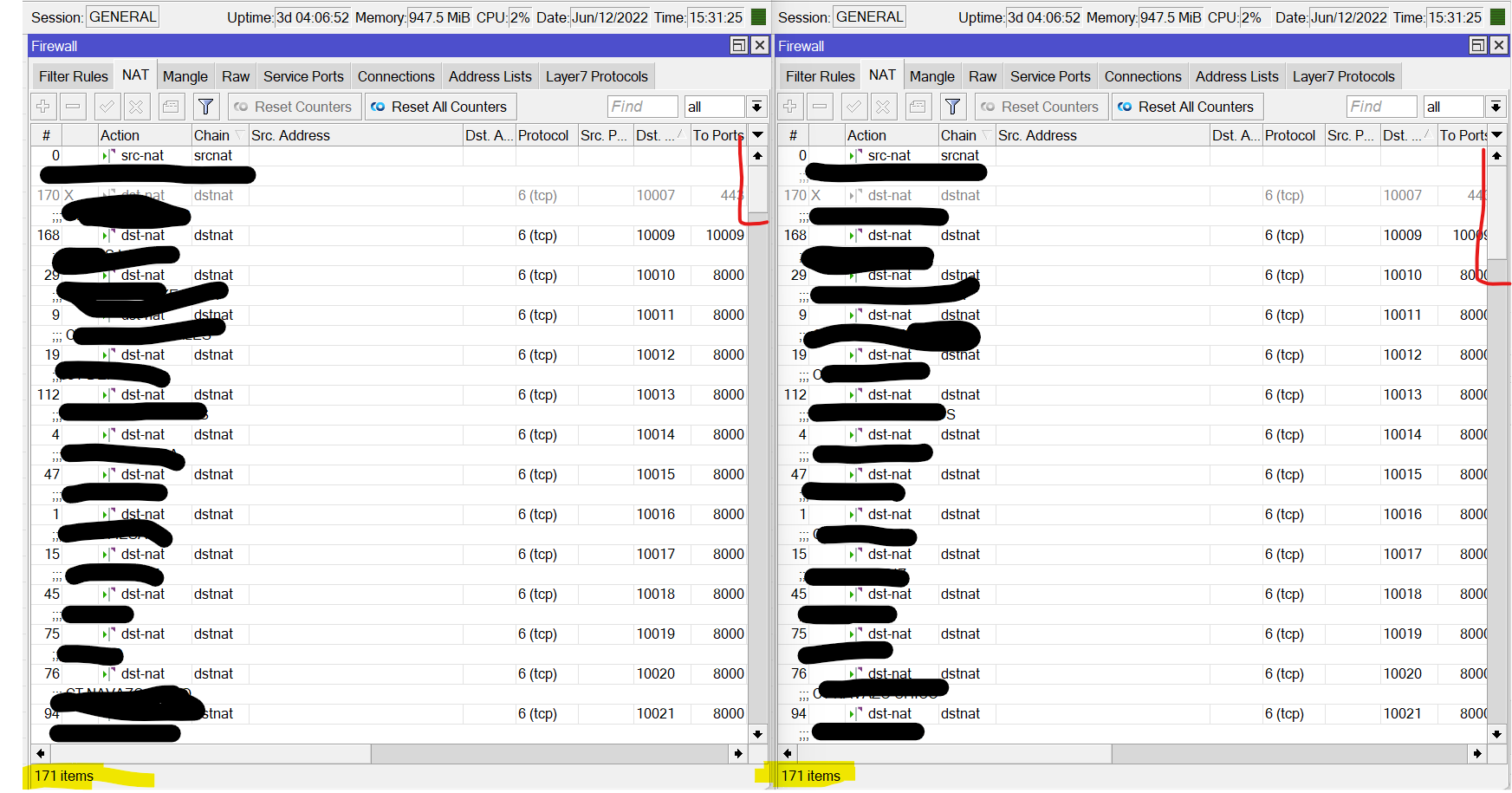
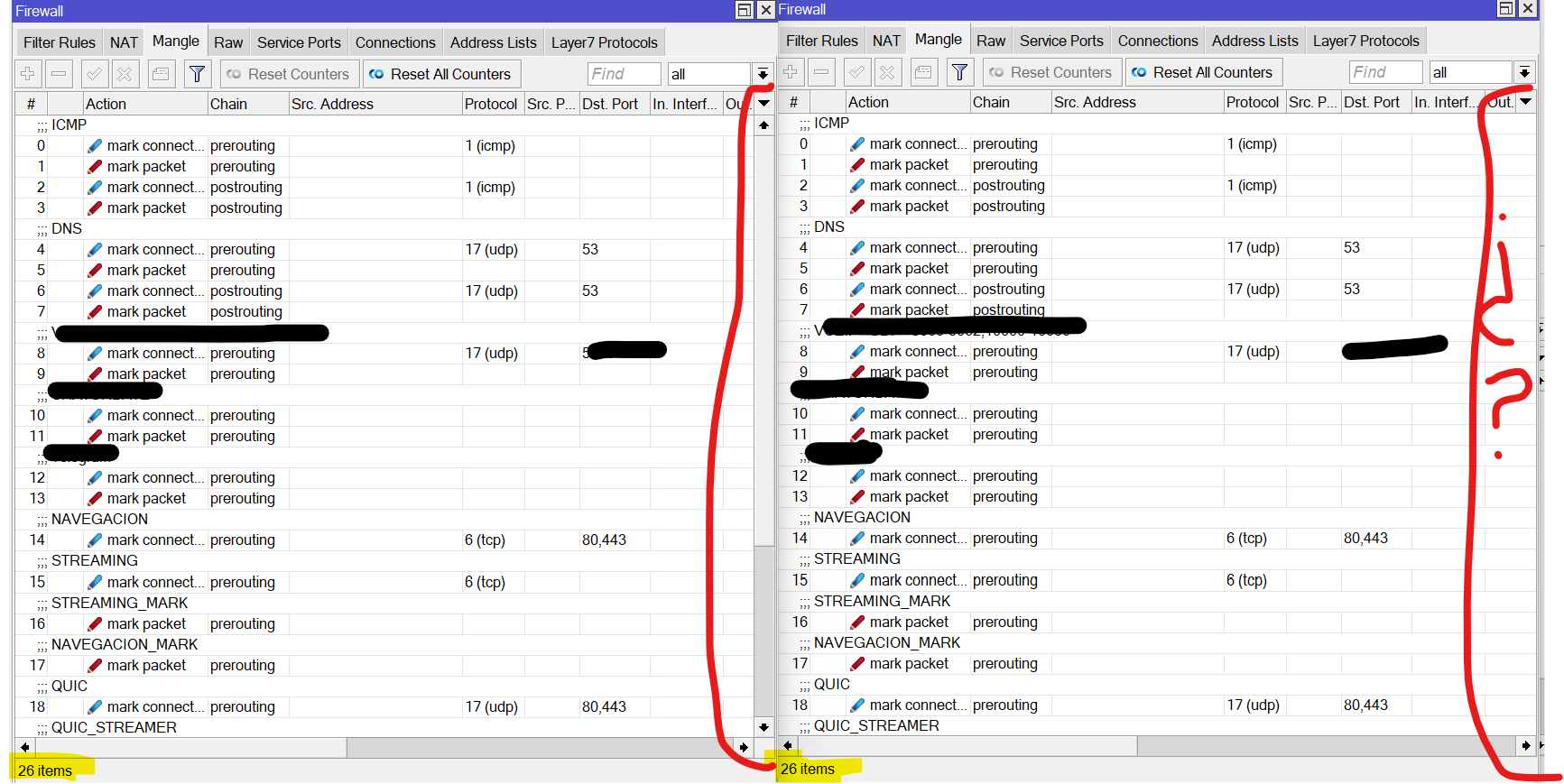
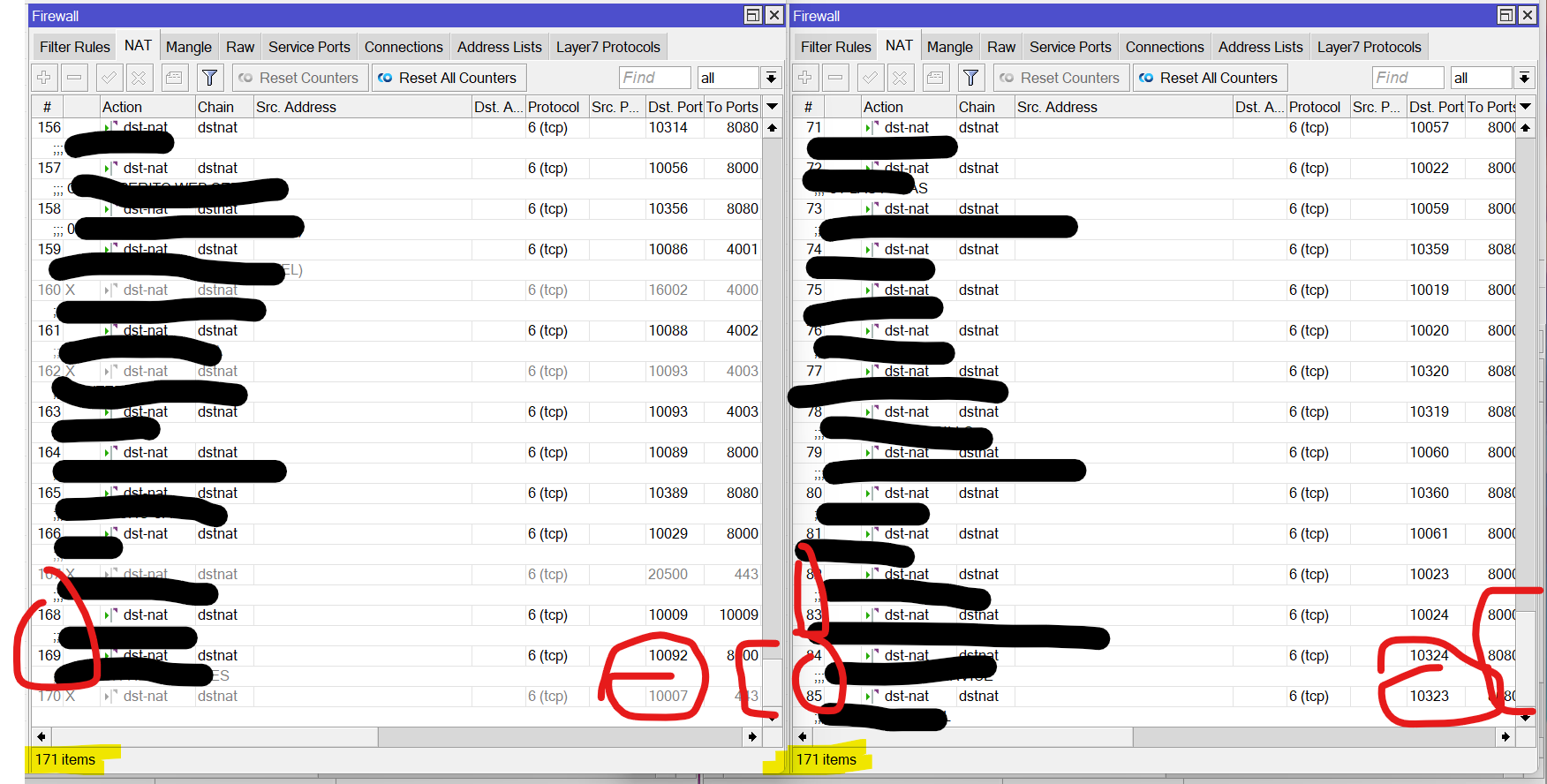
sidebar bug
I didnt find any issues with this version. Great job guys!
I confirmed that bug with Wireless Interface in hAP lite (smips). Please fix it.
I confirm than with Winbox 3.36 on 6.48.6 can not save wireless settings, like data rates, tx-power, tx-power mode, etc. on mibsbe (i do not check others)
On CLI work correctly as expected, and the changes are reflected on winbox
EDIT: Fixed on 3.37
It’s same issue regardless of rotueros or architecture can confirm.
Me too, just opened forum to dig more info about this. Affects v7 also.
Is there any word on a macos version? Picking up more and more issues with wine config etc.
WinBox v3.37 is released.
http://forum.mikrotik.com/t/winbox-v3-37-released/159534/1