It would be very helpful to have an option to automatically resize all table columns based on their content.
For example, a button or toggle like “Auto-size columns” in the table toolbar or context menu.
This is especially useful in Firewall (Filter / NAT / Mangle) tables, where comments, addresses and interface names often have different lengths and get truncated.
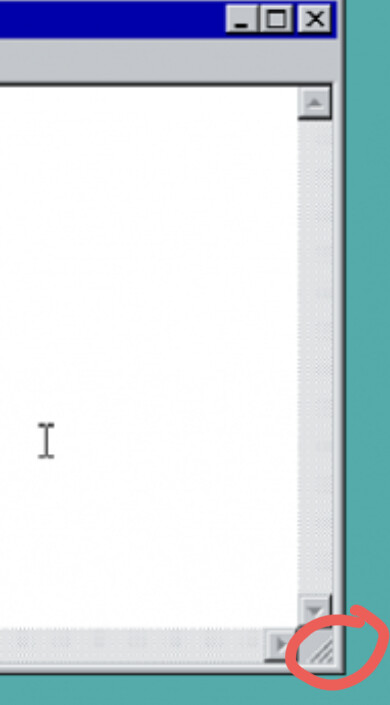
In the past, when UX design was based on evidence such as user panels, the Windows 95 designers introduced a breakthrough idea: resize indicators. This greatly improved usability.
Over time, however, the interface has become less usable with each Windows release. Today, some designs seem to follow the problematic design choices seen in Windows 11.
Please make intuitive and easy-to-use graphical interfaces your primary goal. Usability should come first, followed by functionality. Visual "eyecandy" should be lowest priority.
When developing new UI elements, sections, or entire windows, always ask yourselves this question: would I enjoy using this if I had to work with it all day?
If the answer is not an immediate yes, please iterate and improve it.
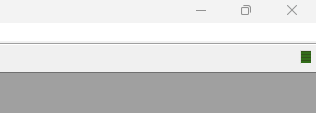
The new method is better (the change of the mouse cursor when over borders of the window) because it clearly shows that both diagonal and one-dimension size changes are possible.
I would remove the tags, and the answer seems to be no. Everything was made from zero, and all the work of smart creators of WinBox 3 was initially dumped into trash. Only after complains they sometimes peek into version 3 and implement things, that already existed and worked for years.
Good luck with hitting diagonal resize on a 4K monitor… you have to hit it within 10 or so pixels from the edge… I usually end up with first resizing horizontally, then vertically.
Btw, the cursor used to change shape with “real” borders too, even in win95 (I think even in 3.0, but that was too long ago to remember for sure). I also remember some old Unix desktops (CDE on SCO Unix) that used to have separator lines inside borders, so you could see where the diagonal resize begins: https://en.wikipedia.org/wiki/OpenServer
You forgot to tell that SuperForces A.I. agent that to get yellow-colored memory,cpu,date,time in v3 you need to manually enable ethem in every router session, every router and even worse - if you have multiple routers managed from diffrent computers, you need to redo that everytime, if not you will get:
For me, that little change is non-groundbreaking and I use v3 and v4 by ratio 50/50 and don’t see much diffrence other that v4 has dark mode and finally don’t have to install wine on linux systems, it works out of the box.