Hi, first post here and please excuse any errors on my part.
I am trying to configure a Mikrotik hEX router (v7.1.1), so that everything I connect to it has Internet access via Windscribe VPN (WireGuard).
There is a WireGuard Config Generator on the provider’s site with some options.
Selecting a Location and Port e.g. 443 the following config file is created:
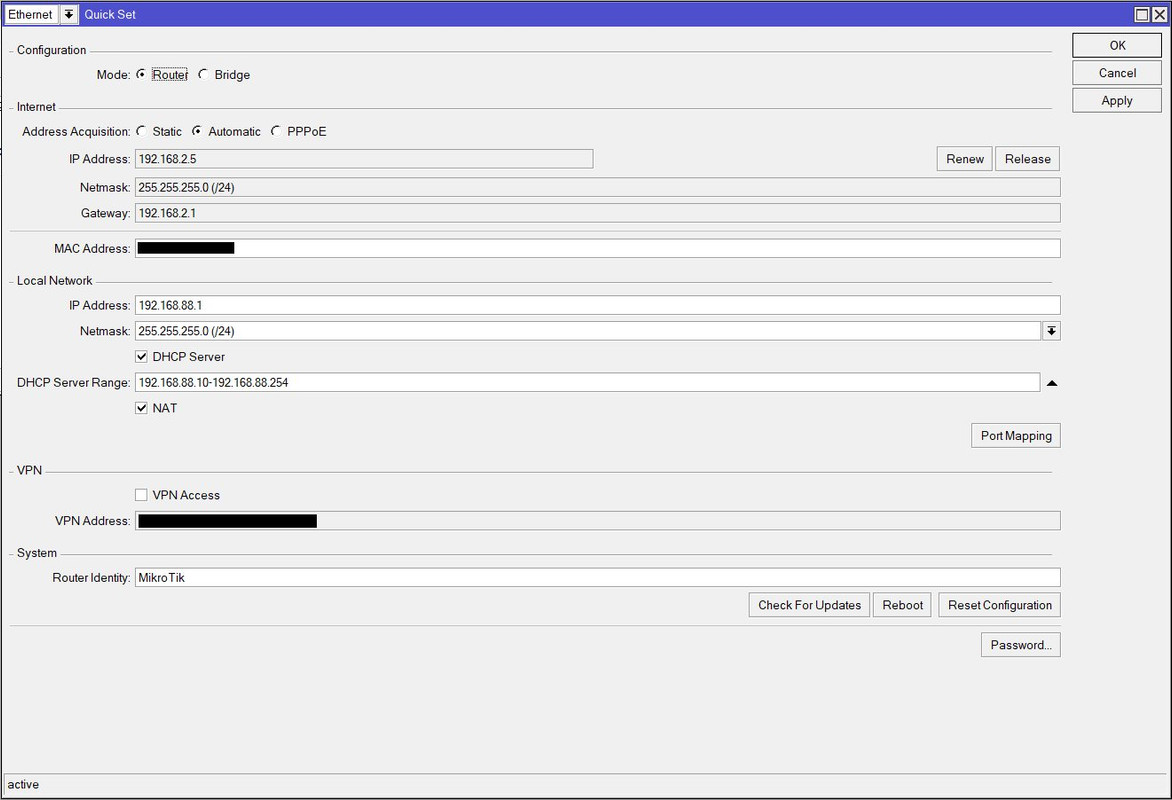
As for the equipment, currently includes DSL Modem Router (IP:192.168.2.1) Mikrotik hEX (Quick Set Screenshot) PC (IP:192.168.88.254)
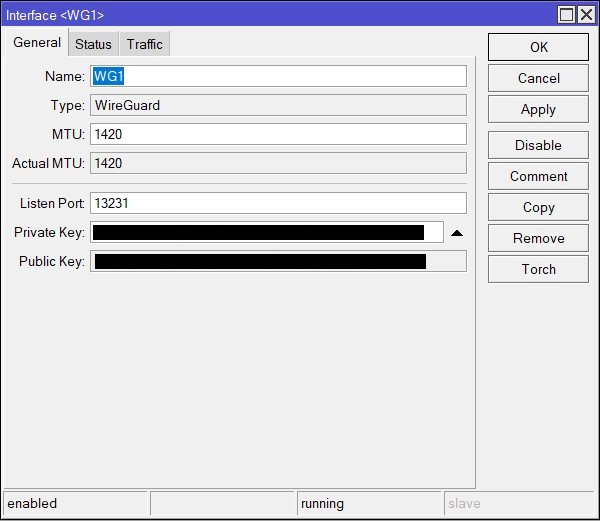
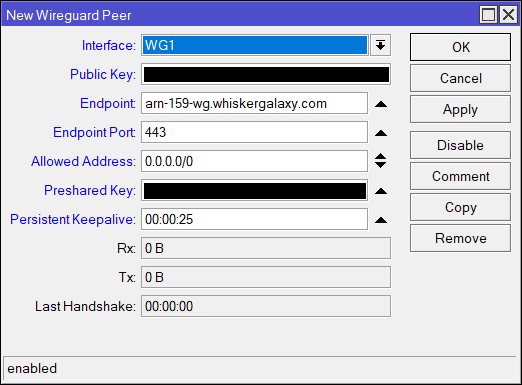
Reading other similar topics, I have set up the following so far via Winbox: WireGuard Interface, Peer
Any help with the rest of the settings?
In your case use script two and it put the config in but leaves it disabled so that you check and enable it. The first script is for dynamic take over of existing connection and that is much more complex and need a lot of checks during running. I am using that one myself every few days.
The actual directing/selecting which traffic has to use the VPN you can look at what Anav mentioned and pointed what he wrote there.
Looking at the providers output,
Okay so they have provided the endpoint address for you to put into the MT peer settings. arn-159-wg.whiskergalaxy.com and port 443.
Not sure what to do with this 100.113.246.2/32 though???
You used the public key they generated to put into the MT peer settings…
You gave them your public key the MT generated for them to use.
Not sure why we care about the DNS they provided ???
Also pre-shared key that is not something ive seen used yet, is it just blanked out because there is no entry??
SOURCE NAT, remove source nat rule for wireguard, not required.
IP Routes
okay you have the required dst-address=0.0.0.0/0 gwy=wg1 table=wg1
Personally I would not confuse readers by having the same name for an interface and anything else on the config in this case the table.
Not sure why that dynamic IP shows up in DAC because I see nothing that would cause the router to be even aware of it.
I dont understand where this 10.255.255… Route through wg1 comes from?? DID you make this and for what purpose ???
I dont understand were this 100.113.xx.x Route through wg1 comes from?? Unless you actually gave the WG interface an IP address???
Finally I dont see the route rule associated with your First IP route through WG
where you select
src-address=192.162.88.0/24
Action= lookup-only-in-table
table=wg1
I faced same task… you need to add your interface IP 100.113.246.2/32 to your newly created routing table. keep this address on the interface, of cause and add masquarade rule for out WG interface. for me it works perfect
Brever7, can you post your complete configuration involving wireguard, with firewall rule, table, routes. I’m stuck with setting up connection to Mullvad. Have a handshake but that’s it. Thanks.