Hello all, i have just bought my first microtik router and have tried 3 different times to create a wireguard with 3 different tutorials including the one from microtik. I have not been able to make it work. Can anyone please help me. Please let me know what info you need, I have a spectrum cable modem as my ISP with a dhcp lease.
I dont know if the tutorials are missing something, firewall rules etc. I am perfectly fine allowing some one remote access to my PC
First of all, you need to provide us with more information.
Do you need site to site connection or do you want to connect your phone or laptop to your home network ?
Do you have public IP address on your ISP connection ? If you don’t have that then maybe your ISP is blocking ports you are trying to use.
If you need to connect your android or iOS device then you can use Mikrotik Back to Home application. If you need to connect your laptop then you will need to use wireguard client on your laptop for that,
First of all, thank you, [preferred outcome] Microtok router as a vpn server to give access to remote users/clients, (laptops, workstations) to file sharing resources.
Currently i have configured the following,
the wireguard interface
the wireguard vpn
the wireguard peers
the ip address pool for vpn users
firewall config filter rules (not sure this is right though.)
Sorry I am not getting if that was a success or not, but I think lots of Mikrotik users have cut and paste from here and there.
And now also uses en AI slop, that also cut and paste from here and there .
So the best thing is start from a very basic setup (default setup) of the router and then go from there.
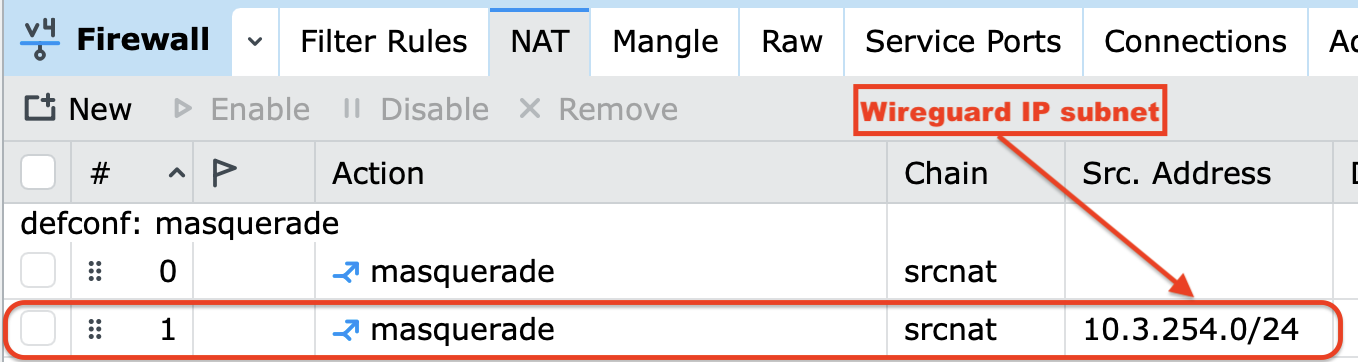
FWIW you don't need an IP address pool defined for Wireguard (each peer is assigned manually). And you shouldn't need a separate masquerade rule for you to access your router and home network resources via Wireguard through the router. If you add the Wireguard adapter to the LAN interface list used by the default firewall it will be treated in many respects like wired and wifi clients.
If you post your configuration you can get some feedback on what you have now, in case it can be improved.
@cpunk was faster, but yes, there is no need for separate masq. rule for WG and there is no need for separate IP pool. Also why two firewall rules ? Do you have two WG interfaces ?
You should post your configuration so we can see what you did and help you to do it the right way.

 .
.