+1
I just pulled the RB433 that bricked last night from RC4. Same thing. All the IP addresses are there, but they have a 0.0.0.0/0 next to them.
Verified, doesn’t work. ROS6 must have a different format, as it will not import the same language as 5.XX.
[admin@MikroTik] > queue
[admin@MikroTik] /queue> simple
[admin@MikroTik] /queue simple> add burst-limit=0/0 burst-threshold=0/0 burst-time
=0s/0s direction=both \
expected end of command (line 1 column 58)
[admin@MikroTik] /queue simple> disabled=no interface=all limit-at=0/0 max-lim
it=768k/768k name==
syntax error (line 1 column 13)
[admin@MikroTik] /queue simple> “Betty Hogenson” packet-marks=“” parent=none p
riority=8 queue==
expected command name (line 1 column 5)
[admin@MikroTik] /queue simple> default-small/default-small target-addresses=1
0.81.15.40/32 total-queue==
syntax error (line 1 column 18)
[admin@MikroTik] /queue simple> default-small
bad command name default-small (line 1 column 5)
[admin@MikroTik] /queue simple>
is not normal…
Works great on x86 platforms.
But not fixed ssh client bug (there is an error on connect “mepty: session finished”)
Also BGP has issues on all 6.x versions, disconnecting peers, 5.22 works.
Other things, everything works good. Thank you.
Don’t work igmp proxy 
And how about igmp snooping?
poor performance on SMB - only 14 Mb
please give more details on your test. 14MB or 14Mbit? What device, what client, what file, what OS?
in 5.22 was better even CPU went 100%
I like colorful buttons in 6.rc041 in winbox very mach - nice work
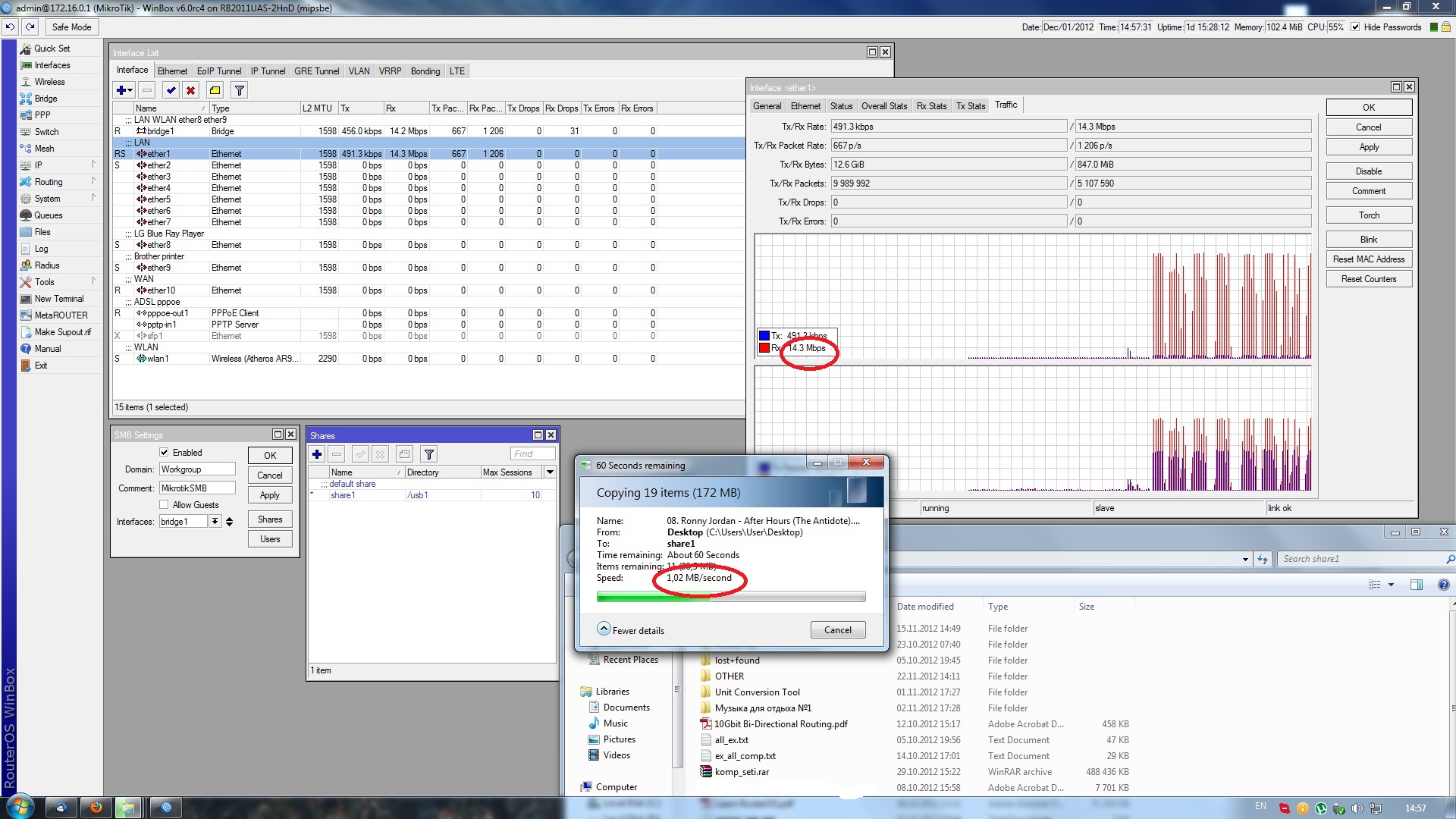
Verify your CPU speed. I had the same issue when upgrading to 5.11 a while back. Web traffic was not affected but SMB was slow as hell. After some time I noticed that the CPU was set to 100 MHz. After setting it to the correct value everything was workning again!
It`s set to 600 MHz , tomorrow I’ll try system reset.
So is this enough evidence Normis or do I need to open a ticket with Mikrotik? Just let me know what I need to do. I really want to test this out I’m excited to see enhanced queue performance but because of this bug, I cannot.
Actually I already have a ticket opened, and I sent the before/after screenshots as well. It’s easily replicated, just use a Mikrotik RB version with 100+ queues, and upgrade the firmware to RC.
I’m still not able to install RouterOS 6rc4 to a USB stick. Is there someone here who successfully installed ROS 6rc? to a USB stick?
Please solve the tcp issue of Routeros…
what issue?..
had the same problem with queues - but had them deactivated before upgrading - same happend - after upgrade from 5.21 to RC4 (RB1100AHx2)there have been 2 targed addresses at each queue - the second one that was added at the update is 0.0.0.0/0 - not a big problem on my testbox
not so good in real …
queue tree traffic not realtime like webfig 
Thank you very much to everyone about 0.0.0.0/0 in queues after upgrade reports.
We repeated the problem and working on the fix to include it to the next 6.0 version.
I do not believe that is normal…