as far as I heard, IPs are still here (and I upgraded x86 5.21 to 6.0rc4, no problems at all), but on RBs, in WinBox you see 0.0.0.0/0 added to each simple queue’s target. moreover, you can’t see that 0.0.0.0/0 in CLI, so you can remove it only via WinBox… p.s. they say it’s so, I haven’t seen it 
It is NOT true, still dont work on routerboards with small NAND
*) added feature - show last-logged-in in users list;
Where I can see this ?
[admin@MikroTik] > user print value-list
name: admin
group: full
address:
last-logged-in: jan/01/2002 03:00:14test router w/o ntp set up
It also happens in rb333.
you can check using sniffer, what are these weird packets that are dropped. (when you start sniffing, they will not be dropped but accepted into the router for sniffer to see.
Don’t tell me they STILL HAVEN’T FIXED THAT
Sorry but we don’t have any known issues like that. Support has asked you to provide your configuration, but you have not done that. Please answer questions from support, to get your issue resolved.
Please everybody who experienced problems with /queue target-address 0.0.0.0/0 after upgrade to 6.0rc4.
Contact support with /queue export compact (that was used on v5.x). Thank you very much for the help.
you have an error in the package wireless 6.0rc5 6.0rc4 !!!
RB433UAH power 24V 2A
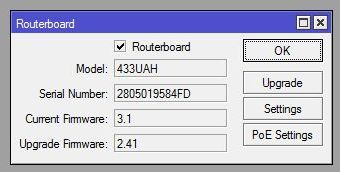
5.22 upgrade 6.0rc5 > CPU 100% (wireless 97%), no internet > update RouterBOOT 2.41 > 3.1 > reboot> CPU 100% (wireless)> disable wirelles packages>reboot> CPU ±10%>enable wireless packages>reboot> CPU ±10%, all wireless disable default> enable R52H wlan3 > CPU 100%> disable R52H>CPU 100% (wireless)> reboot> all interface no view CPU 100% > disable wireless packages>reboot>CPU ±10% ether interface view>enable wireless packages > CPU ±10%>reboot>CPU ±10%> all wireless disable > enable wlan2 CM10 > CPU 100% (wireless)…>> downgrade 5.22 (no stable version) + restore configuration >>> a few errors and I’ll get there almost stable 5.20
RouterBOOT 3.1 > 2.41 ??
ahh.. now i found the issue. i had a rule with 6 targets, max-limit=256k/1M and this will active at 18 PM.
ok the rule active i try to browse the internet. its too slow, client can’t reach 1 Mbps!! downgrade to 5.22 and report to support..
The problem is, 0.0.0.0/0 makes each simple queue speed the WHOLE router bandwidth.
at which point did it change to 0.0.0.0?
try it with one rule. add one simple queue rule in v5.22 and upgrade to v6rc4. Does it change to 0.0.0.0? We can’t repeat it.
provide us with support output files from RouterOS v5.22 with wireless eating 100% and the same with 6.0rc5. send those files to support@mikrotik.com
These are on all RB’s, and they have 100-200 queues. I’ll pull the one from the field today and power it up in the office and see what happened. It’s the same thing I’ve seen every time I test ROS6 since beta2.
All the queues will have IP’s, then after upgrade they say 0.0.0.0/0, when upgrading to any of the beta or RC versions. That is where the change happens.
5.22 wireless OK - switch off the service (proxy,samba,CPU 100%) or restart the routerboard http://forum.mikrotik.com/viewtopic.php?f=2&t=67568&start=50
6.0rc5 I don’t have the supout.rif
I didn`t see where is 6rc05 ??? - Let support send me 6 rc05 for RB2011UAS-2HnD via email
in 6rc04 Graphing still isnt working after power loss - all graphs are empty LEDs control isn`t working too
but fast path is good
SMB with shared usb drive working well all day today
Ok here’s what I’m seeing. Going from 5.22 to RC4 with Simple Queues, RC4 seems to add 0.0.0.0/0 as a “secondary” IP address on the simple queues.
See screenshots of before / after.
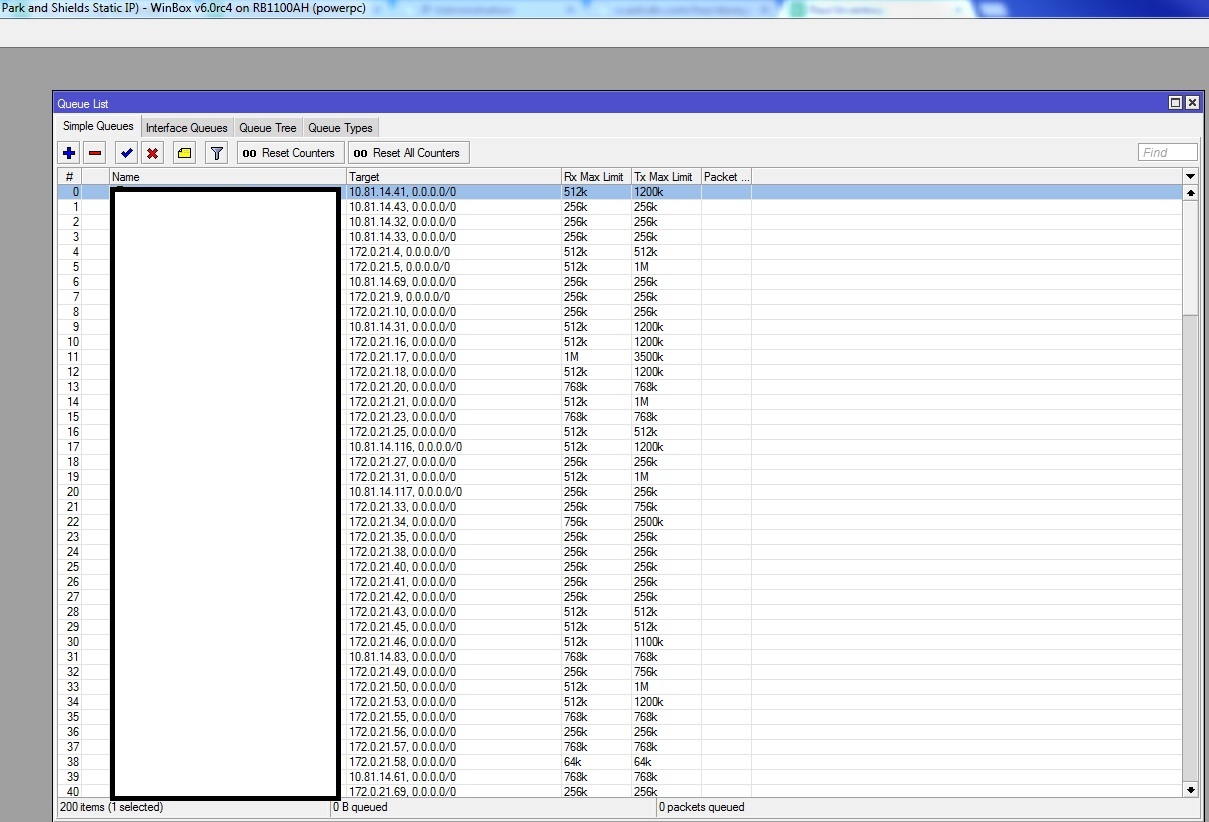
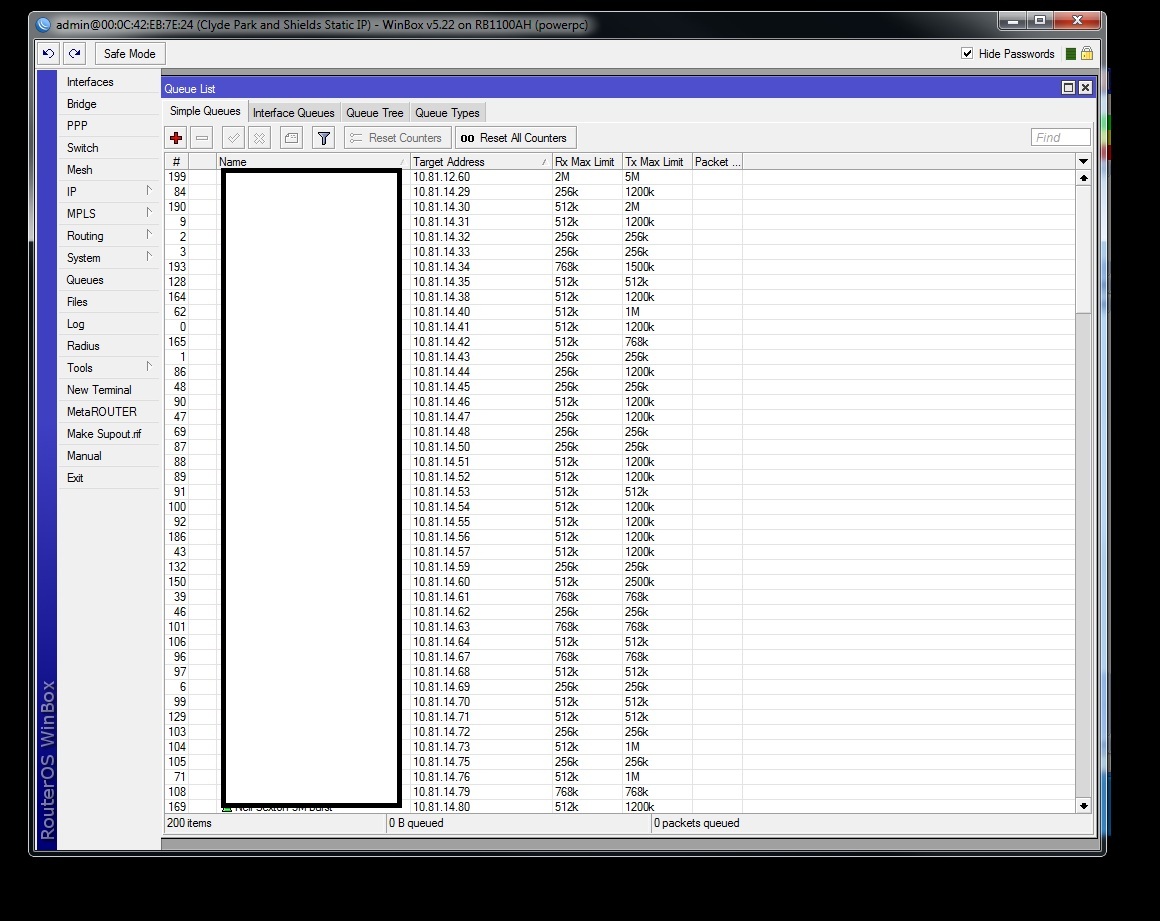
wispwest
export simple queues from 5.22
upgrade to 6.0rc4
reset no defaults=yes
reconfigure ur RB
import simple queues
and MT pls add “Detect Cable Problems” cool future in 5.23 if its not so hard…
I don’t think it will work. I tried pasting even just a few queues from a export script, and it wouldn’t add them. /queue/simple/add/ etc… won’t import with RC4. Had to downgrade back to 5.22