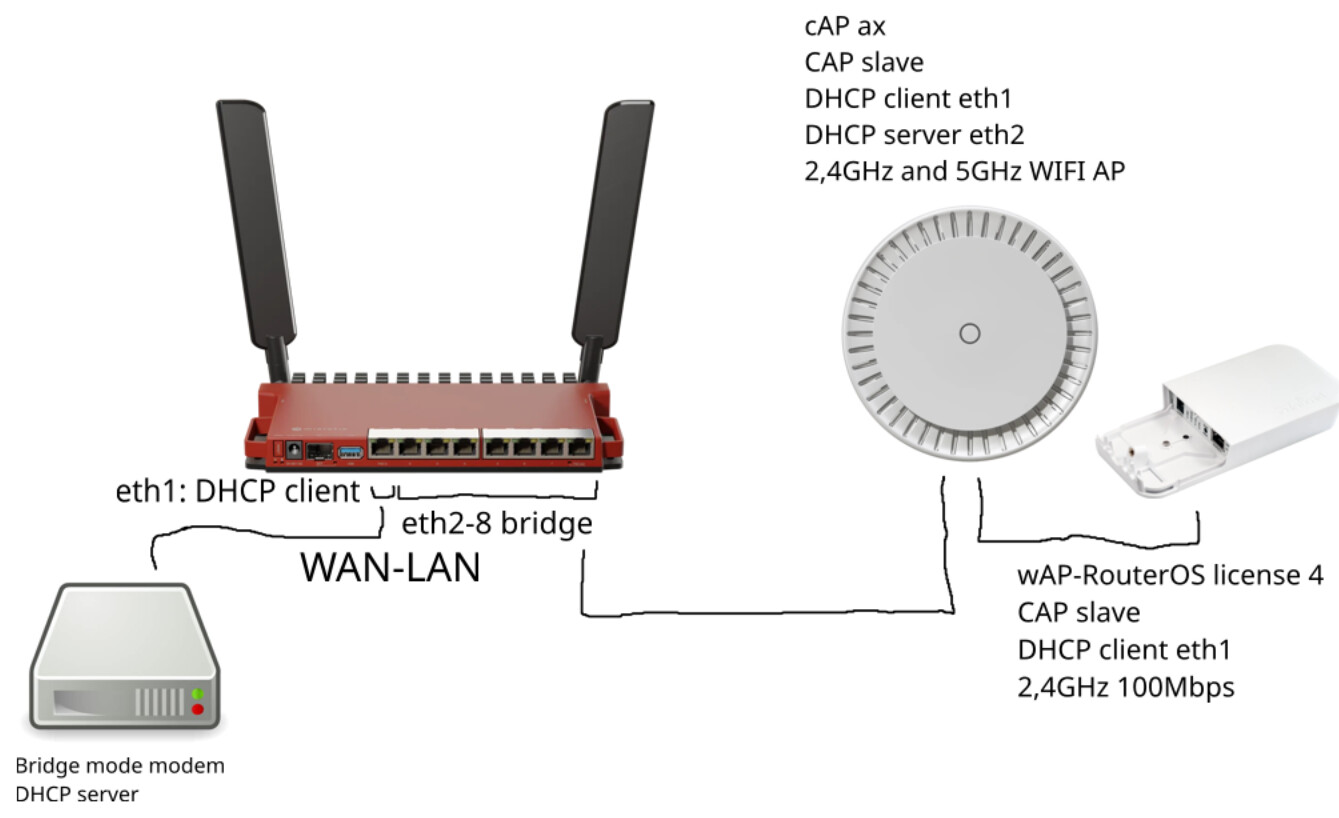
How can I make a good capsman controlled wifi network at home?
I wanna do in GUI (winbox 4.4) but not clear what needed, every forum topic in CLI or old Winbox or use a lot of vlan settings.
Can anybody share a minimal config, how can I do?
The guide is start by "CAPsMAN Discovery by CAP", but how start the CAPsMAN "server"? The guide start the second point.
This site tell me:
"CAPsMAN in WiFi uses the same menu as a regular WiFi interface, meaning when you pass configuration to CAPs, you have to use the same configuration, security, channel configuration, etc. as you would for regular WiFi interfaces."
But if I set the main device wifi (radios only 2.4GHz), how can I set the second (slave?) device 2,4GHz AND 5GHz wifi possibilities?)
Short question:
What control the CAPsMAN really? SSID trought the LAN share and change the IP between all AP to make sure the IP address (DHCP serves share) is same to the laptop to make seamless connections?
I dont understand the CAPsMAN and I can't set the working too.
Anybody has a basic guide of this feature and how to set in GUI?
Thanks.
Select "CapsMan", tick enabled, select the interface the AP's are on, and the radios and such should discover and appear in CapsMan. Zero need for VLANs or anything else extra unless you want them. Configure from there.
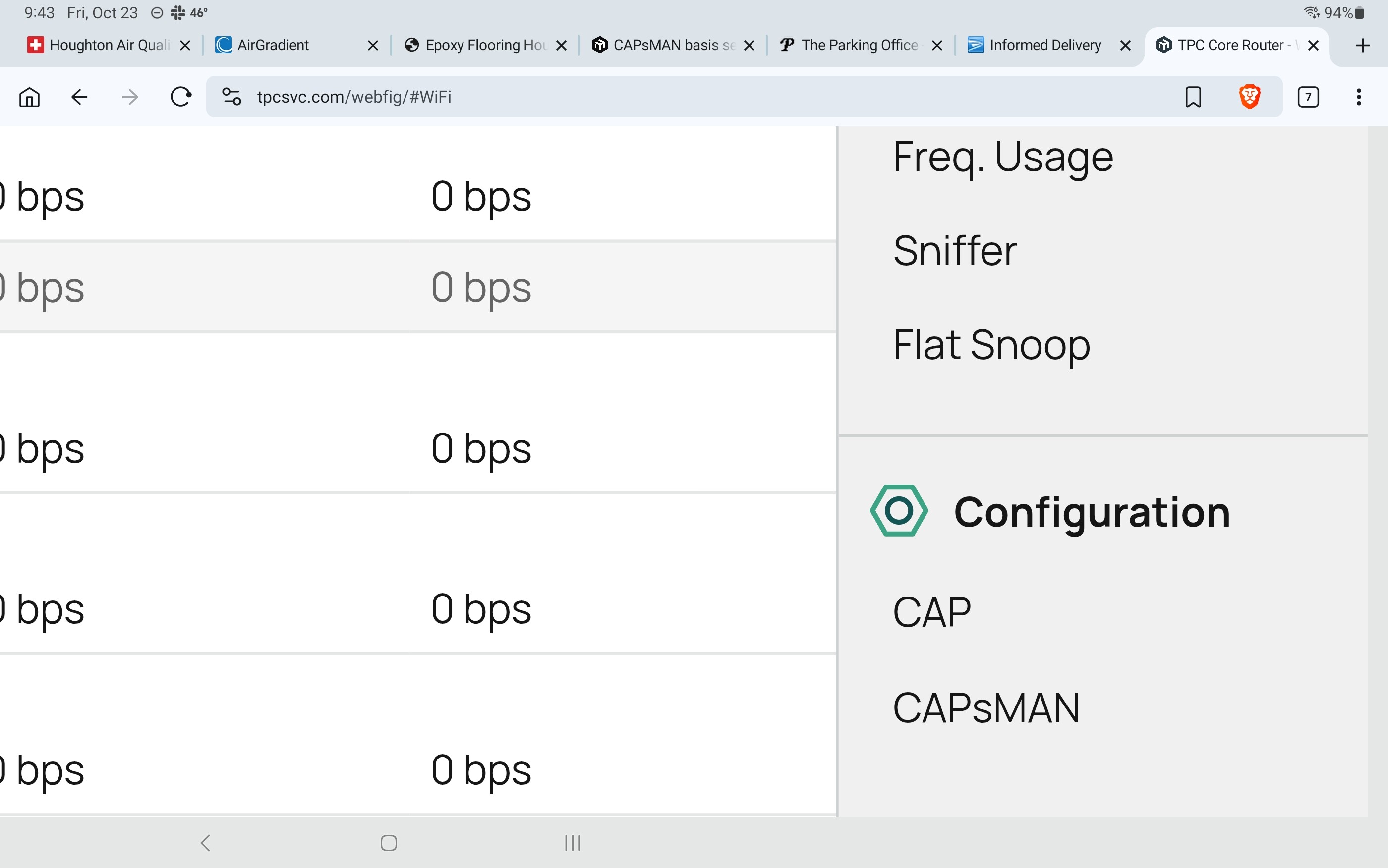
And WinBox 4.4 clearly has the same buttons for me. Select "WiFi" on the left, select the "WiFi" tab, and to the lower right are the "CAP" and "CAPSMAN" buttons, pretty much the same as for WebFig . . .
Or, if I'm missing this due to language issues, there is no "CapsMan" section proper in WinBox for the qcom based CapsMan - you use the WiFi menu. If that isn't there, install wifi-qcom on the device that is to be the CapsMan controller.
But there is only a few settings available. Exactly: Enabled, interface, CA Certificate, Certificate, Require Peer Certificate, Package Path, Upgrade Policy, and visible the generated CA and normal Certificate. That's all.
No band, no channel, no address list, what you send earlier the config has this line:
/interface wifi capset caps-man-addresses=127.0.0.1 enabled=yes slaves-static=no
Correct. That is exactly what it SHOULD be. You configure the radios via the other tabs and provisioning rules. The CAPSMAN menu simply sets up CapsMan to be able to talk to CAP devices.
I think that you may be errantly trying to use info on the older "Wireless" based CapsMan on the second generation CapsMan, which is not the same.
You should have tabs for Configuration, Security, Channel, Datapath etc. within WiFi to do the specific config. If not, you may need to load the wifi-qcom package.
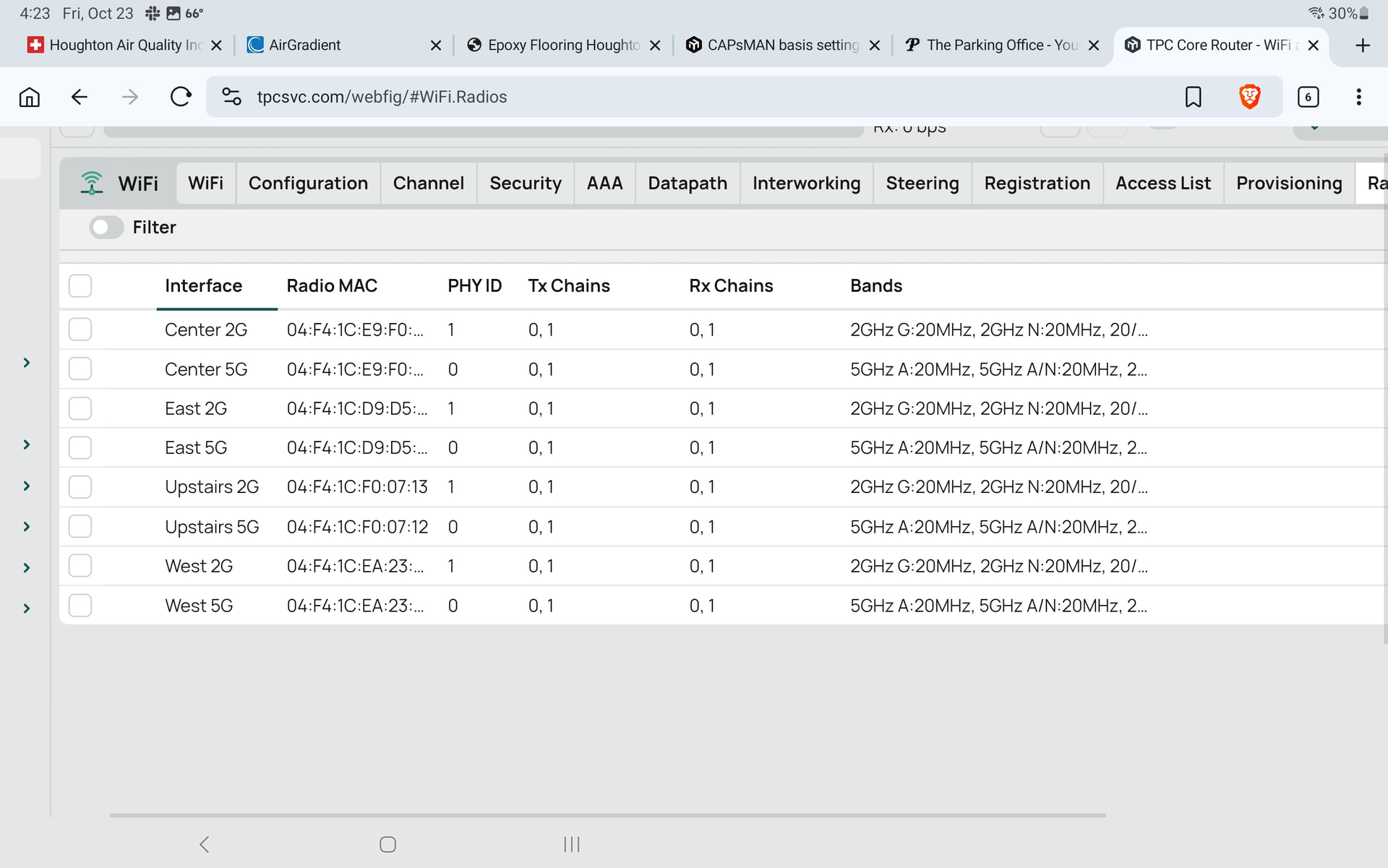
The 2.4G and 5G radios will show up separately on the "Radios" tab, and you need to create provisioning/config for each separately.
Ah then I enabled the wifi-qcom-ac (because the Wifi-6), then I need to see the 2.4G? My Radios tab is empty, and the radios settings (side button) is only give external antennas checkbox.
My config need any other package to work the capsman?
Extra: The second (slave cAP-AX) is how can be visible on the master radio tab?
both (2.4 and 5GHz) is visible, or only the master radios parameter is visible on this tab? (I connect by the winbox to the "master" capsman device, where is only 2.4GHz available.)
If you have the AP's in CAP mode, and if CapsMan is enabled on the correct interface (if ether8 is a bridge port, you might try bridge) they should discover and populate.
(The best way to get the AP in the correct mode is via /system/reset-configuration keep-users caps-mode. You can set the name via CapsMan, and if you have them setup in DHCP, they should come right up. On the CapsMan server, verify enabled and interface, and leave the rest alone.)
The radios should register like this in the Radios tab (I have named mine)
Not sure if there are any quirks with wifi-qcom-ac vs. wifi-qcom . . . all mine are -ax devices. (I do recall that wifi-qcom-ac causes the 2.4G radio to not work with some chipsets - hopefully someone else will chime in about that.)
Today I wanna see my internal 2.4GHz wifi device working with capsman controlled method, then If this work, I can go forward the next step, external device (CAP AX).
Can you tell a basic requirements of a capsman master setup?
L009UiGS-2HaxD-IN has RouterOS license 5 with Wifi6 Wireless 2.4 GHz standards 802.11b/g/n/ax.
RouterOS 7.25, wifi-qcom-ac 7.25, and any other package needed?
The Winbox 4.3 or 4.4 is give better handling the capsman settings?
How can I know the old capsman settings is visible or the new? Where is the indicator for this information?
Wifi/Wifi/CAPsMAN configuration tab not show the revision.
All I needed in my world was the AP's in CAP mode, and CapsMan enabled and listening on the correct interface. (On the RB5009, I did need to install wifi-qcom, since it has no radios or that package by default).
So, for me, to get CapsMan server (master) running , as stated prior was simply check enable, pick the correct interface, and watch it populate the remote CAP devices and radios. Nothing more.
The radios tab is full empty. And not has any chance to modify anything.
I try the all wifi package what is available in the package manager (wifi-halow-mm / no radio information, wifi-qcom-ac / no radio information)...
Then the working is the only ONE: wifi-qcom. But strange, this package "enabled" is somehow dependency enabled the wifi-halow-mm too. I don't care why, but radio signal is visible under radios tab.
I will start again your instruction, thank you for your patient!
Conclusion:
I don't understand why is available a package on the package list what is not compatible this hardware:
L009UiGS-2HaxD-IN: router OS 7.25
wifi-qcom (visible and working)
Required driver package for 802.11ax interfaces. Introduced in 7.13. WiFi CAPsMAN support comes with the system package.
wifi-qcom-ac (visible but not working)
Optional WiFi driver package for compatible 802.11ac interfaces. Introduced in 7.13.
wifi-qcom-be (not visible)
Required driver package for WiFi-7 802.11be hardware.
wireless (visible and not working)
Utilities and drivers for managing WiFi (up to 802.11ac) and 60GHz wireless interfaces. This package is bundled into RouterOS for versions up to 7.12. Starting with 7.13, it is a separate package. The wireless package conflicts with wifi-qcom and wifi-qcom-ac packages — they cannot be active at the same time.
The same software runs on many devices with various (and often no) wifi hardware. The packages literally contain the drivers for various chipsets.
The L009 is equipped with an "ax" (wifi 6) radio, and so the appropriate driver is the wifi-qcom, as you have found. Uninstall the halow.
You can love or hate the fact that Mikrotik doesn't do per-device firmwares like other manufacturers, but it's one of the reasons that even old(er) devices consistently receive updates, bug fixes and security updates.
There is a bit of a learning curve to the whole Mikrotik eco-system. Try not to get discouraged
Configuration (your first shared image) CAP checkbox true.
But i try to build the wifi without caps, and his is a deadly stuff too.
Now I try build a base wifi system, but not success. (without caps)
DHCP server address list 192.168.88.1/24 work perfectly on my all port (eth2-8).
NAT : srcnat WAN interface masquerade
The wifi is feeded by the same bridge like the DHCP server (eth2-8), and my phone give IP (192.168.88.123)
But no internet connections.
Why?
The wan (DHCP client) to NAT the bridge (DHCP server) is working, because the PC has network.
The WIFI is good, because connected the DHCP server and has IP.
What I'm doing wrong?
No! On the CapsMan device CAPSMAN should be on, not CAP! Not the same thing! On that devixe, the radios are managed locally - it's NOT a CapsMan client.
What did you do to set CAP mode on the other AP's that don't show up?
To look at anything else, we will need to see your exported config(s).
cAPsMAN is run without wifi interface any Mikrotik device, so this is just handle the CAP devices.
The Controlled Access Points is meaning for me to controlling my WIFI internal devices by the Controlled Access Point system Manager. The manager and the controlled device (for us the WIFI internal) is need to working.
How handle the wifi if just manager running?
"CAPsMAN server can be installed on any RouterOS device, even if the device itself does not have a wireless interface"
Thanks your help but i give up this undocumented rev1-2 capsman / old new winbox / good not good package / every submenu show same name, then not write a normal exceptions warning massage, just simply not working. Thanks, but my time is over. If can I suggest any Mikrotik guy here, the winbox mouse above the name is help some small popup about understand what is that. The capsman 3 times give new space and new locations... Old, new, wifi, etc. If any small template is available on the website documentation (config? without bvllshit vlan settings), then maybe anybody can ctr+c ctr+v his own setup. But like this, is very annoying using a forum and hope some friendly guy help or not.
I try this 3 days, I use classic method, then change the whole ecosystem something better... I really grateful your time and help! Really! Thank you!