With “The Dude” officially retired, I’ve been missing a practical, visual way to document and monitor real networks — especially mixed environments with MikroTik, servers, and core switches.
Out of that frustration (and a lot of late nights), I’ve been building a new tool called CoreBit.
CoreBit is a modern network topology and monitoring system designed for network administrators who want:
- Visual topology maps that act as living documentation
Simple, reliable availability monitoring.
Strong MikroTik support, but no vendor lock-in
Supports community developed plugins, so practically any device can be supported.
Some key features:
CIDR-based network scanning with ping sweep + credential matching
This is cool as it is, my honest opinion are as follows
additional notification mechanism aside from telegram like pager duty, slack et. al
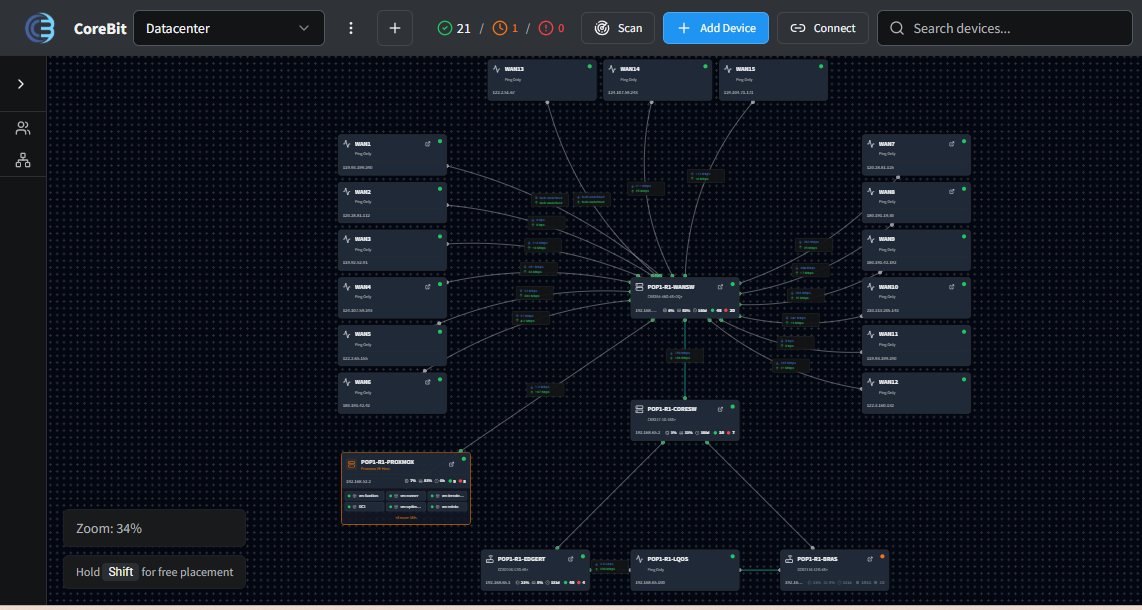
if the hostname is longer you shouldn’t chop it off (e.g CUSTOMER_X-POP4-R1-EDGERT) as well as the IP address
proxmox ve i can’t make it to work i’m sure i supply the right credential and I don’t use api I used proxmox v9.0.3 I don’t know if that matters
the network discovery / scan is kinda slow for my taste but it works
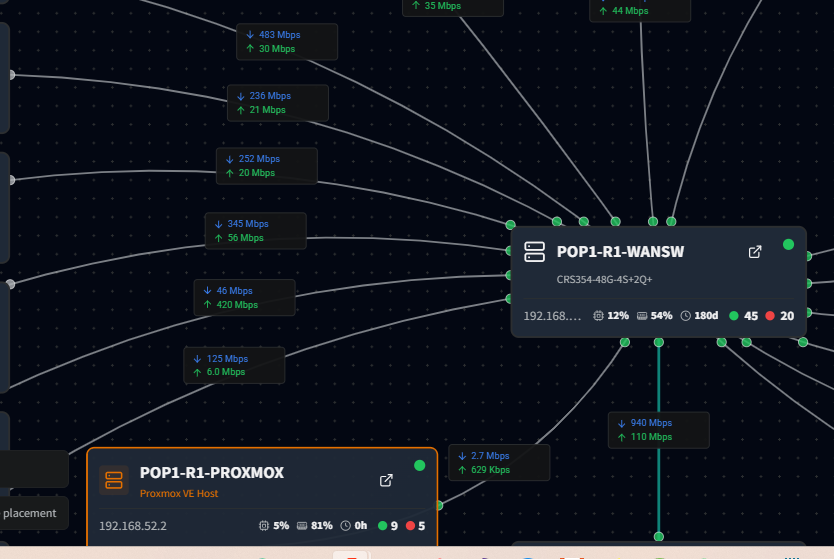
I hope I can display any other information between connection of two host other than you just display the bandwidth usage and also it’s not clear what is the source when you are displaying utilization
for the server if i enable Prometheus can I display custom values/metrics? though i haven’t tried it yet
Can you provide a docker installer in a form of docker-compose?
Does it support HTTPS with letsencrypt as default? well I can put reverse proxy with SSL termination (subject for another topic discussion )
The zoom level should always fit to screen or user configurable at least
if the maps name is very long your brand logo was being obstructed by the text
there should be a historical graph if you are monitoring bandwidth usage (with user configurable time frame)
there should be a support for SSO
creating/deleting object/device is delayed I don’t know if my VM is just starved will check on this
Can you support zabbix agent style to extract / get some information in the host specially if it doesn’t support SNMP
The should be a maintenance feature where all notification will be silent during the duration of the said activity and there should be a notification received by the system users before the maintenance will take place
Can you implement apache guacamole on top? I know this might be crazy idea but still….
Can you change the color of the line user configurable with pre-defined percentage of the bandwidth used? e.g Green color if > 30% but less than 50% utilization etc etc
Is there a way to clone an object or device for the sake of convenience?
I don’t know if this is only my low budget laptop the font is small to see unless I'm going to make a zoom in
If not using dark mode, the color scheme is a little bit off for my taste everything is hard to read
There should be an obfuscate mode that allows you to blur some vital information like hostname and IP address for ease of sharing the screenshot without revealing much information as you can just like what others did e.g LibreQoS
Custom labels that can be freely place in the maps the idea is like zabbix maps
I know this may sound absurd/corny can you add audio just like with zabbix the use case is basically when you are monitoring a host and it was down we are used to this audible sound
Can you find a way to easily access traffic statistics and system vitals instead of scrolling the pane and find that button i think this button should lived in the main page just my 0.00$
Can you add functionality if the monitored host has severe icmp latency issue and packet loss can you change the color of the line to some pre-configurable color and line thickness just like what you did for the bandwidth monitoring, this will help the NOC guy to be alerted and view the historical data, because at the current state you have to go each through monitored (ping only host) not to mentioned packet loss and and rtt is not there.
If specific metrics or events match to a certain criterial on a per device basis can you run a script inside the mikrotik device, I believed this can be done with SNMP in mikrotik or better yet since you have access via API then you can invoke the script there (https://www.youtube.com/watch?v=WW7hjy29eiE)
Can you add dash and dot dash line type? normally in our current NMS we represent VPN links via dash line and for dark fiber and mpls link dash dot with some color & thickness setting
For custom link there should be a user configurable color and line style
Thank you so much for you etensive review, it is much appreciated, and I will of cause send you a license key, just email me on ch@ease.dk, and I will send it to you.
Additional Notifications was already in the work. I have just pushed an update with Slack, Telegram, Pushover and Webhooks. (Some of them was already there, if you added them to a user.
Noted, I will find a way to make room for long names.
Latest update also fixes Proxmox access with login instead of API.
I will see what i can do, but it is probes devices by the different types and credentials, so it does take some time.
What else would you like to display?
The prometheus exporter, provides about the same info as a Zabbix agent, so I will be adding more details. Please say if there are specific values you need.
Docker compose might be coming later, but while i develop it, it is faster with the installer.
I will definitely add Letsencrypt to it.
I have tried to make it so Zoom level is remembered, to avoid zooming all the time, but i can look at alternative options.
I will fix that
There is currently a 5 minute graph of bandwidth, if you click on the connection, it appears in the properties bar. I plan to put it in a hover, like in The Dude.
SSO will come later.
I will look into that, should work live.
I have thought about the Zabbix Agent, but Node exporter should give about the same.
There is already a maintenance feature, if you use the On duty function. It is in the top of the left sidebar, and on each device.
I would prefer not, but I have thought about making support for custom links on each device. Then I believe you can call your Guacamole installation.
Thresholds on bandwidth monitoring is on the todo.
I will add clone to the wishlist.
I will see what i can doo with font, but it is always a trade off with space.
I will try to make better contrast in light mode. (Have noticed that i keep switching to dark, that might me why).
obfuscate is added to the wish list.
I am planing to add some other design elements, like text and boxes.
item #3 thanks for the quick fix, for the proxmox-ve but can you prioritized to show live host vs stopped host in the map?
Item #5 In Zabbix I can display any data I want e.g # of PPPoE Live Connected Users in the system as labels or I can even display icmp information or lagg failure only sky is the limit, personally I find it very intuitive
item #11 Yes i see it but can you make it at least past 3 hours worth of data and please include a time series because it’s hard to interpret once shown in the graph, the rationale is basically if you see something strange you can dig it sometimes from experience current data is not always the best in terms of trouble shooting, just my 0.002$
item #16 yes that would be awesome
item #17 that’s great to hear in the old days in cacti weathermap that’s very handy feature
item #22 yes please because seeing everything in boxes is not fun imho
Will going to update this post once I found some good ideas
Can you also add apline in the installer script? And if you can add alpine then maybe docker support and a Dockerfile with env settings and a Entrypoint script and make a container version with alpine as the base os.
I am not familiar with Alpine linux, but it should be working on most distros, as it uses nodejs for most of the processes.
Do you have some errors from the installer.
Not sure what you mean about “prioritized to show live host vs stopped host in the map?”, can you explain that?. #5 I have added experimental support for loading all available vitals from node_exporter. (I have researched on the Zabbix Agent, and that will not be the correct solution). A typical linux host have almost 300 live updated datapoints to read from. #17 is implemented now, together with hovering on a link shows the bandwidth graph, if configured.
item #3 i have more than 10 vm hosts the first 5 vm 100 to 104 is not in running state because it was administratively down, but vm 105 to 114 is running the way the application works right now will it will sequentially display the host no matter what is the state, what i’m suggesting there should be a toggle to display all running first VS the default / current behavior I’m not saying the current behavior is wrong it’s about personal taste
item #17 this is awesome but can we set the position of the graph statically with x,y coordinates? because at the moment it randomly pops up everywhere
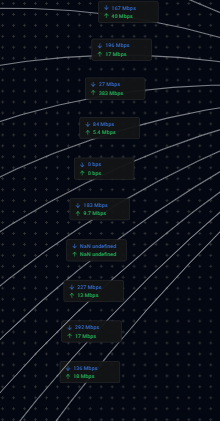
new observation for bandwidth monitoring, if you missed a poll or get some 0 kbps / NaN undefined (null) reading, display the last known good numbers and make it stale reading for aesthetics ?
If for some reason I lost the admin password which I do hahaha, how can I reset the admin password to default? is there any emergency CLI for that expensive mistake? can you enhance the change password workflow to ask for the current and new password password and there should be a reveal button just in case thanks
#3 I can make a toggle to only display running hosts. (If you click at the VM’s you get them i a list.
If you add the vm hosts to the map, then you can link them to the proxmox server (If guest ip addresses are available on the host). If it is a cluster, then links will be updated when vm moves to another host.
#17, I have that on the todo too, because sometimes they end on top of each other, then it would be nice to move it.
I haven’t actually thought about a reset function for the admin password, if will make a fix for that ASAP.
Regarding to the license. I have to release the key, then you can use it again. So just write me when you need reactivation on another server.
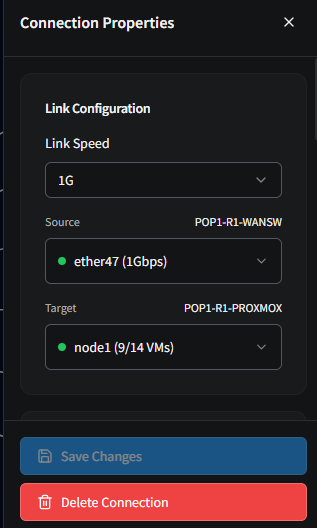
Can you provide some details on the wrong bandwidth montiring to the Proxmox server (Screenshot of config, brand of switch).
No, it is not a wireless controller, it is just for monitoring. You can map links from WLAN interfaces to other units, and monitor traffic. That should also work with capsman interfaces, but I have not tried it.
Can you explain how you think vpn and roadwarrior could be implemented, then i can hav a look.
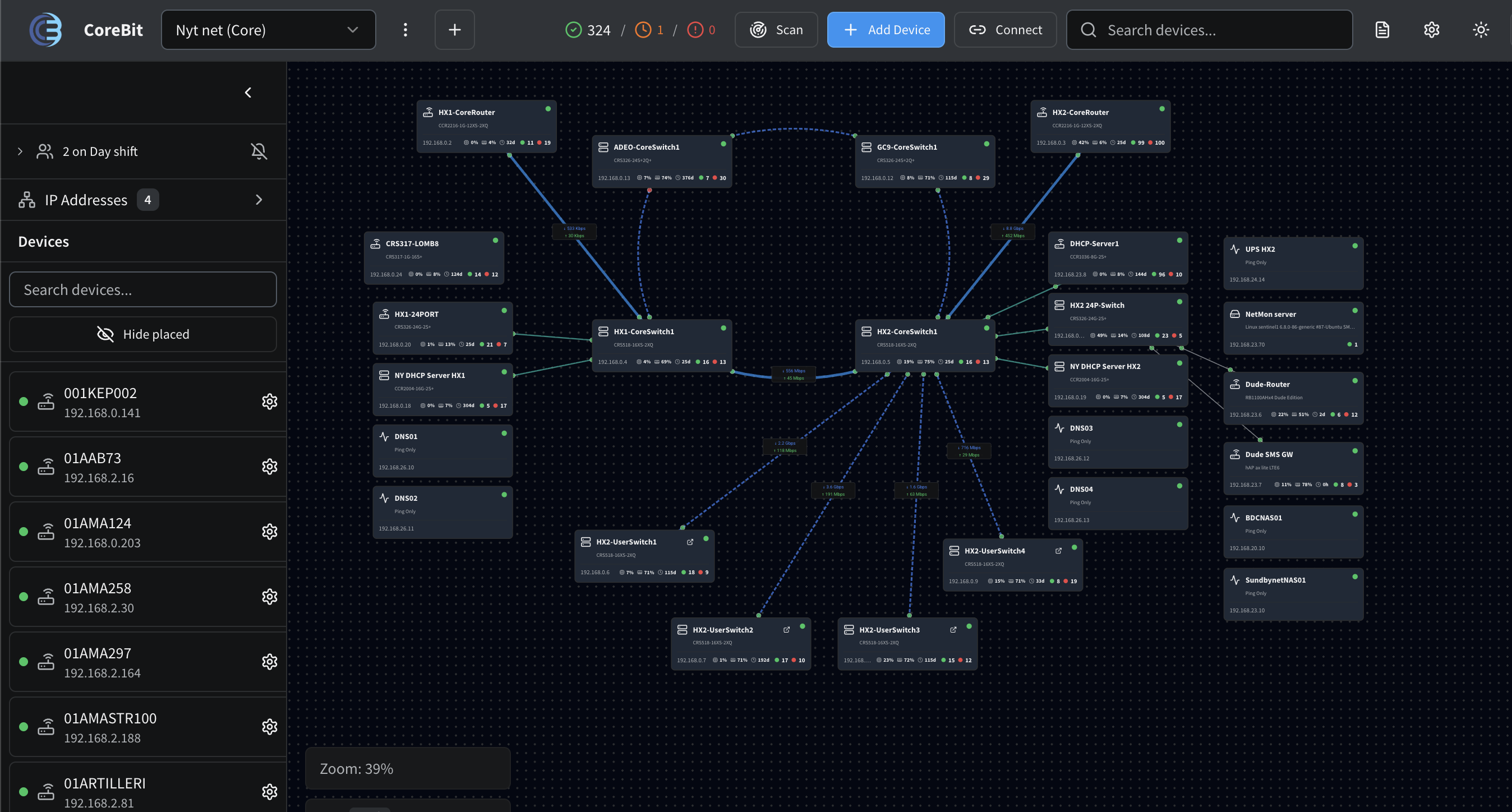
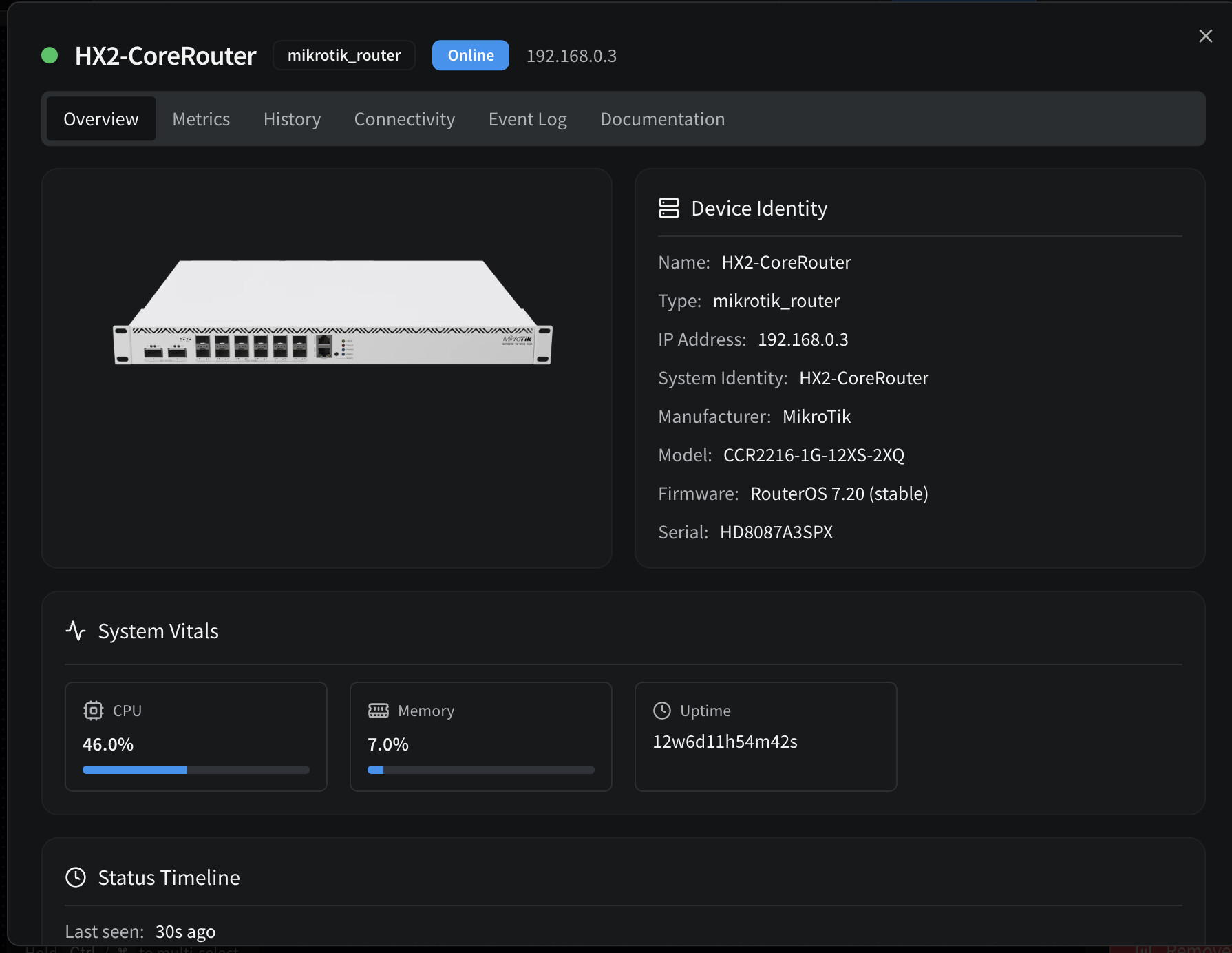
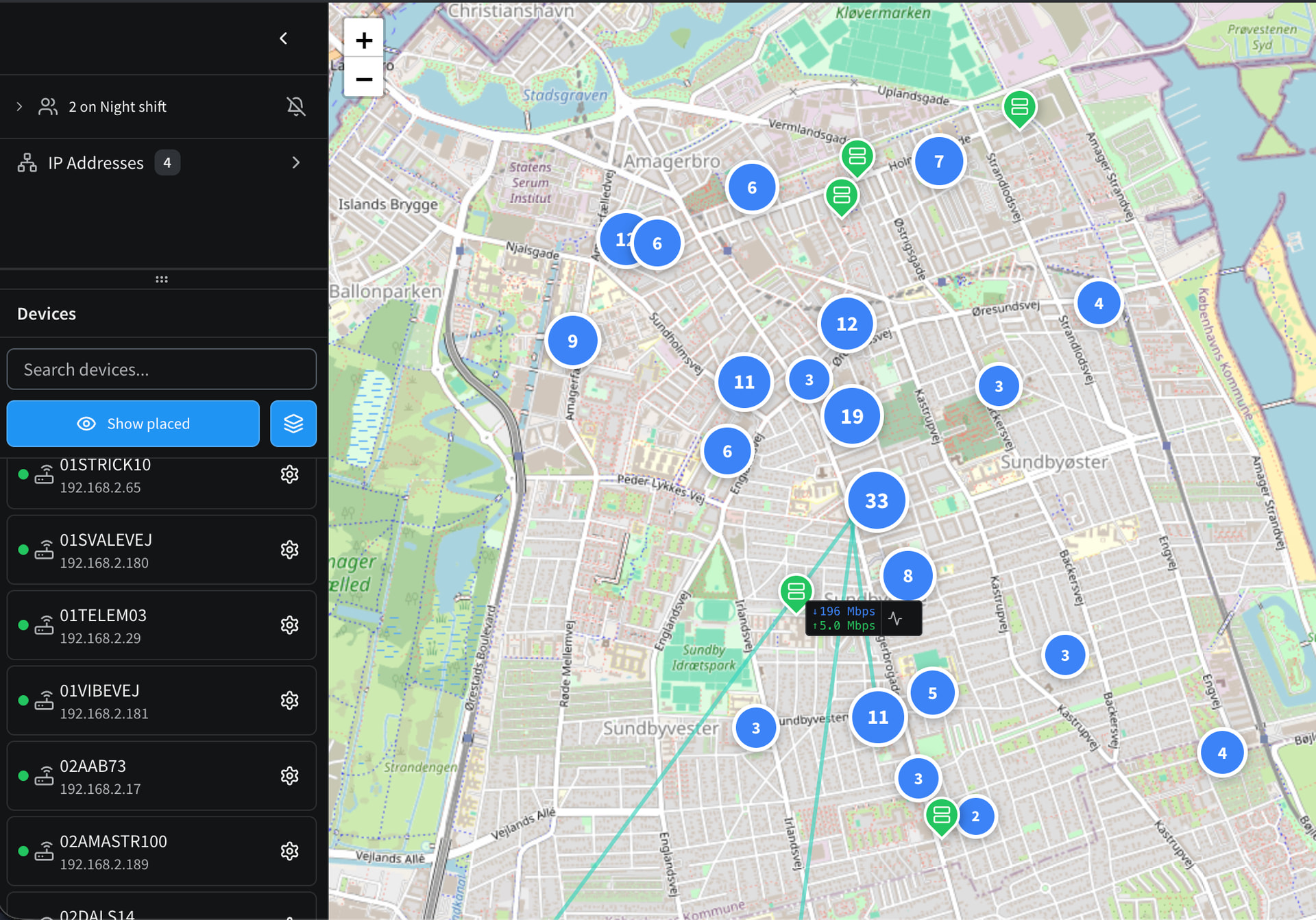
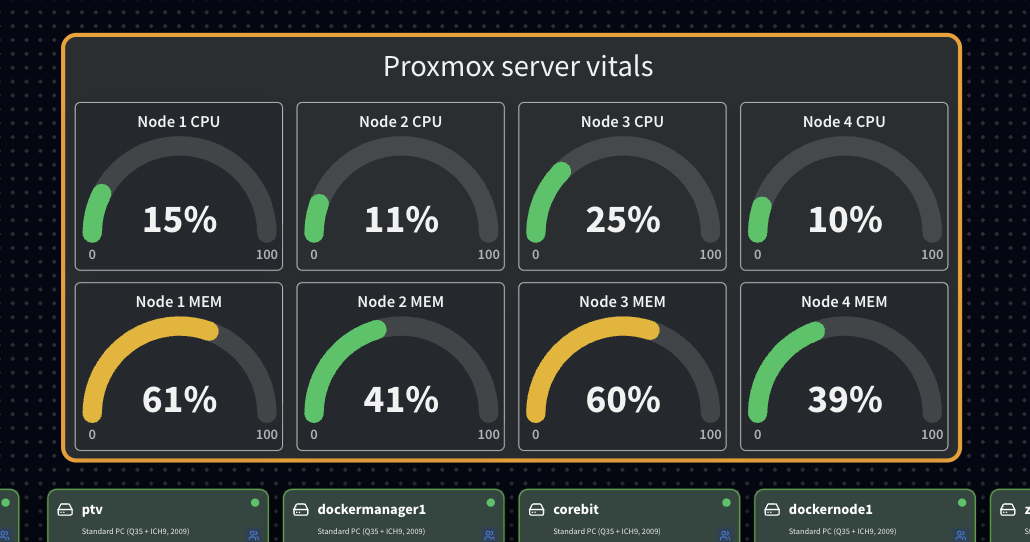
 )
)