Hello!
I`m trying to use CRS125-25G-1S-in (ROS 6.41) with Yota LTE usb modem. When I plugin modem with included OTG cabel modem light is on but LTE interface not shown
I trying to reset USB Power, reboot CRS, use usb force host mode and automatic - nothing help
i check OTG cabel with android tablet and USB Flash disk and cabel working, also using this modem with hAC Lite and all working well
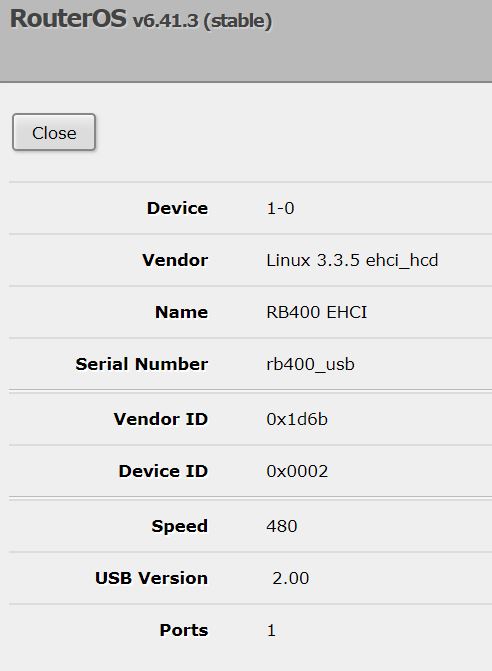
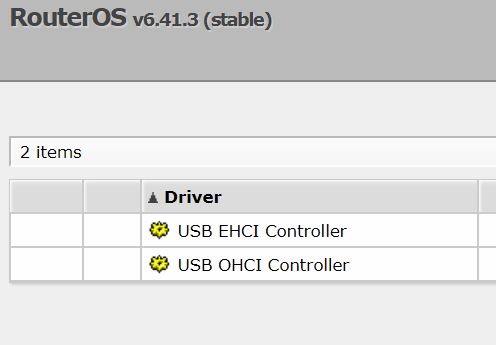
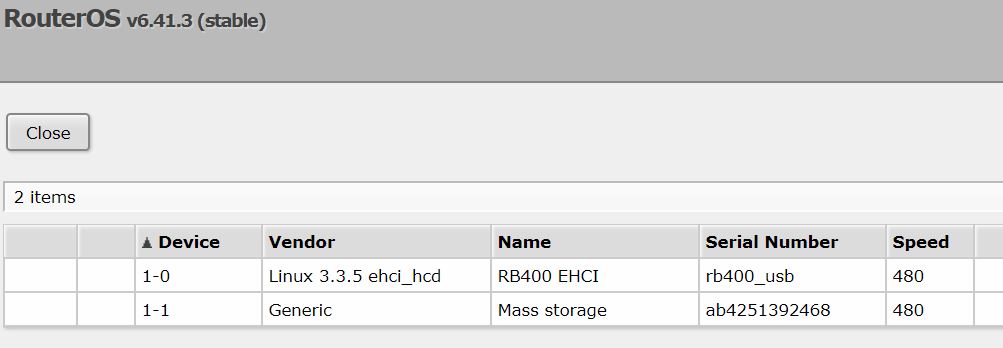
system resources usb print : 0 1-0 Linux 3.3.5 ehci_hcd RB400 EHCI 480
but not show LTE modem device as hAC Lite do
I think problem with broken CRS USB port or low output power, but how can i check? help me please
PS: Once i see LTE interface of modem but after set dhcp client and nat i can`t access into internet, and RX was 0, TX show only Error count but not bytes
I change modem to Huawei E3372 modem (hilink)
without success
resources show me
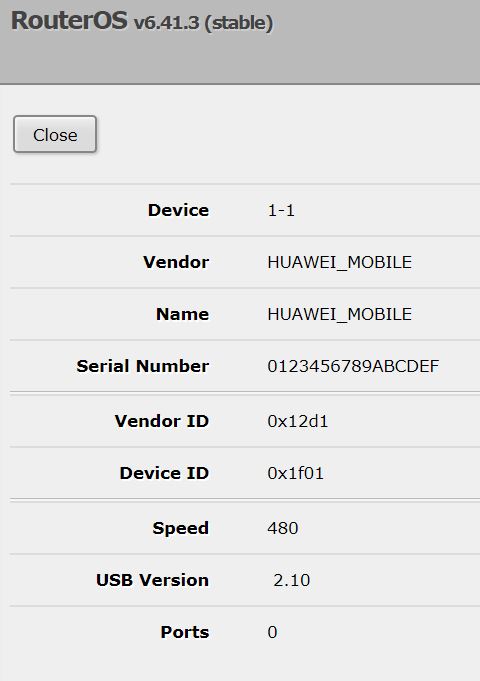
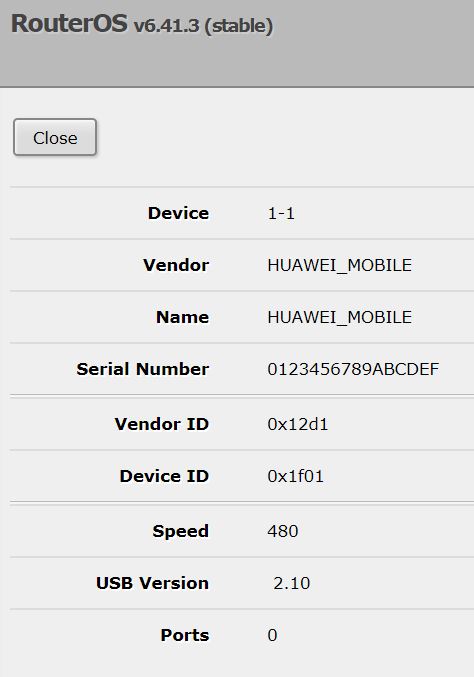
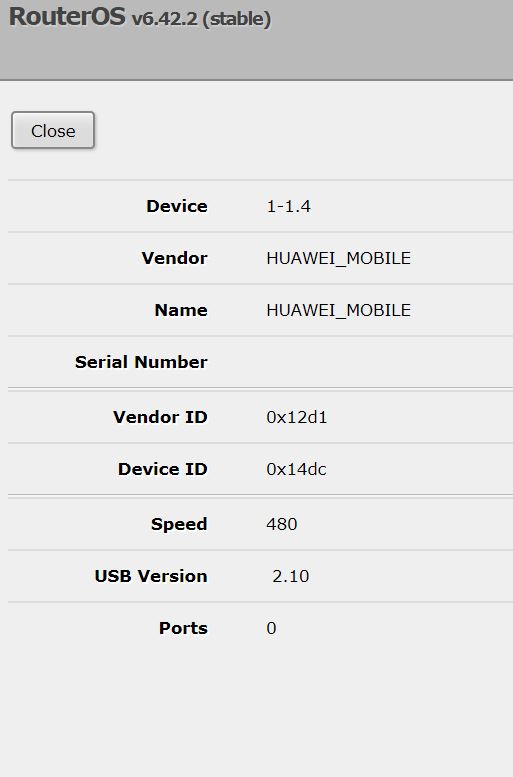
device=“1-1” vendor=“HUAWEI_MOBILE” name=“HUAWEI_MOBILE”
serial-number=“0123456789ABCDEF” vendor-id=“0x12d1” device-id=“0x1f01”
speed=“480” usb-version=" 2.10
and no any lte interface
ignore-directip-modem: set to no
Also im trying this modem (and previous) with my hAP ac Lite - both work well and i see lte interface when plugin modem
any ideas how to start modems to work with my crs125?
how to check that USB port is working correctly too?
why mu hAP show device-id=“0x14dc” and my CRS125 show device-id=“0x1f01” for same modem??
help me please @mikrotikteam
I have exactly the same problem with my Huawei E3372h-153 connecting to my Mikrotik CRS125-24G-1S-2HnD. It shows at System/Resources/USB but it will not be listed at Interfaces. (See my details below)
I have ordered a second Huawei E3372h-153 and this has exactly the same problem. What I find strange is that serial number of the Huawei E3372h-153 is 0123456789ABCDEF.
Could you please tell me what is going wrong or what I am doing wrong?
Thanks in advance.
I tried the steps as mentioned in topic viewtopic.php?f=2&t=126576 and this didn’t work out for me. Nothing was showing up at interfaces.
When I put usb mode to “force-host” no USB device were shown at resources at all. (So 1-0 and 1-1 were not listed anymore)
When I put it back to “automatic” and rebooted the device, both USB (1-0 and 1-1) where listed again.
What I find strange is that the USB device 1-0 is mentioning it has “Ports: 1”. When I am look at the Huawei E3372 USB device it is showing “Ports: 0” Should the Huawei E3372 not have a port as well?
Also there are different versions of USB version: 2.00 for device 1-0 and version 2.10 for the Huawei.
Do we need to upgrade the USB EHCI driver on the Mikrotik, so both are working on the same USB version (2.10)?
Let me know your thoughts.
Thanks in advance.
Very bad to hear
i search forum with crs + usb keyworlds, seems there a total problem with crs125`s usb port and no any solution
very bad that mikrotik ignore this problem like its not exists:(
Anyway i will try this solution, maybe next weekend
I have done some more investigation regarding the USB port on the CRS12S
First I put in a USB memory stick and this is detected by the Mikrotik without rebooting.
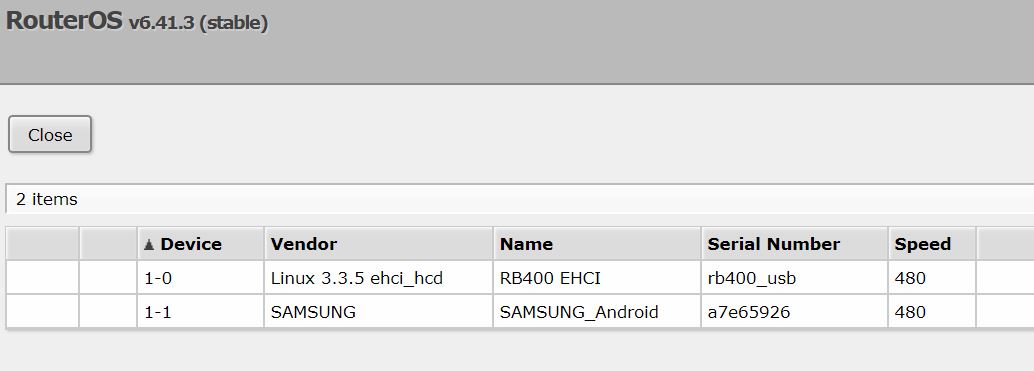
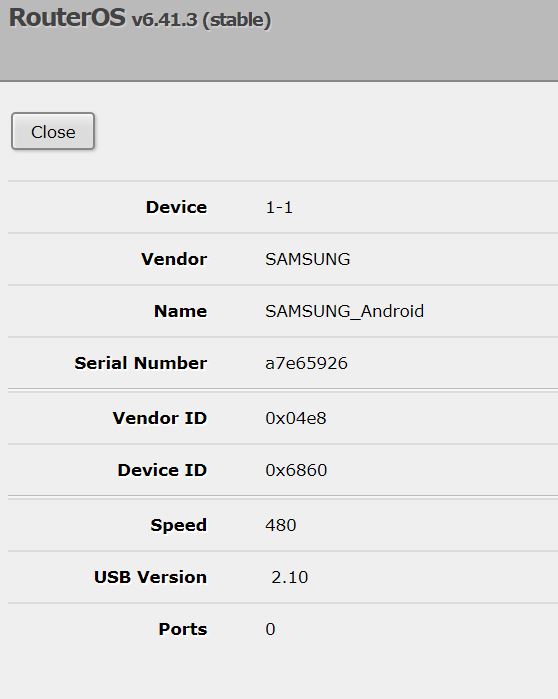
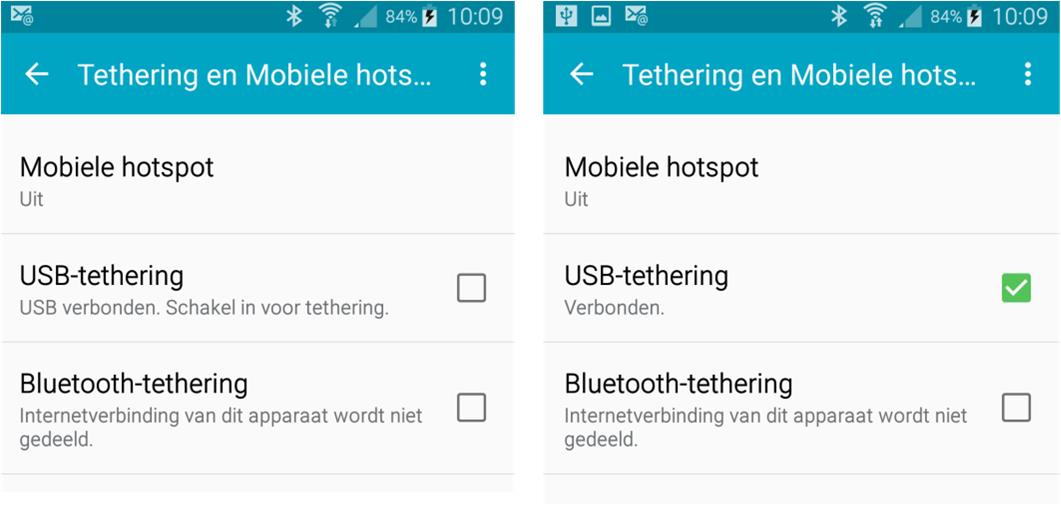
Then I connected my Android phone and put this in USB tethering mode. Also this is being detected directly, even without a reboot of the Mikrotik. According to Mikrotik this should be working, (See https://wiki.mikrotik.com/wiki/Manual:Peripherals at the section “Celluar Modems” )
Again the number of ports is 0 (See details below)
Even after a reboot no additional interface is appearing at “interfaces”.
My setting at my phone are correct and are not grayed-out.
Do I miss a step in setting up the additional “USB” interface?
I bought myself a new Huawei E3372h LTE router and I connected it to the Mikrotik.
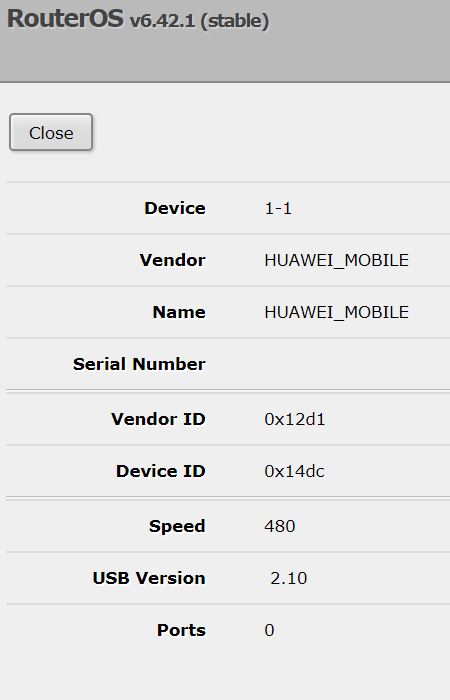
I could see the right Vendor ID (0x12d1) and the right Device ID (0x14dc)
The lte1 interface is showing up at the list of interfaces:
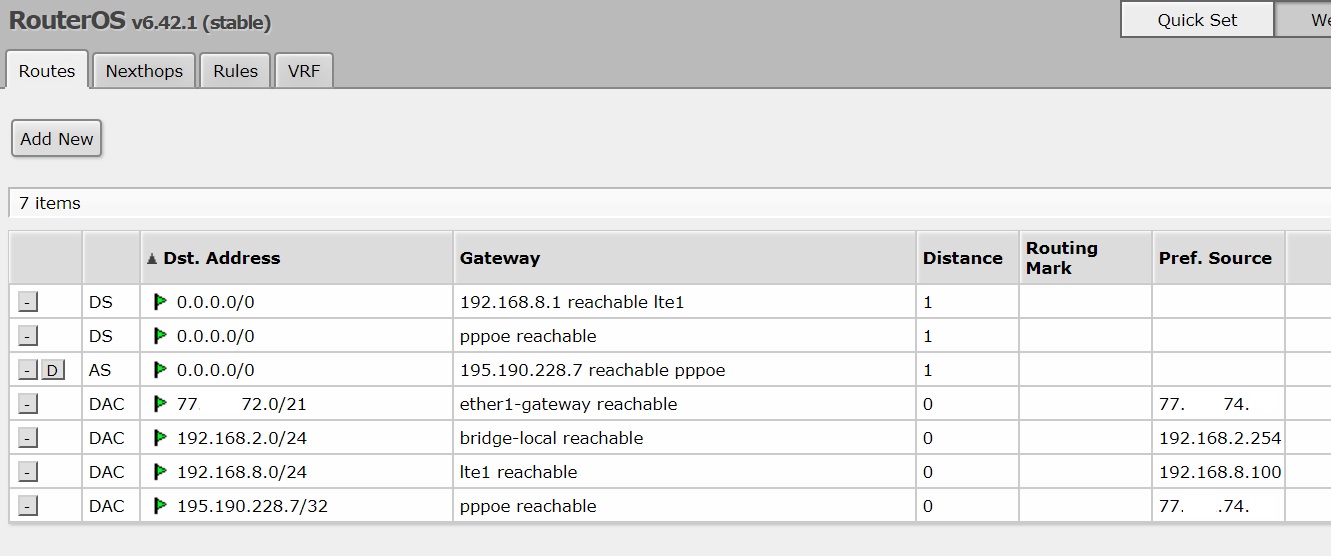
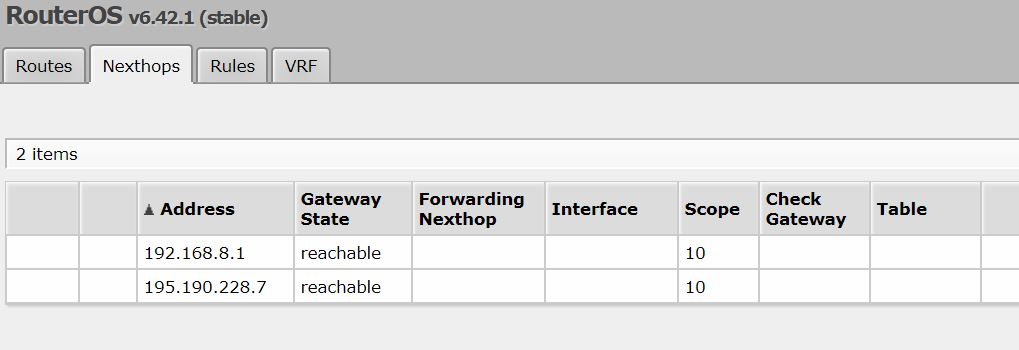
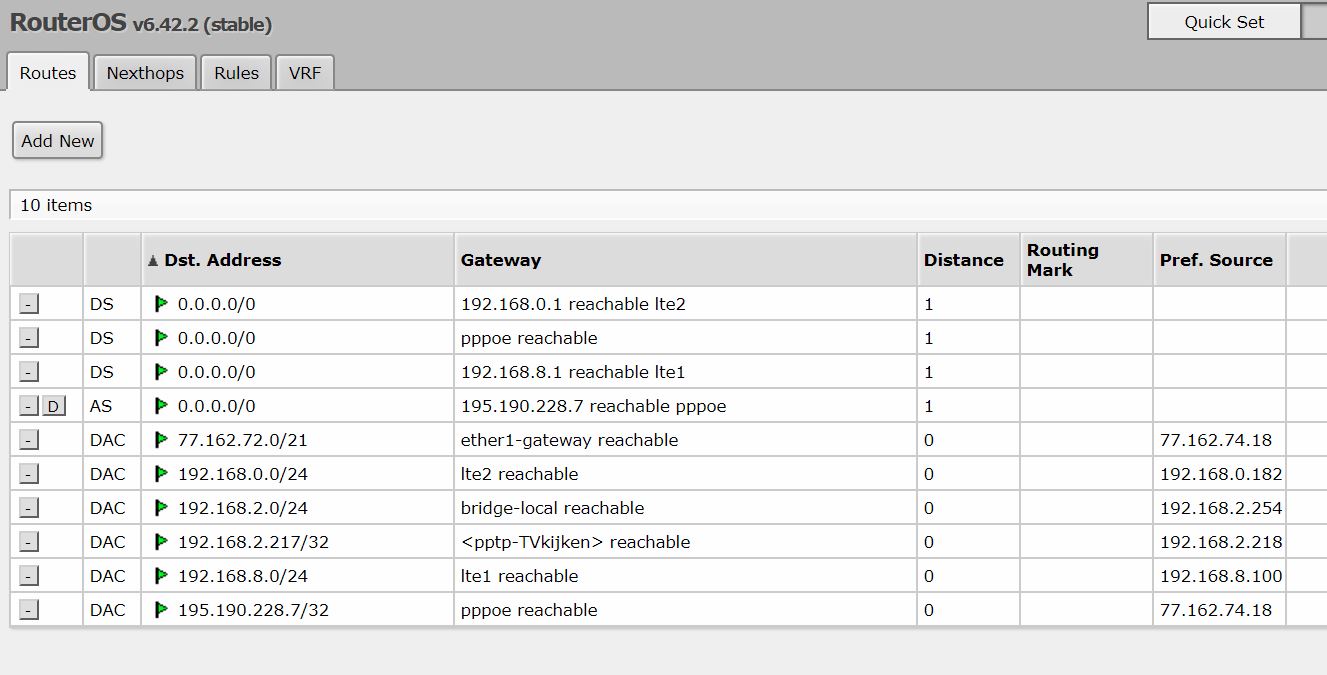
And it automatically makes some addition routes:
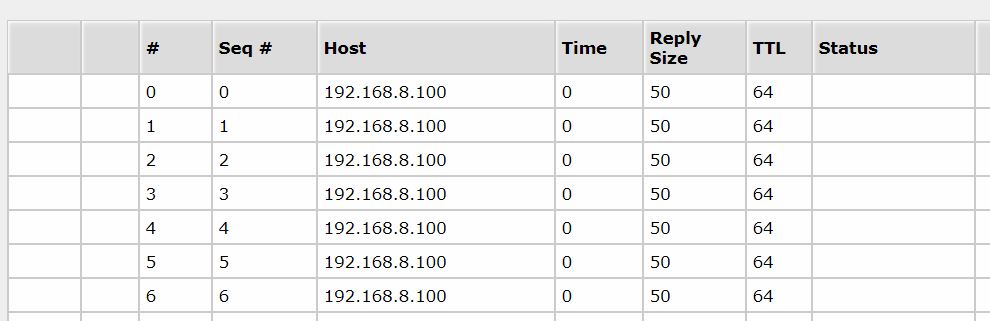
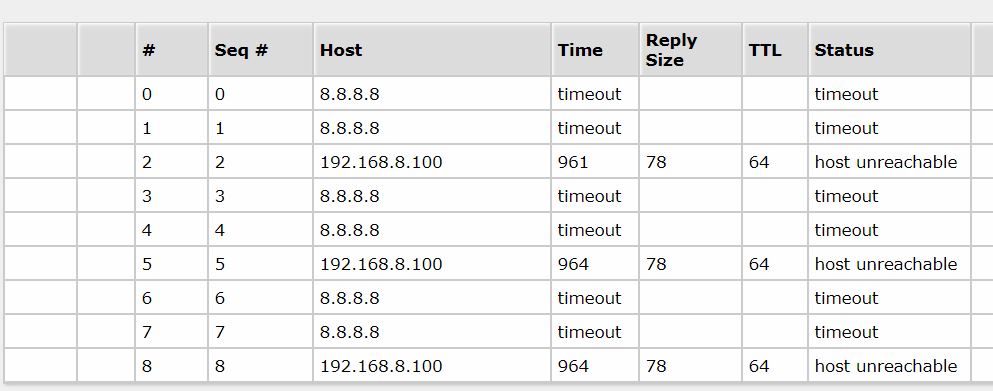
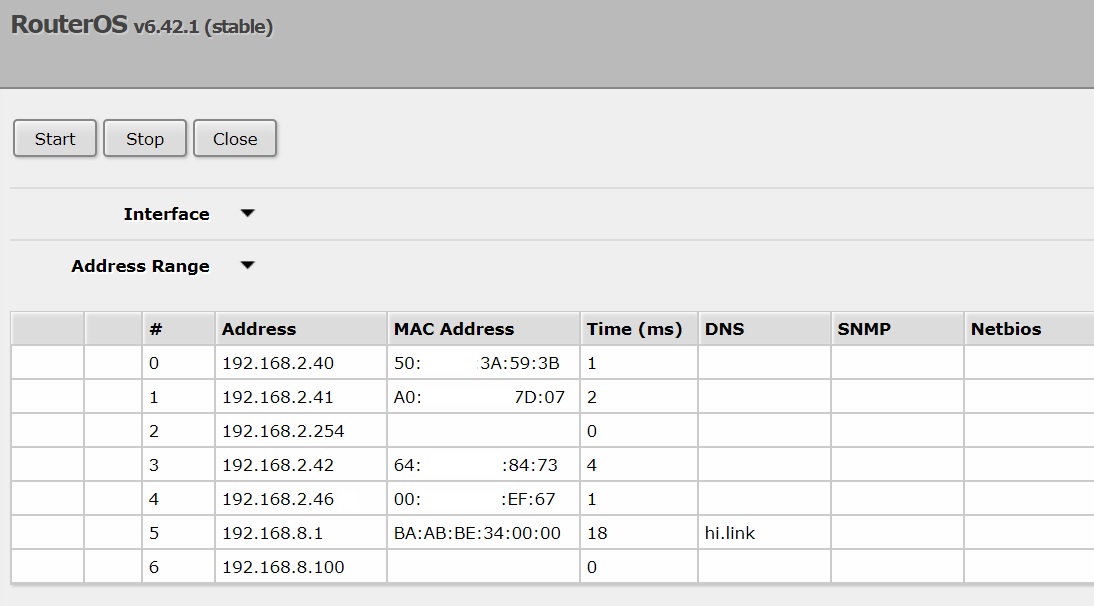
The USB port is getting a IP address from the LTE router via DHCP (192.168.8.100) and I am able to ping this port:
and its result:
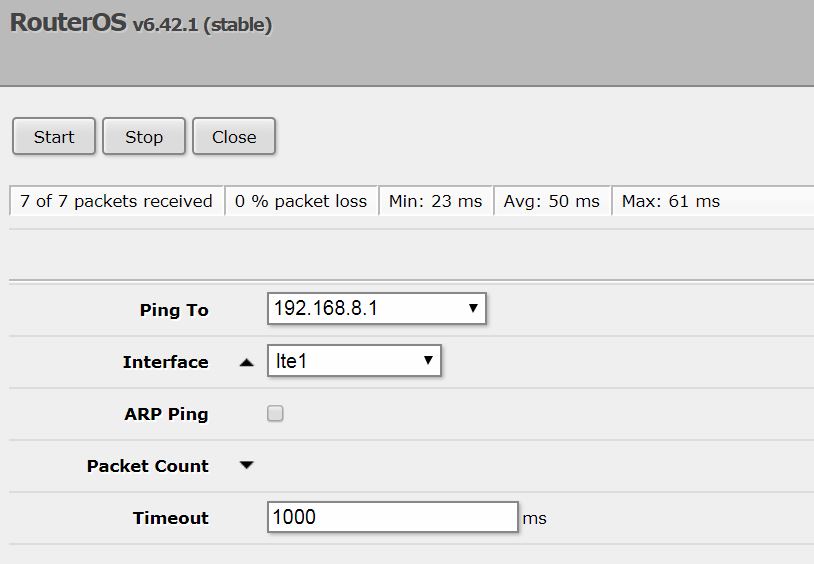
Also I am able to ping the LTE router itself at 192.168.8.1 :
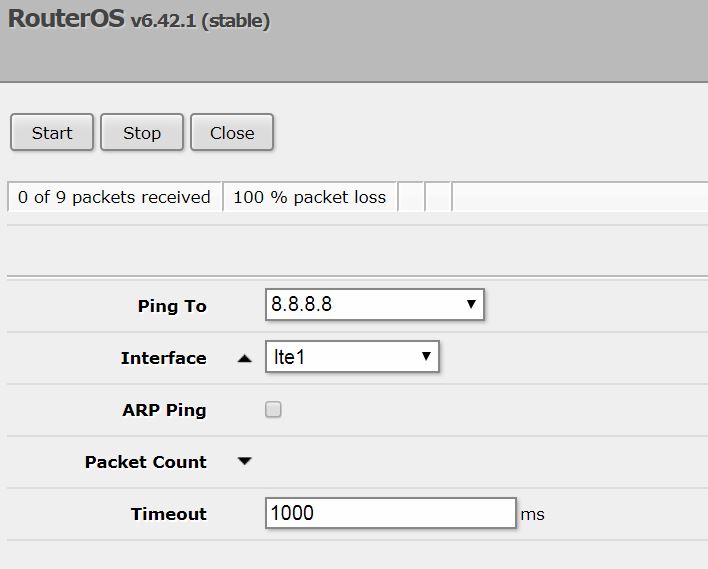
When I am ping 8.8.8.8 it is not succesfull:
The LED at the Huawei E3372h is solid blue, that means it has a connection to internet using LTE.
When I am using the Huawei E3372h router with a computer I can ping 8.8.8.8 and I can connect / surf the internet.
Can someone tell me what is going wrong or what I am doing wrong?
Thanks in advance.
Hi Erik!
Settings seems correct. Do you use lan pppoe connection for internet access?
Can you navigate to http://192.168.8.1/ from any device connection to your router?
Do you try to reboot CRS? is lte interface still here after reboot?
I am only able to ping 192.168.8.1 when I am forcing this ping out of the lte1-port.
When I am performing a normal ping, it cannot find 192.168.8.1. I believe that it first taking its route using my primary internet connection (Fiber 100 Mbps)
I can ping 192.168.8.100 as this is an interface of the Mikrotik.
After rebooting the Mikrotik the lte1 interface is showing at the list of interfaces.
Any ideas on how to “force” the 192.168.8.0 /24 network going out using the lte1-port using addition routing?
Thanks in advance for your reply.
Also I have purchased new a ZTE MF823 LTE modem this afternoon and hopefully I will receive it in the next two weeks.
I know that Mikrotik did some bug fixes in the past for the ZTE MF823 LTE modem, so I guess / hope this will work.
At this moment still no internet connection using my Huawei E3372.
What I do see is that the Mikrotik is seeing “hi.link” as its DNS.
I looked in the Huawei E3372 page at 192.168.8.1 and there is no way to change the DNS in the Huawei E3372.
When I am connecting the Huawei E3372 directly to a PC I can browse the internet.
When I am connecting the Huawei E3372 directly to the Mikrotik I can not browse the internet, even when I am disable the primary route by pulling the cable of the primary route and I see that this route is disappearing at IP Routes.
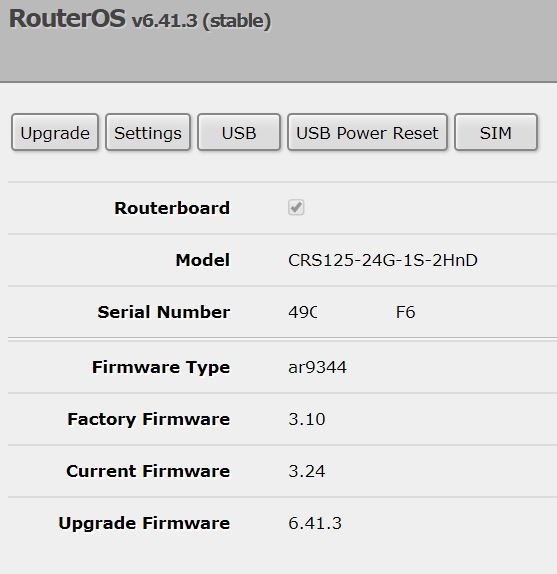
First of all, why this old ROS version? 6.42.2 is a bit newer, why can’t you test it out?
Theyn, even now looks like your firmware is a bit dated (if I won’t miss the upgrade over the thread):
Pease upgrade to 6.41.3 then try again, I suspect thim can work for you.
Another thing to consider is low power level of your MT usb port. Try to connect active usb hub and connect modem to it (so hub will supply power to modem).
According to my knowledge I was running version 6.42.1.
I have upgraded the Mikrotik towards firmware version 6.42.2 and I will perform tests with the Huawei E3372.
I will keep you posted.
I have ordered an external powered USB HUB to see if this solves the problem.
Also I got my ZTE MF823 LTE modem in and this is giving me the exact same problem as the Huawei E3372 LTE modem.
It shows up in my interface list, is automatic adding the correct routes in the Mikrotik. From the Mikrotik I can ping the modem forcing to use the lte1-interface and sometimes even 8.8.8.8 forcing to use the lte1-interface.
When I am removing the primary internet connection (by disconnecting the cable), the routes are changing in the Mikrotik (as expected) so all traffic should go through the lte1 interface, but it doesn’t.
So, hopefully with more USB power available coming from the powered USB hub, I can solve the issues with the strange behavior of the two LTE modems.
I will keep you posted.
But I’d bet you’ll be fine with extra power: looks like USB port itself is ok, different USB modems are ok too, ROS is the same, and you mobile phone (which has its own battery) works for you being connected as modem - it all votes for power problem. It used to be pretty easy to buy device (powered usb hub) so cheap to check.
Today I have received my USB HUB and I connected it with both LTE routers.
After a reboot the are showing in the interface list.
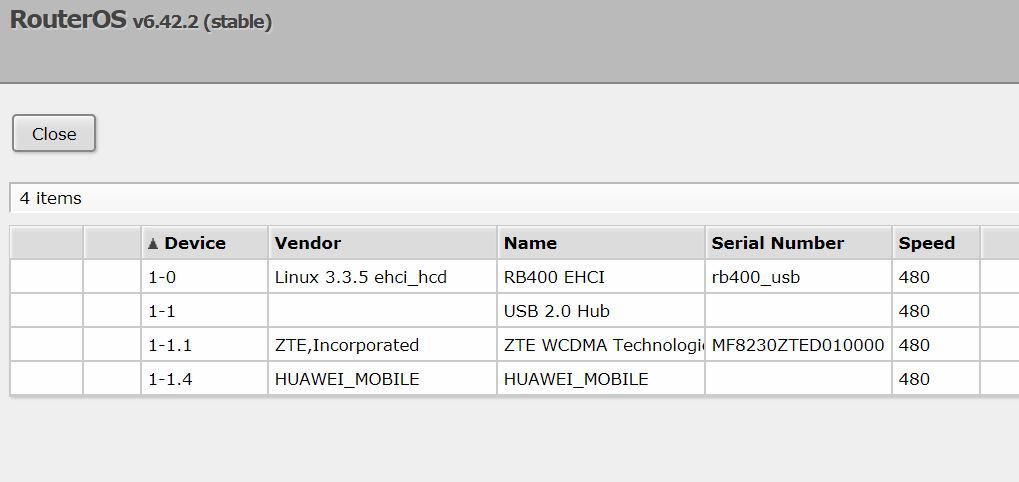
The connected USB shows as follows:
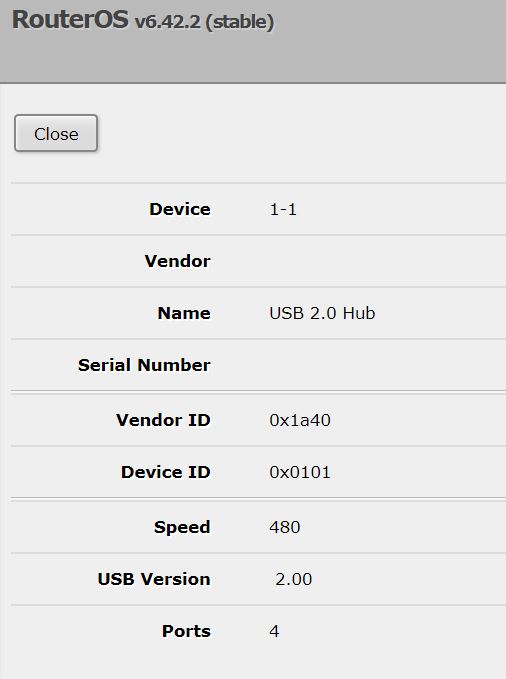
The details of the USB HUB are:
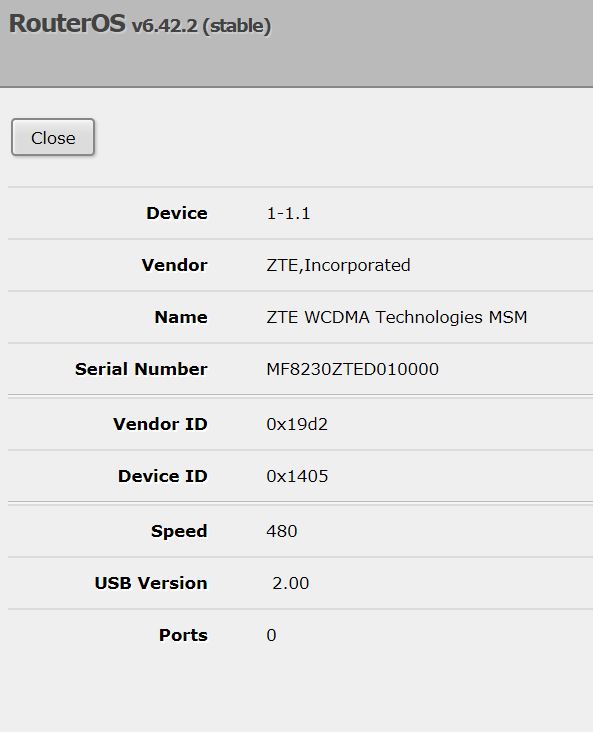
The details of the ZTE MF823 LTE modem are:
The details of the Huawei E3372 LTE modem are:
The discovered IP routers are as follows:
When I am forcing an ping to go out the LTE interface I can ping the LTE modems.
However beyond the LTE modems it is not possible to ping any further.
When I am using the LTE modem(s) directly using a PC they both work and using them in combination of the Mikrotik the LED is showing me connectivity.
Performing a tracert and this stops at the Mikrotik. (When I am disconnecting my primary internet connection)
I am forgetting something to get the routing working?