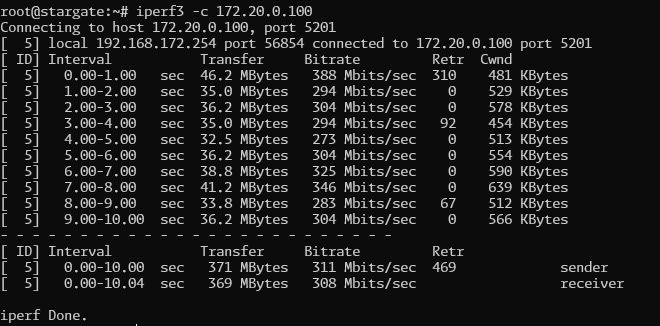
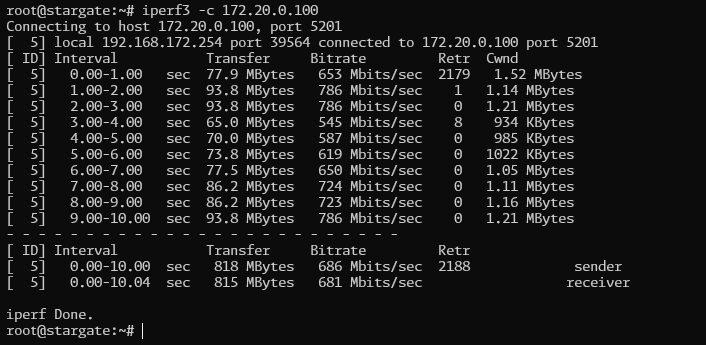
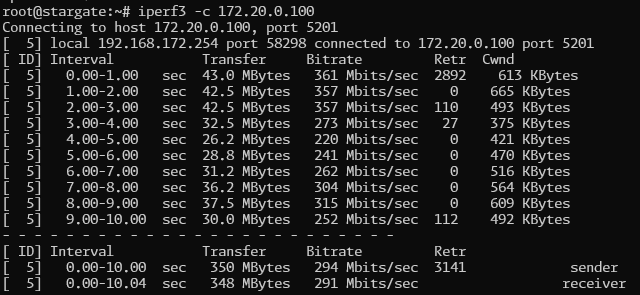
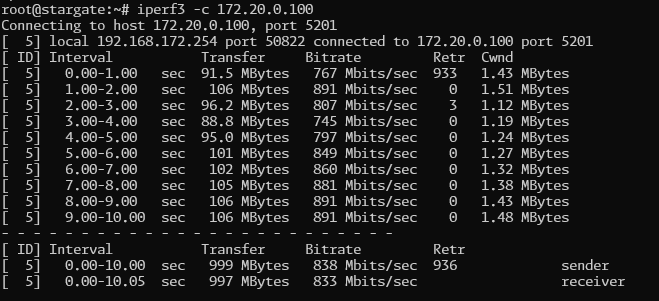
If you were just using GRE, the tunnel wasn’t encrypted, so you’d get speeds pretty close to raw line speed. WireGuard’s encryption is done in software since it doesn’t support hardware acceleration on any platform. If you want a faster encrypted tunnel, go for an IPsec-based one. Just make sure your hardware supports hardware acceleration, as in the table “Mikrotik help IPsec - Hardware acceleration”
IPsec is isn’t really an option as one side is a dynamic IP address which means messing around with certificates instead of site to site tunnel and also multiple subnets on the other end need to be routed.
Need to check with the ISP to see if a static IP is possible I guess and stick with Wireguard in the meantime.
A dynamic IP address with IPSec generally isn’t a problem if you’re using DDNS, as long as the IP address doesn’t change in the middle of a session. If you’re using some sort of keep-alive traffic like IPsec dpd-interval, it’s unlikely to happen. In case it does, there are household scripts that can help in scenarios like this, for example http://forum.mikrotik.com/t/ipsec-keepalive/72536/1
since the src-addr:src-port:dst-addr:dst-port 4-tuple will always be the same, CGNAT performance will be limited by the single-core-single-flow performance of your ISP’s CGNAT box
if it’s a Mikrotik CCR1036, 200~300mb per flow, per core, is typical (and if your flow is unlucky to be assigned to a busy core in the CGNAT box, performance will suffer even more).
your previous setup wouldn’t suffer from this, since you had a public IP
Also, if your wan connection is tunneled (and therefore has MTU lower than 1500), i recommend lowering the wireguard MTU
for typical PPPoE WAN scenarios, with PPPoE MTU=1492 the actual Wireguard MTU will be between 1412 for IPV4, and 1392 for IPV6
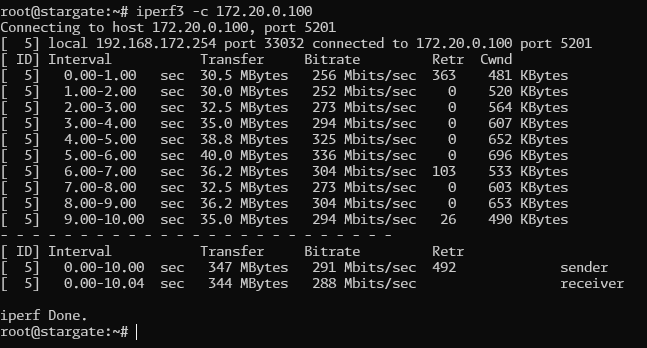
Can you test the raw UDP throughput between the two locations (without Wireguard)? Maybe you can dstnat/port forward the UDP port used by iperf3 and run an UDP iperf3 test (with -u and a large value for -l) outside of the WG tunnel? You’ll need to specify the bitrate with -b, so maybe starting with -b 200M and then increase that number until the loss rate is too much for iperf3? If the connection is unreliable and cannot sustain a high rate without packet loss, the WG will also have problem because it uses UDP. You can also try the btest.exe program from MikroTik in UDP mode.
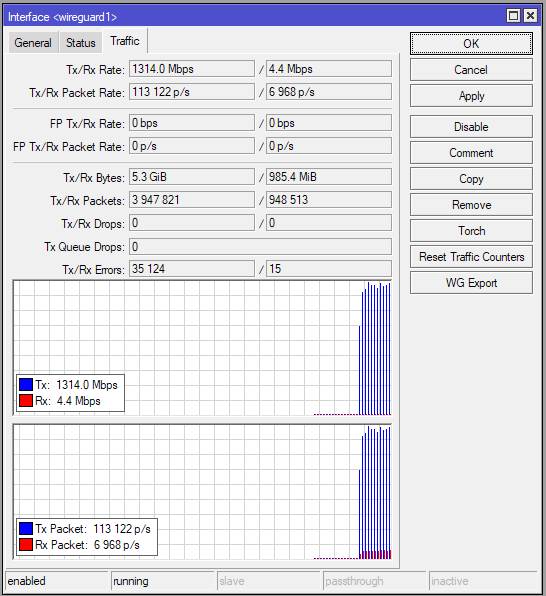
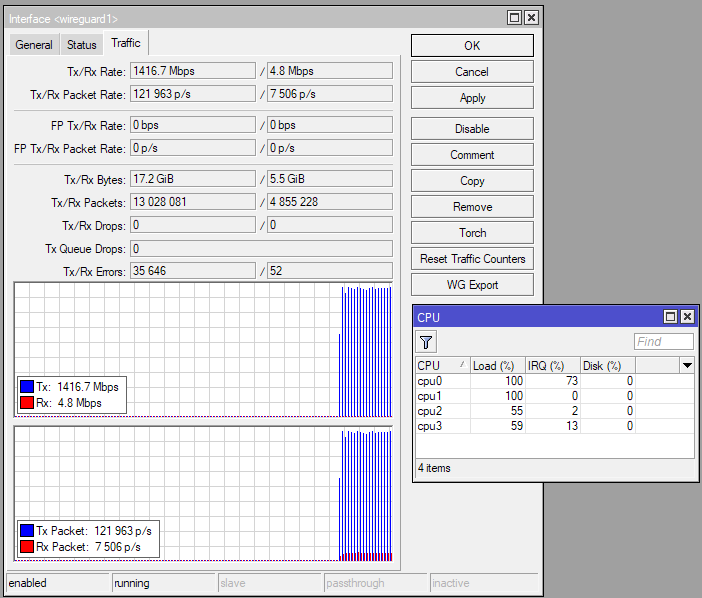
As for the RB5009, with 100% on two cores it can handle 1.4Gbps on the Wireguard interface. I also tested with iperf3, but the Windows version, on both ends. WG MTU is 1420, outer MTU is 1500. Which means the problem you encountered is not related to the CPU.
I’ve use a WG between two RB5009 with a fiber symetric 1G between two sites.
I added the following rules on both sides, here, it’s just one, to avoid site2site traffic to be fastracked.
## any site2site IN/OUT with WAN addr (very permissive here, need to bet more filtered)
/ip firewall raw
add action=accept chain=prerouting comment="site2site prevent fasttrack" \
    in-interface-list=wan src-address-list=pub_site50
add action=accept chain=output comment="site2site prevent fasttrack" \
    dst-address-list=pub_site70 out-interface-list=wan

## all through the WG tunnel
/ip firewall raw
add action=accept chain=prerouting comment="remote prevent fasttrack" \
    in-interface-list=remote
add action=accept chain=output comment="remote prevent fasttrack" \
    out-interface-list=remote
Replaced the RB5009 at my home end with a CHR - running on Proxmox 10Gbps passthrough NIC
For PPPoE I left the ISP connection at the default MTU of 1492
Pretty much identical results so it seems it’s likely an issue with the RB5009 at the colo side. Which figures as it would be too easy if it was actually at the location I’m at!
Finally! Seems I can put this and myself to bed as it’s almost 2am here!
The RB5009 idles with a CPU clock speed of 350Mhz. While running a few tests I noticed that the CPU speed stepping increases were very erratic. Jumping from 350Mhz to 466Mhz to 1400Mhz and back to 700Mhz all in about three or 4 seconds.
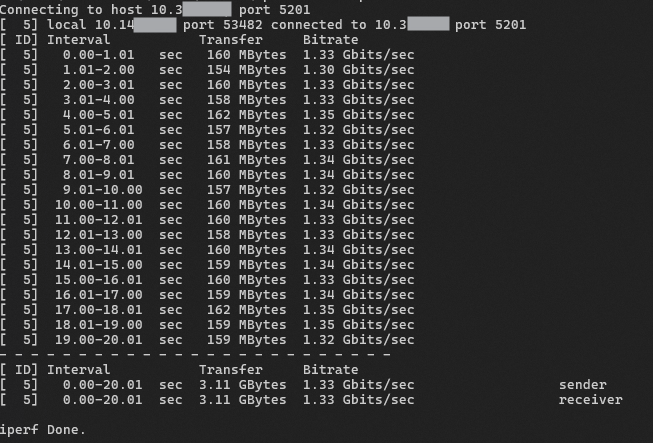
I set the CPU speed to 1400Mhz and ran several tests with speeds consistently averaging over 600Mbps. Here’s the most recent:
Going to mark this one as solved and thank you everyone who replied for your help and suggestions!
Very interesting, I have my CPU frequency set to auto, and the frequency normally jumps between 350MHz and 1400MHz and could still achieve those 1.3+Gbps numbers.
However, @dang21000 post made me consider my configuration again. My configuration currently has fasttrack enabled but not working, see my post here and @EdPa post right below it:
Which means fasttrack is not really active. As a test, I disabled DHCP Snooping on my bridge to restore a functional fasttrack, and the same test that I performed through WG produces significantly worst numbers, with throughput values jumping up and down with every report line (every second) between a few hundred Mbps and over 1Gbps, but very inconsistent and as a result, the average is only under 1Gbps. Disabling fasttrack restores the consistent 1.3+Gbps figure.
It looks like fasttrack causes less load on the CPU, but still with spike (because not all packets can be fasttracked) as a result the CPU is downclocked (due to lower utilisation), and then cannot raises the clock fast enough when a spike is needed.
I made further tests, and with fasttrack enabled, but CPU set at a constant 1400Mhz, the throughput is more consistent, but still markedly lower than with fasttrack disabled! I got nearly constant 9xx Mbps values, instead of 1.3+Gbps. Which means fasttrack enabled causes the WG throughput to be about 30% lower.
Could you try to (temporally) disable the fasttrack rule (don’t forget to go to the Connections tab and delete existing connections) on both RB5009 and see if the WG performance improves?
Performance was worse but CPU usage was significantly less - about 15% to 20% vs 40% to 50% but then again this seems to correspond neatly with throughput.
Half the throughput = half the CPU usage!
And with the raw rule removed again:
 I forgot to mention that the same issue with dynamic IP addresses might affect Wireguard too, since it’s not just unique to IPsec.