./dnstest.sh
----------------------------------------------------------------------
Target                    Type       Avg MS       Result
----------------------------------------------------------------------
192.168.0.254             Cold       224.33 ms    OK
192.168.0.254             Warm       2.66 ms      OK
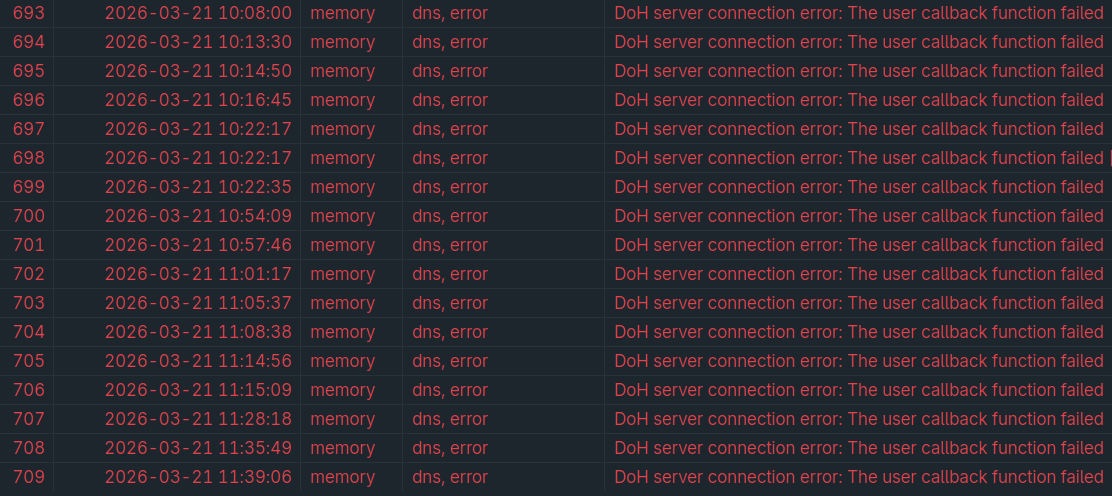
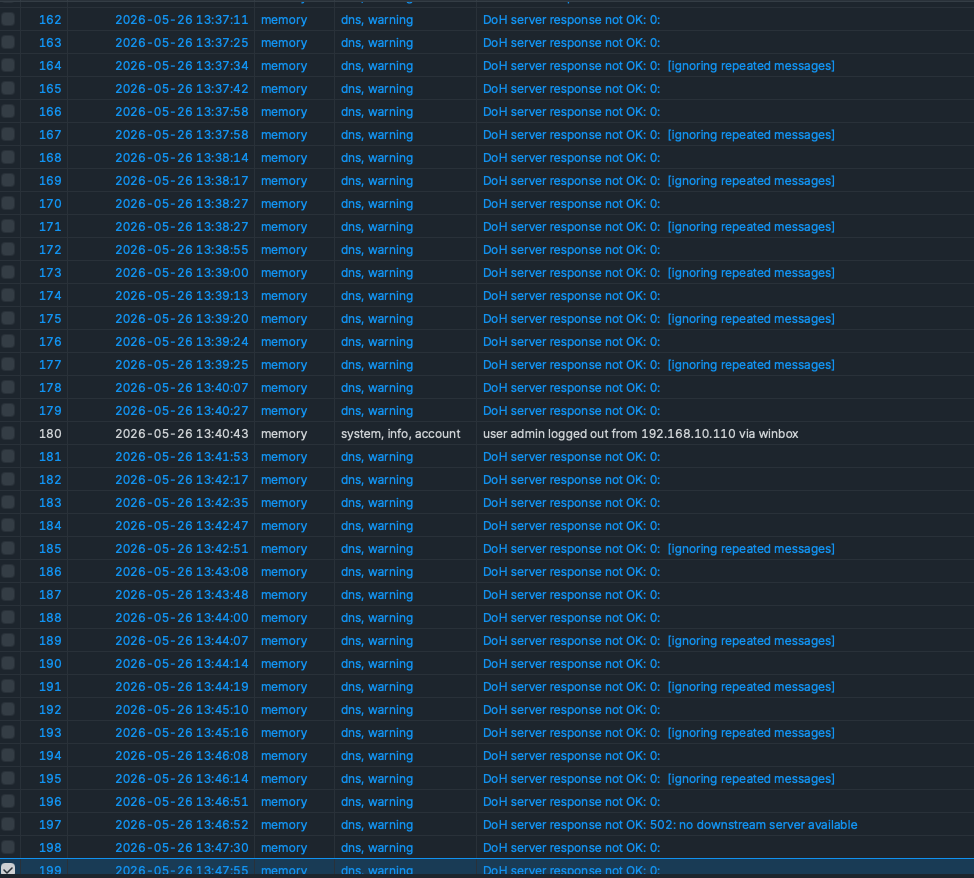
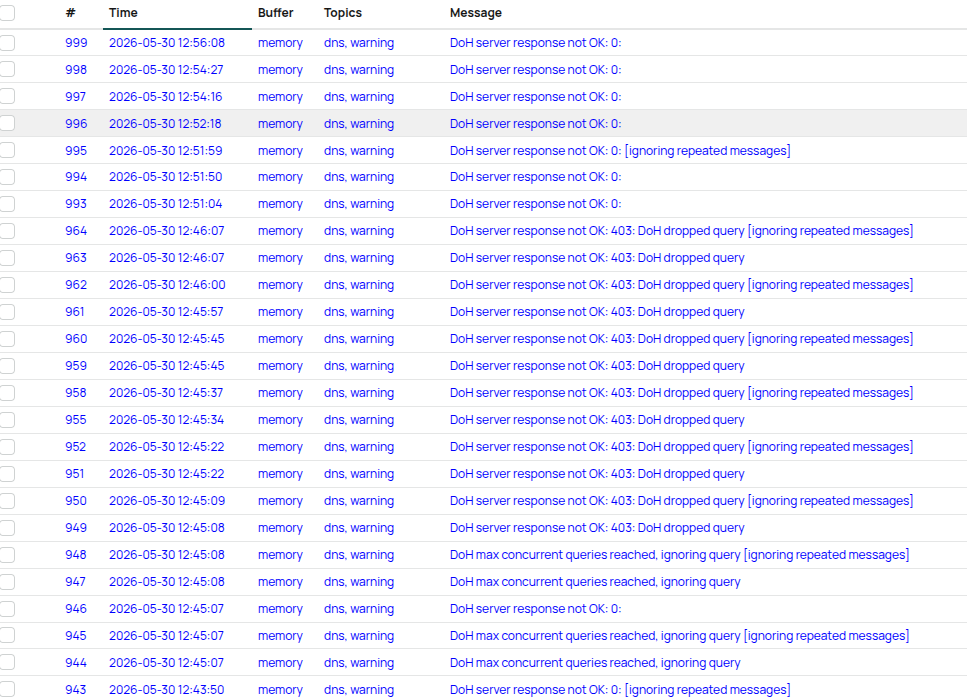
I have been waiting for HTTP/2 DOH support for Quad9 for a while now. When I enable it on stable RouterOS 7.23, it appears to work, but my router logs fill up with lots of these errors. Anyone else seeing this? I have disabled DOH for now, as this makes the logs not very effective.
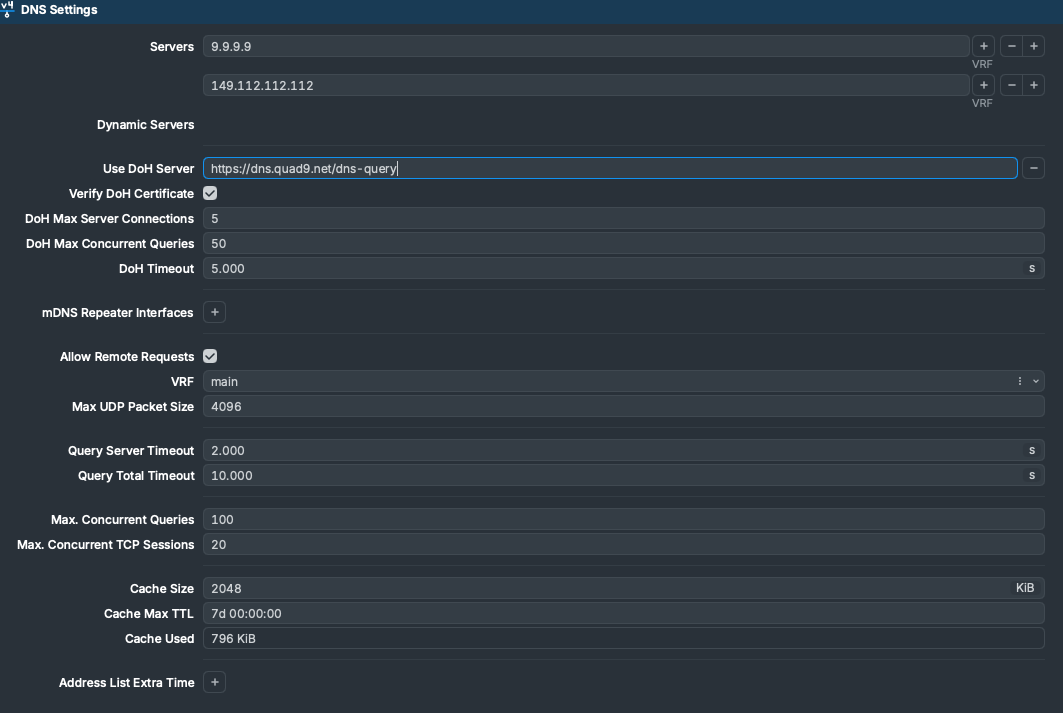
Seems like it works properly for me. I don't have regular DNS set up at all, and have disabled "Use peer DNS" in every WAN config, so it definitely has no way to fall back to regular DNS. Instead I have dns.quad9.net manually mapped to 9.9.9.9 and 149.112.112.112 in static DNS entries. Though I also get a lot of these DoH server response not OK: 0: warnings.
What I did to clean up my logs was to set up a separate logging memory action named dns, and logging rules dns, info, dns, error, dns, warning with the dns action, then add !dns to the default rules, and filter the log with "buffer is not dns". Though it would be better if Mikrotik fixed this.
For some time I had been intending to try the DNS-over-HTTPs (DoH) proxy DNS service of Quad9, a local Swiss organization. I had hoped to use my MikroTik RB4011 for that purpose, but Quad9 requires the modern HTTP/2 protocol, which MikroTik didn't support. (Other DoH providers such as Google and Cloudflare continue to support HTTP/1.1).
So I was delighted that the recently-released RouterOS 7.23 included DoH HTTP/2 support. A couple of frustrating hours later I was less delighted to read the fine print in the release notes that arm32 were not included. But I have a lot of MikroTik devices, so I could set it up instead in one of my cAP ax'es, which has an arm64.
So I set it up on a cAP ax and configured my main LAN DHCP server to offer that cAP ax as DNS server. And it worked ... almost. Over hours I noticed that things were sometimes laggy, and sometimes hostnames like www.google.com couldn't resolve, at least temporarily.
So my buddy Claude and I had a discussion, which yielded the hypothesis that the new MikroTik code might still need tuning as well as an experiment to validate that. The experiment was to install the mature dnsdist DNS proxy package on an Ubuntu server in my LAN, configure dnsdist to use Quad9's DoH service just as the cAP ax was doing, reconfigure the main LAN DHCP server to offer that dnsdist instance as DNS server, and watch what happens. And what happened was ... perfect.
So I now have empirical evidence that when using Quad9's DoH over HTTP(s)/2, the Linux dnsdist package (I'm using an older version 1.8.3 that's in the standard distros of my Ubuntu 24.04) works considerably better than MikroTik's RouterOS v7.23 DoH over HTTP(s)/2 implementation.
What did you expect - to find that Quad9 was at fault and that MikroTik's implementation was perfectly RFC-compliant?
In my view, Quad9 is working correctly and is a reliable DNS service. MikroTik's HTTP/2 implementation appears to be in a very early stage of development, even though it has been included in a stable release. If you follow the release discussions, you will see that many users still report numerous warnings in the logs when using the DoH resolver over HTTP/2.
A mature HTTP/2 implementation should not produce these kinds of issues. HTTP/2 has been widely used and refined for over a decade, whereas MikroTik has only recently started implementing it. As a result, there are likely still several early-stage issues that need to be resolved.
Even the latest build 443 Ironically is still the same so they seem not to care. I mean this has been going on since they implemented DoH with Quad9, it's not NEW. But I live in hope!
@Nikalia , can you please help out with the configuration that you made to achieve this setup? At least the non-obvious settings around configuration, NAT, etc?
You can try installing dnscrypt in the container yourself; it’s self‑contained and doesn’t require any configuration. The simplest Dockerfile is enough.
#dockerfile
FROM alpine:latest
RUN apk add --no-cache dnscrypt-proxy
CMD ["dnscrypt-proxy","-config", "/etc/dnscrypt-proxy/dnscrypt-proxy.toml"]

# routeros
/interface veth
add address=10.0.0.2/30 gateway=10.0.0.1 name=veth1
/ip address
add address=10.0.0.1/30 interface=veth1
/container
add name=dnscrypt file=docker-dnscrypt-arm64.tar root-dir=dnscrypt interface=veth1 start-on-boot=yes

/ip dns
set servers=10.0.0.2
I have the same issue even in 7.23.3. It's weird because a lot of the queries are fine, and neither I nor Claude can pinpoint exactly when/where the "DoH server response not OK: 0:" errors happen (but I'm a n00b and Claude in my hands isn't much of an improvement either).
I switched to running Unbound on a Pi-hole but it would be nice to not have an extra device sitting around consuming some power just for this … especially when HTTP/2 support was supposed to have been added back in 7.23 …
My understanding was that Quad9 didn't work with DoH in RouterOS because it required HTTP/2. Is the problem actually that the way RouterOS sends requests to Quad9 specifically only? Or am I misunderstanding what you meant by "it's not HTTP/2-related". (Again, sorry if I'm asking very basic questions).
FWIW, I don't get the same "DoH server response not OK: 0:" if I use Cloudflare DoH for example, but I was under the impression that was because Cloudflare works with HTTP/1.1 (which is what I read on some other forum thread here, but of course that could just be wrong).
Yeah, so that page says using Quad9 for DoH is supported on arm64 devices (I have a Chateau Pro ax, which says it is arm64), but I'm still getting those "DoH server response not OK: 0:" errors. FWIW, Claude thinks it's because Mikrotik's recent HTTP/2 implementation still has some rough edges …
That site also says: "The ARM64, x86, and CHR devices negotiate HTTP/2 when communicating with a DoH server. If the server supports it, the router uses HTTP/2 for DNS over HTTPS queries, providing improved multiplexing and reduced latency compared to HTTP/1.1. If either side lacks HTTP/2 support, the connection falls back to HTTP/1.1." Cloudflare says it supports HTTP/2 but presumably it falls back to HTTP/1.1?
I haven't tested Mullvad or UncensoredDNS (which are listed as only compatible with arm64/x86/CHR devices and so I'm guessing also require HTTP/2), but my guess is those will have similar problems to Quad9, but if anyone has bothered to test, that's useful information!
In the RC thread it was speculated that RouterOS does not take advantage of HTTP/2 features like multiplexing and makes too many new connections V7.23rc [testing] is released! - #197 by erlinden. The other side might then detect that and closes the connection early, which results in the error message (see MikroTik's response).