Dual WAN Failover /32 Issue

Testing a Dual WAN failover via recursive routing using Google DNS (8.8.8.8). I have been following Failover (WAN Backup) - RouterOS - MikroTik Documentation , but have a question regarding the failover. The primary WAN GW is 172.16.1.1. If I disable ICMP to 8.8.8.8 from ether1 but the 172.16.1.1 GW stays online default route failover does occur but I can no longer reach 8.8.8.8 because of the more specific static route pointing towards the still reachable next hop (172.16.1.1). Is there a way around this?

Routing table when 8.8.8.8 is reachable.

#     DST-ADDRESS     GATEWAY      ROUTING-TABLE  DISTANCE
0  As 0.0.0.0/0       8.8.8.8      main                  1
1   s 0.0.0.0/0       192.168.1.1  main                  5
2  As 8.8.8.8/32      172.16.1.1   main                  1
  DAc 10.10.0.0/16    bridge       main                  0
  DAc 172.16.1.0/24   ether1       main                  0
  DAc 192.168.1.0/24  ether2       main                  0

Routing table when 8.8.8.8 is unreachable from ether1.

#     DST-ADDRESS     GATEWAY      ROUTING-TABLE  DISTANCE
0  Is 0.0.0.0/0       8.8.8.8      main                  1
1  As 0.0.0.0/0       192.168.1.1  main                  5
2  As 8.8.8.8/32      172.16.1.1   main                  1
  DAc 10.10.0.0/16    bridge       main                  0
  DAc 172.16.1.0/24   ether1       main                  0
  DAc 192.168.1.0/24  ether2       main                  0
 0  Is   dst-address=0.0.0.0/0 routing-table=main gateway=8.8.8.8 immediate-gw="" 
         check-gateway=ping distance=1 scope=30 target-scope=11 

 1  As   dst-address=0.0.0.0/0 routing-table=main gateway=192.168.1.1 
         immediate-gw=192.168.1.1%ether2 distance=5 scope=30 target-scope=10 

 2  As   dst-address=8.8.8.8/32 routing-table=main gateway=172.16.1.1 
         immediate-gw=172.16.1.1%ether1 distance=1 scope=10 target-scope=10 

   DAc   dst-address=10.10.0.0/16 routing-table=main gateway=bridge 
         immediate-gw=bridge distance=0 scope=10 target-scope=5 
         local-address=10.10.10.1%bridge 

   DAc   dst-address=172.16.1.0/24 routing-table=main gateway=ether1 
         immediate-gw=ether1 distance=0 scope=10 target-scope=5 
         local-address=172.16.1.2%ether1 

   DAc   dst-address=192.168.1.0/24 routing-table=main gateway=ether2 
         immediate-gw=ether2 distance=0 scope=10 target-scope=5 
         local-address=192.168.1.2%ether2 
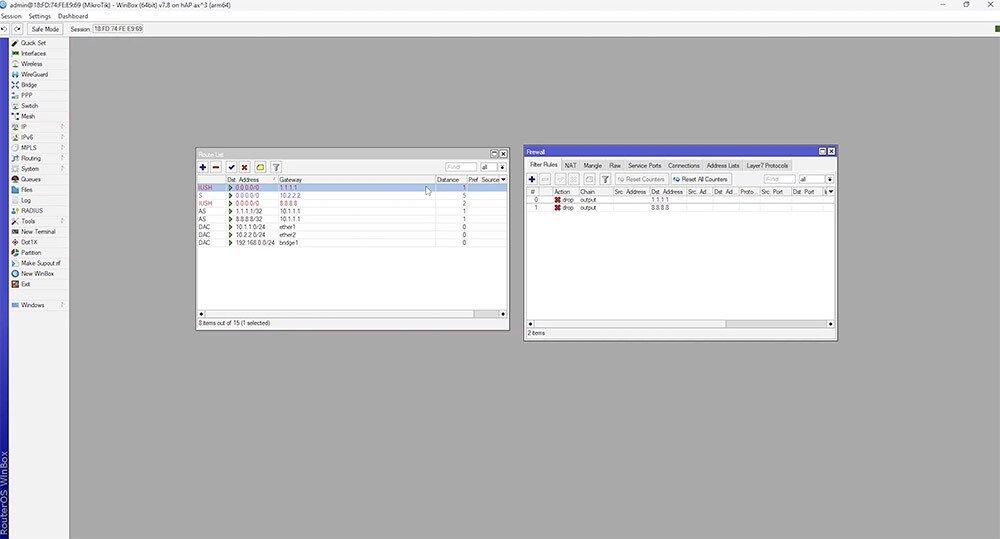
Check this first (about scopes and target-scopes):
Simple recursive failover for bears of little brain

scope=10 target-scope=10 is not correct.

Here is a step by step guide.
https://scoop.co.za/blog/how-to-configure-multi-wan-failover-on-mikrotik-routeros

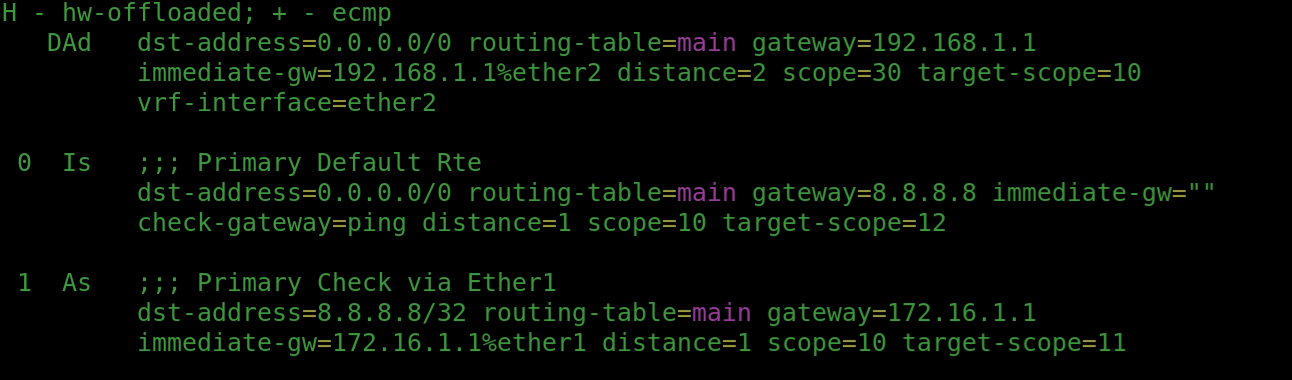
I have followed that. This image is showing the issue:

the /32 route for 8.8.8.8 remains active in the routing table because the next hop is still reachable. The default route does fail over because of the gateway check. If I DST a packet to 8.8.8.8 I take the primary circuit which in this scenario is the "failed" one. This is fine if the link drops, but if the link remains online and the internet is no longer operational I cannot reach that one specific destination (8.8.8.8) everything else that's not a /32 in the table fails over.

Hey @jaclaz thank you for the response. I read through that and it if I am reading it correctly the simplest way to remember is the narrow scope (canary) can be 11 and the catch-all or wider scope needs to be +1? I implemented that but unfortunately getting the same results.

I think the results you are getting is what you should expect. If you still need to access your recursive route "monitor" address of 8.8.8.8 during a failover scenario, then you should pick something besides 8.8.8.8 to use in your recursive route.

You can pick 8.8.4.4 for instance, or something other than google dns if you will be using that on your network as your dns provider.

Thanks Kevo, I will just accept that then. Appreciate the response.

The simplest way (but not formally correct) Is given here in 12 steps:
Primary gateway with static ip address not activating - #23 by jaclaz

Otherwise:
Wide scope 30 target-scope 11
Narrow scope 11 target-scope 10
Is not that difficult to remember.

Imagine something like a conical reducer from diameters 30 to 10 in two pieces, the first piece has the wide side mouth diameter 30 and the narrower side 11, the second piece has the wide side 11 and the narrow one 10.

A similar two pieces reducer could have any middle diameter, the 30/11-11/10 could be 30/12-12/10 or 30/13-13/10, etc.

And the 30 and 10 were chosen only because they are default values.

But once those values are set in such a way that It works, one way or the other, the canary address is "lost", and should NOT be used as DNS because - as you have found out - It may become unreachable.

While 1/2 to 3/4 of the examples/tutorials use 8.8.8.8 which Is probably also the most used DNS, not-so-casually the given spreadsheet uses 8.8.4.4, which Is AFAIK much less used.