I'm using RouterOS 7.13. My WAN connections are four 1Gbit PPPoE connections as well as two lightly-used BGP full-table upstreams.
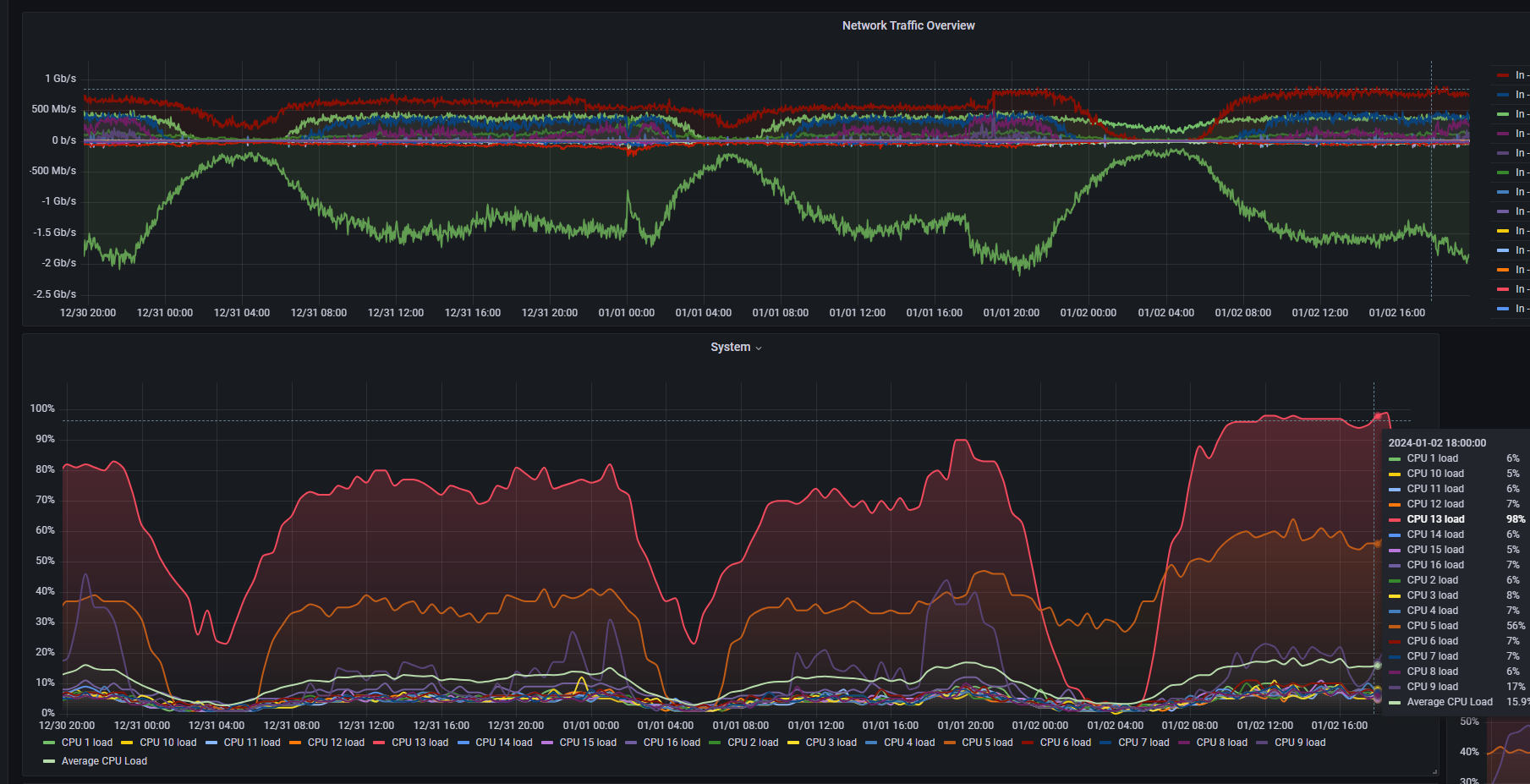
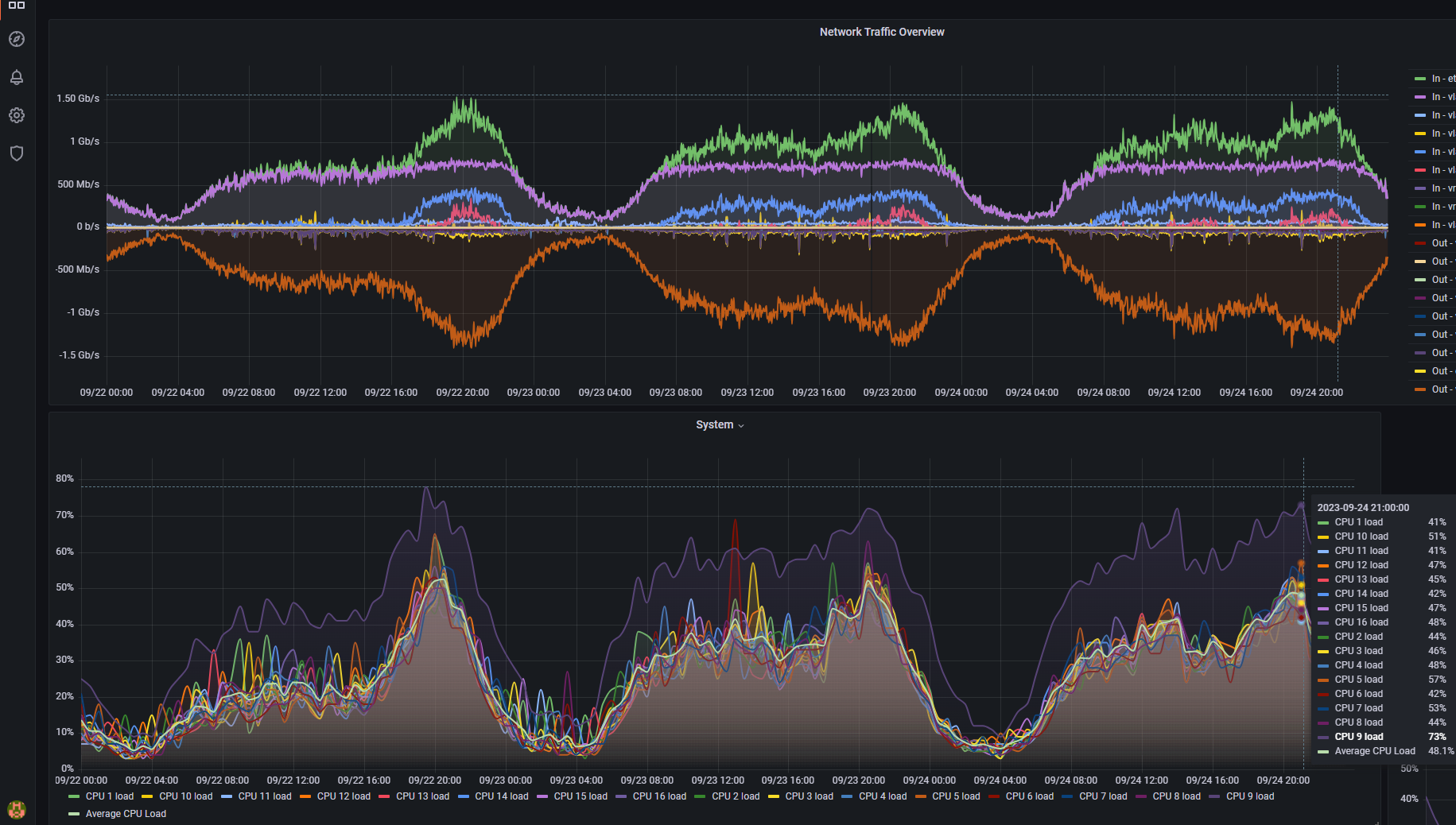
The issue I'm facing is that whenever the PPPoE connections are loaded to around 2Gbps total, one of the CPU cores is heavily loaded
around 70% on one core while the average is 30% for CHR running on 2x E5-2697V4
90% to 100% on one core while the rest is 30% on CCR2116
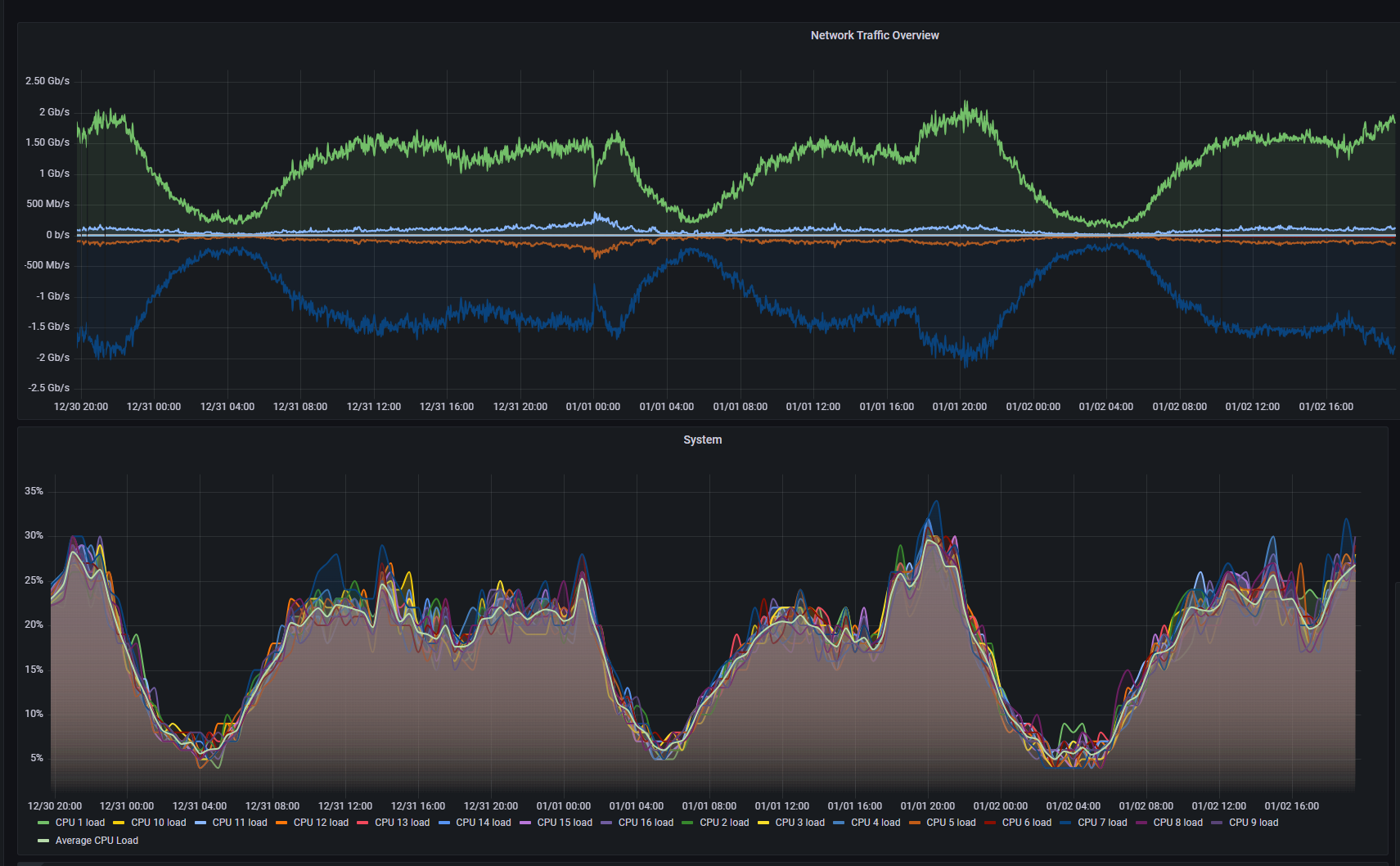
I have isolated this to the PPPoE connections. If I change my network and connect to my modem via DHCP rather than bridging the modem and configuring the PPPoE clients on the MikroTik, the issue disappears and all cores are used fairly at around 30% average. The issue with this is double-NAT which affects some of my clients.
I have tried multiple things with the PPP profiles. Disabled everything under "Protocols" (no compression, encryption), adjusted MTU/MRU (it's now 1500 bytes) then disabled changing MSS, etc.
How do I try to resolve this? It seems to be caused purely by the PPPoE clients, maybe running single core (??)
My current topology is
WAN -> CCR2116 (PPPoE clients for WAN and NAT) -> CHR (for client shaping/queueing)
This is the CPU usage and traffic on my CCR2116 right now
It’s not a problem to route public or private IPs thru private transit IPs and involves no double NAT
On the modem just place a static route of the networks on the CCR back
So if the CCR has 10.0.0.0/16 for example on the modem you route that to 192.168.20.2 on the modem static routes.
The only NAT that occurs in that route is out on the MODEM so double NAT gone and you should have your 30% CPU loads
At these speeds you are not a domestic customer anymore and you don’t want a PPPOE connection because you know there is going to be overheads and MTU clamps. You want a transit link from your upstream provider like any normal ISP would take and in this case just engineer that and profit.
As an aside you might want to look at PPPOE limits on cisco models and why. There is a reason most ISP won’t give you 2GB on a PPPOE unless they have router processing to burn.
I’ll talk about this with my provider. In the meantime, I have worked around the issue by spinning up one CHR instance per PPPoE WAN connection then doing the proper routing config.