I’m using hEX S with 7.20.6 (stable), but I'm experiencing some performance issues.
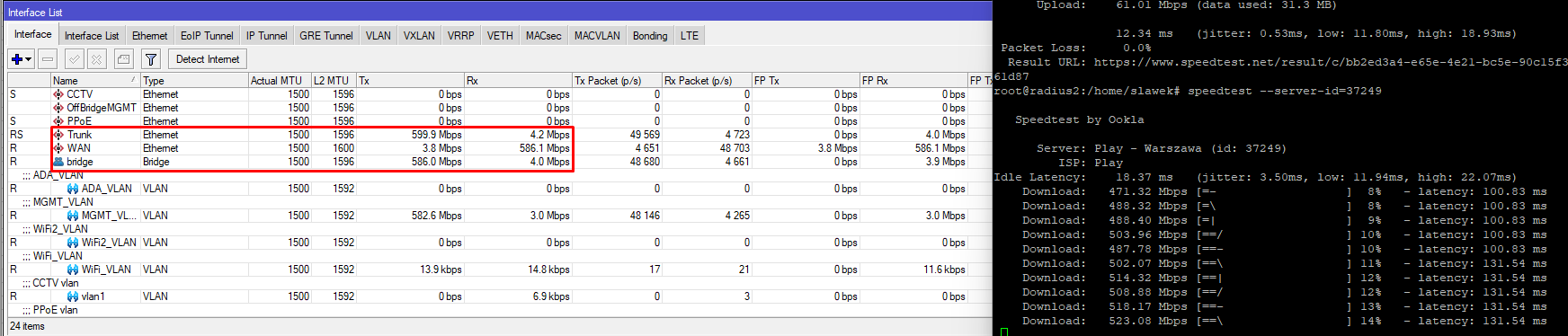
The router is connected to a DOCSIS modem, which should give me 1 Gb/60 Mbit throughput, but it does not, and I am working remotely, so I have limited ability to perform tests. I have a wired laptop connected to the router. I have Ubuntu Linux on it and I'm running continuous speed tests to grab results, which are:
Download: 493.40 Mbps / Upload: 61.48 Mbps
I'm not even close to achieving a 1 GB download speed, and I suspect this is because I'm not using FastTrack. I will open a separate topic to discuss the FastTrack problem.
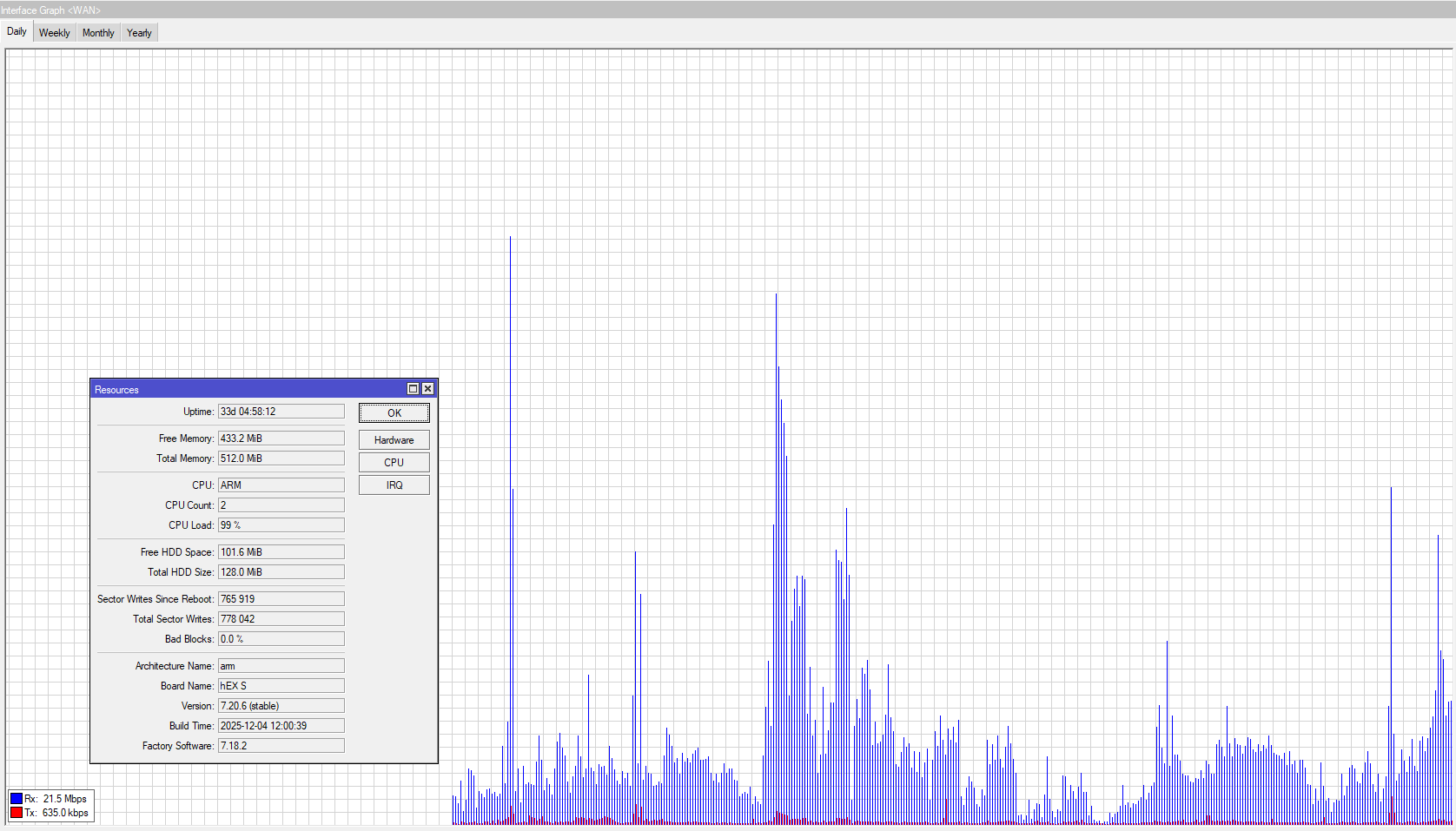
I would like to inquire about the graphs from Tools > Graphing > Interface Graphs > WAN. Why are the values not close to 490 Mbit/s download? The highest peak on the graph is 100 Mbit/s. Where are the 500 Mbit/s peaks?
What I've learned during my life is one rule of thumb: don't touch version 0.0 at the end. Never!
The 7.22 change log is pretty long and 7.20.8 doesn't show anything related to my problems.
Any other ideas?
If the Mikrotik graphs are unreliable, I’m considering a small SNMP monitoring instance, as I have a Linux computer with some free resources. What do you think?
Regarding CPU load: when using winbox for monitoring, that by itself causes quite a lot of load (when running CPU profiler it shows a lot of CPU cycles used by "management"), so this method of observing CPU load is not showing load on device while there's no management connection active. You can verify that by connecting to router via SSH ...
And built-in graphing shows averages (e.g. 1 minute average), not peaks. Only real-time traffic display will show peaks. And in my experience, shown values are more or less correct (after considering that they are averages).
As to speeds: according to official test results and applying a few grains of wisdom, hEX S (the original one) can route at speeds around 300Mbps give or take. Specially so if fasttrack is disabled (for any reason).
Yes, without fasttrack, don't expect routing with FW/NAT to achieve more than about 500Mbps with the new hEX S (2025) and not more than 300Mbps with the old hEX S when running RouterOS 7.x.
You need fasttrack for 1Gbps routing with firewall on those devices (old hEX S slighly lower than 1Gbps).
OK, I’m using the new Hex (2025), let me configure PRTG so save some Hex resources for other then monitoring purposes (routing/fw)
I will let you know what I can see over SNMP from the same box soon.
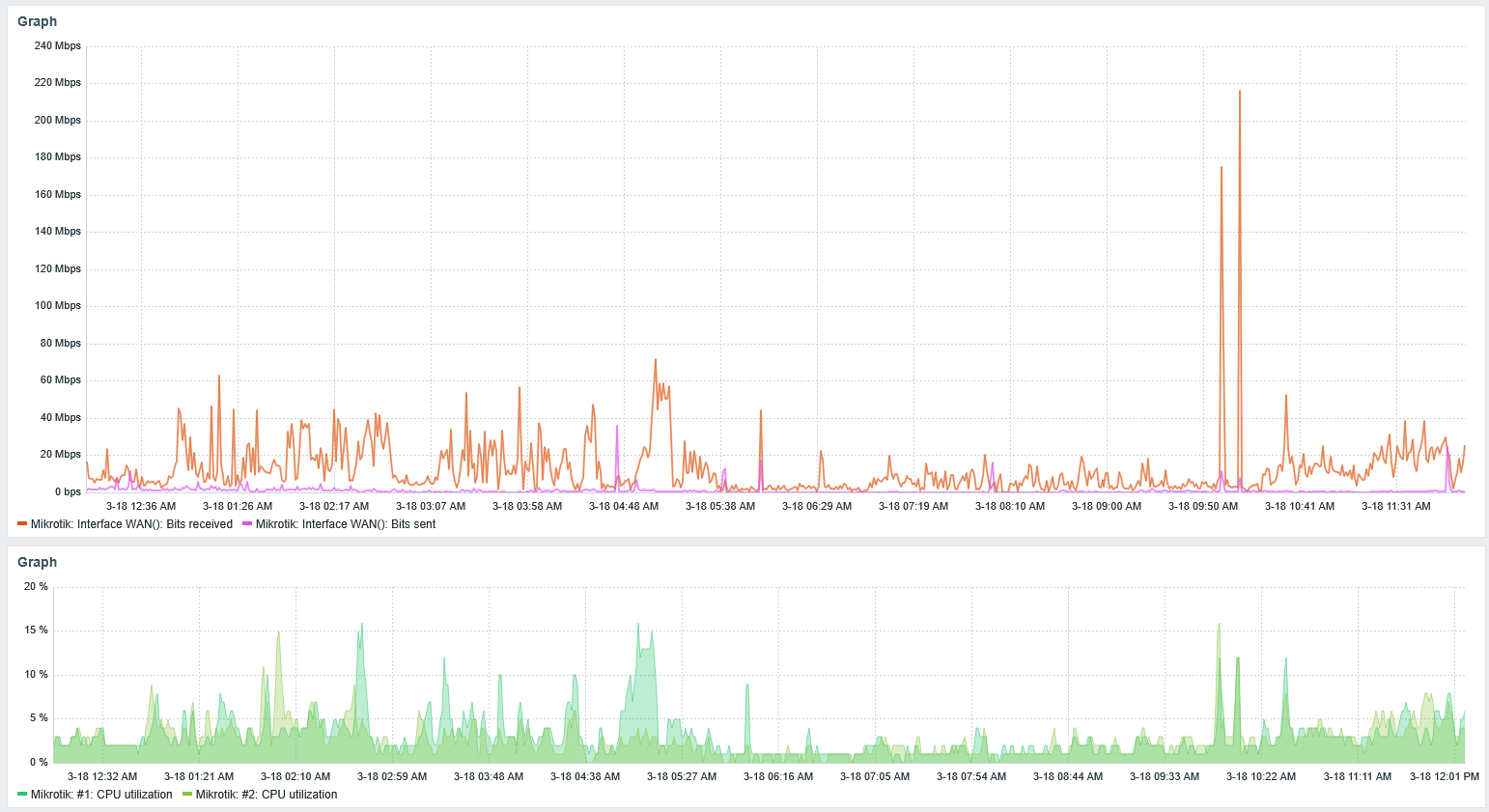
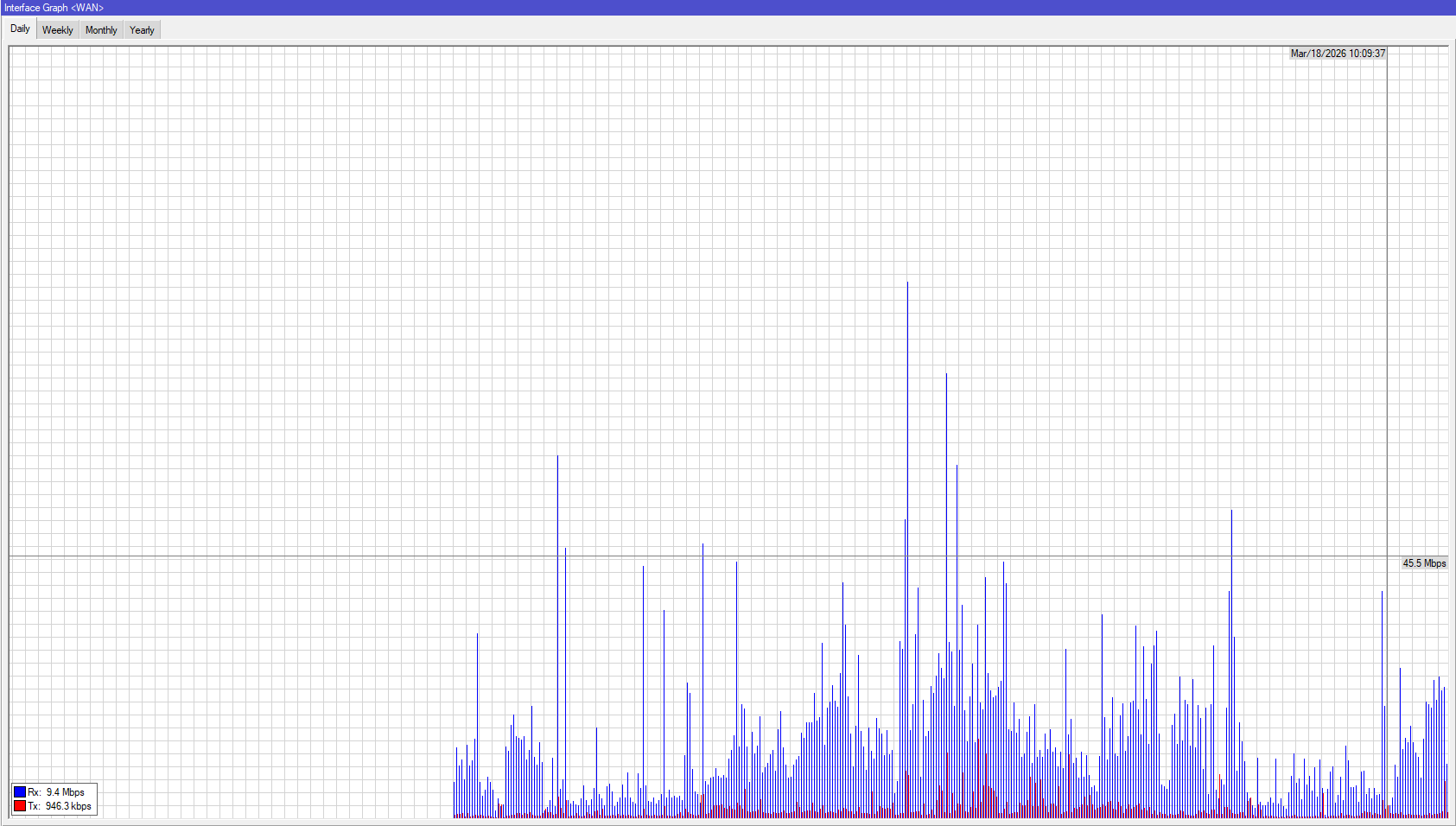
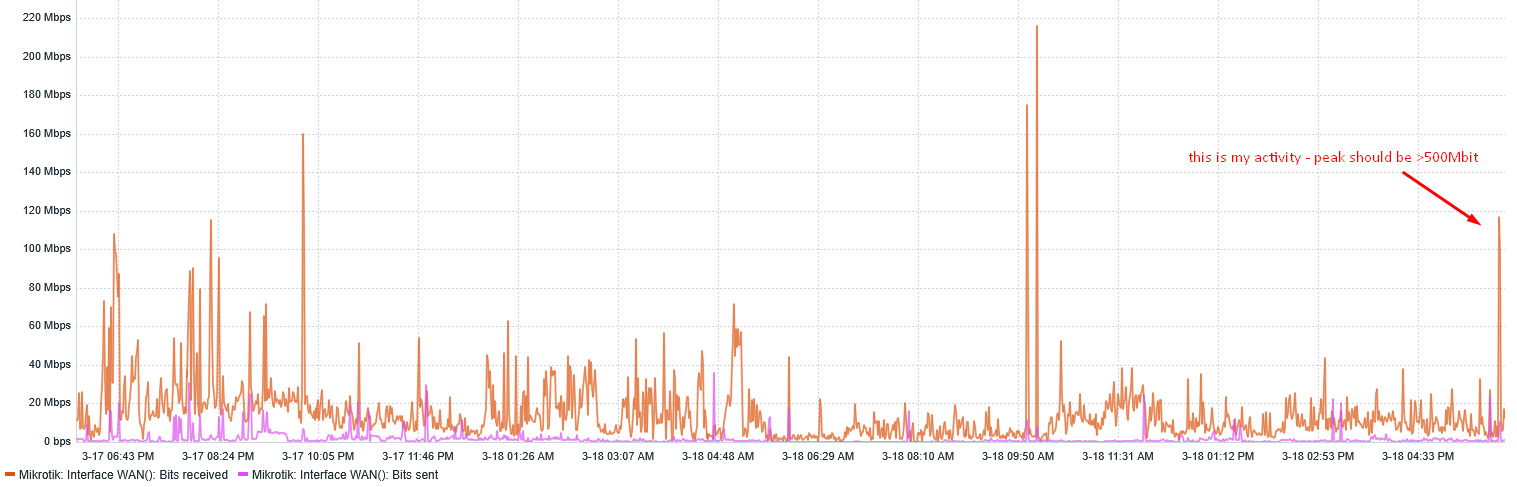
As promised, here are some freshly taken screenshots from the router and Zabbix to show the difference.
The graphs still do not show the situation when I ran a speed test (with traffic hitting 500 Mbit for ~10 seconds, even when I repeated the test a few times). The two peaks on the right of the graphs below represent the speed test being run a few times.
I’m still looking to get more precise graphs – any ideas are most welcome!
We're still waiting to see the actual config of your device. As already written, device should be able to route at around 500Mbps or there around ... and it seems you're getting that. Sometimes the performance ceiling is not due to missing raw CPU power (i.e. PCU load hits 100%), could be also latency of interrupt processing, latency of RAM access (CPU needs to read firewall rules from RAM as it evaluates them), etc.
But if you show the config, somebody might catch something non-optimum there.
If you suspect that the measurements themselves (not just the stats you collect) are off, you should definitely take a look at the interface->traffic tab in winbox or webfig. Those have a fairly real-time graph by default.
BTW, I've never seen the sort of mismatch you insinuate on a Mikrotik outside of some more peculiar offloaded configurations.
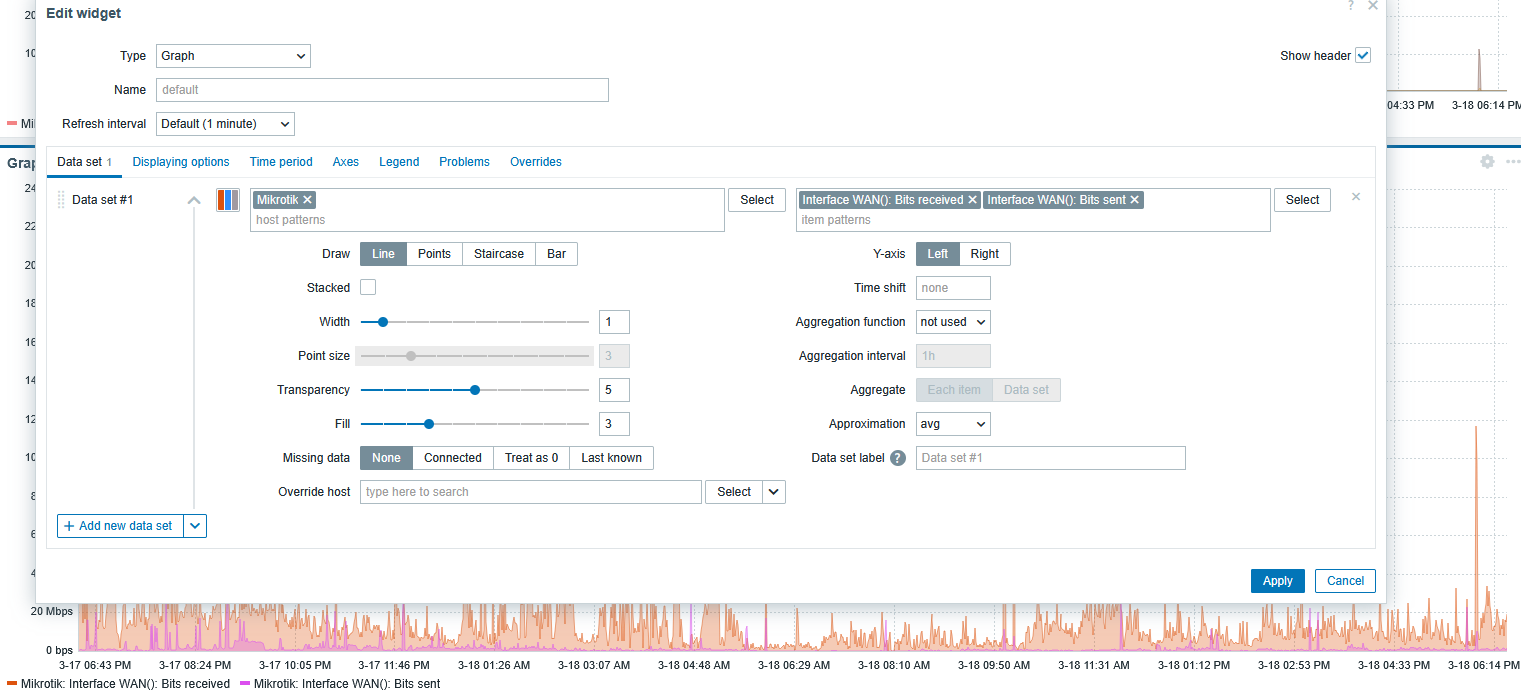
| Approximation | Specify what value to display when more than one value exists per vertical graph pixel: all - display the smallest, the largest and the average values; min - display the smallest value; max - display the largest value; avg - display the average value.
This setting is useful when displaying a graph for a large time period with frequent update interval (such as one year of values collected every 10 minutes). |
|----|----|
Even when I’ve changed to max, there was no significant change to graph. For every setting graph is the same….
Let’s wait, mybe someone who is using Zabbix can comment here.
Consider that short peaks between polling intervals will not be shown, snmp will not return history between two fetches only current value at time when requested. Only with shorter polling interval there is more chance that short peak will be recorded, but very short intervals can stress resources on devices (router and Zabbix server) and cause network congestion.
I believe SNMP pooling every five minutes is standard for any vendor, including Mikrotik. You are right that any test running for less than 5 minutes could be missed.
In any case, there is still a significant discrepancy between the Zabbix (SNMP) graphs and the /Tools > Graphing graphs.
5min polling interval seems to be a bit too high for accurate monitoring, it’s possible to be more like 1min, but even that interaval is not very precise, try to lower that to 30s or 15s (depending how much your infrastucture allows to run without issues) and monitor behavior.
fasttrack is not enabled which means severe throughput reduction ... on any MT device but those with faster CPUs are mostly still capable of wanted throughputs (at cost of increased CPU loads) while hEX S 2025 is not one of them
I don't think that VLAN-enabled bridge gets offloaded to switch chip on hEX S 2025 ... which means that all traffic, which would be otherwise switched (between different devices in same VLAN, connected to different ports of your device), has to be handled by CPU ... which takes away CPU cycles from routing
your setup is way more complex than typical SoHo config, which is used when taking official test results. Which means that realistically you can't expect to reach test results (even if the rest of stars align)
So basically, what you're getting (500Mbps) is what device, configured the way it is, can deliver. If you require better performance, then you'll have to buy a way more powerful device ... a device whose offcial test results indicate more than Gbps of throughput when looking at ethernet test results -> routing -> 25 ip filter rules -> 512 byte packet sizes (hEX S 2025 has 498.1 Mbps there), published in official product page e.g. for hEX S 2025.
I’m working on the implementation of FastTrack under this topic – could you please review my configuration and suggest any modifications that could help?
Yes, this configuration is not easy, but most of the data flows over one VLAN. The rest of the VLANs are there to separate the traffic from a security perspective.
What model would you recommend for my setup with a throughput of 2.5 Gb/s rather than 1 Gb/s? Are we expecting any new router models soon? With hardware acceleration for VLANs on the switch. I think that this could be a bottle neck here (of course after FastTrack will be enabled)