iOS 26.4 cannot connect to the hAP AX3 + CAP Wi-Fi; the iPhone only works with the default AX3 router configuration

Hi there,

I checked, iOS can connect to hAP AX3 with default config.

I’ve bought an AX3 router, which will act as a capsman, and (as soon as it’s up and running) an AX cap will be connected to it. The problem is that all devices can connect to the network except for iOS :frowning: I’ve been fiddling with the settings and it currently looks like the screenshot below. Please help me figure out why everything works except for iOS??

[admin@MikroTik] > /interface wifiwave2 export

2026-03-27 19:35:48 by RouterOS 7.22.1

software id = 4G0G-W13V

model = C53UiG+5HPaxD2HPaxD

serial number = XXXXXXX

/interface wifi channel
add band=2ghz-n disabled=no frequency=2412 name=ch-2 width=20mhz
add band=5ghz-ac disabled=no frequency=5180 name=ch-5 skip-dfs-channels=all
width=20/40/80mhz
/interface wifi datapath
add bridge=bridge-local comment="lokalny" disabled=no name=data-main
/interface wifi security
add authentication-types=wpa2-psk disabled=no encryption=ccmp
management-protection=allowed name=sec-main
/interface wifi configuration
add channel=ch-2 country=Poland datapath=data-main disabled=no
interworking.realms-raw="" mode=ap name=cfg-2,4 security=sec-main ssid=DomL
add channel=ch-5 country=Poland datapath=data-main disabled=no
interworking.realms-raw="" mode=ap name=cfg-5-main security=sec-main ssid=
Domowa
/interface wifi capsman
set enabled=yes interfaces=bridge-local
/interface wifi provisioning
add action=create-dynamic-enabled disabled=no master-configuration=cfg-2,4
name-format=2Ghz-%- supported-bands=2ghz-n
add action=create-dynamic-enabled disabled=no master-configuration=cfg-5-main
name-format=5Ghz-%- supported-bands=5ghz-ac
[admin@MikroTik] >

When I try to connect my iOS device to the Wi-Fi network, nothing appears in the Wi-Fi logs :frowning:

[admin@MikroTik] > /system logging add topics=wireless,info
[admin@MikroTik] > /log print follow
2026-03-26 23:53:54 system,error,critical router rebooted without proper shutdown, prob
ably power outage
2026-03-26 23:53:55 interface,info lo link up
2026-03-26 23:53:58 wireless,info provision local radio D0:EA:11:3D:98:10
2026-03-26 23:53:58 wireless,info provision local radio D0:EA:11:3D:98:11
2026-03-26 23:54:07 interface,info ether1 link up (speed 1G, full duplex)
2026-03-26 23:54:10 dhcp,info client1 on ether1 got IP address 192.168.1.103
2026-03-27 17:53:40 system,critical,info cloud change time Mar/26/2026 23:54:22 => Mar/
27/2026 17:53:40
2026-03-27 19:05:06 wireless,info 04:ED:33:31:8B:43@5Ghz--(Domowa) connected, signal st
rength -62
2026-03-27 19:05:06 dhcp,info defconf deassigned 192.168.88.254 for 04:ED:33:31:8B:43 R
IT501241150
2026-03-27 19:05:06 dhcp,info defconf assigned 192.168.88.254 for 04:ED:33:31:8B:43 RIT
501241150
2026-03-27 19:10:20 wireless,info 04:ED:33:31:8B:43@5Ghz--(Domowa) disconnected, connec
tion lost, signal strength -68
2026-03-27 19:12:31 wireless,info 04:ED:33:31:8B:43@5Ghz--(Domowa) connected, signal st
rength -63
2026-03-27 19:12:56 system,info,account user admin logged in from 192.168.88.254 via wi
nbox
2026-03-27 19:17:07 system,info,account user admin logged in from 192.168.88.254 via wi
nbox
2026-03-27 19:41:07 system,info log rule added by winbox-3.43/tcp-msg(winbox):admin@192
.168.88.254/terminal (*5 = /system logging add topics=wireless,info)
-- Ctrl-C to quit. Space prints separator. New entries will appear at bottom.

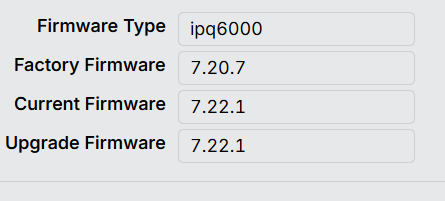
as its hap/cap ax, why limiting to AC band?
try:

/interface wifi security
add authentication-types=wpa2-psk,wpa3-psk disabled=no ft=yes ft-over-ds=yes name=sec-main wps=disable

It’s a bit of a mystery because I’ve tried everything. The strangest thing for me is that the iPhone detects the Wi-Fi network, but freezes when it tries to connect to it. There’s no information in the logs regarding the iPhone’s attempt to connect to this Wi-Fi network. There is information for the laptop, which connects to the Wi-Fi without any problems.

/interface wifi security
add authentication-types=wpa2-psk,wpa3-psk disabled=no ft=yes ft-over-ds=yes name=sec-main wps=disable

I changed, but still the same problem.

simplest approach on start is always best
so try wpa2/wpa3 mixed without setting encryption=ccmp
remove also interworking profiles
you can try my config, just replace “ustaw_swoje” with your needs, change bridge names etc
(export is from v7.22.1 version)

/interface wifi configuration
add channel.band=2ghz-ax .width=20/40mhz country=Poland datapath=dp1 datapath.traffic-processing=on-cap disabled=no mode=ap name=cfg1-2G-AX qos-classifier=dscp-high-3-bits security=wifipass security.ft=yes .ft-over-ds=yes .wps=disable ssid="ustaw_swoje_ssid"
add channel.band=5ghz-ax .frequency=5500 .skip-dfs-channels=disabled .width=20/40/80/160mhz country=Poland datapath=dp1 datapath.traffic-processing=on-cap disabled=no mode=ap name=cfg2-5G-AX qos-classifier=dscp-high-3-bits security=wifipass security.ft=yes .ft-over-ds=yes .wps=disable ssid="ustaw_swoje_ssid"
/interface wifi security
add authentication-types=wpa2-psk,wpa3-psk disabled=no ft=yes ft-over-ds=yes name=wifipass passphrase="ustaw_swoje_haslo" wps=disable
/interface wifi datapath
add bridge=br1-vlan-filtering disabled=no interface-list=LAN name=dp1
/interface wifi provisioning
add action=create-enabled disabled=no master-configuration=cfg1-2G-AX name-format=%I-2G supported-bands=2ghz-ax
add action=create-enabled disabled=no master-configuration=cfg2-5G-AX name-format=%I-5G supported-bands=5ghz-ax

I don’t use any apple devices myself (one family member has and it works with above config), but they are known for strange problems, sometimes forgetting&reconnecting fixes everything.

I’m sure that the reason of my problem is here: How can I remove the passpoint flag ?? section “interworking” is empty..

Try turning it off, it will use FT over Air, I had several problems with iPad and FT over DS.

The above tips didn’t help after I made the changes. I briefly enabled the network via:

/interface wifiwave2 security set sec-main authentication-types=""

The iPhone connected to Wi-Fi! The problem clearly lies with the security settings.

Seems to be a mismatch in versions. Because /interface wifiwave2 was used untill version v7.13. And your output of the CAPsMAN is at version v7.22.1

Can you upgrade your cAP (AX I assume) to the latest stable as well? Both RouterOS and firmware? And report again?

At the moment, no CAP is connected to the hAP ax3 router. I am only running tests on the hAP ax3 radio. The router is updated to the latest version (I think).

Then please elaborate on the wifiwave2.

I suggest you to:

  1. Enable debug logging to get more info (temporarily)
  2. Try setting all config (especially password) directly on wifi interface, rather than as configuration profile.
  3. Make sure your password is 8+ characters long
  4. In security enable only WPA-2 and no WPA-3 (and check) (don’t set any fancy management protection or encryption settings).

Hi, I’ve encountered the same issue.

As far as I understand, it started after upgrading to RouterOS 7.22.

I was able to fix it with the following commands:

/interface/wifi/unset wifi-2g interworking.realms-raw
/interface/wifi/unset wifi-5g interworking.realms-raw

Seems to be a winbox 3.40 issue messing config with interworking.realms-raw on latest firmware.

Either removing by command or reapplying wifi config via winbox 4.0 also removes this setting and restores ability to associate for the ios clients.

In case of capsman, this manipulations must be done on both capsman and ap too.

Had this kind of experience after upgrading wap ax, wap ac (wifi-qcom-ac) to 7.22.

CAPsMAN version 7.22 causes iOS devices to freeze after entering the password.

Android devices function normally.

I spent three days testing and confirmed that the problem only occurs with version 7.22 and later.

As long as the original version of a new device is lower than 7.21.3 and it hasn't been upgraded to 7.22, there shouldn't be this issue where only iOS devices can't connect.

Additionally, I've tried it, and as long as I'm not using CAPsMAN's standalone AP mode, there are no problems.

The same SSID on an iOS device that has already been logged in and saved, and then switched to CAPsMAN mode, also works fine.

However, as soon as I clear the SSID memory and re-authenticate, it gets stuck after entering the password and cannot connect.

Hi there,

It seems that upgrading Winbox to version 4.X has solved my problem. Thank you all for your help, and especially to the author of this post.

I spent 3 days around this bug. On WiFi security encryption or group encryption should be nothing there. If you tick anything there you trigger this annoying behavior with iOS devices. Is not related to 7.22.1 or CAPsMAN. Tested on 4 different setups with CAPsMAN or without.

This is affecting macOS Wifi Auto-Join too After RouterOS version 7.22, CAPsMAN causes only iPhones (iOS) to be unable to connect to Wi-Fi - #21 by optio

I have the same. Its worked:
/interface/wifi/unset wifi-2g interworking.realms-raw /interface/wifi/unset wifi-5g interworking.realms-raw

i cannot believe i ordered a new chateau pro ax to replace my ax3 because i throught it was broken!

indeed unsetting the interworking.realms-raw fixed the issue!

sadly i still have to use winbox 3 because the v4 STILL doesnt work on windows arm64 correctly

the tables are all goofed up and missing information etc :frowning:

Or
/interface wifi unset value-name=interworking.realms-raw [find]

It's easier. You don't need to specify the interface.