Hello Forum,
I'm not sure if I've found a bug.
On my RB5009 running ROS 7.25, IPv6 stops working on the router itself after 30 minutes.
I noticed this because a WireGuard VPN that requires IPv6 stopped working.
I connect to my ISP via PPPoE over fiber optic (SFP).
My ISP assigns me a /56 prefix for IPv6.
IPv6 addresses are distributed across the network via SLAAC.
I’ve also set up ULA.
The router is accessible from the Internet using the prefix. (2a05:1111:222:3333:
If the router reboots or if I have the SFP interface or the PPPoE connection reconnected, everything works fine for about 30 minutes.
I can also ping services on the Internet via IPv6 from the router.
My WireGuard VPN can also successfully establish a connection and works.
After about 30 minutes, the router apparently can no longer use IPv6.
From that point on, it keeps trying to connect to the Internet using a ULA address (fd00:1337:420::).
This doesn't work because I haven't set up NAT for ULA.
As a result, the WireGuard VPN also stops working.
The router can no longer access the Internet via IPv6 until I re-establish the PPPoE connection and receive a new prefix.
I’ve also set up a client in DHCPv6 Client.
The prefix it receives is valid for 30 minutes. However, the countdown doesn’t have to run out completely for IPv6 to stop working.
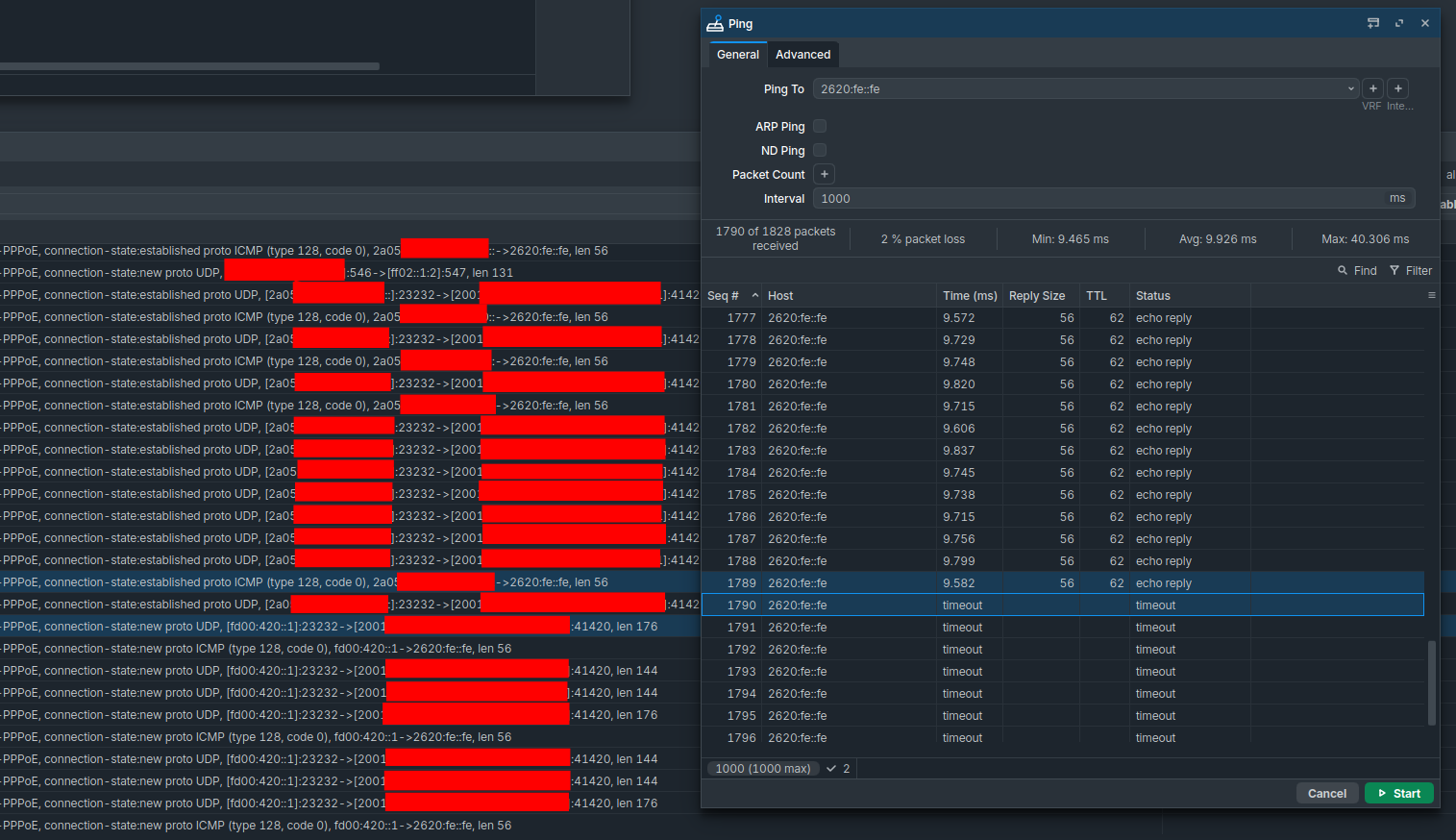
If I disable the client and re-enable it, IPv6 works again.
But that’s pretty annoying if I have to do this every 15 minutes.
The public IPv6 address is still assigned to the interface.
Restarting the PPPoE connection, the router, or the DHCPv6 client causes the router to receive a new prefix.
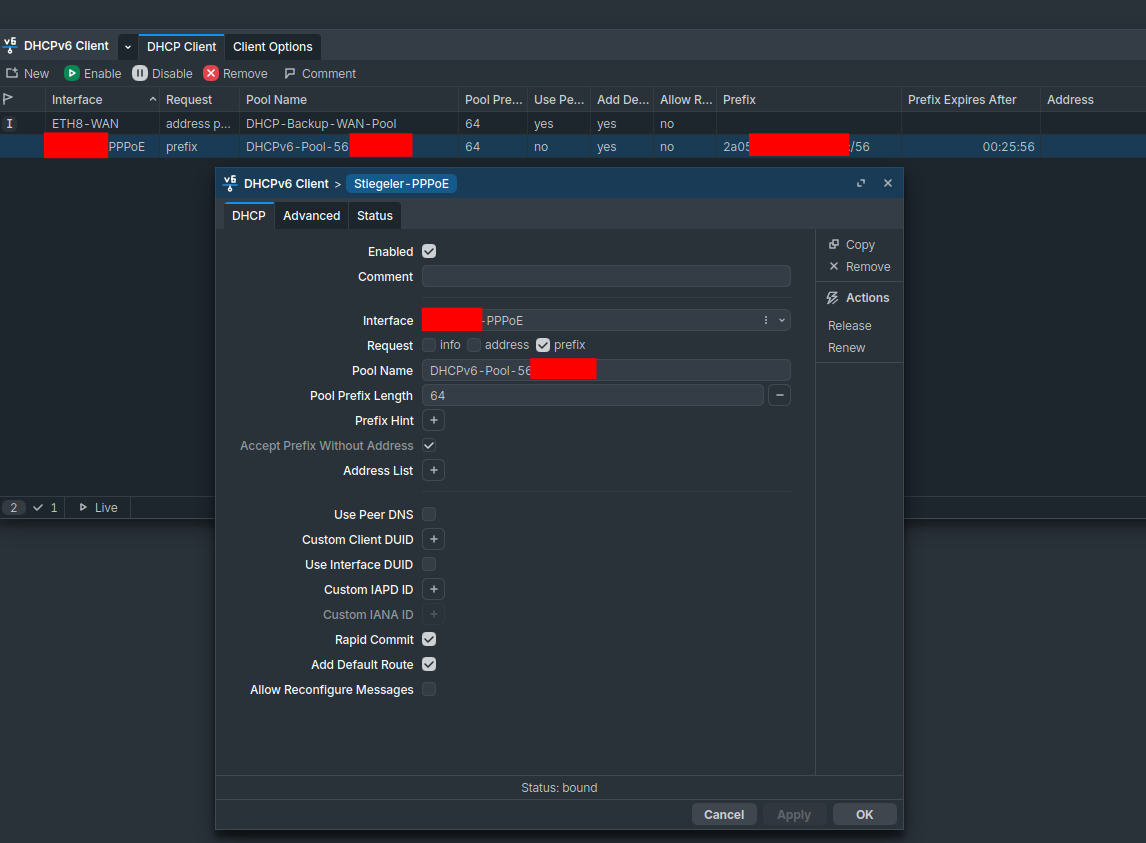
All clients behind the router can still access the Internet via IPv6 without any problems.
There are no restrictions there at all. It’s just the router that’s not working anymore.
Everything was still working fine with ROS 7.24.5.
I didn't change anything in the configuration. Why would I?
It was working just fine.
I also happened to notice after the update that Neighbor Discovery was showing a message on all interfaces saying that the DNS configuration was incorrect and needed to be reset.
I simply applied the existing configuration again, and the message disappeared.
It didn’t come back even after I restarted the router.
Do I need to configure anything else now to make sure IPv6 works properly on the router again?