I got my hands on a CRS304-4XG-IN switch. I tried to boot it into SwOS a few times. Each time it just hangs upon booting. To my surprise I couldn’t find a version of SwOS compatible with this switch! Am I missing something?
Dual-boot of SwOS for CRS304-4XG-IN is in the works, but no ETA can be given
Thanks for this topic. Last Friday I bought CRS304-4XG-IN under impression from reviews that it can dual boot RouterOS / SwOS. As I need maximalize switching throughtput and I don’t need L3 functions for my use case, I edded up with bricked device, which went back to shop as RMA (box didn’t react to reset properly).
I have been sent a replacement in the meantime, but so far I haven’t found courage to retry SwOS. I’ll make some switching throughput tests when the rest of 10 Gbps hardware arrives.
Anyway - dual boot seems to be confirmed of RouterOS 7.15.3+ and SwOS 2.18 here,
The device supports dual boot with SwOS version 2.18 and RouterOS version 7.15.3 or above, as indicated in the RouterOS menu under /system resource. Other operating systems have not been tested.
– https://help.mikrotik.com/docs/spaces/UM/pages/271974525/CRS304-4XG-IN
but I have checked System > SwOS > Upgrade in my device and the result is “ERROR: file not found”. Does it mean SwOS image is missing? Do do I check for SwOS version?
Hey,
I have exactly the same issues. After the activation of SWOS in RouterOS the start somehow stuck. After the device reset I could connect to RouterOS again but when I try to upgrade the SWOS after the RouterOS upgrade, I receive the same error message.
Axel
There is no SWOS 2.18 in the list of available versions. I only see 1.7x and 2.17x. There is a SWOS 2.18 Lite, however, and this switch is not listed in its compatibility list.
Switching is done in hardware, not software. Regardless of which OS you use on the CRS304, it will always switch at wire speed (provided it’s configured properly).
RouterOS defaults for these is for all ports to be in a single bridge, which is hardware-offloaded.
Having the same problem OP described, where trying to boot my CRS304-4XG-IN into SwOS just causes it to crash until I factory reset it.
To be clear, is the consensus that this device doesn’t actually support SwOS, and the documentation here is incorrect?
If that’s the case, is there as way to configure RouterOS to behave similarly? I’ve been finding that even in bridge mode, my reverse proxy can’t resolve services hosted though the switch.
As of today there still is no SwitchOS support for CRS304-4XG-IN although the manual at https://help.mikrotik.com/docs/spaces/UM/pages/271974525/CRS304-4XG-IN still claims this switch can be changed to use SwitchOS with just few simple clicks.
I asked Mikrotik support to update their online manuals and documentation to reflect the proper current situation.
Their response was: “Not needed - SwOS support is upcoming, as has already been explained.”
Well, it has been upcoming for some time now, but it still isn’t here. We can’t buy equipment on vague promises!
If SwitchOS is not available, you should NOT publish false or misleading documentation.
We should not have to spend our expensive time finding out the documentation is plainly wrong, we expect better from our vendors.
I just got bit by this bug today and only found this thread after I soft-bricked it. Not a great first impression. Half of the reason I bought this was the price and the other was the ablility to boot into switchos as I just need a simple 10g switch.
Any news here? Still no SwOS?
The product information clearly states RouterOS V7. No where is there any information that would give any indication of SwitchOS support. Why are you expecting it to also support SwitchOS?
https://mikrotik.com/product/crs304_4xg_in#fndtn-specifications
Look more closely k6cc, clearly stated in product brochure!!
…
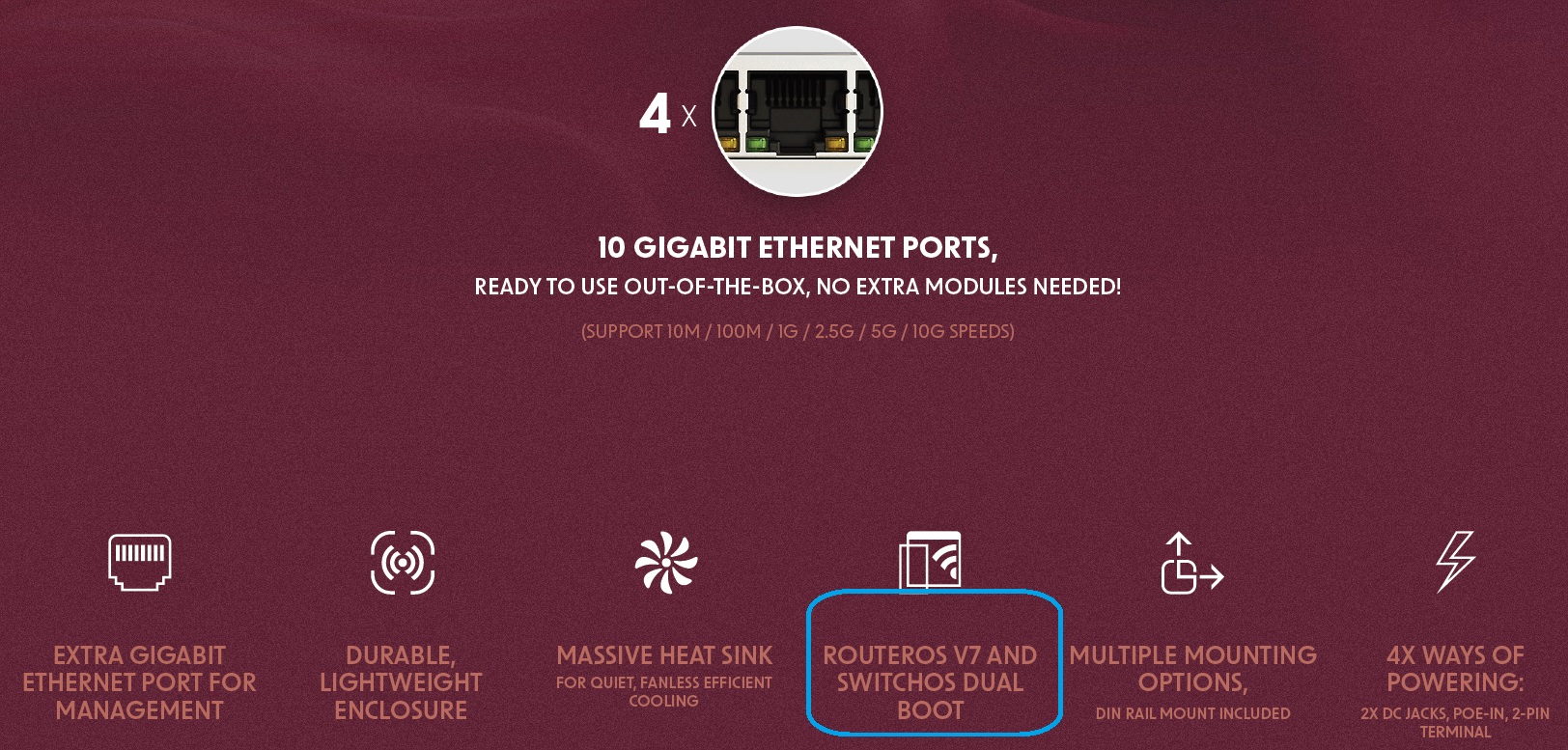
…
In addition on the associated MT Documents Product Page there are two references to SWOS.
https://help.mikrotik.com/docs/spaces/UM/pages/271974525/CRS304-4XG-IN
Booting process
The device supports booting RouterOS (for complete routing and switching configuration) or SwOS (for only using as a switch). By default, the device will boot RouterOS, but you can reboot into SwOS in the following ways:
From SwOS: In the System menu, click the “Boot RouterOS” button on the bottom of the page.
From RouterOS: in the System, RouterBOARD menu, click “Settings” and there select “Boot OS”.
AND
Operating system support
The device supports dual boot with SwOS version 2.18 and RouterOS version 7.15.3 or above, as indicated in the RouterOS menu under /system resource. Other operating systems have not been tested.
So it does. I only looked at the linked product page which clearly states RouterOS V7 only.
Same. I tried switching to SwOS since it says everywhere that it's compatible, but it just soft-bricks it. This has left me with a very bad first impression of Microtik.
Curious if SwOS is still incompatible with this switch (or vice versa I suppose).
I tried changing to SwOS and bricked myself. All lights remained on and I could never connect, forcing me to reset the switch (hold Reset button while plugging power in until the User LED blinks).
I attempted this twice and got the same results so I'm just using RouterOS again, but I wanted to see if the simpler SwOS was more stable over the long term because I start getting dropped connections after 1-3 days right now.