There are no click. Use wrench 10mm and finetune it. Than fasten all fixing bolts and that’s it. I never used laser for pointing. Years of experience and google earth helped me to point antenna in desired direction. But since LHG60 is only 1 degree You absolutely have to use solidmount on greater distance…
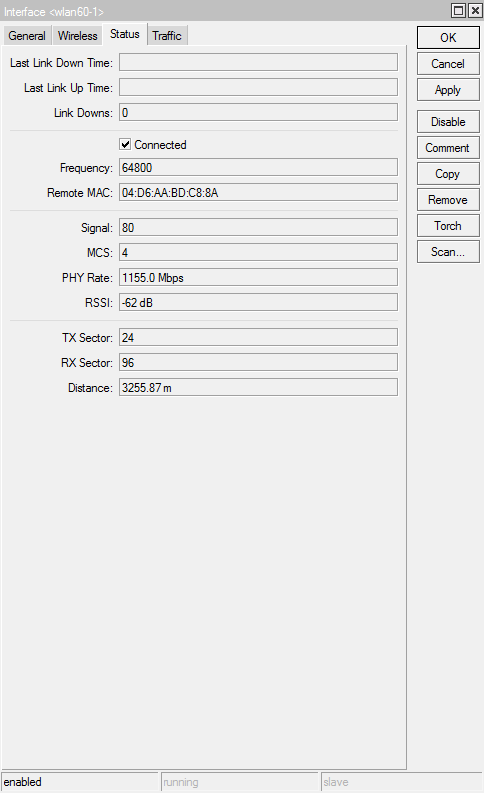
60GHz - 4330 meters - my experience
First of all, if You don’t want to read my whole post, conclusion is don’t do it - maximum reliable is 3000 meters.
Finally we had some sunny and warm days in Serbia. So I reserved whole weekend for 60G links. First of all, You need a lot of patience. When this long link got disconnected for more than couple of minutes it takes anywhere from 30min to more than 2 hours to get back online! I don’t know why? Reboot, unplug/plug din’t give any results.
We combined LHG60 with SolidMount, and that is a MUST on any 60G link that is 1000m+.
When You adjust the link use bandwith test between two devices. It is powerfull enough to let UDP trafic spread it’s wings. TCP got stuck arround 500Mbit with 100%CPU.
Don’t look at the “rssi”. You only need MCS (max is  , SIGNAL (100 is ideal so I assume that is in %), and try to get TX-SECTOR to center. Also Error rate is crucial!
Don’t use “align” since it disconnect link more often. Use only “monitor” tool.
One person should be at the antenna and another should look at the notebook. First get 60G link to any working order with eye sight. I know that it could be difficult for someone, but LHG60 have mesh grid and it is see-through. Then You need wrench 10mm to finetune solidmount. It takes half of the turn to lose signal. So it should be fastened to maximum allowed to turn the wrench.
And then start to play. Don’t be afraid to try different things and positions. Most annoying is when You got disconnected for more than a minute! Than it takes forever to get connected again. It is not a matter of misalignment at all since once we got disconnected for 2 hours and after that link got connected and we had MCS 7 and Signal 80. Bandwith test was 900Mbit.
Next day it got very windy, and link got worse. I was thinking what is somehow moved, but after wind has stopped link got OK again. Also rain is killing this link, but 2950 meter link is holding OK in wind/rain.
Now winter came back in Serbia for a few days, and on first warm day I will take down this 4,3km link since it is useless on that distance.
BR to all and good luck (You will need it - at least until Ubnt start to sell 60GHz) 
Hi,
Earlier today a network loop was introduced in our internal network. While investigating the source of the loop we disconnected the 4 links with other buildings that we have using LHG60s and a link with wAP60. While rebooting one of the LHG60 links the devices never really came back.
I thought it had to do with the network loop and did not pay attention. When the loop was discovered and elliminated (someone connected two adjacent network sockets by mistake) all links and devices came immediately back and I could access their interface except from a specific link.
When I try to ping their IP I get a couple of pings and then maybe 10-15 requests timed out and the same things repeats. At the beginning I thought that maybe one of the antennas has died but the strange thing is that BOTH master and slave behave the same way.
Even when pinging the devices from their respective side the same thing happens which leads me to suspect that something else is the underlying cause.
When checking the LED lights on the devices the pattern is equally strange. Upon rebooting the power LED switches on and then the ethernet LED switches on and blinks as expected however as soon as the wireless link is apparently established and the wifi LED is on then the ethernet LED starts blinking really slow instead of the typical fast rate blinking when traffic is going through.
Any suggestions? Or should I RMA them and replace them? I bought these like 6 weeks ago.
Cycling timeouts like this are usually caused by STP blocking and reenabling forwarding on a port in my experience.
Sent from my Pixel 3 XL using Tapatalk
Buy and try itself like other products 
Confirmation from other:
https://ispforum.cz/viewtopic.php?p=250027#p250027
Guys, which devices are best for PtMP ?
Awesome product took me a lot off time to get this stable
wAP60G + LHG60 up to 500 meters
@mikrotik Is it finally possible to know if the chipset allows narrower channel widths (like 1000 MHz or 500 MHz) and if the next future we 'll see this options?
Does anyone use ALU 600?
Please
Print Screen
autostoper76 is using those and he is not happy  Untill now, we don;t have any proof that those devices are working OK. Just words - no pictures/viideos
Does anyone use ALU 400?
2MikroTik
guys, plz add debug logging for w60 wireless like “wireless” for 802.11ac\n\g\b\a wifi
…
While you are at, suggest you use trained staff or create a checklist for plugging stuff in… or was this sabotage??
Bad news for mikrotik
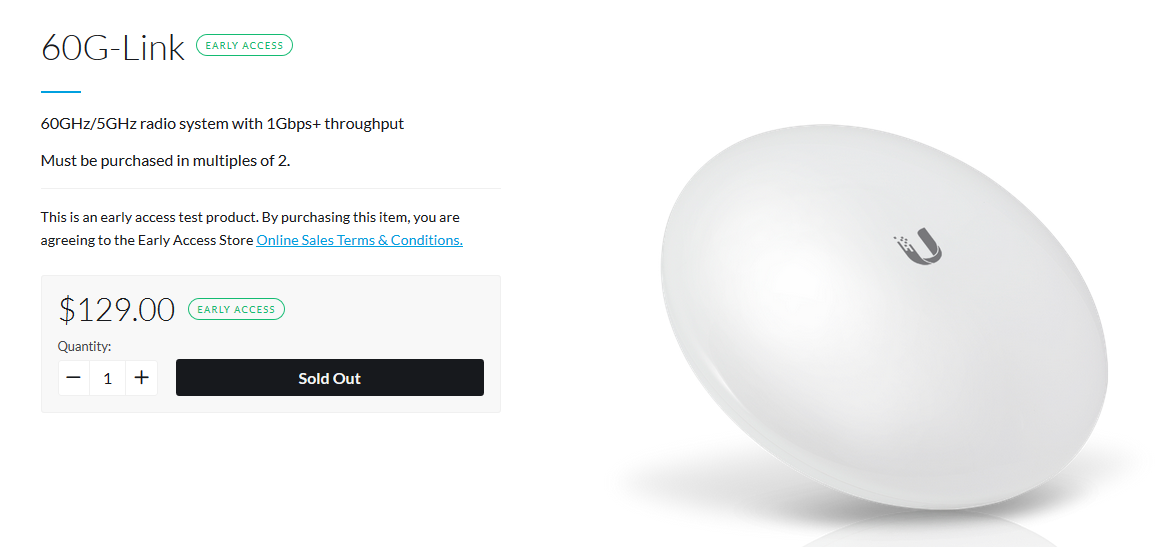
Yes and they do it right from the beginning, integrated 5 GHz Backup…
And Mikrotik engeneers are sleeping…
please original link ???
This is early access shop, you need to be registered and allowed to see this
i am registered
but send URL
you have to be registered to early access https://store.ui.com/collections/early-access