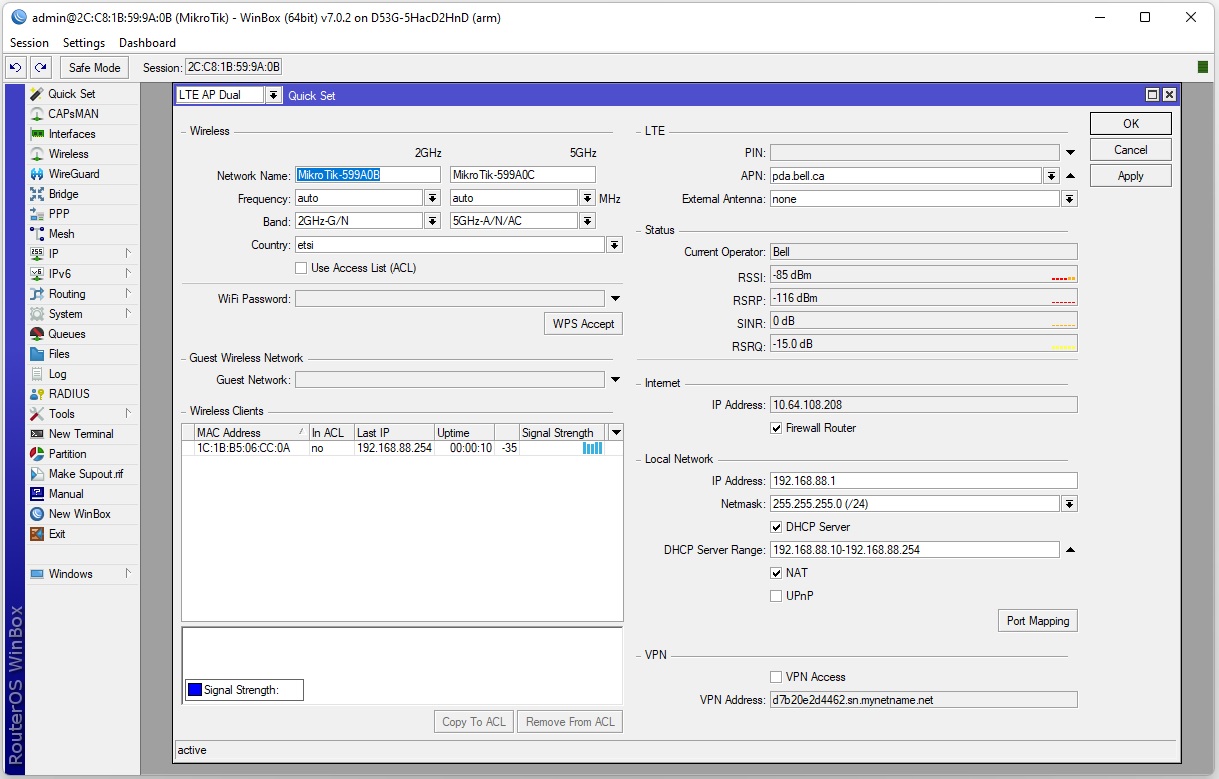
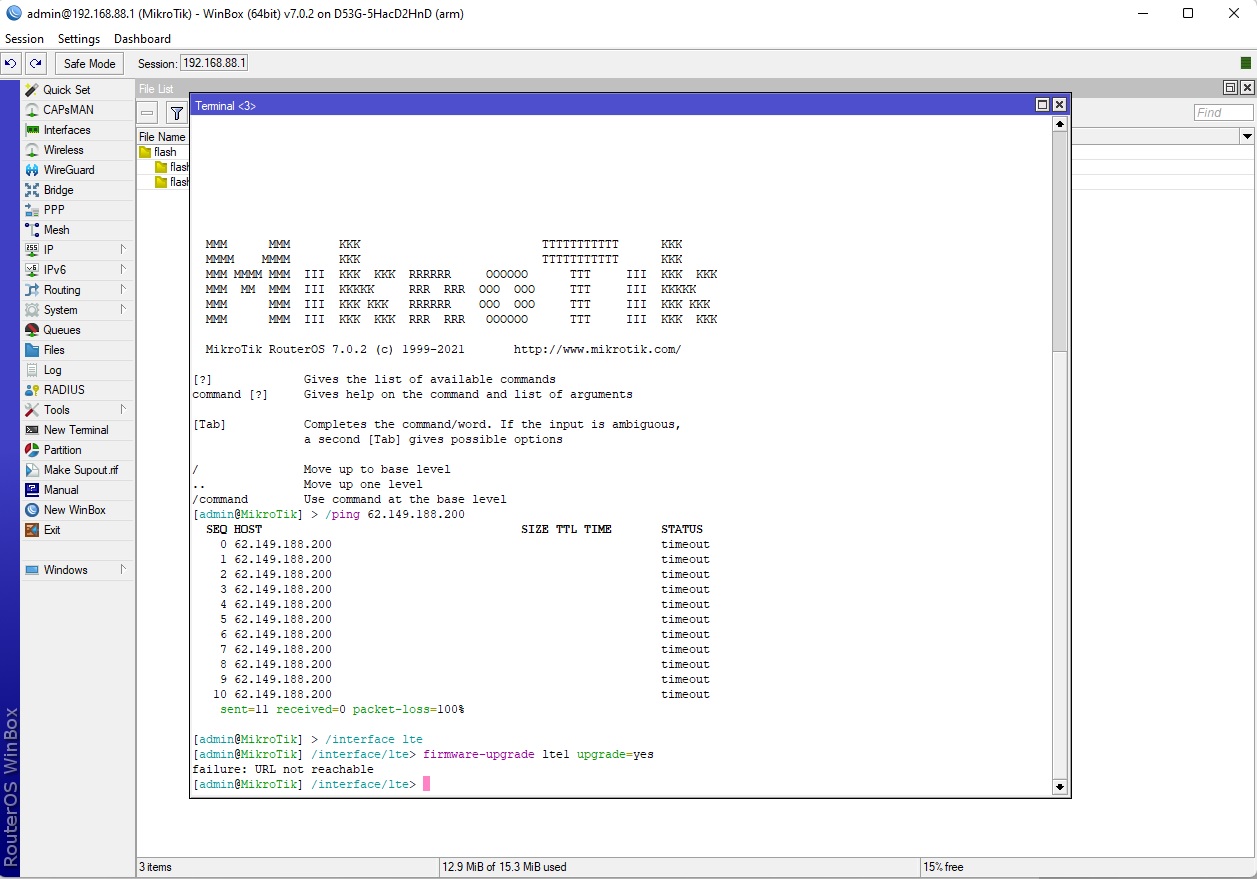
Hi Guys. I am hoping you can solve a mystery for me. I am trying to configure a Chateau 12 - D53G-5HacD2HnD running Router OS 7.0.2. We purchased 2 for our Emergency Response Operations for the Canadian Red Cross. We have configured with a local Carrier’s SIM… (Bell Canada). The issue is that the Chateau seems to have Internet connectivity but we cannot surf the net… We can do an NSLookup from the client and it will resolve… But we cannot surf the Internet. We also cannot ping anything past the router except the IP address assigned to the LTE interface by the carrier… These are with default factory configs and it still does the same thing… The Bell Canada SIMS work on both CradlePoint and Microhard LTE modems… APNs that work are “internet” and “pda.bell.ca” We really don’t understand what the issue is - especially if the config is default out of the box… Any clues? I have exported the script file and attached…
Hi Anav… Thanks much for taking a stab at this one.
(1) Dont see any routing for traffic but assume this is somehow done in the LTE client settings ??? Not a MikroTik heavy, but I pulled it back down to the default config for troubleshooting purposes… so I would assume everything would be good to go. Can you provide the steps I would need to take to route the traffic?
(2) DID YOU ADD THIS RULE and what is its purpose??
/ip firewall mangle
add action=change-ttl chain=postrouting new-ttl=set:65 out-interface=lte1 Yes. Added - based on a suggestion from this forum… Just in case it was the provider throttling issue… but it made no difference…
Thanks for the assist!
BTW - Also trying to get the Mikrotik Audience going with a Mesh network by using instructions for the WPS button procedure… This stuff isn’t easy out of the box… Been on it for hours with no success… I will have to resort to YouTube to see if there are some guides but this is supposed to be “simple” home network equipment that works with a few easy steps - Got my MTCXX courses under my belt and I am still having issues… Frustrating!
Thanks much for the post… Yes, the APN was set via the QuickSet when we were doing the testing. If you didn’t see it in the rsc file its probably one of the iterations where we had just reset the unit to factory. The SIM we used in other LTE devices without issue… We have always been trying the configuration as close to default as possible just to eliminate any issues made in the config… ie. Plug in the SIM and set the APN and it should work… We just managed to get a MikroTik Audience LTE 6 going with the BELL SIM and the same APN… I ran the commands provided on the Chateau-12 with no success to get out to the Internet - However, yes, we are able to do NSLOOKUP…
Hi Spoonman, I would suggest that using quickset is NOT the preferred way to go.
Reset the chateau to defaults.
If the chateau comes with default settings, which it should, then do not use quickset and use the NORMAL winbox menus to make the changes that rextended suggested.
Also dont put that mangle rule or any youtube rule in place before checking here…
Thanks for all the help… OK - Reset the Chateau-12 via the Reset Configuration under System… Kept the default config… Added the lines for the LTE connection via Terminal as suggested. The APN setting did take when I looked at the LTE config… Still cannot surf, however, I am getting out via NSLookup… I have attached latest Export… Chateau-Sept1.rsc (7.2 KB)
Sorry! In Toronto at the ERU Warehouse… was away form the laptop. OK - Done but with no change - can still NSLookup though! Just can’t get out to surf… Have included latest RSC File…
Many Thanks for the support!
Spoon Chateauv2.rsc (7.11 KB)
No Go… Please see attached - A mystery… Perhaps I should connect up to a wire for Internet then attempt the LTE Upgrade…
Currently not able to do so as we have no Open Internet at the moment. When we do I can try…
Many Thanks Again! So very much - I think/hope we are close
At least nothing jumps out at you, the expert, with the current config… its reassuring.
Spoon
I too see nothing untoward.
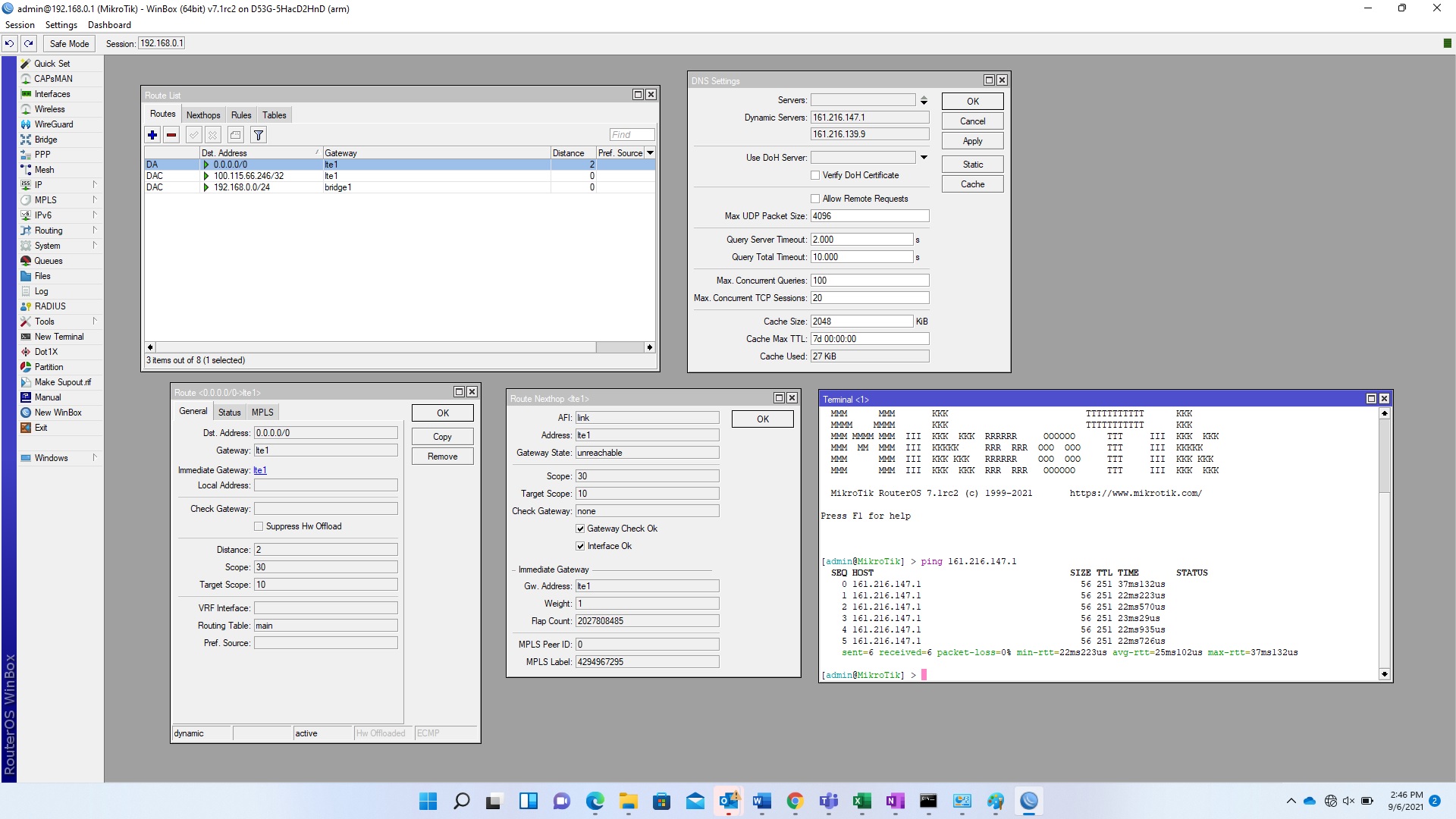
The only thing I dont see is IP Routes information.
Can you confirm that under LTE it states enable default route anywhere???
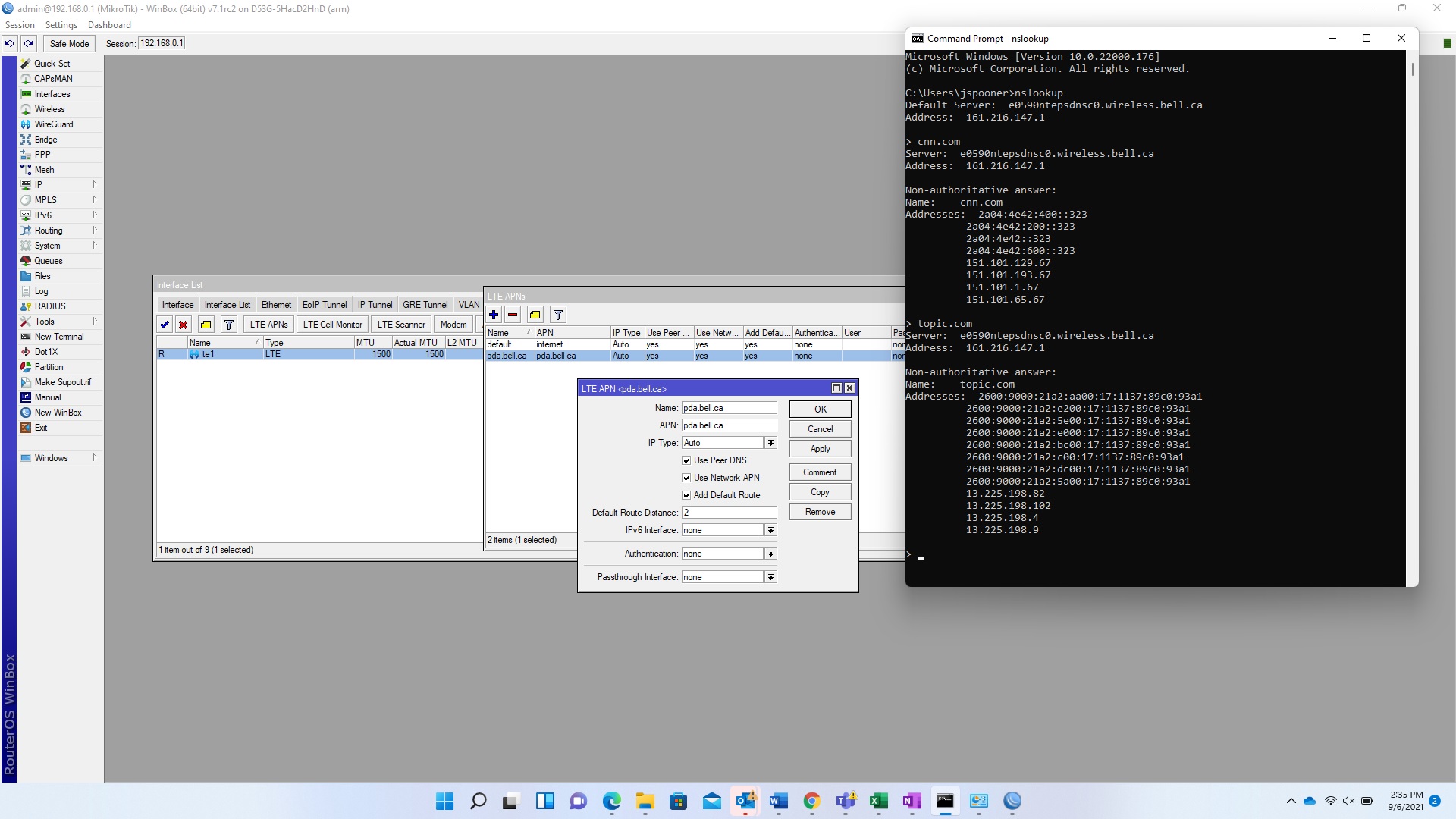
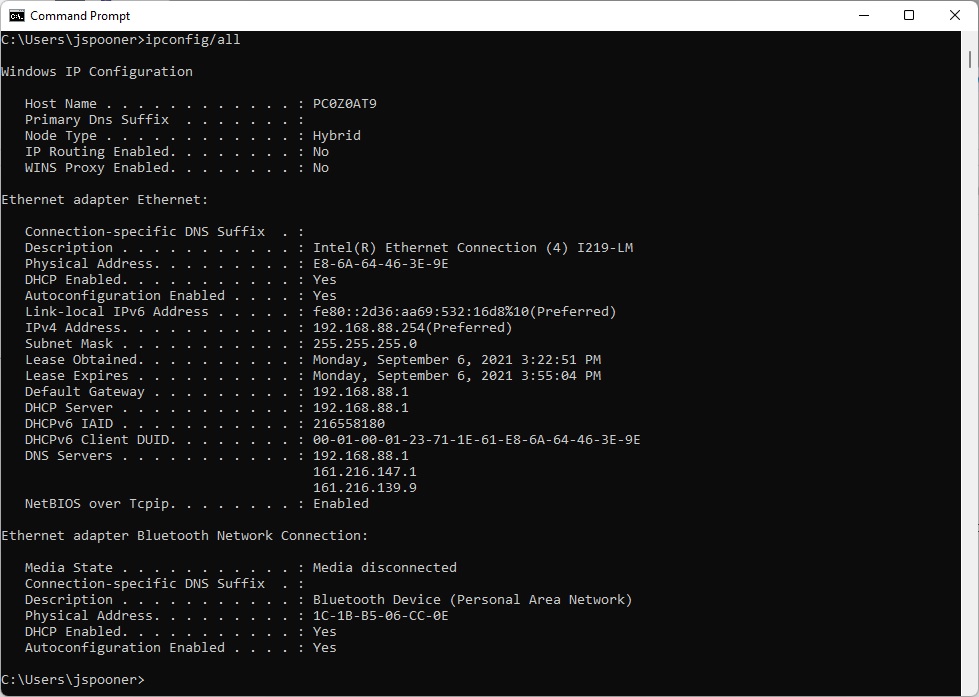
Hello rextended and anav… Sorry for the delay. had to make my way back home from the site. So an update… I brought the Chateau 12 up to routeros 7.1rc2 (OS & Firmware)… I physically connected the Chateau 12 to the Internet and upgraded the LTE Firmware - Went smoothly… Firmware upgraded successfully. However, no change in the issue… I can ping the DNS from the Chateau 12 and a connected laptop… resolving is working with NSLookup… however, I still cannot surf the net… I am really confused at this point. Appreciate any further insight… I have attached some pics to hopefully assist in troubleshooting… BTW, today, I had just tried the same LTE SIM in an LHG LTE 6 Kit we purchased for Emergency Response… Worked like a charm. Out of the box… just had to change the APN.
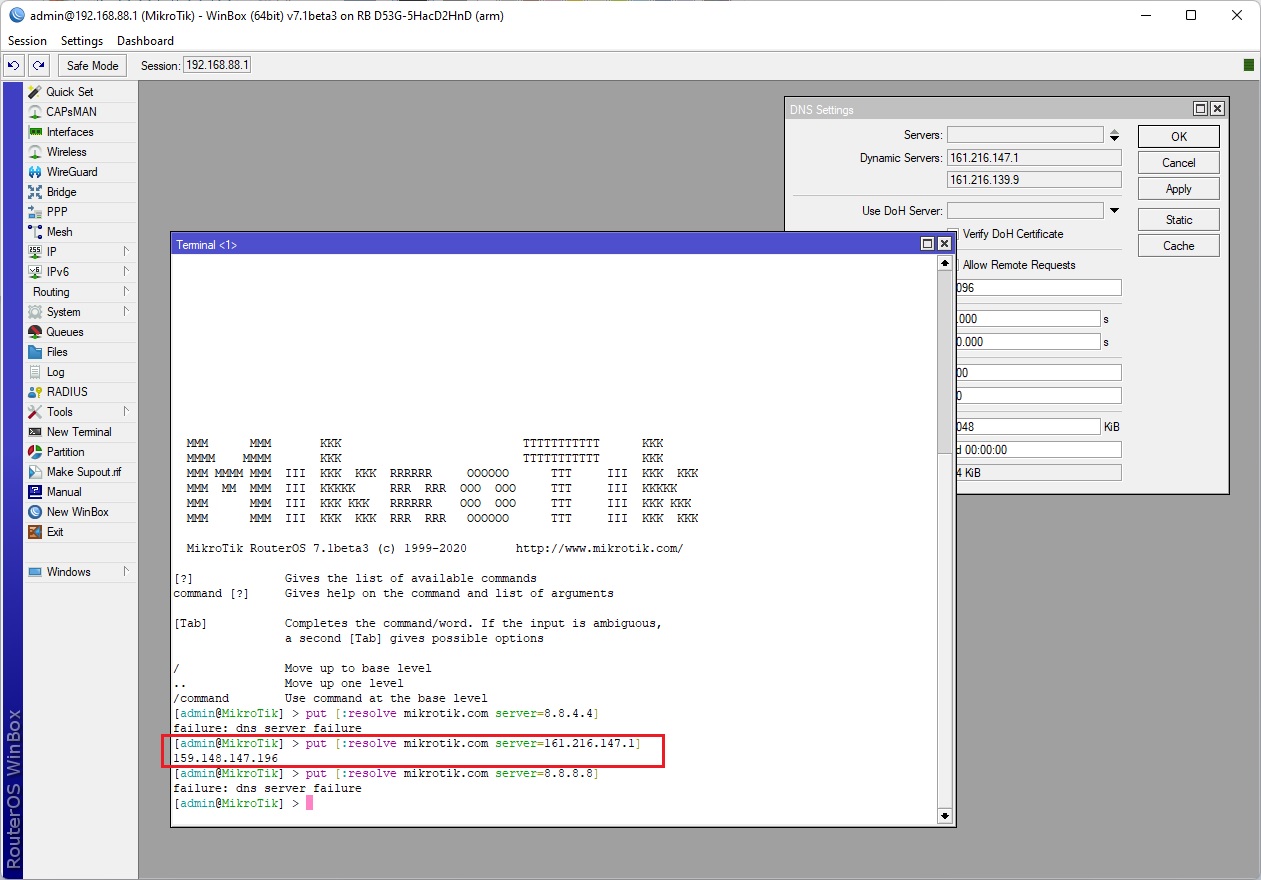
You test DNS Servers receive from ISP and others public ? Like by:
put [resolve mikrotik.com server=1.1.1.1]
159.148.147.196
put [resolve mikrotik.com server=“Your ISP DNS IP”]
?
Sometimes this can be normal.. because:
You not pay a bill, ISP block traffic
You reach a limit of GB and ISP block traffic
You use that SIM with Plan for Phones only in router device, ISP see wrong IMEI or APN is wrong and block you.
ISP show you some captivportal/hotspot for registration to next ublock you traffic
ad1,2,3,4) You can go to Tools > SMS > enable ‘Receive Enabled’ > Apply > Inbox button and read SMS who can show you answer.
ad3,4) Be sere you receive DNS from ISP and receive it at end computers, when you open any webpage you see some webpage ? Sometimes it’s work only when you put SIM into PPP modem.
ad3) Spoof specific vendor IMEI can fix issue to swap to activate other plan.
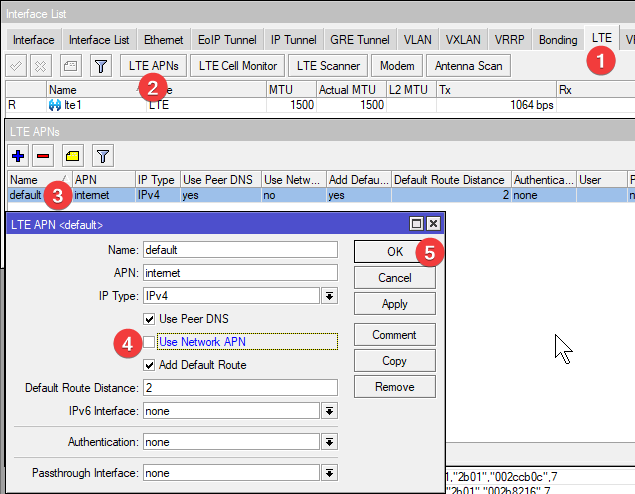
At RouterOS sometimes we must disable “Use Network APN” to enable own specific APN
Thanks for the reply SiB! I hope this has helped in the troubleshooting a bit. I did the resolves as suggested, both with Public DNS servers and the ISP DNS Server… It only works with the ISP’s DNS Server… I enabled the SMS but I do not get anything in the Inbox… To clarify, what I meant in my previous post was that the SIM I am currently using in the Chateau 12 works in the LHG LTE 6 Kit with no further configuration except updating the APN… pda.bell.ca I do update the APN on the Chateau… hence I am able to resolve and ping via the ISP’s DNS Servers, but it seems I am not able to get out to the Internet… We are trying to config two MikroTik Chateau 12’s for our Emergency response and both are acting the exact same way… I have NetInstalled with routerOS 7.1rc2 as well… applied a default config… changed the APN.. Can only reach the ISP. But the LHG LTE 6 Kit can get out and reach the Internet, as can a Microhard LTE device and a CradlePoint…
Please see attached
Thanks for all the help/suggestions!
Spooner
I understand that case is not solved by change APN like you write and I quote ?
Then it’s like your ISP not pass you internet and block you by some purpose.
Do step after step
1) Try use webpage with proper DNS from ISP
You have a good DNS, MikroTik have got only DNS from ISP and end user have got MikroTik itself or ISP.
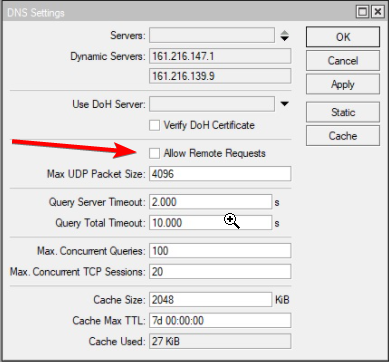
But you must remove that 192.168.88.1 from DHCP Server and pass only ISP DNS IP because your Chateau not have a ALLOW to use 192.168.88.1, I see that here: #17
You must add this option or remove 192.168.88.1 from DHCP Server Network tab. One of two you must do.
This step maybe have necessery fix a TTL value what is here https://wiki.mikrotik.com/wiki/Manual:Interface/LTE#Avoiding_tethering_speed_throttling means:
/ip firewall mangle add action=change-ttl chain=postrouting new-ttl=set:65 out-interface=lte1 passthrough=yes
Then try any webpage.
With that ATT in USA show at any webpage message “It looks like you want to use data but have none available. You may need to add data.” and then we know what to do.
2) Try disable “Use Network APN”.
This APN must be used inside lte1 interface if you have few of them.
APN: you should use your of course, my “internet” is common/default one IP Type: change from auto to IPv4
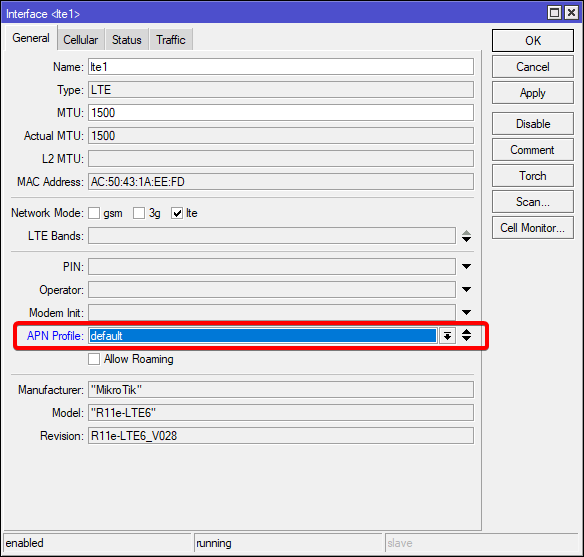
Remember that you must select proper APN Profile in lte1 General tab.
Why? Because you show us at screenshot that you use TWO APN Profiles. Maybe you create it but it is not selected inside lte1 ? 3) Spoof lte module vendor that you have other LTE device.
You say it’s work out-of-box in LHGR who use R11e-LTE6, that card IMEI almost work at every plan :).
If you get to that point then best way will be get IMEI of that LHGR unit and not use that device. Use IMEI from LHGR inside Chateau LTE12.
I edit this answer/post if ad 1&2 not help and write you a way here.