Hi,
At first you need to know I am Polish so in some cases my language skills can be not familiar with yours- sorry for that I will do my best to improve it!
I have bought MikroTik LHG LTE6 kit.
Structure of my home set is MikroTik → Switch → Computer, etc.
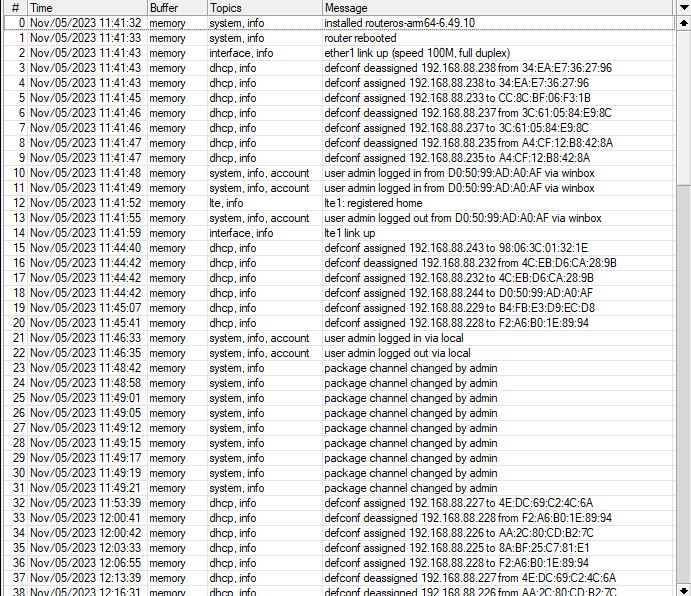
After when I bought MikroTik I have install it on my roof, put SIM, install cable and run all of it. Connection is strong and stable to time when LAN starts to disconnecting.
I have start to look on your forum and I realize I need to update soft version to 6.49.10. - DONE
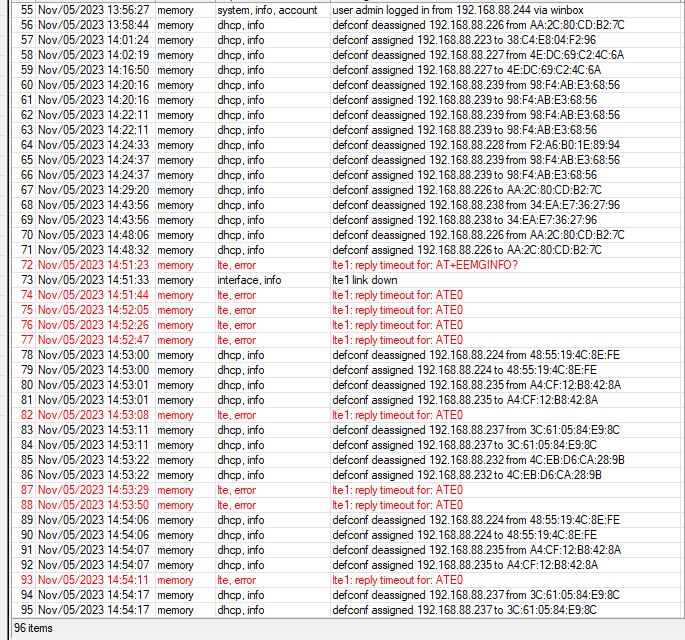
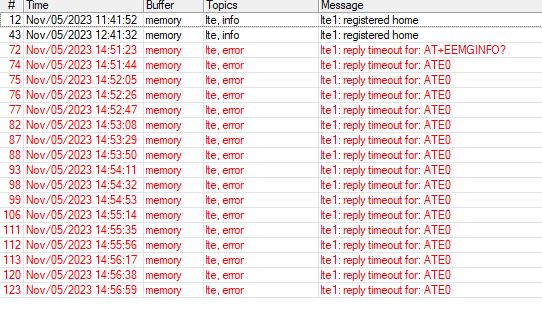
Now I run it again. After few hours of working without any issues again LTE starst freezing.
Pictures attached.
Can you look on it? Do you have any advise what should be do better to solve my issues?
From your logs, it looks like the update didn’t push through, as evident in this line where it still shows V025 whereas the lastest is V036:
17:01:01 lte,async lte1: sent AT+CGMR
17:01:01 lte,async lte1: rcvd R11e-LTE6_V025
The modem is still responsive and working normally at this point. But on this line:
17:05:27 lte,account lte1 session: 248s 19689568/5553036 bytes 22107/17297 packets
17:05:27 interface,info lte1 link down
17:05:27 lte,async lte1: sent AT+RSTSET
17:05:27 lte,async lte1: rcvd OK
This may have been the point at which the update pushed through. And it looks like you waited for at least 30mins to see if the modem comes back but any attempts from the router to contact it results in timeout.
I would suggest that you turn off then on the unit and see how it goes, as you have already given it quite some time to reboot, taking note of the logs.
Done. Unit is restarted. Modem LTE is connected with BTS but internet is not run…
Settings looks to be same like previous so it should run without issues.
In new LTE modem software is something what needs to be set vs Old LTE soft?
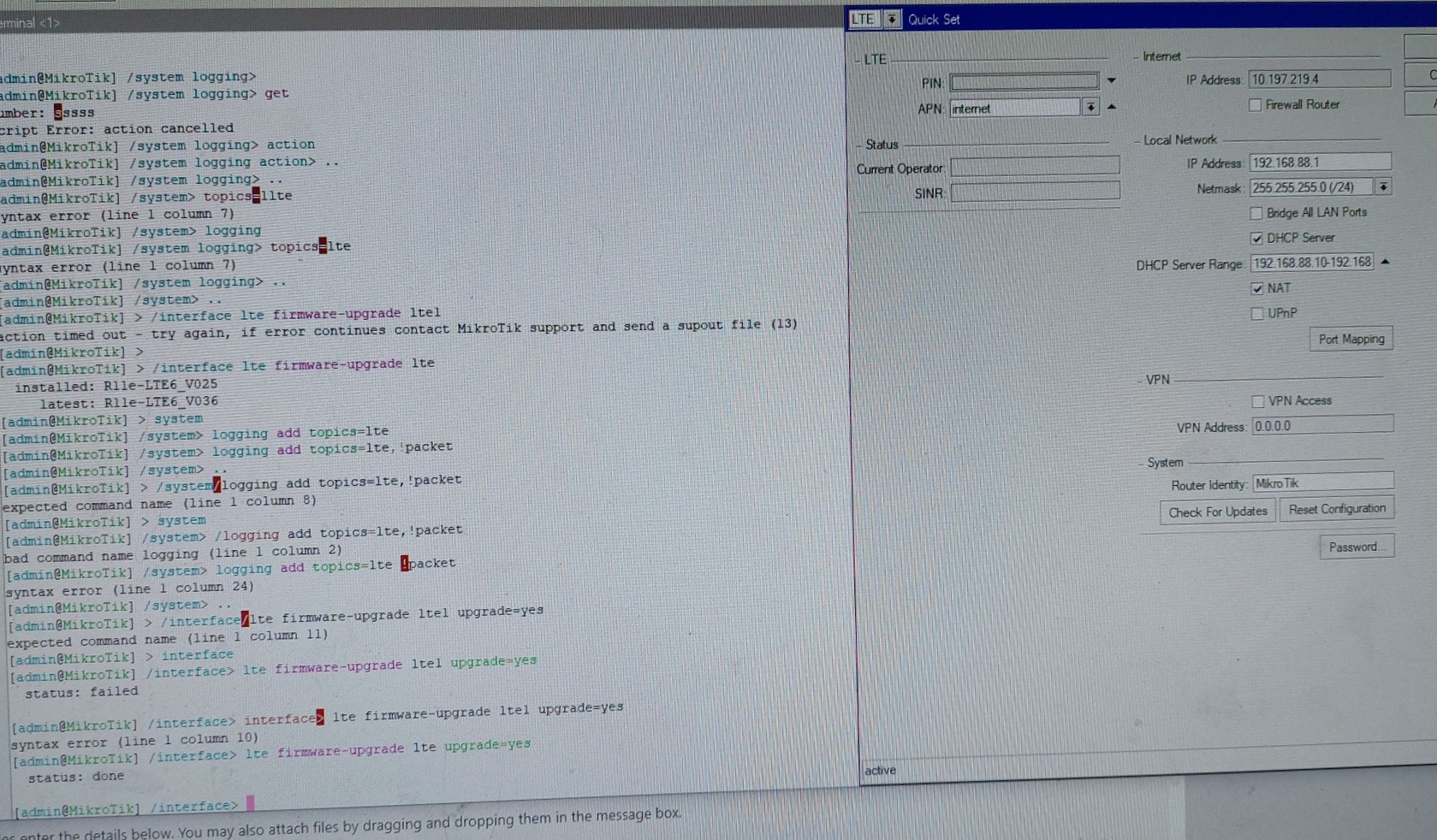
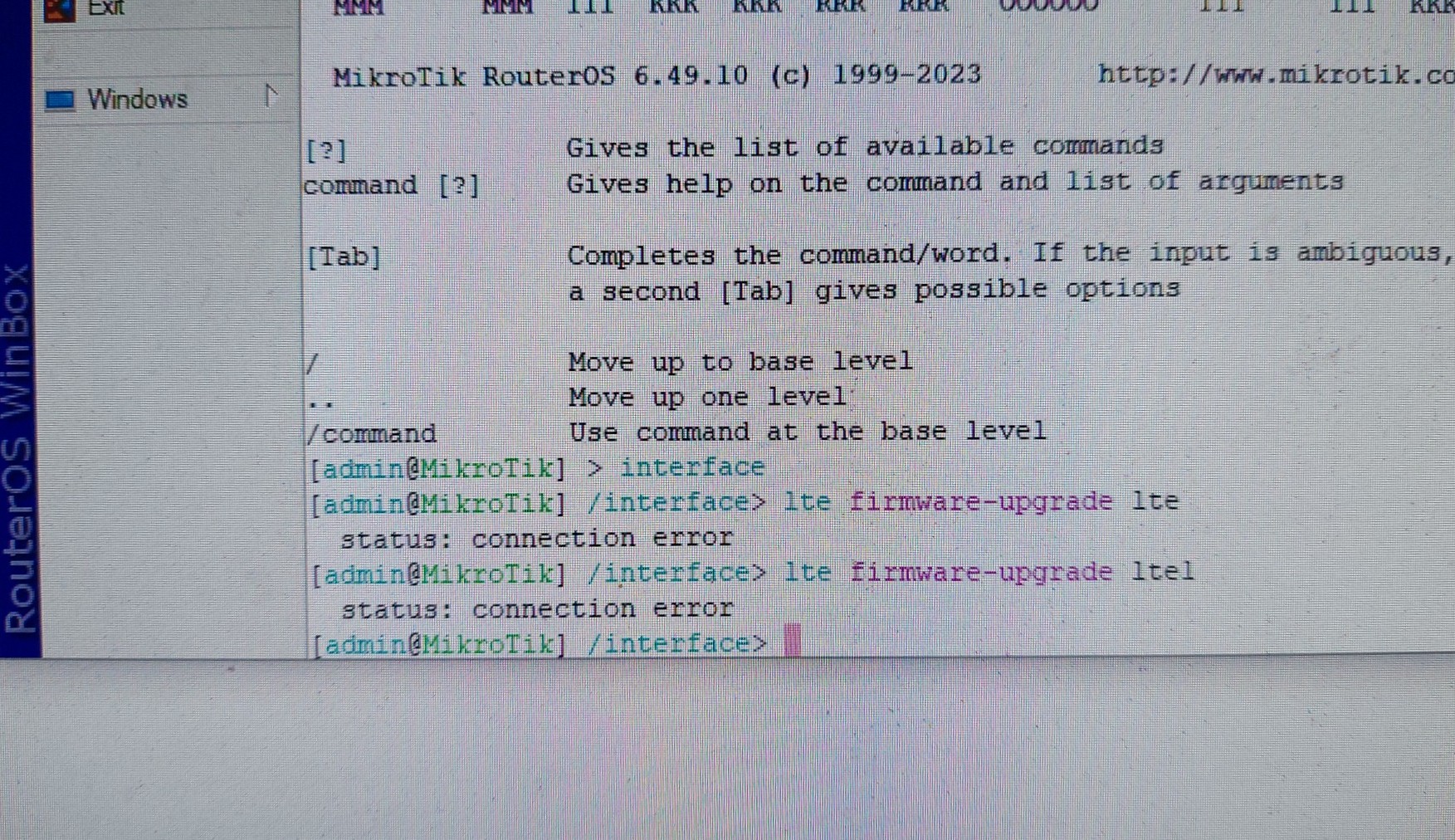
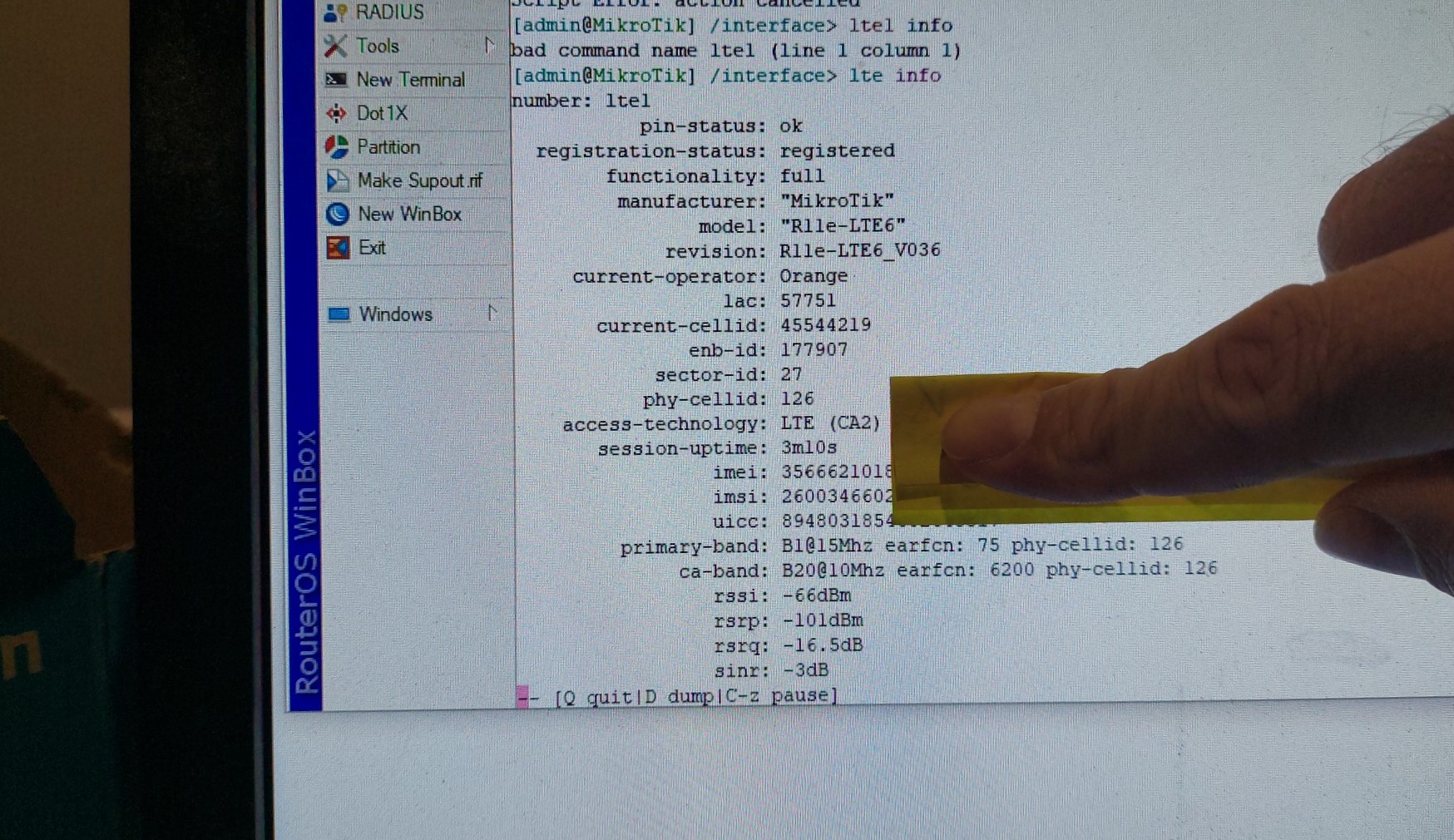
I try to check LTE soft version and I recive as in picture:
LTE looks to work… I do not understand, settings of my APN is same like before ( when internet works but only few hours and crush). I have look on my settings and are OK.
Additional question, when I update LTE my code was lte without “1” on end of script. Is it reason why I am facing with issues now?
Additional question, when I update LTE my code was lte without “1” on end of script. Is it reason why I am facing with issues now?
Glad to hear it is working now and that the modem has been updated to V036. Regarding your question, you should follow the commands EXACTLY as written, but it looks like it turned out okay even though you only wrote lte. “lte1” is the interface name of the modem, and “/interface/lte” is the command menu where we can do “firmware-upgrade” on it.
Please observe if the LTE freezing issues still occur. Also, delete the system logging we added for troubleshooting:
/system logging print
(see which number corresponds to topics lte,!packet)
/system logging remove X
(replace X with the correct number)
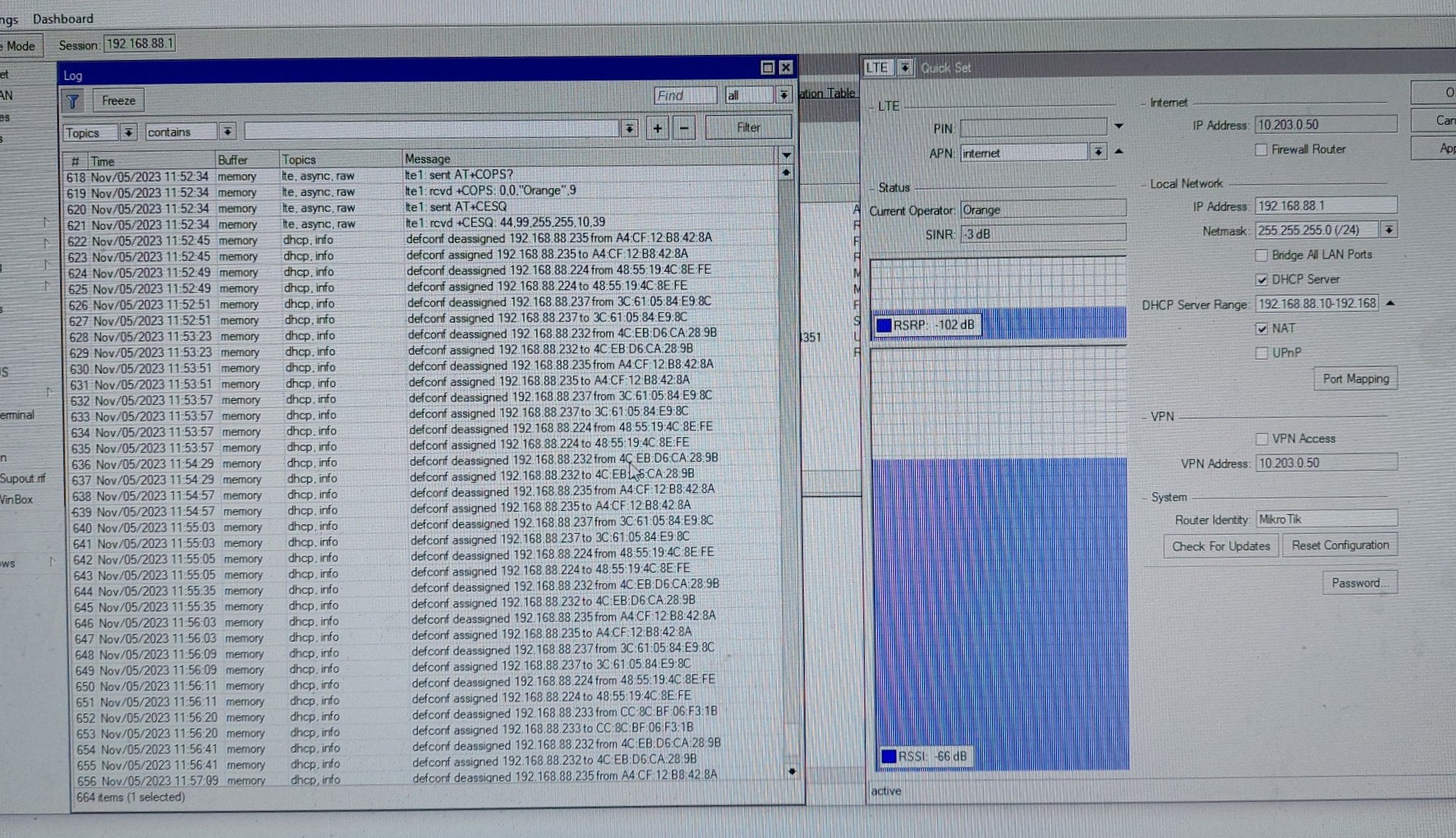
No, you understand me wrong. Looking on LTE logs it looks it works. But internet is still not working.
I am not 100% sure which number should I use in : /system logging remove X
No, you understand me wrong. Looking on LTE logs it looks it works. But internet is still not working.
I am not 100% sure which number should I use in : /system logging remove X
Looks like a language barrier is at work here now. But:
When I asked for you to export the config, you only said “I have look on my settings and are OK.” The reason why I needed to look into it is that it may seem OK for you, but then if it is OK you would have already solved the problem of no internet yourself. It is really IMPORTANT that you try to comply with the request, and you will be guided on how to do so.
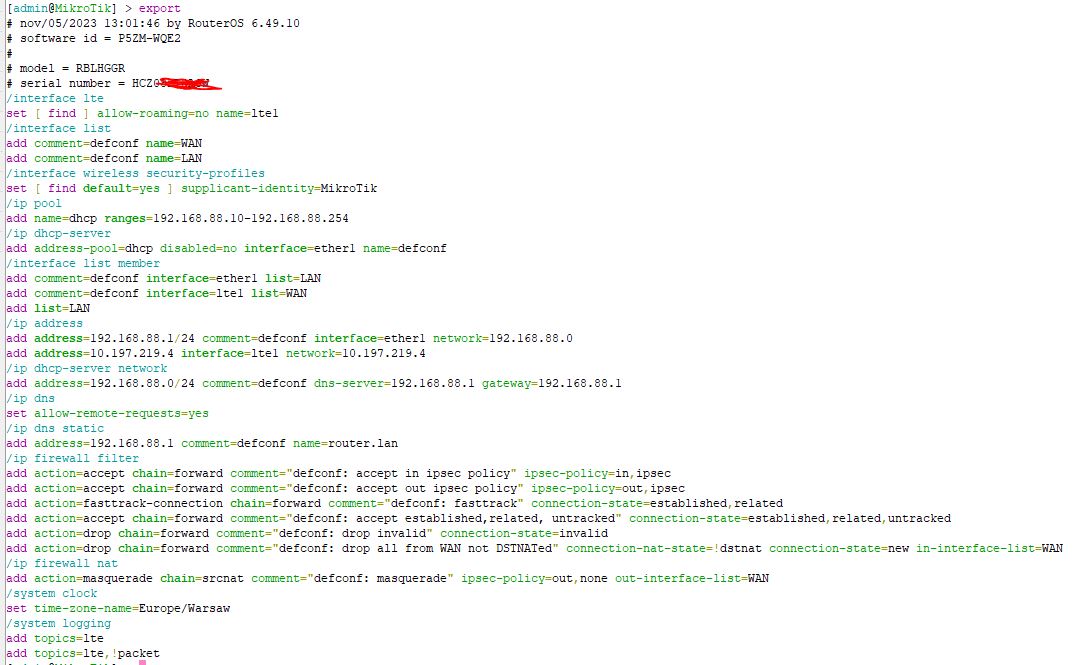
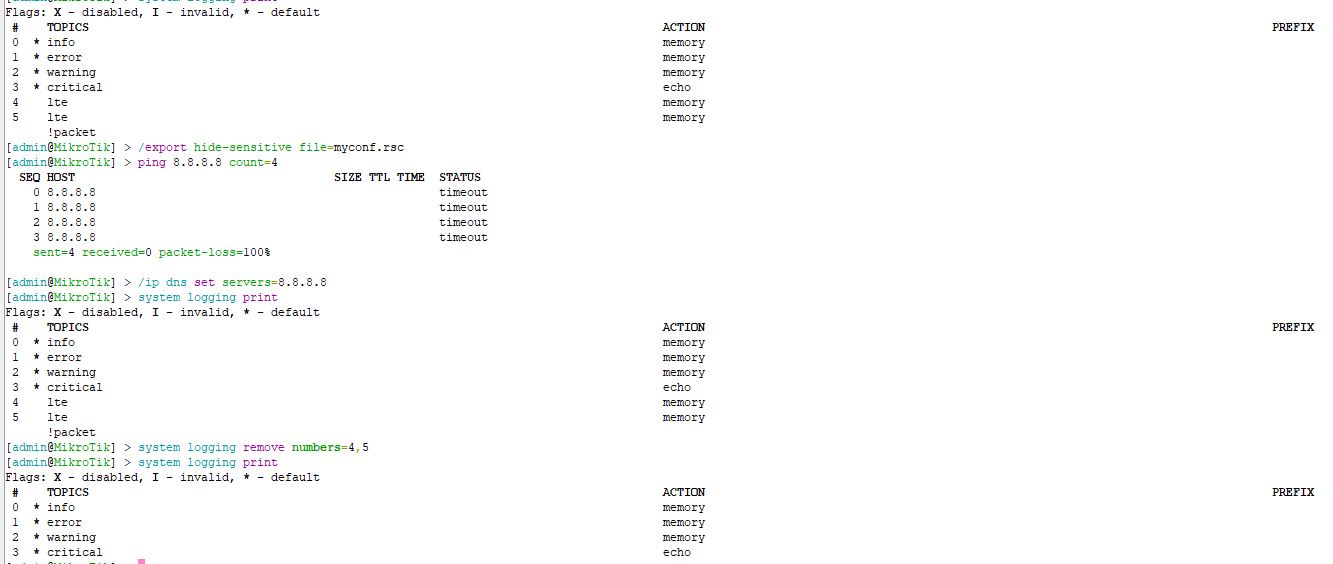
You subsequently posted a screenshot of the config export, but it seems you didn’t follow or understand to type “/export hide-sensitive file=myconf.rsc” as a whole in the terminal. It will create a myconf.rsc file that you can download and upload here as attachment.
You “Looking on LTE logs it looks it works. But internet is still not working”, yet you also failed to comply again to LET ME look at those logs as I requested.
And so I’m going by YOUR choice of NOT providing the configuration export and NOT showing the logs export, as requested ,thinking that you might somehow understand what you’re looking at.
I understand this might be daunting for you to be going back and forth with troubleshooting and doing things on your end that you don’t fully understand. But we do try what we can with what we have.
Without seeing your full config export and looking at your modem fully registered with the service provider, but still you don’t have internet access, I can only guess you might have some DNS issue.
If you
/ping 8.8.8.8 count=4
in the terminal and receive a reply, but
/ping google.com count=4
results in error or timeout, then you might just need to
You are right, it is new enviroment for me so can be some misunderstanding from my site.
I found place where MikroTik save myconf.rsc file - upload myconf.rsc (1.98 KB)
,
I have delate 4 and 5- screen
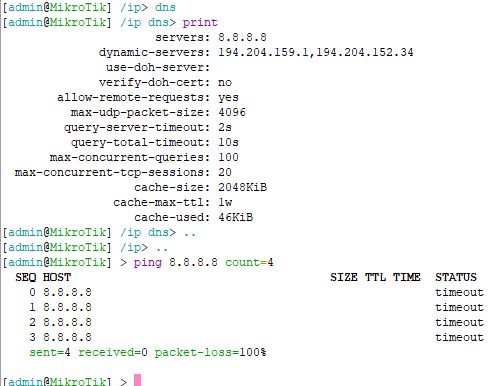
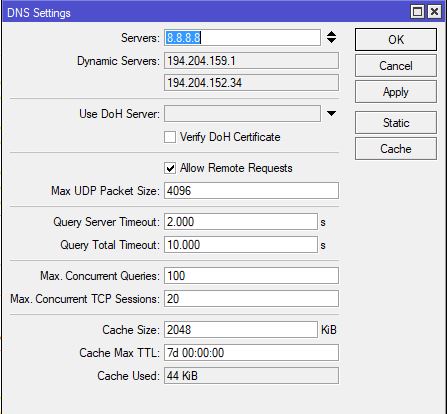
DNS settings: it is default settings:
I am really apreciate you are able to help me…
I STRONGLY RECOMMEND that you reset configuration of your unit ASAP:
/system reset-configuration skip-backup=yes
I don’t know what happened to your unit but it lost firewall INPUT rules that protect your router from the public internet. An empty LAN interface list member is added as well. Also the lte1 interface got static IP address instead of being dynamically set by the modem. It all looks like a broken mess.
That static IP on the LTE interface I suspect must be the reason why you don’t get internet connectivity.
Done.
System run again. I have to put only APN name of my internet provider and internet starts running.
Looks to be fixed. Thank you @braveheartleo I am really appreciated
I will look how it works in comming hours, hope this updates helps.
Do I need to set something else after configuration reset?
##UPDATE after 30 min of internet run, I face with same issue.
In attachment you can find upload with configuration file.
What else can be problem? myconff.rsc (2.57 KB)
The out of box experience (OOBE) of ROS defaults is sufficient for home network setups, so you don’t have to tinker with anything else until you get comfortable finding your way around networking in general and RouterOS in particular.