NordVPN slow performance

Hello Community,
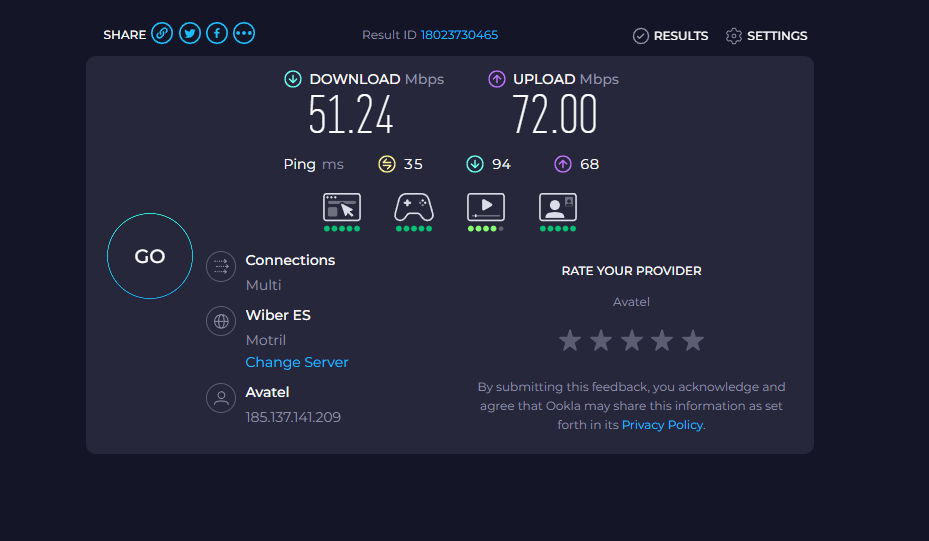
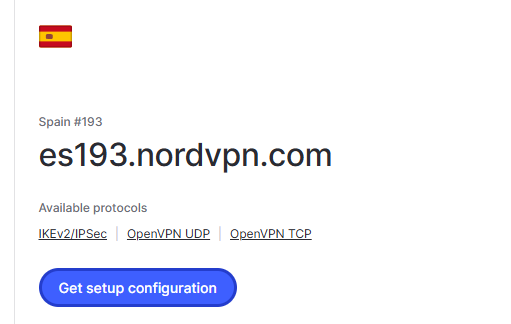
I’ve been exploring various guides on setting up NordVPN on a MikroTik device and have successfully established a connection that works reasonably well.
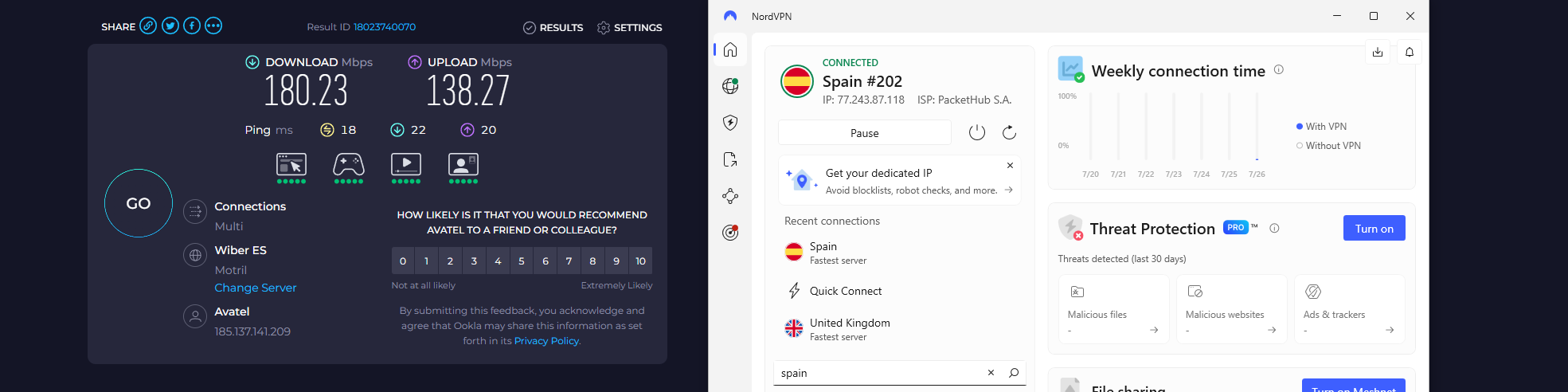
However, the performance feels significantly slower compared to the NordVPN desktop application using the same server addresses.
Router VPN configured with IKE2, FastTrack is completely disabled, and I have added Mangle change MSS as recomendend.

While I have much more traffic if I use the Desktop app on the same network.

Has anyone experienced similar issues or found ways to optimize the connection speed on MikroTik?

I have default settings on my Mikrotik ax2 and I have added only the recomended options from this topic:

Any advice would be greatly appreciated!

I would try Wireguard instead.

@Bulgaristan Did you check CPU usage on router while performing speedtest? Maybe CPU is throttling your connection speed.

Why fasttrack is disabled?

Exactly. In default firewall filter rules already all ipsec related ports/protocols are excluded from fasttrack. There is no need to do anything further IMHO.

ipsec broken on mikrotik ax2 on 7.19.3, received speed is not more than 50 Mbit,

upgrade to 7.20beta6 and it will solve your problem

welcome to mikrotik

Hey CPU running around 5% overall no resources issues.

This is what NordVPn support advising.
I couldn’t even get VPN internet with FasTrack.
I found exclusion rule that worked as well.

I’ll give it a try thank you.

nordVpn do not support Wire guard.

Did you actually follow the link I posted? They call it NordLynx but it is basically WireGuard in disguise.

They don`t issue private key at all :slight_smile:

  1. Obtain NordVPN API access token from https://my.nordaccount.com/dashboard/nordvpn/access-tokens/
  2. Fetch NordVPN NordLynx (WG) private key from API https://api.nordvpn.com/v1/users/services/credentials - private key is in value of nordlynx_private_key JSON [1]
  3. Fetch NordVPN server configurations from API https://api.nordvpn.com/v1/servers/recommendations?filters[country_id]=<COUNTRY_ID>&filters[servers_technologies][identifier]=wireguard_udp [2] - find desired server where per server JSON keys are:
    3.1. station - WG peer endpoint IP address
    3.2. technologies[].identifier["wireguard_udp"].metadata[].name["public_key"].value - WG peer public key
  4. on ROS:
    4.1. add Wireguard interface with private key from 2nd step
    4.2. add Wireguard peer for NordVPN server with public key and endpoint IP from 3rd step, also set there port to 51820 and Allowed Address to 0.0.0.0/0
    4.3. add IP address for created Wireguard interface with address value 10.5.0.2/24 and network 10.5.0.0
    4.4. add firewall NAT rule in srcnat chain and created Wireguard interface as out interface for masquerade action
    4.5. setup routing and firewall rules according to your current configuration - see here for some example

  1. NordVPN API endpoints are protected with basic auth where token is username and API access token is password from previous step ( Authorization header with value: Basic base64(username:password)) ↩︎

  2. value for <COUNTRY_ID> with desired country ID can be fetched from API https://my.nordaccount.com/api/v1/servers/countries (eg. for Spain is 202) ↩︎

Again, you did not read what is written over at the topic I linked. NordLynx is only available via NordVPN apps. You can’t download a config from the webinterface. Now head over to the tutorial topic and give it a shot.

Hey all,
I didn`t wanted to leave this topic like this, so just adding the last form my converastion.

Thanks for sharing! I’ve had similar issues with slow speed on MikroTik using IKEv2. It could be the CPU limit on the router, as it’s not as powerful as a PC. You can try using WireGuard instead—it’s faster and uses less CPU. Hope that helps!