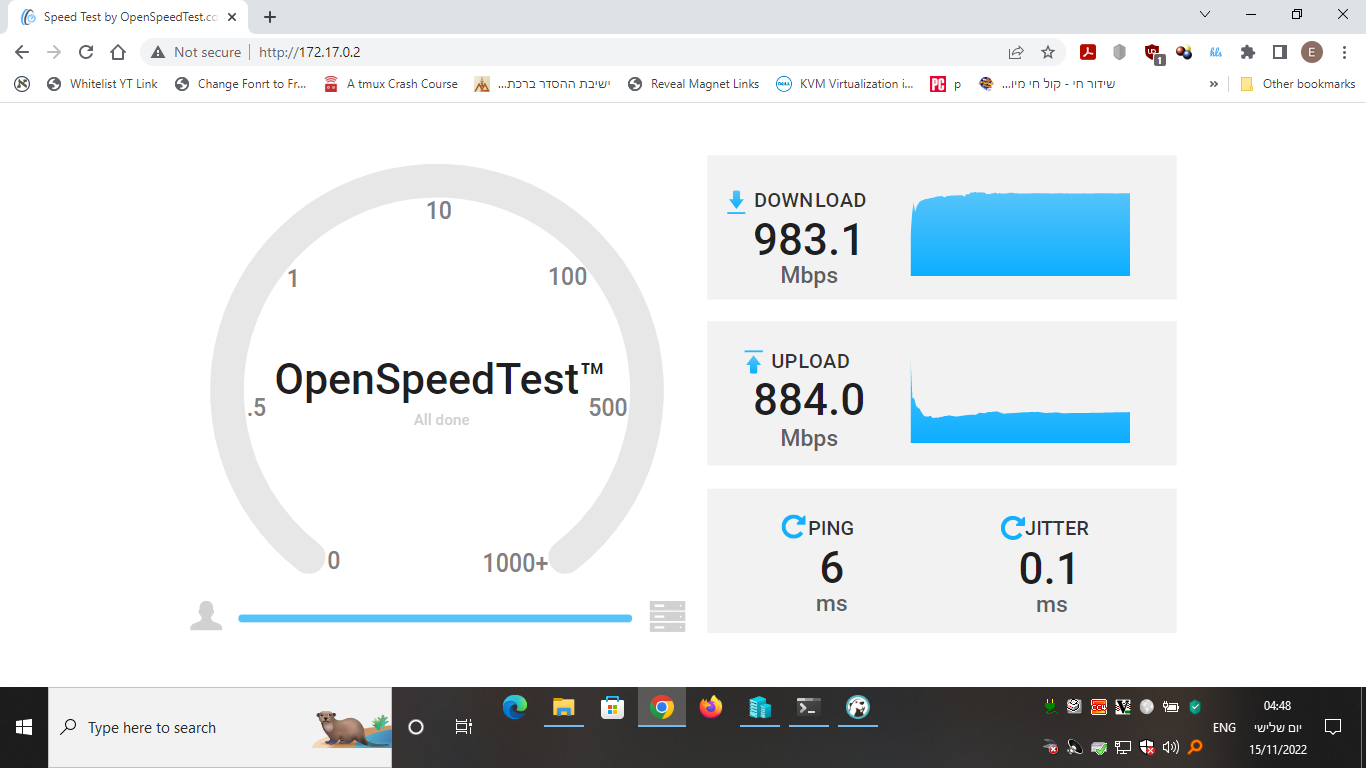
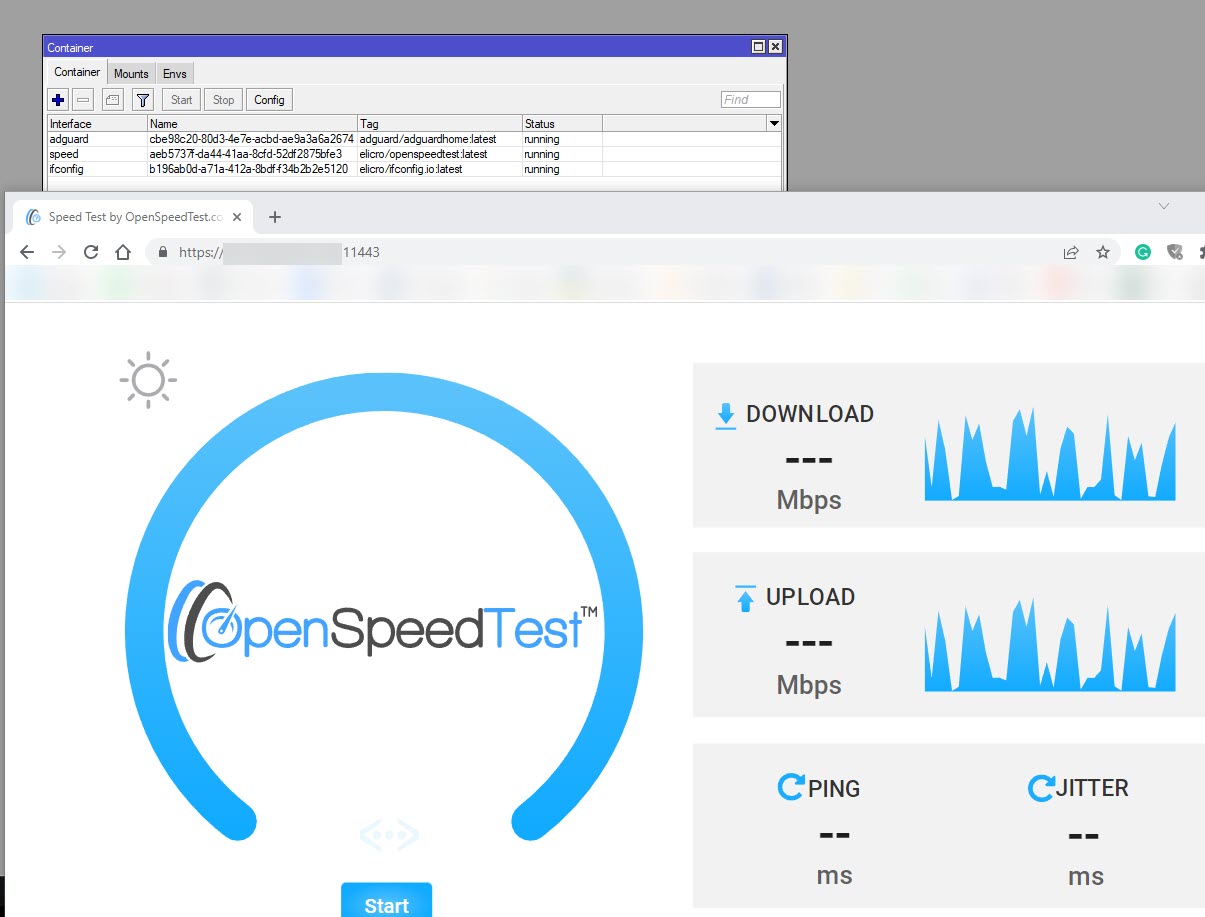
How does this test (server side in container) perform on a mid-range Routerboard? Is it light enough on CPU to saturate 1Gbps LAN without hitting CPU limit?
And well.. it’s based on Javascript/html5 and nginx.
It’s really a very simple speed test but well written.
There are actually two files ie downloading and upload (if I remember by heart right).
Everything is from RAM on the RB4011 and the files are 0k for the upload and the downloading is a bit bigger.
It utilizes multiple(6) tcp streams. I know that for a single stream you won’t get this speed.
The idea of this and other speedtests are to make sure that the “cable” can handle the 1Gbps and not test that every stream by itself can be streamed at 1Gbps.
Also, nginx is configured to use send_file and it makes it possible to “offload” the IO operations from RAM/DISK CACHE internally to the kernel which probably has the proper driver for the switch and interfaces.
On my tests the CPU load (for 6 streams..) doesn’t get above 70% and I believe it’s probably because of the v7 kernel.
Thanks for the performance overview.
70% CPU load on RB4011 is quite a lot, there are routers that can run containers and have slower CPUs. Those will struggle to fill a 1Gbps line (regardless the number of parallel connections). It seems quite better than MT’s own bandwidth test tool though.
Any idea what is going wrong here? Maybe the user is not root?
Thanks,
dksoft
Nov 17 21:02:55 router container,info,debug INFO: /docker-entrypoint.sh: /docker-entrypoint.d/ is not empty, will attempt to perform configuration
Nov 17 21:02:55 router container,info,debug INFO: /docker-entrypoint.sh: Looking for shell scripts in /docker-entrypoint.d/
Nov 17 21:02:55 router container,info,debug INFO: /docker-entrypoint.sh: Launching /docker-entrypoint.d/10-listen-on-ipv6-by-default.sh
Nov 17 21:02:55 router container,info,debug INFO: 10-listen-on-ipv6-by-default.sh: info: /etc/nginx/conf.d/default.conf is not a file or does not exist
Nov 17 21:02:55 router container,info,debug INFO: /docker-entrypoint.sh: Launching /docker-entrypoint.d/20-envsubst-on-templates.sh
Nov 17 21:02:55 router container,info,debug INFO: /docker-entrypoint.sh: Launching /docker-entrypoint.d/30-tune-worker-processes.sh
Nov 17 21:02:55 router container,info,debug INFO: /docker-entrypoint.sh: Configuration complete; ready for start up
Nov 17 21:02:55 router container,info,debug INFO: nginx: [alert] could not open error log file: open() "/var/log/nginx/error.log" failed (13: Permission denied)
Nov 17 21:02:55 router container,info,debug INFO: nginx: [emerg] bind() to 0.0.0.0:80 failed (13: Permission denied)
What container image are you running with this issue?
There are two different issues, the first is that the container is unable to write to the log file.
The second is that it’s unable to bind port 80.
The issue with the port 80 is probably because the running user is not allowed to bind the port.
I just about to release a rustdesk-server container and it is based on an nginx one with supervised.
I will later on try to publish a simple nginx web server example based on alpine+supervised+nginx and we will see what from there.
By the way, the 70% cpu was the peek for a sec… most of the time it was below 20%.
thanks for taking care of my problem. I was using your container as referenced above.
I noticed that you set “USER 101” in the Dockerfile before you start the daemon. That is the daemon is not running as root and I guess that it therefore can note write to /var/log and can not bind to a priviledged port in my environment.
Therefore I downloaded your Dockerfile from github and removed the “USER 101” before nginx is started. Also I used the official nginx container. Since then the container is running perfectly.
BTW: Test result on CCR2116 is 9769/9322 on 10G Ethernet at a 16% load peak.
Thanks for the details.
~20% for 10Gbps is not really a lot.
I just wanted to add that not all clients are equal and not all of them can handle even 1Gbps to begin with.
Most recent hardware and browsers can handle this but I have been running speed tests against clients Desktops and Servers for the last 7 plus years with many different pieces of software and in many cases the issue was not that test target but rather the test client.
Another pieces of software that are worth implementing in a container are:
A speedtest client which will be triggered periodically to verify the line actually supplying the paid service (not in peek hours..)
Graphing service like cacti or grafana+Prometheus
monitoring software like Nagios
Altering services for Slack/Telegram/WhatsApp/SMS/Others
RouterOS “client” specific management web ui or API (which will trigger actions via RouterOS REST api), separating the device like in other products to control and data planes. This is due to the fact that many clients just get confused by the rich interfaces(winbox/web/cli) of RouterOS.
SSH jump host/server
Rich Corporate proxy service with much more options then what exists already in RouterOS
Syslog target service to analyze and alert on specific brute force or other events
crowdsec like services that might push ips to an ip firewall address-list
tiny git services like gogs, Gitea, gitolite , gitlab runner (don’t even think about a full gitlab!!!)
I’ve just performed the update to ROS 7.7 STABLE on the RB5009 and this container does not want to start anymore :
Any clue why this suddenly happens ? On 7.6 I never saw this.
What is the fix for this ? It does not look like I can pass an ENV-variable forcing a port on certain number or something.
Will test.
…
OK so I have tested and it seems that there is an issue with the container running as unprivileged user on 7.7.
From what I understood the Support team is aware of this issue and plan to fix this in 7.8.
I have built the container to be based on root user.
I do believe that another webserver can be used instead of nginx.
I was thinking about a golang based webserver.
I will run some tests later on to see if it’s a good idea.
…
Aprantly the Golang basic http server is unable to compete with nginx in the upload and download speed tests on My tiny HAP AC3.
With Nginx I am able to test to the full speed of the line and with a golang server I am only able to reach 800~ Mbps download and 20-30~ Mbps upload.
At least now I understand why OpenSpeedtest chose nginx compared to couple options.
I upgraded as well and thought I had done something to fix this before. Looks like it’s a 7.7 issue.
I ended up pulling the repo to my Mac, edited the Dockerfile to remove the second USER line (keeping it as root), then copied it to the router where it started up just fine.
Thanks for sharing this openspeedtest image, I have tried it, very useful to test my computer network performance.
I’m interested about the speedtest software implementation. Periodic speedtest images can be found for free on dockerhub but the image size is too big and less integrated with my router.