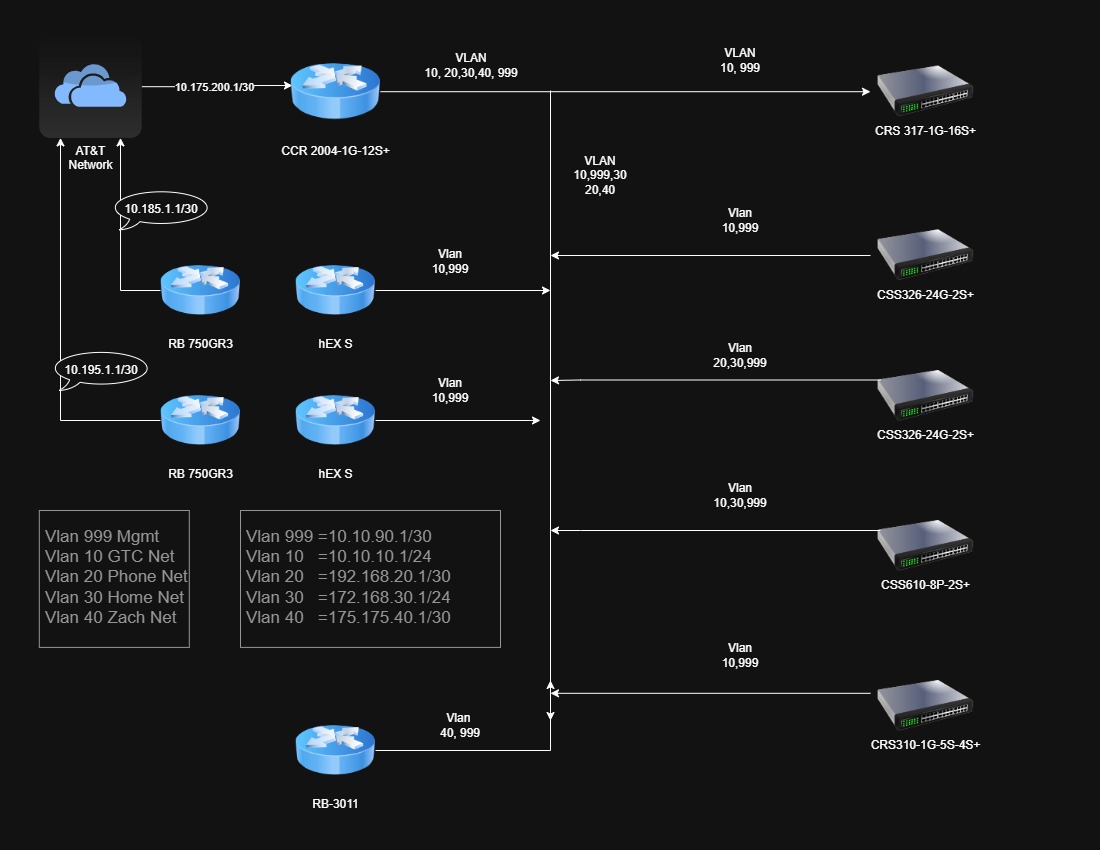
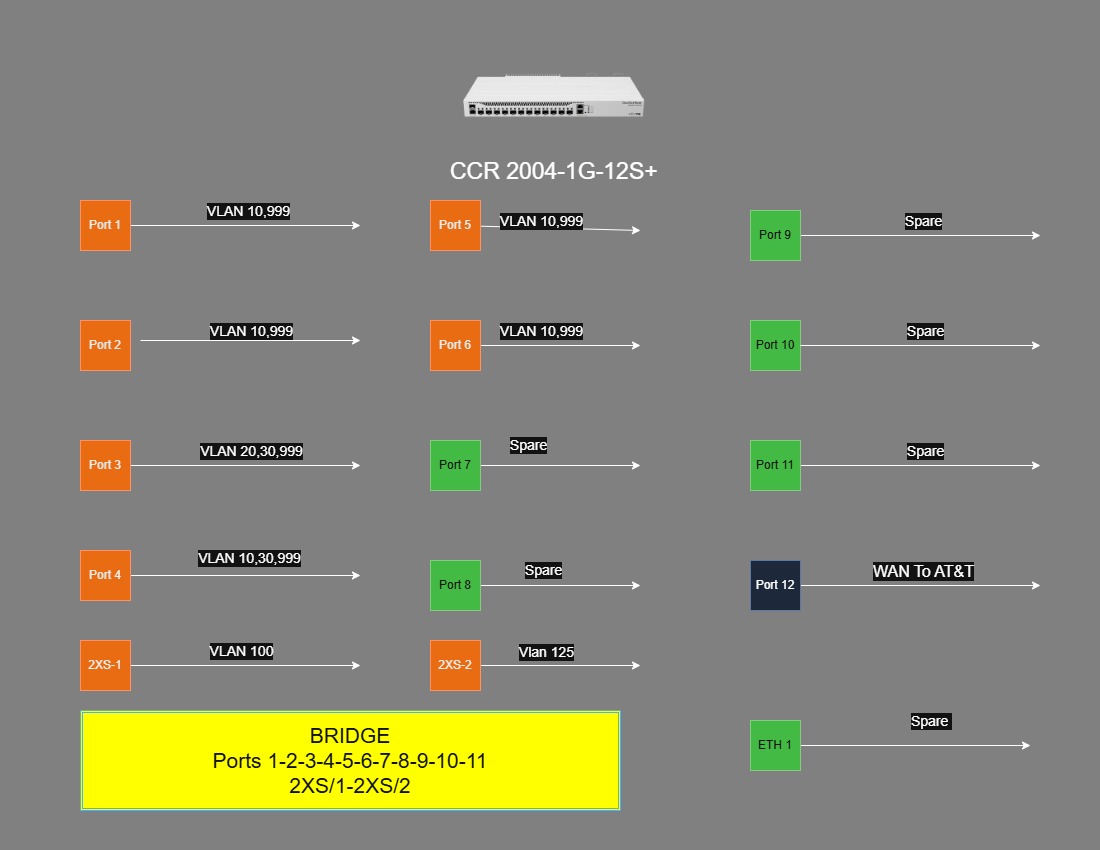
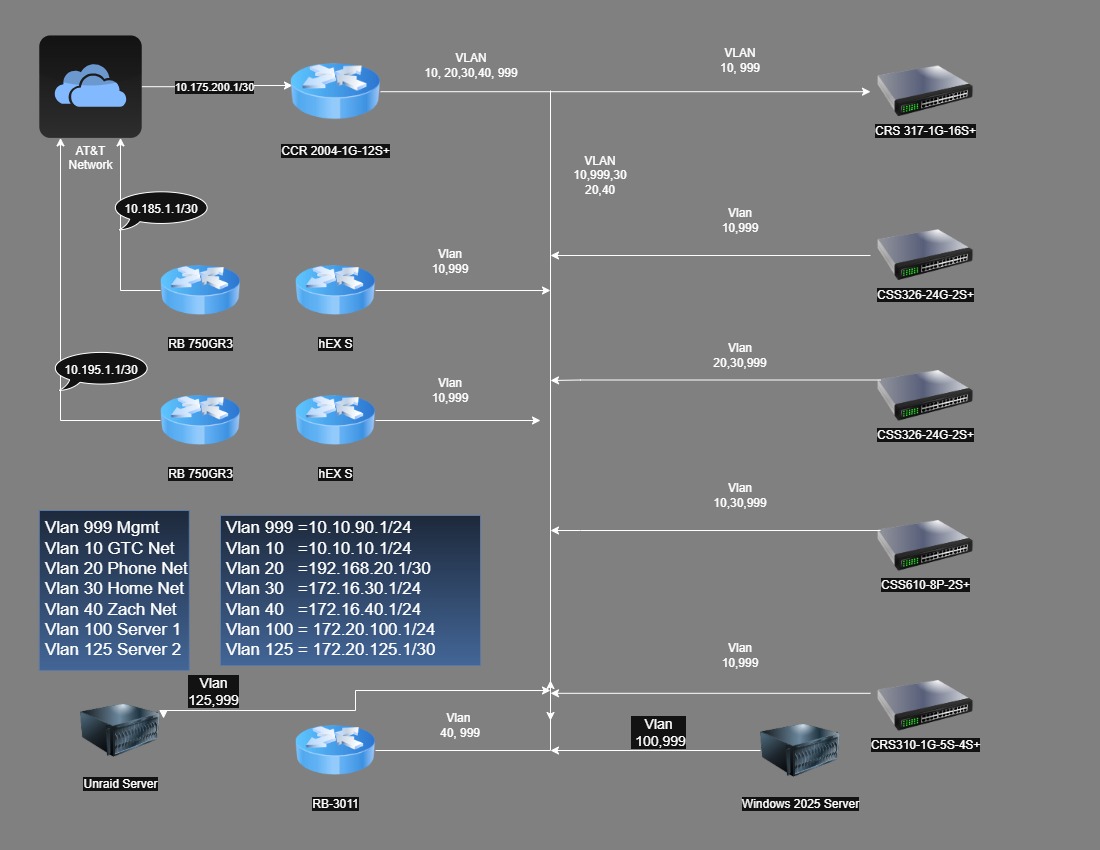
I am starting a total netwok design for my Mikrotik Equipment. This drawing depicts all my equip and the network address I have come up with. I would love to have your input as to configuration of the CCR pertaining to VLAN/Bridge setup, which to use Bridge or just Vlans.
You can try this tool Free RouterOS configuration generator (browser-based, no account), which has improved a lot with help from the forum's feedbacks.
Thank you for the link. It gives me something to start with.I have five Vlans to configure and it looks like this sample config is just what I have been missing in past attempts to configure this router.
How are you planning to connect to all your switches? You have defined your Mgmt subnet with a /30 which gives you only two available addresses. Same for Vlan 20 and Vlan 40. Is there a reason you are not using /24 subnets for these?
Vlan 30 and vlan 40 have global ip addresses. Is that intentional? 172.168/16 is not in the rfc1918 private address block 172.16/12 which is just from 172.16.0.0 - 172.31.255.255. 172.168.30.0/24 appears to be assigned to Microsoft. The IP address 175.175.40.1 is assigned to China Unicom.
Make sure you use the multidevice mode and define your vlans

scroll down to Shared settings and add in information for your different vlans and subnets.
You will need to override the vlans and subnets (by default it will start with 10 and subnet 192.168.10.0/24, and increment the vlan by 10 from the previous when you add a new one, it will also try to set the third octet of the ip address to the same as the vlan).
Once you have your vlans setup, then switch to network board and add your devices and make the cable connections.
At least that's the way I would do it. This is a new tool, so the forum thread is the best documentation about it that I am aware of.
@Buckeye Actualy, Those steps have their own pages: Multiple devices in one site, and the whole setup is worked out in An office with VLANs, a switch and access points, including the /30 and the 172.168 range.
@JazzMaster those two are probably the quickest way in for your five VLANs.
This was embarrassing. I thought the "manual" was a link to the MikroTik manual, not the manual for the Configuration tool.
I will need to Read The Fine Manual.
Thanks for the nudge in the right direction to the MikroTik Configurator Manual
P.S. the tool was "intuitive" enough for me to play with it even without the manual. But the manual makes things a lot more straight forward.
A quick scan of the manual shows that it is well organized and quite complete. Great Job!
Welp, both are on the website so it is not a wrong thought. 