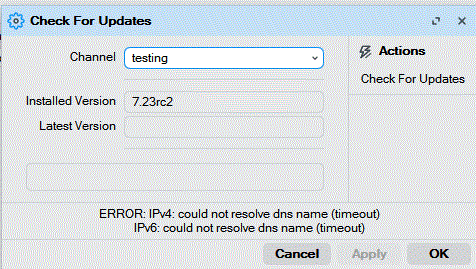
unexpected symptoms: This V7.23rc drops my Internet connection running on ether2 … the only way to get my internet connection back is to revert back to VRoS 7.22.1 and then I had to restart my Rogers XB8 Cable Modem and that restored my Internet connection …
Prior to V7.23rc – after an upgrade and up to V7.22.1 – restarting the cable modem was not necessary …
UPDATE - after I upgrade to V7.23rc and then restarting the cable modem my Internet connect would not come back - I had to revert to V7.22.1 and again I was forced to restart my cable modem and that restored my Internet connection. So apparently the network stack in V7.23rc has some significant changes that my CCR1009 does not like.
Did you actually read my comments where I stated Prior to V7.23rc – after an upgrade and up to V7.22.1 – restarting the cable modem was not necessary …
“sure it ain't guilty of anything?” - I’m 99% sure … but that 1% is a question mark
Every RoS upgrade starting with version 6.48 and up to version 7.22.1 worked without my having to restart/reboot the cable modem.
The number of Rogers subscribers using Mikrotik Routers on their PON network is infestestmally small so if its a Cable Modem issue <> which it might certanily be <> the chances that Rogers will adjust their firmware for that infestestmally small crowd of people is absolutely ZERO …
So the only conclusion I can draw based on my experience is the Network Stack used in vRoS 7.23rc has some significant changes that are incompatible with my Rogers Cable Modem and my CCR1009 …
I hope so … I was about to switch to the ccr2004 but am holding off - if rc2 or rc3 solves my issue then I will move forward to the CCR 2004 … otherwise I’ll just stay with the CCR1009 and RoS7.22.1
In that post I was not, but "my internet doesn't work with 7.23rc1" is very "helpful", no matter who posts such a detailed bug report.
He should've retired somewhere around 2021 anyway, there were hints: CRS112-8P-4S-IN believe it or not - #7 by Znevna
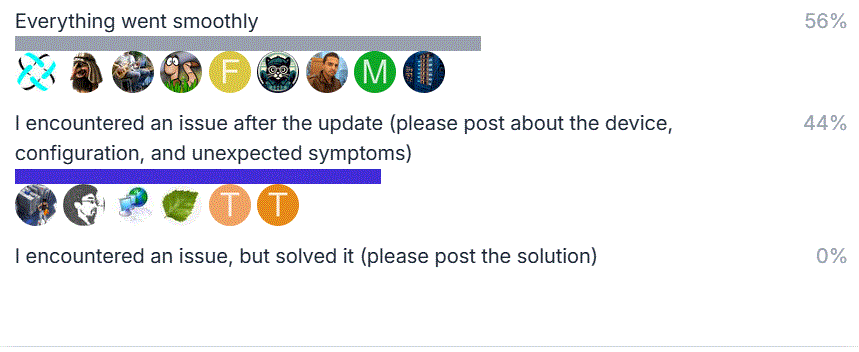
Mikrotik requested I encountered an issue after the update (please post about the device, configuration, and unexpected symptoms)
That is exactly what I did!
about the device, configuration, unexpected symptoms
The definition of "symptoms" refer to the observable signs, errors, or performance issues that indicate a malfunction, failure, or inefficiency within a machine, software, system, or technological process. These are the external, user-facing indicators—such as error messages, crashes, or slow performance—that reveal deeper, underlying, and often invisible technical causes
If you experience version related issues, then please send supout file from your router to support@mikrotik.com. The file must be generated while a router is not working as suspected or after some problem has appeared on the device
And then "it doesn't work", without specifying what is completely ridiculous, it doesn't make the slightest sense.
Is the problem DHCP? Well, what about DHCP? Without specifying, even the MikroTik staff has to guess...
This report is absolutely useless.
The account of those confusing POE models with non-POE models has probably been hacked,
and now a troll is having fun making fun of us here on the forum.