Hi all, I recently bought a new hEX S Ethernet router (E60iUGS), and it's mostly working great with the default configuration. However, the "Quick Set" page seems to be broken, and it remains so even after a full configuration reset. I couldn't find any discussions in the forum describing this particular issue.
After a reset, the router seems to be configured as a router by default. It's automatically acquiring an IP address from my ISP and I can access the Internet through it just fine.
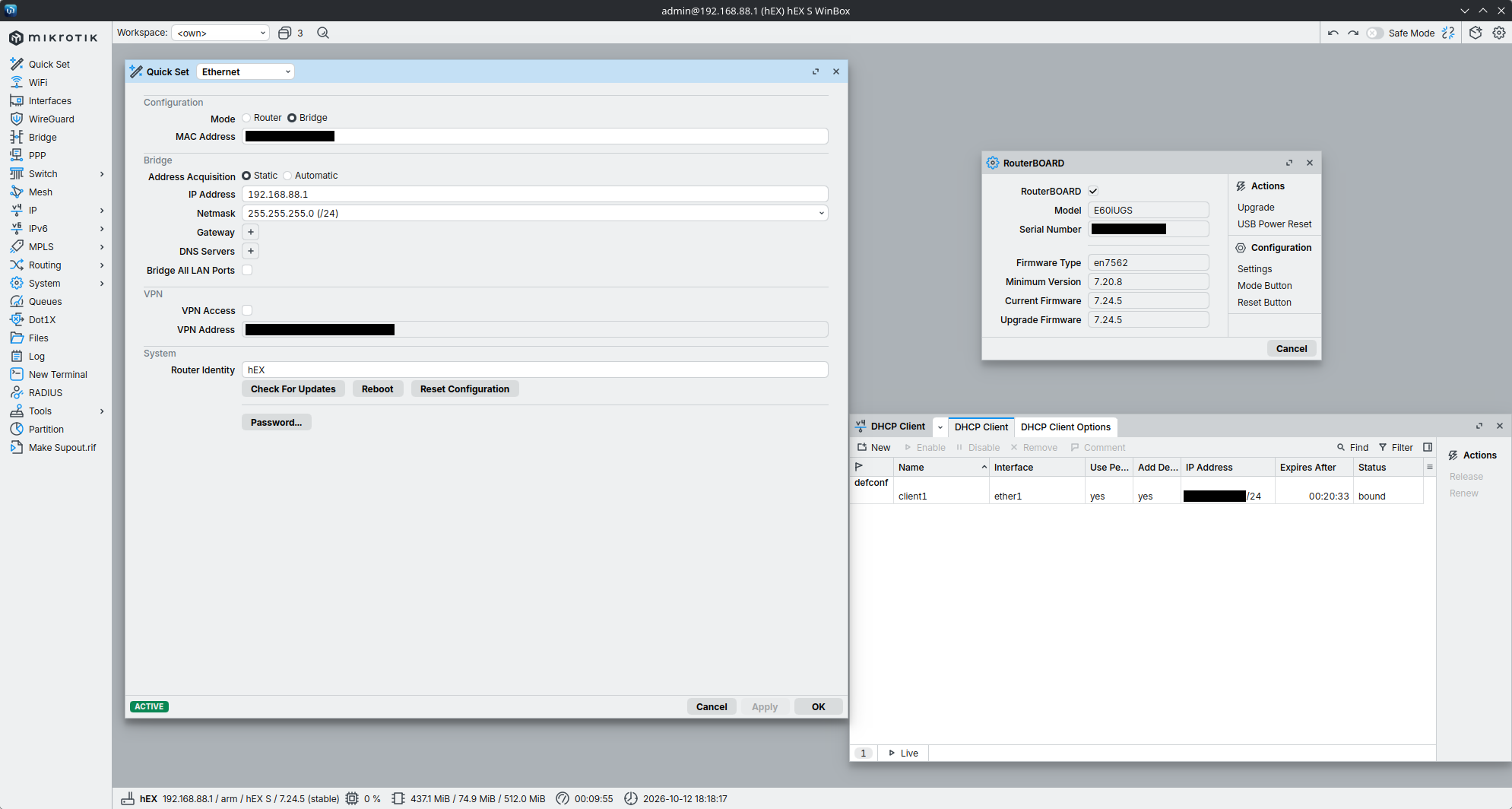
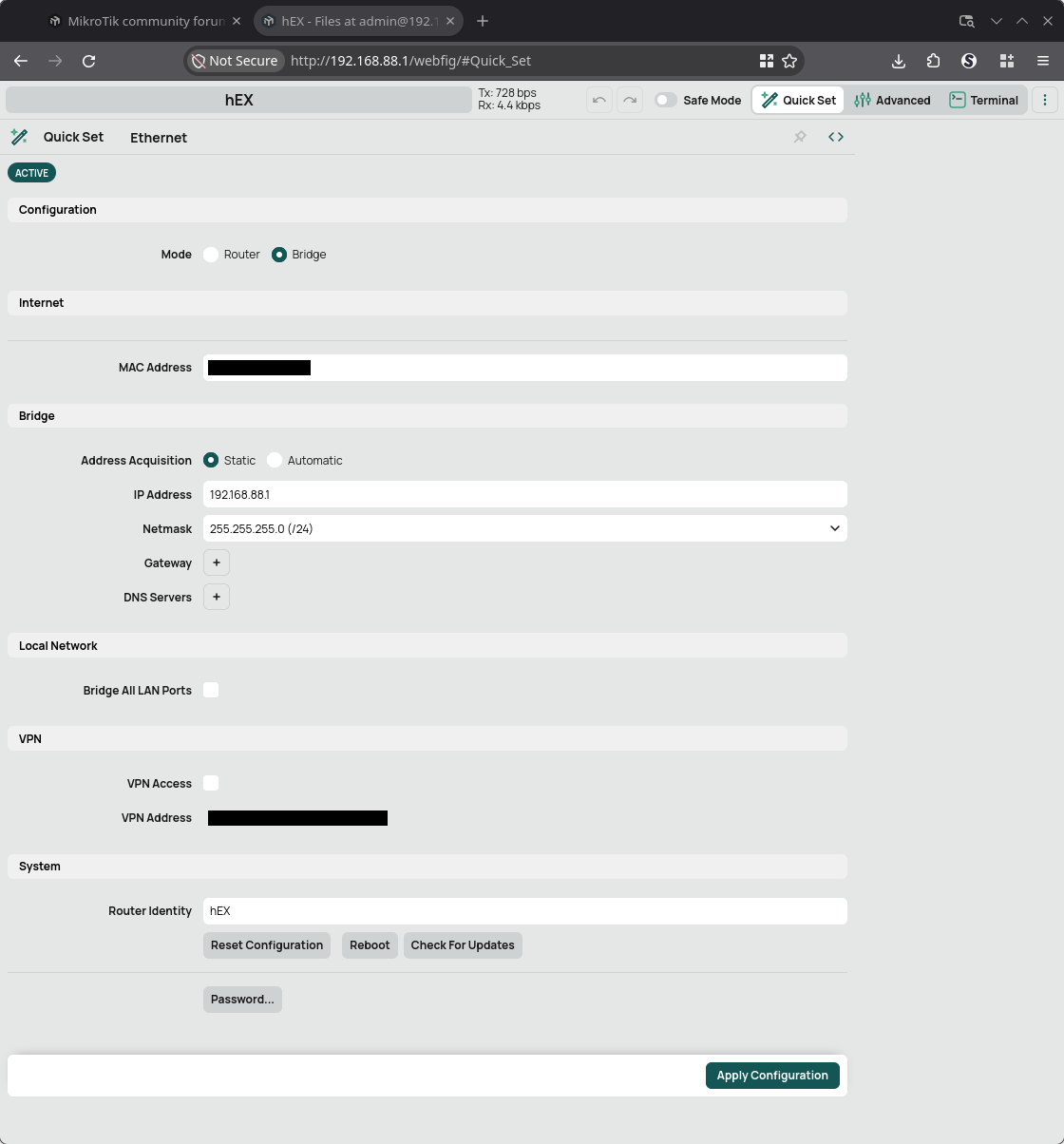
The weird thing is the Quick Set page shows that the router is in "Bridge" mode. If I change it to "Router" mode and fill in some reasonable options ("Automatic" address acquisition, enable the DHCP server with the normal "192.168.88.10-192.168.88.254" address range, etc.) and click Apply, it completely breaks the config. It seems to clear all the IP addresses (including the 192.168.88.1 LAN address) and sets up a the DHCP client on ether2 only (I'm user ether1 as the WAN port).
I imagine the Quick Set page could get confused if I set up a lot of advanced custom configuration, but I'm trying to change the most basic configuration after a fresh reset.
The behavior is the same in WinBox or in WebFig.
Here's more information about my setup:
I am connected to the Internet via the ether1 port.
I am powering the hEX S router via PoE using an Ubiquiti PoE injector. That is, I have my WAN Ethernet cable going into the PoE injector, and another Ethernet cable coming out of the injector into the ether1 port on my hEX S router.
I have a Raspberry Pi connected to the ether2 port.
I have a Ubiquiti U7 Lite AP connected to the ether5 port, powered via PoE.
Nothing is connected to the sfp1 port or to ether3 or ether4.
I am running RouterOS 7.24.5 and the 7.24.5 firmware.
To configure the hEX S, I am connected via WiFi through the Ubiquiti AP.
Has anyone ever seen this before? Is there any fix or workaround that anyone can suggest? Thank you for any help you can offer!
@gigabyte091
At least after a clean reset it should be usable !
As has been mention more then once by normis around here.
@sprosser:
Did you make a support ticket for this with your findings ?
It is reproducible.
I still have an Hex S lying here and did some testing.
Loaded it with 7.24.5 as is shown in your screenshot.
Reboot to update routerboot firmware as well.
Then reset to clean config (pop up came after reconnecting so that's a confirmation).
Went to Quickset and indeed, mode is set to Bridge mode, which is wrong.
Changed to Router mode, set gateway address (why can't it figure that one out on itself ?), Bridge all Lan ports, set DHCP server and range, ticked NAT and then apply.
And then disconnect (but Winbox/MAC still works).
Observations (the ones I could see):
DHCP client on ether1 was changed to ether2. WHY ?
ether2 got removed from bridge (WHY ?)
ether1 was still ON bridge
And probably some other things...
Reset again to defconf and things are "normal" again (as far as defconf makes the device act as router with ISP on ether1 and all other ports bridged with DHCP server).
So the least one can say is that QuickSet on Hex S is NOT ok.
I do agree with the comment to not use Quickset at all, when possible.
Yet I do understand for people not too familiar with ROS and it's menu structure, that might be a hurdle.
Thank you, everyone, for taking the time to reply! I installed RouterOS 7.23.8 on my hEX S router, and that fixed the Quick Set page. Thank you for pointing me to that solution, @Bohdan .
Thanks also to you, @holvoetn , for taking the time to reproduce the issue. I can open a support ticket now that I know it's a confirmed bug in version 7.24.5.

 , I was highlighting the absurdity of the situation, a new user cannot know that the good Mikrotik guys managed to make this versioning hiccup.