RBM33G + 5G

: )
eff me sideways !!

there is a lot information on the internet … too much : )

at+CSUS=2
ERROR

ERROR

ERROR
at
OK
+CSUS?
ERROR
at+CSUS?
+CSUS: 1

OK
at+CSUS?
+CSUS: 1

OK
AT+CSUS
ERROR
AT+CSUS=?
+CSUS: 2

OK
AT+CSUS=0
OK
AT+CPIN?
+CPIN: SIM PIN

ERROR
AT+CPIN="2**6"
OK

+PBREADY

.
https://m2msupport.net/m2msupport/atcsus-set-card-slot/
.
… dang !

I’m not the expert on the M.2 adapters since that add another dimension of complexity with third-party modem. i.e. The M.2 KeyB adapters are not all the same, so how the SIM/USB lines are wired (and/or DIP/etc switch on the adapter) may effect how SIM card is routed… so might want to look at any docs that the adapter has on how SIM card lines are wired to the module.

Similarly, I’m not an expert on Quectel modems either. But the high end one do support multiple SIM slots, auto-detection, etc. You can set AT command to read what the modem thinks is going on by using “/interface/lte/at-chat lte1 input=” with some of the following:
AT+QUIMSLOT=?
AT+QUIMSLOT?
AT+QSIMDET=?
AT+QSIMDET?
AT+QSIMSTAT?
AT+QSIMSTAT=?

See https://forums.quectel.com/uploads/short-url/avUSxfJeKqWJzAie8wEZCshlXjm.pdf for what those do.

If the M.2 adapter has SIM slots I’d imagine that’s what will be used, NOT the internal one on Routerboard (but could be wrong, since it would depend on how the adapter is designed).

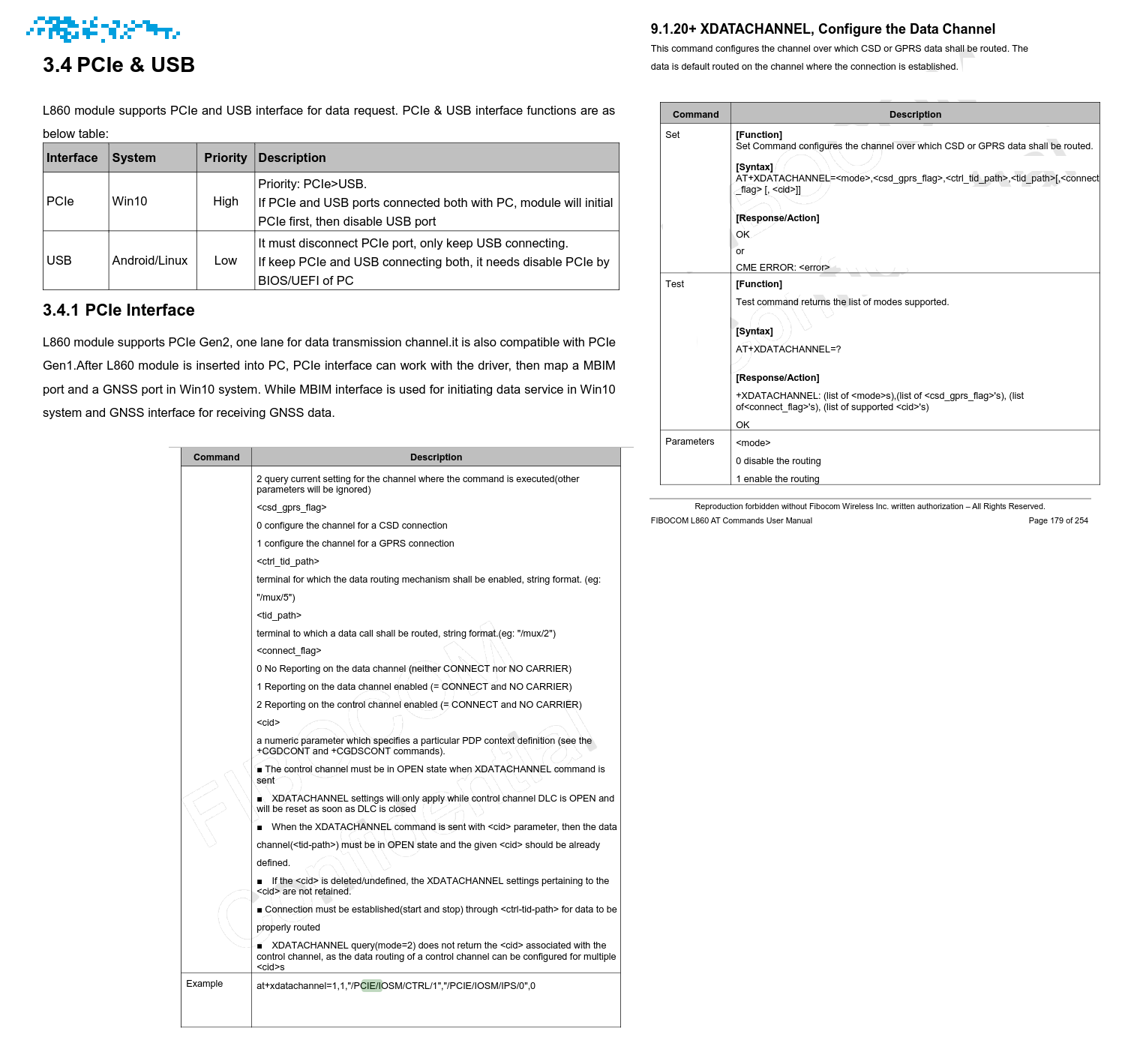
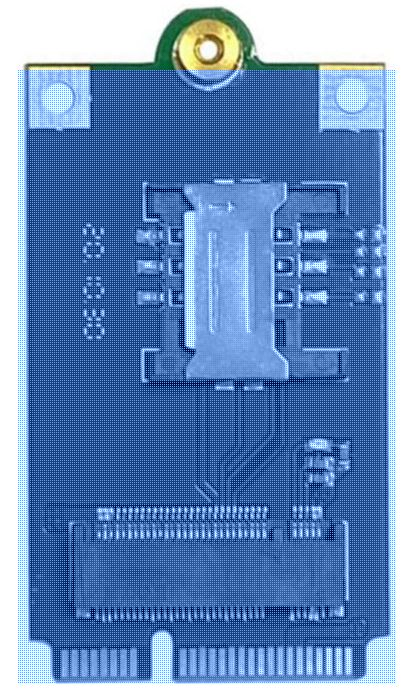
item is an Intel-based 7560 fibocom product … it should have everything inside … pcie-mode … usb-mode …
… there is some kinky startup behaviour described … … effin in my efforts in between …
.
next.png
.
got it so far from the usb channel=0 line … but after a reboot … I got my PIN-state error back :
.
I am a patient reader … but some pages … are always hidden : )
.
.. thats the game : )

… item not running yet … but this is for the children … … for the young guns !
.
chinese products … indeed … permit options : )

AT+CSUS=?
+CSUS: 2

OK
AT+CSUS=0
OK

seems hardware … isn’t to blame here

… not the converting-adapter … I mean … and not rbm33g either … I mean too ! … … … but case is under investigation : )
.
Screenshot from 2024-07-13 02-11-45.png

stuck !? … rf-side plays dead … +CSQ: 99,99
.

at+CPIN="****"
OK

+PBREADY

AT+CGSN
3598******6134

OK
ati
".Built@Apr-16-2023:19:46:03"

OK
AT+CGDCONT?
+CGDCONT: 0,"IPV4V6","broadband","0.0.0.0,0.0.0.0.0.0.0.0.0.0.0.0.0.0.0.0",0,0

+CGDCONT: 1,"IP","internet.telekom","0.0.0.0",0,0,0,0,0,0,0,0,0,0

OK
AT+CGACT?
+CGACT: 0,0

+CGACT: 1,0

OK
AT+CGDCONT=0,"IP","internet.telekom","0.0.0.0",0,0,0,0,0,0,0,0,0,0
OK
AT+CGREG?
+CGREG: 0,0

OK
AT+CSQ
+CSQ: 99,99

You sure the radio’s on? Sometimes when a device is in config mode the radio gets turned off.

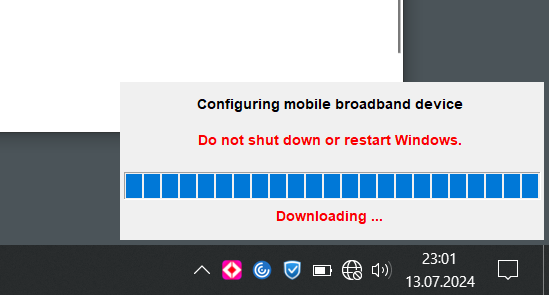
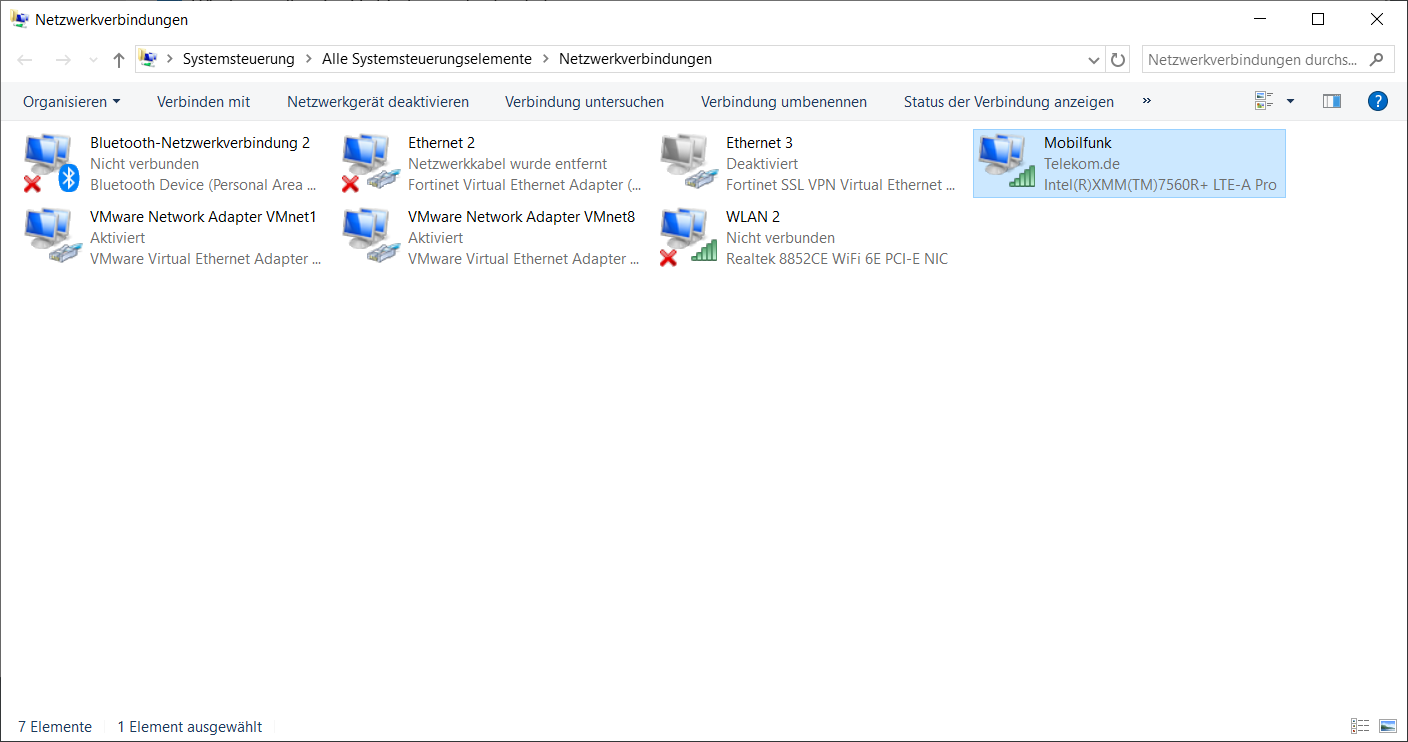
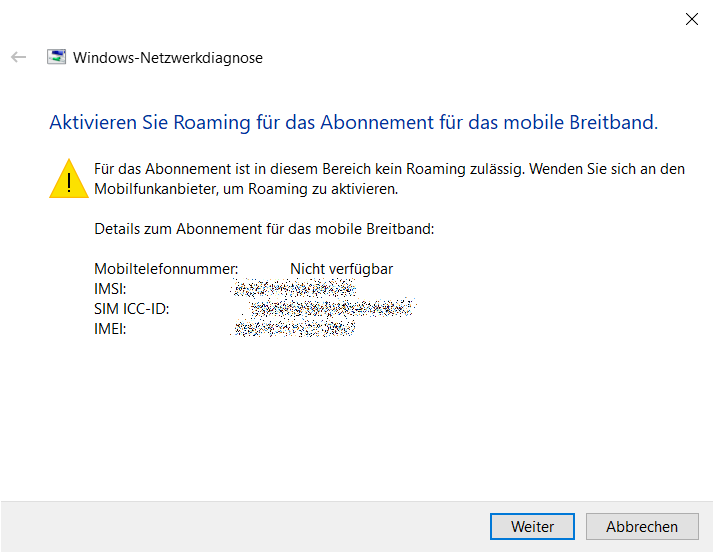
no … I was not … so I switched the card back to Windows
… I’ve put in my PIN … … things got connected … a firmware-updated happened
… and after restart … also the windows-connectivity was gone … pffhh …
… guess I started my LTE-tinkering career with … the wrong hardware … followed some recommendations ( and maybe this is working … elsewhere )
.

at@nvm:fix_cat_fcclock.fcclock_mode?
at@nvm:fix_cat_fcclock.fcclock_mode=0
at@store_nvm(fix_cat_fcclock)

.
problem with all the testing … putting on and off these kinky rf-pigtail pluggies …
.
(who invented this crap … who hates mankind that much to bring this in as a “solution” ? )
.
I guess these things are meant for 2-3 plugging events … had a look under the glass after all my ins and outs … jeez … looked like the airforce raided a sheep flock :
.
so I decided … enough : )
.
btw … this is property of my employer … but it’s enough
it was fun … and I strengthened my modem-interaction skills … but … good for now : )
.
7560#4.PNG
.
7560.PNG
.
7560#5.PNG
.

and … of course … considered against … a similiar kernel : )
.

root@OpenWrt:/# ls /dev/
bus              mtd2             shm              ttyS3
console          mtd2ro           tty              ttyS4
cpu_dma_latency  mtd3             ttyACM0          ttyS5
full             mtd3ro           ttyACM1          ttyS6
gpiochip0        mtdblock0        ttyACM2          ttyS7
gpiochip1        mtdblock1        ttyS0            ttyS8
gpiochip2        mtdblock2        ttyS1            ttyS9
hwrng            mtdblock3        ttyS10           ubi_ctrl
kmsg             null             ttyS11           urandom
log              port             ttyS12           watchdog
mtd0             ppp              ttyS13           watchdog0
mtd0ro           ptmx             ttyS14           zero
mtd1             pts              ttyS15
mtd1ro           random           ttyS2
root@OpenWrt:/# picocom -b 115200 /dev/ttyACM0
picocom v3.1

port is        : /dev/ttyACM0
flowcontrol    : none
baudrate is    : 115200
parity is      : none
databits are   : 8
stopbits are   : 1
escape is      : C-a
local echo is  : no
noinit is      : no
noreset is     : no
hangup is      : no
nolock is      : no
send_cmd is    : sz -vv
receive_cmd is : rz -vv -E
imap is        : 
omap is        : 
emap is        : crcrlf,delbs,
logfile is     : none
initstring     : none
exit_after is  : not set
exit is        : no

Type [C-a] [C-h] to see available commands
Terminal ready
AT
OK
ATA
ERROR
ATI
".Built@Apr-16-2023:19:46:03"

OK
AT+CSUS=0;+CPIN="****"
OK

+PBREADY
AT+CFUN?
+CFUN: 1,0

OK
AT+CPIN?
+CPIN: READY

OK
AT+CGDCONT?
+CGDCONT: 0,"IPV4V6","","0.0.0.0,0.0.0.0.0.0.0.0.0.0.0.0.0.0.0.0",0,0

OK
AT+CGDCONT=0,"IP","internet.telekom","0.0.0.0",0,0,0,0,0,0,0,0,0,0
OK
AT+CGDCONT?
+CGDCONT: 0,"IP","internet.telekom","0.0.0.0",0,0,0,0,0,0,0,0,0,0

OK
AT+CGREG?
+CGREG: 0,0

OK
AT+CSQ
+CSQ: 99,99

OK

¯_(ツ)_/¯

but all this old-school AT-GVTTM=?
.
really fixed me on … : )
.
next invest:
Quectel LTE Modul EC21 Mini PCIe Series Mobilfunk-Modul IoT/M2M-optimized Cat 1
.
! … affordable … and it lacks this annoying performance snatching : ) !

That Intel/Fibocom L860-GL16 modem seems like a PITA in a quick google. In theory, it should work since it is MBIM. It be an LTE interface since it’s MBIM, not a ppp-client (although in theory that could work but even more complex

If that’s not working, one thing to try is to force RouterOS into MBIM mode:

/interface/lte/settings/set mode=mbim

I’m not sure why you’re messing with PPP interface. But the alternative mode above is “serial” that MAY expose all ports, but serial has a limited speed & that modem should be detected as MBIM to have full support in RouterOS so I don’t recommend putting it into mode=serial.

That being said… I do suspect you’ll have better luck with a Quectel EC21, since those are on Mikrotik’s list of supported modem (and they use Quectel modems in some of their models):
https://help.mikrotik.com/docs/display/ROS/Peripherals

problem was and is … mbim-mode is a V7 feature ( as far as I’ve understand ) and theres no lte-interface coming up in V7 and no port to communicate and configure the ‘thing’
… so I started with V6.49.X
… and while I said “enough” with tinkering … I’ve also reminded: mama said “do not give up early” : )
.

Welcome back!
[admin@MikroTik] > 
[admin@MikroTik] > system serial-terminal usb3 channel=2
[Ctrl-A is the prefix key]

+PBREADY
AT+CGDCONT?
+CGDCONT: 0,"IP","internet.telekom","0.0.0.0",0,0,0,0,0,0,0,0,0,0

OK
AT+CGACT?
+CGACT: 0,0

OK
AT+CGACT=0,1
ERROR
AT+CGDATA=PPP
CONNECT
~�}#�!}!}!} }4}"}&} } } } }%}&R}8}0D}'}"}(}"n�~~�}#�!}!}!} }4}"}&} } } } }%}&R}8}0D}'}"}(}"n�~~�}#�!}!}!} }4}"}&} } } } }%}&R}8}0D}'}"}(}"n�~~�}#�!}!}!} }4}"}&} } } } }%}&R}8}0D}'}"}(}"n�~~�}#�!}!}!} }4}"}&} } } } }%}&R}8}0D}'}"}(}"n�~~�}#�!}!}!} }4}"}&} } } } }%}&R}8}0D}'}"}(}"n�~~�}#�!}!}!} }4}"}&} } } } }%}&R}8}0D}'}"}(}"n�~~�}#�!}!}!} }4}"}&} } } } }%}&R}8}0D}'}"}(}"n�~~�}#�!}!}!} }4}"}&} } } } }%}&R}8}0D}'}"}(}"n�~~�}#�!}!}!} }4}"}&} } } } }%}&R}8}0D}'}"}(}"n�~
NO CARRIER
AT+COPS?
+COPS: 0,0,"Telekom.de",7

OK
AT+CGREG?
+CGREG: 0,1

OK

.
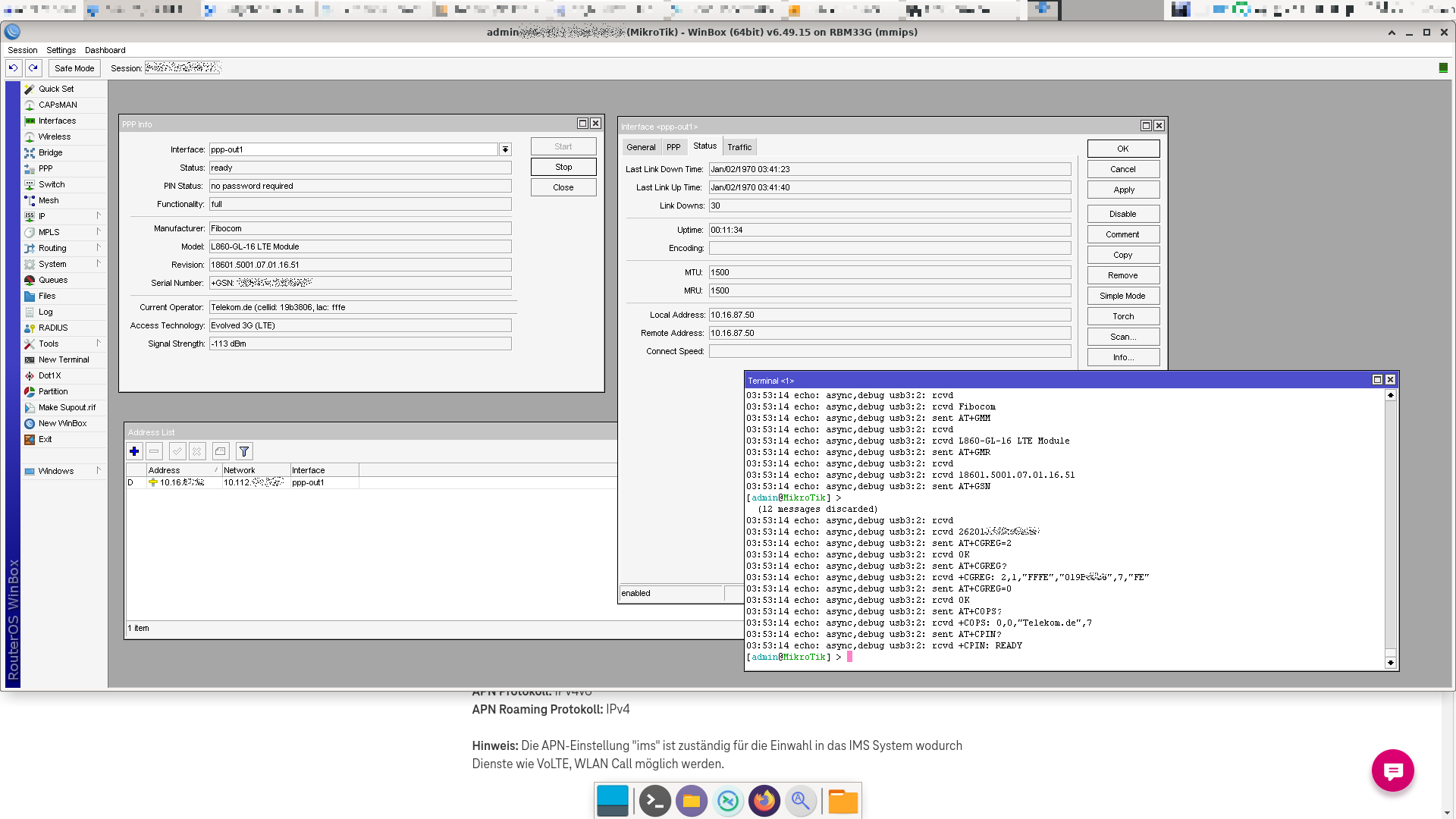
seems I’m registered … with the intended provider … : )
… by accident so far : )
but it smells like opportunity here : )

… to clarify at first: … NO … I do not feel ANY kind of JOY !
… it’s more like … cold satisfaction … here we go … old nag is still able to enable … … after reading a good (amount of) book : )
.
poof.png

.
seems … I’m a little cross market here … with my project …
… a modem from a hp notebook … abducted like David Balfour … thrown into a “new system” like Robinson Crusoe …
wanna say: “David Balfour” never came up speaking PCIE ( he did not even in a linux-system in it’s native HP-notebook … maybe the pcie-lanes in this notebooks-m.2 slot are not connected … and only are usb ? )
… and more likely it is a factory-default-configuration related ‘thing’ in the modem too … ¯_(ツ)
.
… ! maybe ! … after … switching to PCIE … and MBIM … and saving to the NVRAM of the modem ?
… it will proudly pop-up as a G16-LTE device in V7 ? ¯_(ツ)
/¯ … with 1.2 GB capability … instead of USB2-Speed ?
.
it’s un-locked … it speaks rf-side …
.
mama says truth is all that matters … indolence and deceiving is a sin : )

.
… my 12$ fiducial system rolled in … : | … no pcie-com … : ) … mosdef … … I have a new hobby :confused:
.
… so far usb-only … no pcie.mode avail with quectel EC21 … no MBIM either … means PPP-only in V7.X ( tested 7.15.2 )
.
but it works absolutely flawless … 5Mbit/s-up / 5Mbit/s-down … SMS over serial (usb-channel 2) … … no passthrough
.
[ it seems kinda oem-firmware is flashed … usb ressource shows as “android” … ? ]
.

MMM      MMM       KKK                          TTTTTTTTTTT      KKK
  MMMM    MMMM       KKK                          TTTTTTTTTTT      KKK
  MMM MMMM MMM  III  KKK  KKK  RRRRRR     OOOOOO      TTT     III  KKK  KKK
  MMM  MM  MMM  III  KKKKK     RRR  RRR  OOO  OOO     TTT     III  KKKKK
  MMM      MMM  III  KKK KKK   RRRRRR    OOO  OOO     TTT     III  KKK KKK
  MMM      MMM  III  KKK  KKK  RRR  RRR   OOOOOO      TTT     III  KKK  KKK

  MikroTik RouterOS 7.12.1 (c) 1999-2023       https://www.mikrotik.com/

Press F1 for help


(300 messages not shown)
2024-07-22 22:10:24 route,debug,calc 3 Main publish
2024-07-22 22:10:24 route,debug,calc 6.1 Cleanup merge
2024-07-22 22:10:24 route,debug,calc 1.3.1 Tag updated routes for merging
2024-07-22 22:10:24 route,debug,calc 1.3.3 Loading new prefix values
2024-07-22 22:10:24 route,debug,calc 1.3.4 Merge route updates
2024-07-22 22:10:35 system,info,account user admin logged in from 192.168.222.140 
via winbox
2024-07-22 22:11:12 system,critical,info cloud change time Jul/22/2024 22:10:43 =>
 Jul/22/2024 22:11:12
2024-07-23 00:14:20 system,info,account user admin logged in from 192.168.222.140 
via winbox
[admin@MikroTik] > 
[admin@MikroTik] > 
[admin@MikroTik] > 
[admin@MikroTik] > 
[admin@MikroTik] > system/serial-terminal 
serial0     serial1     usb4     channel     port     usb3   
[admin@MikroTik] > system/serial-terminal usb4         

[Ctrl-A is the prefix key]


[Q - quit connection]      [B - send break]
[A - send Ctrl-A prefix]   [R - autoconfigure rate]


Welcome back!
[admin@MikroTik] > 
[admin@MikroTik] > system/serial-terminal usb4 channel=0

[Ctrl-A is the prefix key]


[Q - quit connection]      [B - send break]
[A - send Ctrl-A prefix]   [R - autoconfigure rate]


Welcome back!
[admin@MikroTik] > 
[admin@MikroTik] > system/serial-terminal usb4 channel=1

[Ctrl-A is the prefix key]


[Q - quit connection]      [B - send break]
[A - send Ctrl-A prefix]   [R - autoconfigure rate]


Welcome back!
[admin@MikroTik] > system/serial-terminal usb4 channel=2

[Ctrl-A is the prefix key]


at
OK
ati
Quectel
EC21
Revision: EC21EFAR06A01M4G

OK
AT+QMBNCFG=
ERROR
AT+QMBNCFG
ERROR
ati
Quectel
EC21
Revision: EC21EFAR06A01M4G

OK
AT+QMBNCFG?
ERROR
AT+QCFG
ERROR
at
OK
AT+QCFG?
ERROR
at
OK
AT+QCFG=?
+QCFG: "gprsattach",(0,1)
+QCFG: "nwscanmode",(0-8),(0,1)
+QCFG: "nwscanseq",(00-0102030405),(0,1)
+QCFG: "servicedomain",(0,1,2),(0,1)
+QCFG: "roamservice",(1,2,255),(0,1)
+QCFG: "band",(0-200),(0-7FFFFFFFFFFFFFFF),(0-7FFFFFFFFFFFFFFF),(0,1)
+QCFG: "rrc",(0-4)
+QCFG: "msc",(0-2)
+QCFG: "sgsn",(0-2)
+QCFG: "hsdpacat",(6,8,10-24)
+QCFG: "hsupacat",(5,6)
+QCFG: "pdp/duplicatechk",(0,1)
+QCFG: "tdscsq",(0,1)
+QCFG: "airplanecontrol",(0,1)
+QCFG: "airplane",(0-2)
+QCFG: "ledmode",(0-2)
+QCFG: "ehrpd",(0,7)
+QCFG: "usbid",<vid>,<pid>
+QCFG: "usbee",<enable>
+QCFG: "usbnet",<0-4>
+QCFG: "usbmode",(0,1)
+QCFG: "usbcfg",<vid>,<pid>,<diag>,<nmea>,<at_port>,<modem>,<rmnet>,<adb>
+QCFG: "urc/ri/ring",("off","pulse","always","auto","wave"),(1-2000),(1-10000),(1-10000),("off","on"),(1-5)
+QCFG: "urc/ri/smsincoming",("off","pulse","always"),(1-2000),(1-5)
+QCFG: "urc/ri/other",("off","pulse"),(1-2000),(1-5)
+QCFG: "risignaltype",("respective","physical")
+QCFG: "urc/delay",(0,1)
+QCFG: "urcdelay",(0,1),(0-10000)
+QCFG: "agps/string",(0,1)
+QCFG: "cdmaruim",(0,1)
+QCFG: "cmux/urcport",(0-4)
+QCFG: "ModemRstLevel",(0,1)
+QCFG: "ApRstLevel",(0,1)
+QCFG: "ltectcc/smsstorage"[,(0,1)]
+QCFG: "noauthcheck",(0,1)
+QCFG: "nwscanmodeex",(1-63)
+QCFG: "oostimer",<timer1>,<timer2>,<timer3>
+QCFG: "diversity",(0-1)
+QCFG: "ppp/termframe",(0,1)
+QCFG: "ppp/v4v6",(0,1)
+QCFG: "bootup",<name>,(0,1)
+QCFG: "nwoptmz/acq",(0,1),(60-16777200)
+QCFG: "ims",(0-2)
+QCFG: "pcmclk",(0,1)
+QCFG: "tone/incoming",(0,2)
+QCFG: "rssi",(0-20)
+QCFG: "cdmasms/cmtformat"[,(0,1)]
+QCFG: "ltesms/format"[,(0,1)]
+QCFG: "amrcodec",(0-255)
+QCFG: "apready",(0,1),(0,1),(100-3000)
+QCFG: "urc/cache",(0,1)
+QCFG: "thermal/modem"[,<level>,<trig>,<clr>]
+QCFG: "thermal/limit_rates"[,<enable>]
+QCFG: "thermal/txpwrlmt"[,<on_off>,<sensor>,<temp_threshold>,<duration>,<trig_cnt>,<crl_cnt>]
+QCFG: "sim/softsimmode",(0,9)
+QCFG: "codec/powsave",(0,1)
+QCFG: "lte/bandprior",(1-43),(1-43),(1-43)
+QCFG: "codec/powsave",(0,1)
+QCFG: "qmisync",(0,1)
+QCFG: "disrplmn",(0,1)
+QCFG: "vts/async",(0,1)
+QCFG: "urc/ri/pin",("uart_ri","uart_dcd")
+QCFG: "stkauto/setupmenutr",(0,1)
+QCFG: "iproute_enable",(0,1)
+QCFG: "imsreg/iptype",(0,1)
+QCFG: "multi_ip_package",<enable>,<package_max_len>,<package_max_count_in_queue>,<timeout>
+QCFG: "apn/blocked",(0,1),(0,1)
+QCFG: "pktsize"
+QCFG: "redir/3gtolte",(0,1)
+QCFG: "qcautoconnect",(0,1)
+QCFG: "volte_disable",(0,1)
+QCFG: "sim/clk_freq",(0,1)
+QCFG: "sim/features_status_list",(0-62),(0,1)
+QCFG: "sim/uim_config_params",(0-79),(0,1)
+QCFG: "writedata/modem",<enable>,<intervals>,<data_size>
+QCFG: "writedata/ap",<enable>,<intervals>,<data_size>
+QCFG: "roaming/voicecall",(0,1)
+QCFG: "usage/apmem"
+QCFG: "usage/apfs"
+QCFG: "remove_fplmn",(0,1)
+QCFG: "ftm/mbim",(0,1)
+QCFG: "ims/ut",(0,1)
+QCFG: "gpsweek",(0,1)
+QCFG: "sim/onchip",(0,1)
+QCFG: "SMS/ListMsgMap",("REC UNREAD","REC READ","STO UNSENT","STO SENT")
+QCFG: "fast/poweroff",(0,1)
+QCFG: "siminvalirecovery",(0,1),(1,60),(1,30)
+QCFG: "sleep/datactrl",(0-7),(50-5000),(0,1)
+QCFG: "sim/type",(0,1,3)
+QCFG: "epcflag",(0,1)
+QCFG: "sms/omadm",(0,1)
+QCFG: "plmn/autoblock",(0,1),(1-0xFFFFFFFF)
+QCFG: "fast_dormancy",(0,1,2),(1-65535)
+QCFG: "sarcfg",("lte_wcdma","gsm"),max_power,row_grads,column_grads
+QCFG: "csdctl",(0,1)
+QCFG: "hplmn/search_timer",(1-71582)
+QCFG: "Feature_Switch_Flag",(0,1),(0x01 -- 0xFFFFFFFF)
+QCFG: "efratctl",(0,1)
+QCFG: "tdd/config",(0-6),(0-8)
+QCFG: "plmn/addinfbdn",(0,1)
+QCFG: "icf",(0-3),(0-3),(0-3)
+QCFG: "mbn/ctcc_compat",(0,1)
+QCFG: "estk/send_sms",(0,1)
+QCFG: "dhcppktfltr",(0,1)

OK

################################# edit > #####################################

AT+IPR=115200,4000000;&W

/interface ppp-client
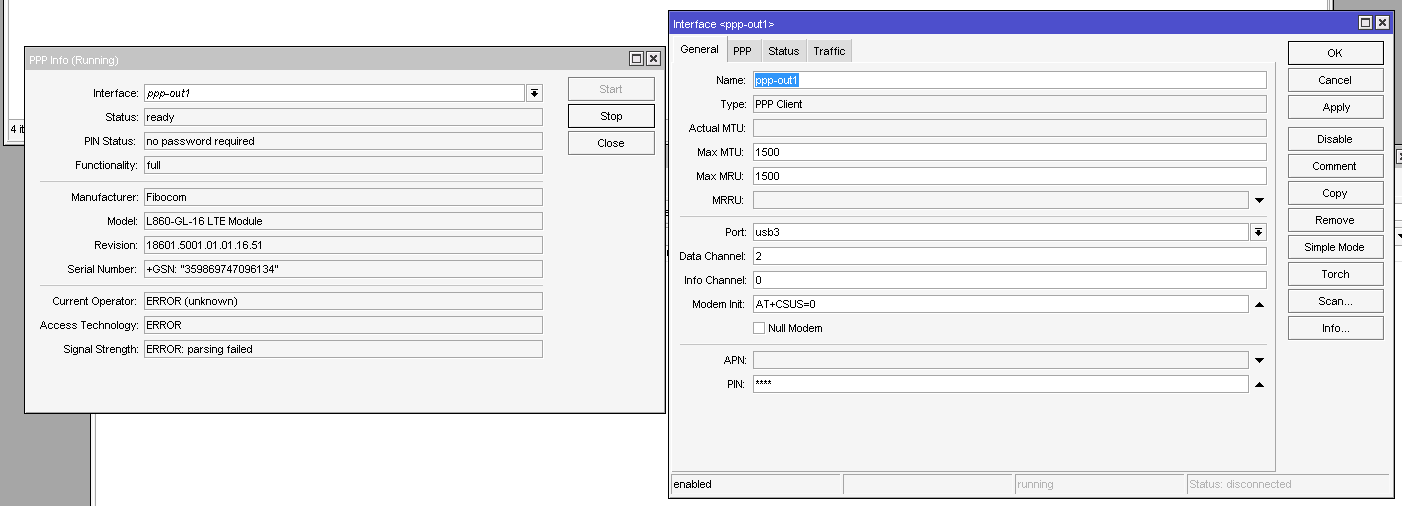
add allow="" apn=internet data-channel=3 dial-on-demand=no disabled=no info-channel=2 name=ppp-out1 pin=**** port=usb5

[admin@rb33g] >  port/print terse 
0 name=serial0 used-by=Serial Console device= channels=1 baud-rate=auto data-bits=8 parity=none stop-bits=1 flow-control=none
1 name=serial1 used-by= device= channels=1 baud-rate=auto data-bits=8 parity=none stop-bits=1 flow-control=none
2 name=usb5 used-by=PPP <ppp-out1> device=1-2 channels=4 baud-rate=auto data-bits=8 parity=none stop-bits=1 flow-control=none

[admin@rb33g] > system/resource/usb/print terse 
0 device=1-0 vendor=Linux 5.6.3 xhci-hcd name=xHCI Host Controller serial-number=1e1c0000.xhci vendor-id=0x1d6b device-id=0x0002 speed=480 ports=2 usb-version= 2.00
1 device=2-0 vendor=Linux 5.6.3 xhci-hcd name=xHCI Host Controller serial-number=1e1c0000.xhci vendor-id=0x1d6b device-id=0x0003 speed=5000 ports=1 usb-version= 3.00
2 device=1-2 vendor=Android name=Android vendor-id=0x2c7c device-id=0x0121 speed=480 usb-version= 2.00

[admin@rb33g] >
Well I went for the Teltonika TRB500 connected to a RB5009 router, with a UBNT access point.
It would have been an option (much cheaper) to use a Chateau 5G AX but the supplier did not have it in stock, and also it will be better to have the 5G separate and connected via ethernet so I can locate it at an optimal spot.
The TRB500 offers a “Passthrough” option where it hands out the 5G IP address directly to the client connected to ethernet via DHCP with a short lease time, so in actual operation it is “invisible” (no extra NAT).
It isn’t outdoor, I will put it inside in front of a window.
Unfortunately the TRB500 does not support PoE so I have an additional box to separate power out of the PoE.

Messy, but it works well. And it works today, which is what I needed.

I’ve used Teltonika too with success as front device on construction sites and it was placed inside metal office-containers that was adding additional problems but it worked.

field notice …
.
the working quectel ec21 in V7.15.2 … brought a collateral … the fibocom L860 is now working too in V7.15.2 ( no … not through a brilliant engineering task … plain fluke )
.
I unpowered the board … switched the modems … and rebooted with the config of the quectel and the fibocom inserted …
… and was wondering … why is my usb-serial-line still there … ( little winbox screen-refresh hangover !? ) … nah … instead of the 4 channels from quectel … there are only 3 channels … like in fibocom
.
turns out the following setting is needed … or the usb-serial-lines are not coming up in V7.X :

[admin@rb33g] > interface/lte/settings/print 
           mode: serial
  firmware-path: 
[admin@rb33g] >

.
seems the modem switches off the usb-interface if there’s no … “activity” … within a certain amount of time after powering up … this seems to be no issue in 6.49.X but in 7.X … the fibocom switches off , if not the beforementioned setting is in place … kinda odd … but …
.
the manual says after switching off usb, the modem is falling back to pcie … : \ … would be happy if
.
but so far: working fibocom L860 in ROS 7.15.2 … ppp interface mode … usb limitations … but … working
.
end of field notice

In general, if you’re trying a new modem on V7, if it supports MBIM you want to use that. Now sometimes mode=serial might be needed to access /system/serial-terminal to enter some AT command (which vary by modem for stuff like switching modes etc) - for example on Quectel the MBIM AT commands. But if you can get a modem to work in Windows, including any firmware updates to modem while under windows that may be easier than deducing the right AT commands on the Mikrotik… you’d really have a better shot of random modems working by making sure it works in windows BEFORE trying the Mikrotik.

The L860 is a Cat16 modem and support MBIM, so serial is FAR from ideal way of getting it working. PPP is limited to 25-35Mb/s, while most modern LTE/5G networks are 100Mb/s+, so you’re giving up potential speed by using mode=serial. To get those speeds, the modem needs to work as an LTE interface.

if it supports MBIM you want to use that

.
I totally aggree. Problem: without a working reference system it’s very hard to find out whats going wrong.
.
The windows system (from the originating HP-Laptop) lists the modem as USB-device too … even all the GIT stuff and working linux-configs for the 7560 are related to USB
.

PPP is limited to 25-35Mb/s

… I already got 95Mbit/s with the ppp-config ot of the device, so I guess 480Mbit/s from the USB-2.0-Interface is the limit ( all antennas connected and good will from the big brother in the tower ).
Maybe the MBIM and PCIE-Interface problem is firmware related ? … just the wrong version loaded ?
The manual says ( somewhat hazy ) that configuring the management and data-interface is only possible from already working management channel on the same bus ( so switching via USB-management-channel to PCIE-data-lane … seems to be … not possible !?)
.
in the peripheral sections of MT-docs … I read of supported PCIE-connector modems … but the PCIE-connector (like the mechanical m.2b-connector) supports PCIE, USB2, USB3 and SATA
… I (personally) heaven’t seen a LTE/G5-device in ROS … as a PCIE-bus connected interface ( did someone ? )
.
the ATL LTE18 devive … which has a M.2B slot … uses USB3.0 not PCIE ( regarding the block diagramm ) … LHG LTE18 … same board, other antenna-design ( the used datacom-protocol is not mentioned in the block diagramm )
.
[https://github.com/xmm7360/xmm7360-pci/blob/master/DEVICES.md
.
there is a working pcie-driver for the 7360-device … but I do not own such a device … nor one of the boards listed as supported.
.
… to “clarify all this” :
.
rhabarbar.png