[RESOLVED by router death][Wi-Fi] The Mikrotik AX2 router I got from the store just one day ago is dead

Hello.

[The router died physically within a day, so there's no need to read the description of the problem.]

I've received Mikrotik ax2 today.

I bought it to gain experience setting up more complex networks and to have a more frequently updated and secure router. And I knew that Mikrotik routers can be incredibly problematic, with even experienced users unable to figure out how to fix them. :melting_face:

I installed it, made a quick setup, updated it to 7.19.6 and checked wi-fi. Then I changed the Wi-Fi frequency, applied the settings, and saw a message on my tablet: "Wi-Fi isn't connected to the Internet" (broken Wi-Fi).

I spoke with ChatGPT. Activation and Disabling didn't help. I restored the router to its default settings, reconfigured everything, and then enabled and disabled the magic after applying the new frequency.

I tested everything and made a backup.

Then I decided to create a new Wi-Fi network for IoT without access to the LAN with the help of ChatGPT.

Bridge -> new Wi-Fi with this bridge -> IP-poll -> New DHCP-server for this bridge with this poll.

After changing and applying any single Wi-Fi setting, I turned Wi-Fi off and on as recommended by ChatGPT.

I didn't get past the last step because after that step the main Wi-Fi broke.

The backup saved me several times. But it didn't work anymore. Wi-Fi didn't connect to the Internet after restoring the backup.

I tried the recommendation of ChatGPT:

What to do to "resurrect" Wi-Fi after a backup

  1. Reboot the router completely.
  2. After booting, go to Wireless → Interfaces → wifi1 / wifi2 → Disable → Enable.
  3. Verify that the Wi-Fi interface is bound to the bridge (Bridge → Ports).
  4. Verify that the bridge has an IP address.
  5. Ensure that NAT Masquerade for WAN is enabled.
    :light_bulb: This is normal on RouterOS 7 AX interfaces: sometimes a backup doesn't bring up the radio, even if the settings are correct.

It doesn't help.

Even ChatGPT has given in. It writes that Wi-Fi is very brittle on Mikrotik routers, and therefore it's best to forget about this Wi-Fi and use a less secure older router.

Is there any chance of saving Wi-Fi while exploring the capabilities of Mikrotik routers? Or will it constantly break?

Are Mikrotik's programmers incapable of making it work? It's funny when even restoring from a backup doesn't restore Wi-Fi functionality. :sweat_smile:

Looks like I solved this problem.

There was another router before this router,, Router #1, with DoT enabled. As a result, there was a conflict between DoT on Router #1 and DoH on the Mikrotik.

The Firefox browser on the PC had internet access, despite this conflict. However, the Chrome browser and Wi-Fi interfaces didn't.

Hi and welcome to the forum.

You've got caught up in the usual AI hogwash. First, some general points.

Mikrotik routers are harder to configure, but this is because of the much broader functionality they present compared to the usual consumer brands. As I understand, you wanted this, and if you want to learn, here's the opportunity. Don't be discouraged by setbacks, it will work. You're also correct in that Mikrotik routers are much better supported long term, which gives much better long-term security prospects (the other being that the usual consumer brands have a painful disregard for even the most egregious security issues.)

About Mikrotik Wifi. I'm not an expert on the subject, but my observation is that it works no better and no worse than the other routers/APs that use the exact same chipsets. There is more capable and better hardware out there, that's a fact - but this doesn't mean that theis would be in any way "unusable" and you should "forget about it."

As to your problem at hand: if I understand your problem correctly, you disabled the wifi while you were connected to the device over wifi? Then tried to reenable it?

Restoring a backup restores all settings exactly as they were. It doesn't lead to wifi "sometimes not coming back".

What you may be experiencing (and what may be the source of all of your frustration, is that by default these devices select a frequency that they (at the time) think is best (has the least traffic, least interference, etc.) This way of choosing frequencies simetimes results in a frequency choice that your device cannot operate at. It may also result in a choice of frequence which (by regulatory decree) requires the device to listen silently for radat signatures, as to not interrupt their operation - this can lead to e.g. a 10min silence before the SSID appears.

ChatGPT is a regurgitator of plausibilities, not an analyst nor a reliable source of facts.

Glad you got it working. I use and have used Mikrotik wireless for home, IoT, travel, including simultaneous upstream and downstream wireless networks. It is not brittle (though ChatGPT is).

Worth reading: https://www.researchgate.net/publication/385680059_Is_ChatGPT_Full_of_Bullshit

No. There was a conflict between DoT and DoH on both routers. Only Firefox on PC was fine.

I choose the frequencies myself because I have devices from Europe and Asia with different limitations.

They tried. As I understand it, the drastic changes to the RouterOS 7 interface were a huge problem, which they complained about.

But in two hours, Grok and ChatGPT managed to set up a guest wireless network without access to the local network. Although with Asus this could have been done in a few minutes.

This is the way. :slightly_smiling_face:

No, LLM use "bes fit" algorithm for answers that means that the answer is statistically "the least rejected"="the answer with the least number of complains from users".
It means that the recipies for mikrotik are gathered from the Internet to "fit the best" but it does not mean that they are working ones.

Hello,

The Mikrotik AX2 router I got from the store just one day ago is dead.

I set it up, updated it to the latest RouterOS and board firmware (7.19.6), and left it for a day with 1 wired client and 2 mobile phones connected. Almost nobody used these devices during the day.

In the evening, I noticed that the computer connected by cable lost internet. The wireless networks also disappeared. The WAN and LAN1 LEDs on the AX2 were still blinking.

I could not access 192.168.1.1 (I changed the standard 192.168.88.1 to this) through a web browser.. The other router that the AX2 was connected to worked fine and provided internet.

I turned off the AX2, waited a bit, and turned it on again. The internet and wireless appeared, but disappeared quickly again. I repeated this 3 times. After the third time, the internet did not come back. The WAN and LAN1 LEDs blinked a few times and then turned off.

The reset procedure (holding the reset button and turning on the power) did not work. The USR LED did not blink. After recovery attempts, the computer could not get a network connection (even with manually set parameters). The AX2 wireless networks did not appear.

When I turn on the AX2, the PWR LED lights, the wired port LED blinks a few times and then turns off. The router does not even get warm.

ChatGPT said probably RouterOS is not loading, and the router should be returned under warranty. It suggested trying to recover the router with NetInstall and gave detailed instructions about setting up the network port, disabling other devices, and firewall. But none of the NetInstall versions I tried saw the router.

This is the first personally dead router in my life. And I had many routers before.

Sorry but could you stop rely on ChatGPT. Start thinking yourself. If you have such a problem then you should just consult you seller and use warranty/RMA option.

I live in a country where even getting a valid warranty card and returning a defective item is difficult sometimes.

I'm currently negotiating with the store to get a valid warranty card. They didn't send one with the item. Returning it after use is no longer an option.

Well, that sucks. Out of more than a hundred devices I've only ever seen one simply die (some met violent deaths: one was literally overrun by sewage, one was run over with a forklift, etc. - these I don't count.

The one that died peacefully wad over 15 years old.

Now power supplies, I've had to replace many. My first thought when something like you describe happens, I always try to netinstall it with a new power supply. The flash is usually corrupted, so it won't boot, but the bootloader is usually intact.

Shit happens.

Looks like this problem has existed for several years: HAP AX2 dead

Define several, please. You pointed out the 13 months old topic.

I have several AX2 in use (11 to be precise), some already for years (first ones shortly after they were released, that's 2 years ago).
None died so far.
Not. A. Single. One.

So there is your "statistical" counterproof.

Take into account there will always be FAR more people complaining if something doesn't work or breaks versus the huge numbers without any problems. But we don't know the numbers of both sides so we can not tell how statistically relevant those defects are.
But I am going to make an educated guess the numbers of defect devices are very minor compared to those of working devices.

Every defect device is a problem, I do agree, but it's definitely not common.
As for your warranty, I am sorry to hear but it might have been better then to investigate upfront how warranty could be arranged in case something happens. Other supplier perhaps ?

I'm not trying to defend Mikrotik, and maybe I just got lucky (and the next 3 that I buy will die within a week.) Simply it's my experience that they're surprisingly resilient little buggers, and it's actually my opinion that (within reason) they're design pretty well. Lots of other manufacturers' stuff has literal time bombs built in with insufficient components, inadequate thermals, etc.

To my knowledge the only time this happened to Mikrotik was with the psus of the first ccrs.

It's not much comfort in these situations, but somewhere under 1% is expected to leave the factory with a manufacturing defect that only manifests itself in the customer's hands (having passed testing.)

Of course this doesn't make getting that unit feel any better. Again, it sucks.

EDIT: Okay, another one comes to mind: the loose heatsink on their 2.5G switches.

I had to resolder my power connector which played up, I could have sent it back but I chose to run it on PoE till my warranty ran out, I pulled it apart and fixed it. But in it's defence I will agree it's been a solid performer. And I've not been kind to it either.

I think the hapax was so sad after being continually disparaged it simply gave up.

Please keep your AI complaints to yourself, this is USER support and most here are happy to help others LEARN, not copy from AI, not understand why it isnt working and demanding a working config, this is NOT THE WAY).

Hi everyone,

The defective router was exchanged for a new one. However, the store again sent the router without a warranty card. But that's common in this country.

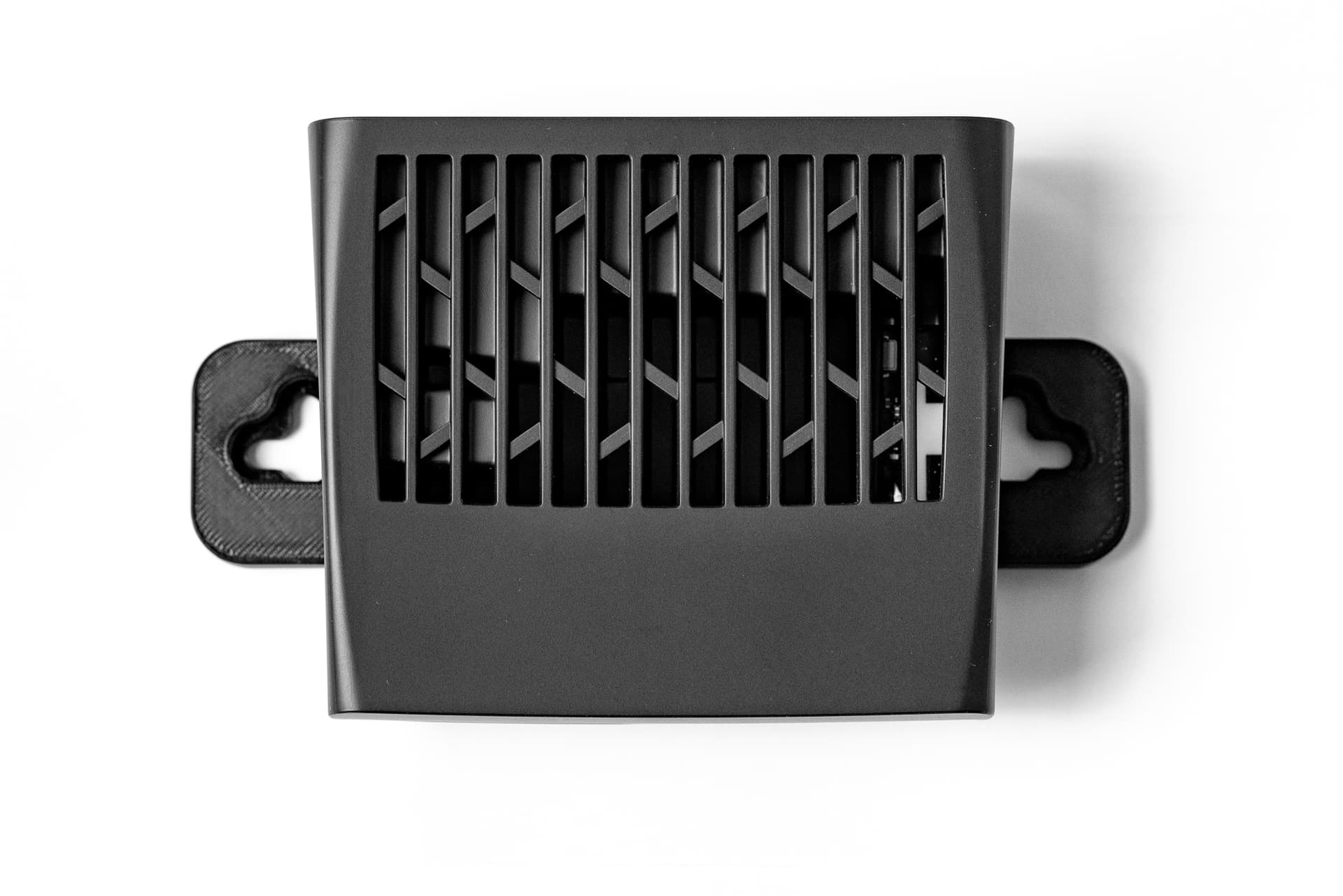
While setting it up, I noticed that the stock wall mount isn’t very convenient — it’s tricky to remove the router once it’s fixed to the wall.

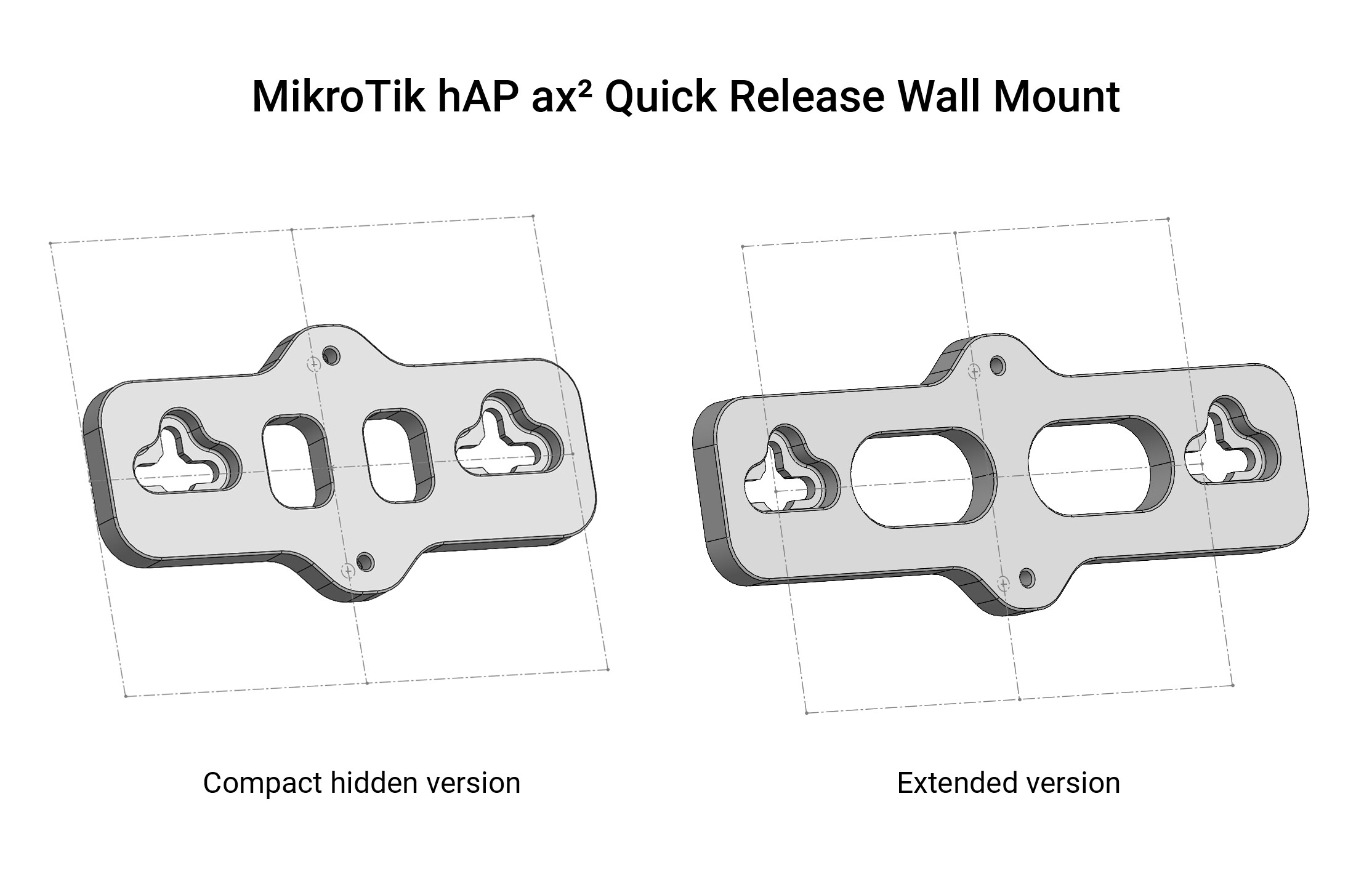
So I designed a quick-release wall mount adapter that lets you easily take it off and hang it in different positions.

I made two versions — one compact and one extended for easier mounting.

If anyone is interested, you can find the model by searching for "Quick-Release Wall Mount Adapter for MikroTik hAP ax²" on Cults3D.

If people find it useful, I might try to design other small accessories for this router in the future, maybe even a version with a fan mount. :wink:

Hey Normis, if you are reading this thread, looks like you should consider improving the mounting functionality of devices............

Hi.

I think you should find him and write him directly. :slightly_smiling_face:

Here is the link: https://cults3d.com/en/3d-model/tool/quick-release-wall-mount-adapter-for-mikrotik-hap-ax