How would I go about configuring a dhcp-server that provides addresses only to clients that come in on a wifi interface?
All interfaces are on a single bridge (ether1, ether2, wifi1, wifi2, slave-to-wifi1, slave-to-wifi2, etc.).
How would I go about configuring a dhcp-server that provides addresses only to clients that come in on a wifi interface?
All interfaces are on a single bridge (ether1, ether2, wifi1, wifi2, slave-to-wifi1, slave-to-wifi2, etc.).
I would create separate VLAN for them, assign an IP address for that VLAN interface, create new DHCP server on that interface, untag desired interfaces for that new VLAN (or pass tagged traffic to the AP if needed, for eg if you have mgmt VLAN perhaps you need to sent both mgmt and WiFi VLAN to the AP.), put new VLAN in LAN or Trusted interface list, or some other list if WiFi is not trusted and in that case adjust firewall rules if needed.
That sounds like a great exercise and way to more deeply understand VLANs. Unfortunately, the environment’s complexity leaves me stumped.
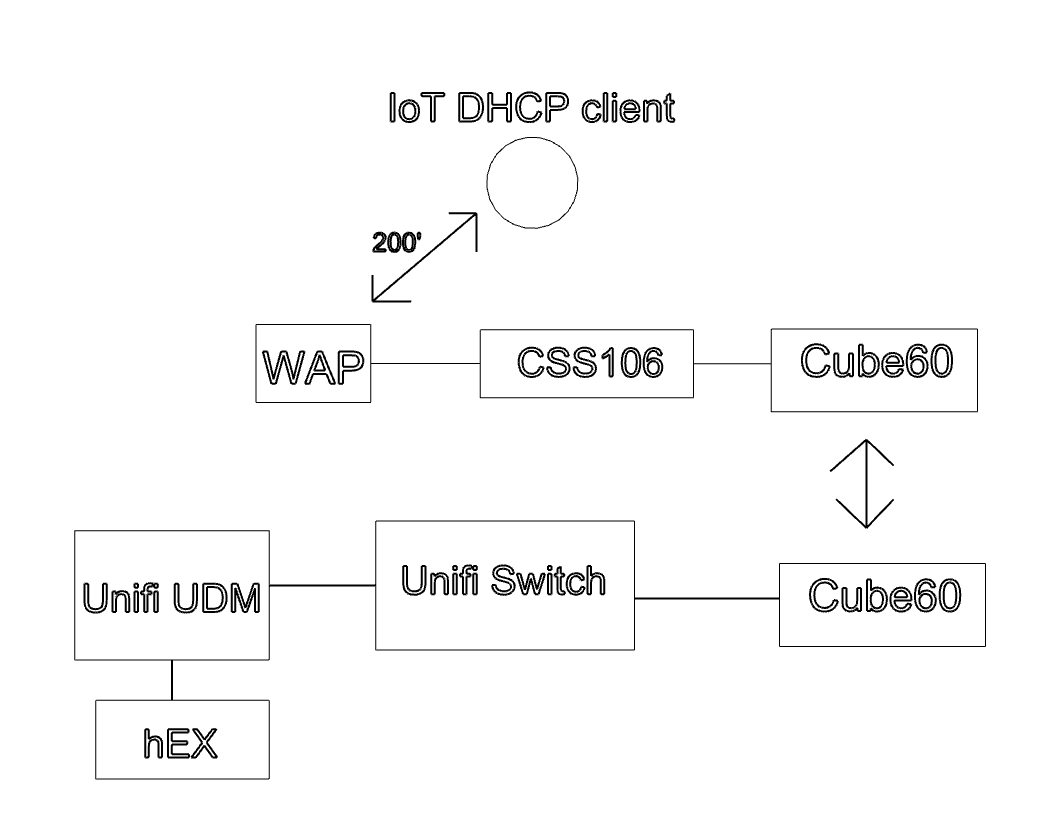
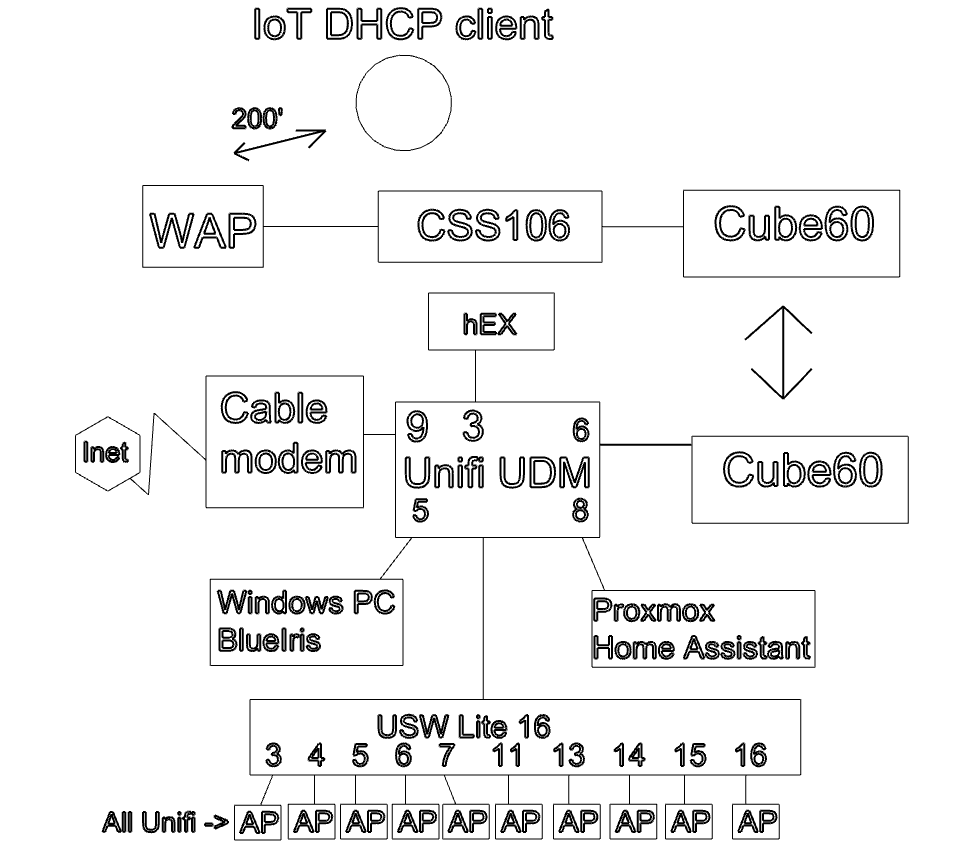
The IoT client connects to the WAP, which is wired to a CSS106, which is wired to a Cube60. The other Cube60 is wired to a Unifi switch, which is wired to a Unifi UDM, which has a hEX hanging off of it. The WAP serves DHCP (I was hoping only for it’s wifi-connected devices, but I see now that it not the case), and the hEX serves DHCP for the rest of the network. Diagram below.
I could simply disable the DHCP server on the WAP and let the hEX serve all clients. I can’t remember exactly why I set it up this way originally.
Wow, you really complicated your life… 
So right now wAP is acting as router ? I think you know what I will ask for next, right ?  wAP and hEX config.
You have dream machine which is router and hEX ? I think you should take some time and get your network in order. It would be much more easier for you.
@Jesephny,
The more topics you start and more question you ask, the more I wonder where do you get your "problems" from?
They are so awkward that I suppose that you create some tests for ... I do not know who.
Are you a homebrew IT guy and you tinker a lot or do you offer IT services and want to give you free services to let you be payed?
Some quotes of your problems.
I have 8 sites – call them A, B, C, D, E, F, G, H
All connected via Wireguard, and all have been working perfectly for many months.
I have a site running a Ubiquiti UDMPro, USW 16 port switch, 8 APs, several servers, a hEX (just for Wireguard and DHCP), a Cube-Cube-wAP, and a few other things.
So I’ve got an RB5009 chugging along (i.e., doing just fine) and running 7.16.1
Not satisfied to leave working things alone, I set about to upgrade to 7.17.2 (being conservative and not going near 18 or 19beta).
I’m seriously considering changing the UDM and USW to MT devices. I would keep the Unifi APs.
I’ve got a hEX (RB750Gr3) running 7.17.2 (routerboard and firmware) with ether1 (WAN) connected to a Spectrum Cable Internet modem and I believe the connection has problems.
I’ve had Spectrum’s tech out twice and they tested and swear that there is no problem on their side.
I have an RB5009 connected at 1Gbps using twisted pair on ether1 to Verizon FIOS.
I have a need to create a 1.3km connection, but my basic understanding of RF says that it will not work.
Does anyone know which devices work well with Verizon cellular data service in NY, USA?
I need Internet connectivity at a location and the only established provider is Spectrum Cable with a base cost of $50/month (plus taxes and fees, over $60/month).
Don't you think these do not sound as a home lab problems?
I do not provide any form of IT services, neither for free nor for pay, to anyone other than myself, my wife, and my kids.
I am a DIY-type person in lots and lots of different areas.
I understand that it’s not typical for someone to support 8 sites and not be in the IT business, but these are all my personal locations.
I do not look for, or try to create problems. I try to use technology to help me solve problems, such as monitoring these sites with video and environmental sensors, and electronic door latches, and light controls, as well as to learn as I find it exciting and interesting.
This thread is about a site in upstate New York where I spend most of Summers (and some weekends the rest of the year) with my family and friends. It is a large parcel with multiple housing structures and a large garden/farm.
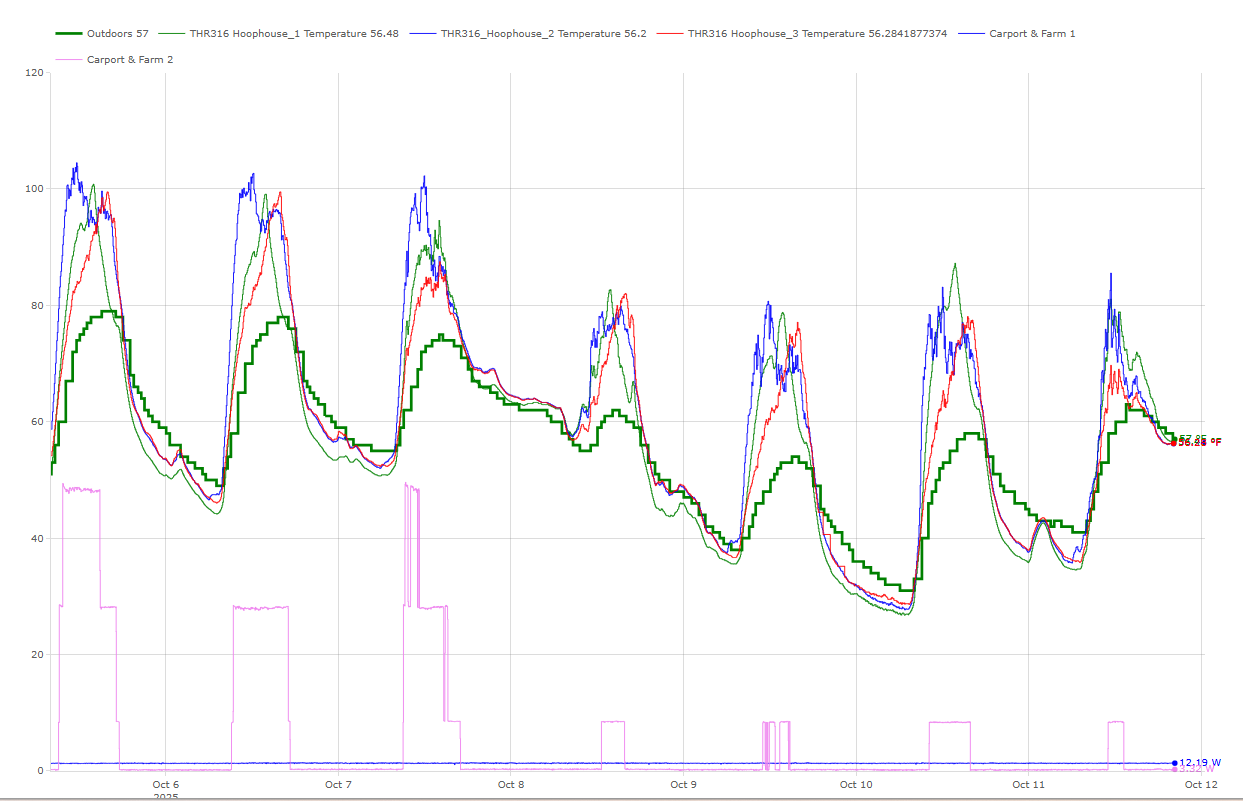
The WAP is mounted to a large car park separate from the main building (hence the Cube connectivity) and serves the environmental sensors in 3 hoophouses in my garden/farm area, as well as providing connectivity to mobile phone users when in the farm area.
Here is an example of the data collected and managed by a Home Assistant server from these hoophouses:
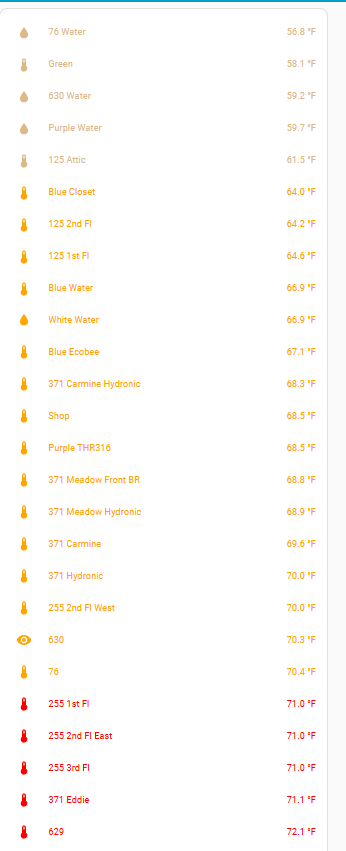
And here are some of the current temperatures at various locations:
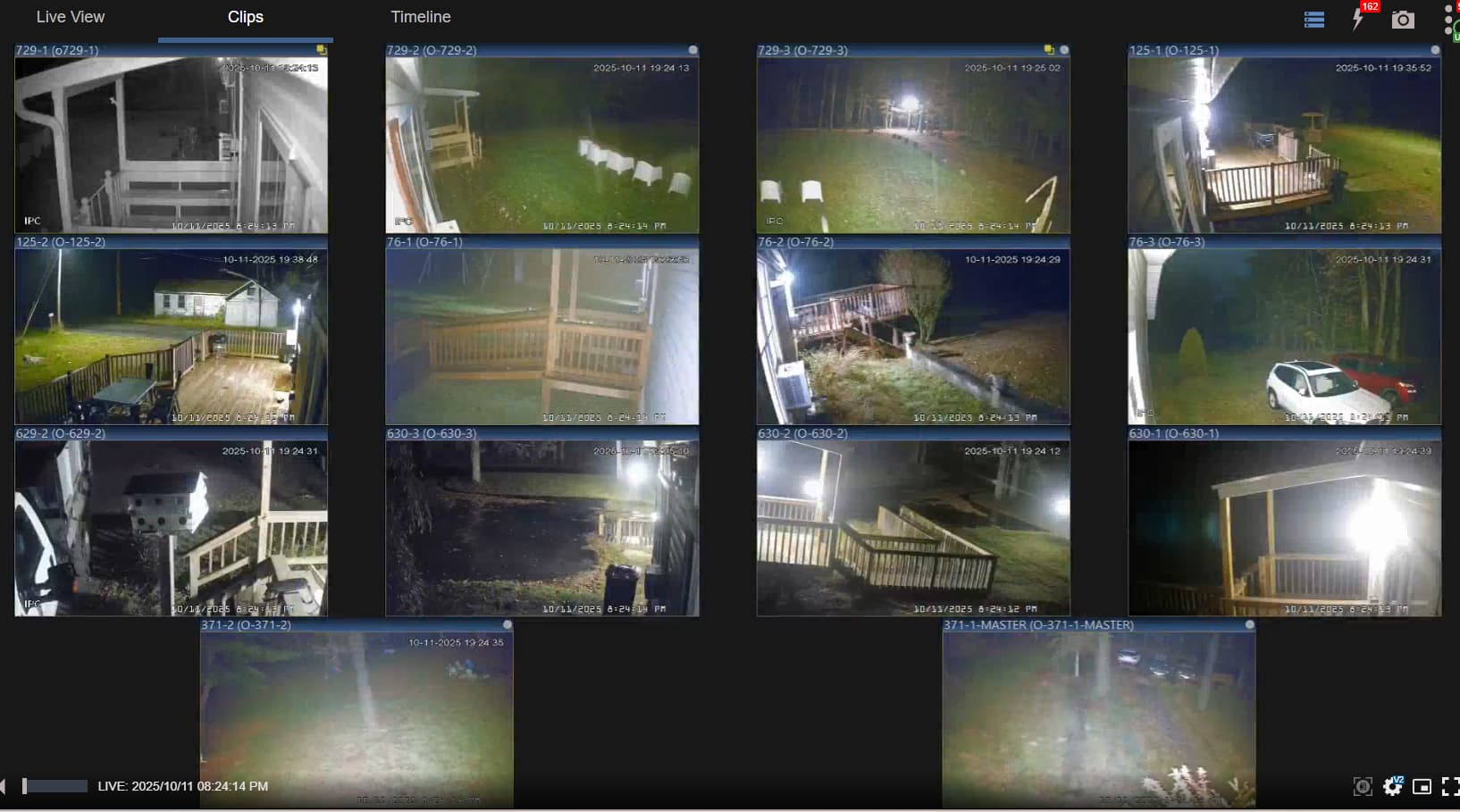
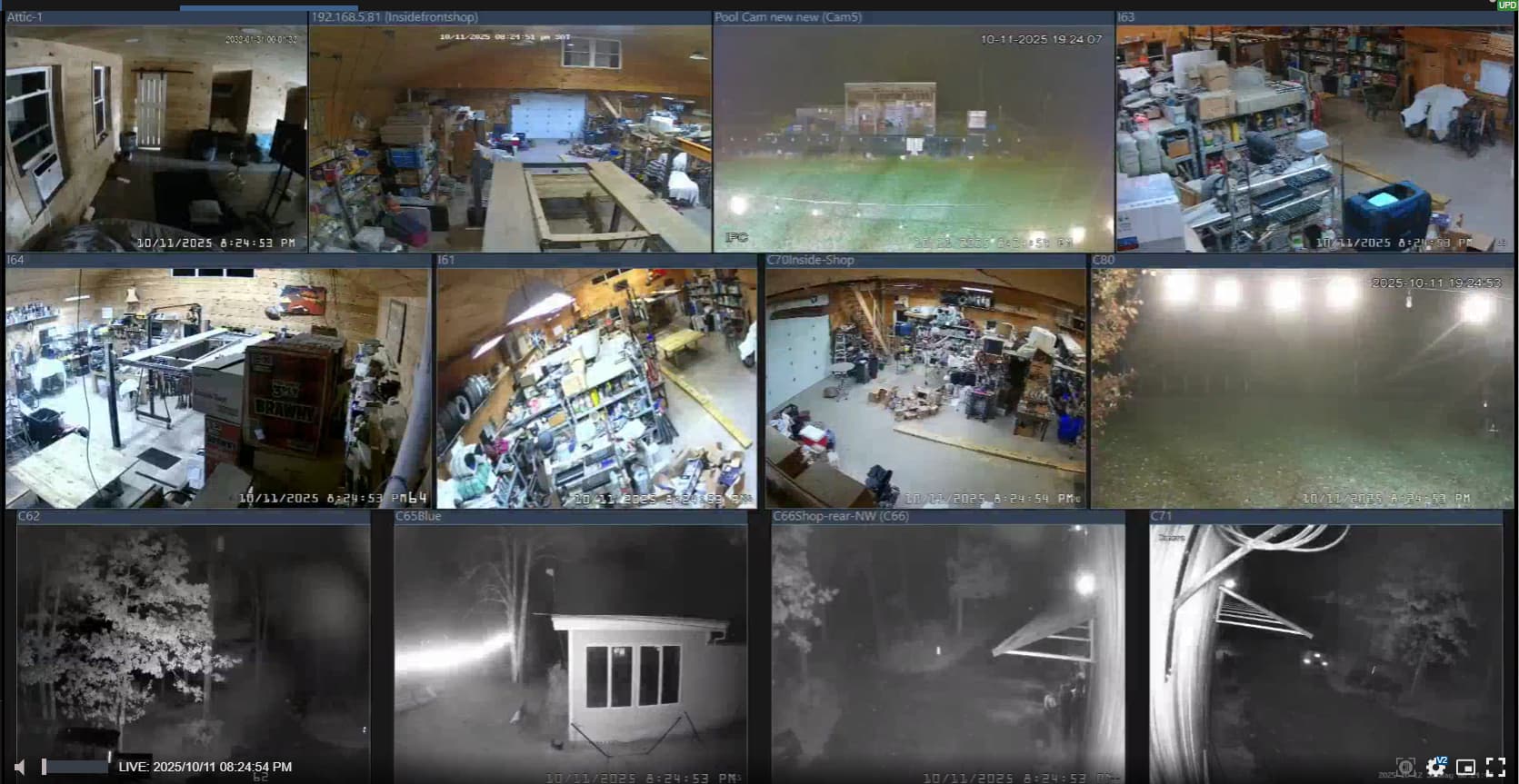
And here is a screenshot of the live video feeds:
Okay,
It's obvious that @Josephny here wants to learn more and he's really trying so let's get back to the topic.
From your posts it's obvious that you have larger network to manage and it would be good for you if you take some time in redesigning your network because it will be easier for you to manage it.
Why do you need UDM after hEX ? Are you using it as network controller? Are there any other clients connected to that switch ?
Here is a bigger diagram of the network.
The UDM is connected to the cable modem for Internet access and serves as the main router.
The hex does the following (and only the following): DHCP & DNS server, and wireguard peer to provide WG connectivity.
One remote site has a UDM and Unifi cameras. All other remote sites are fully Mikrotik equipment.
Below is just the one site about which I started this thread.
So UDM is running Network and Protect applications I presume. I think Unifi also supports wire guard. Why don’t you let UDM hande DHCP and DNS ?
UDM is running Network.
I use a Blue Iris server on port 5 of the UDM because the cameras (at this site) are not Ubiquiti (I actually don’t know if Protect can handle non-Ubiquiti cameras).
I use the hEX for DHCP/DNS/WG because I wanted to learn.
This environment (like many, I suspect) has been a work-in-progress for 8 years. For example, the BI server preceeded the UI equipment, and the hEX was added after the UI equipment.
I have a dream of replacing the UI equipment with MT, configured with VLANs. It’s a huge (and scary) project for me.
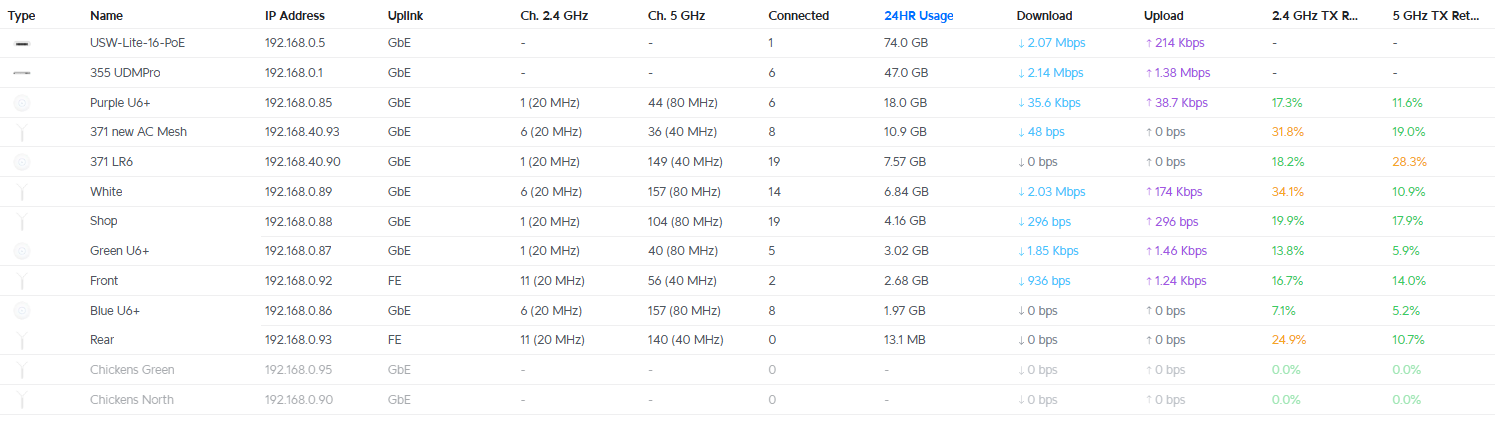
Here is the UI devices dashboard:
I may be wrong, but it seems to me like your case is a perfect example of where this article may become useful:
https://tangentsoft.com/mikrotik/wiki?name=Isolated%20Guest%20WiFi%20Sans%20VLANs
Essentially tangent creates a slave wifi interface with its own DHCP server that is NOT part of the bridge (while the master wifi interface IS part of the bridge).
I mean, you can create VLANs on UDM if you want. Also as @jaclaz said, you have another option provided by @tangent. It’s up to you to decide which approach is the best for you right now.
That’s a great use of Tangent’s wifi-security/VLAN alternative.
Essentially, put a DHCP server on the specific wifi slave interface instead of the bridge (making sure that the slave is not part of the bridge.
I’m not clear on what added routing might be necessary (I don’t think any because it gather the data collected from these sensors from the ewelink cloud) for the Home Assistant server. I would want to be able to access these devices from the LAN, so I think a routing entry would be necessary.
I think, however, that it would be cleaner and easier just to remove the DHCP server from the WAP and let the hex do all the DHCP serving. I need to make sure that works.
Always trying to keep in mind to reduce complexity, so I’m going to try to not have a DHCP server on the WAP.