Setting up ZeroTier…error following documentation

Hi, I am running a MikroTik CRS309-1G-8S+ as a switch for my 10G network using RouterOS. However, it is not performing any routing (it’s simply connected to my main router) and there are no firewall rules running. I am able to follow the MikroTik documentation to enable ZeroTier and I see the MikroTik device on my network on my.zerotier.com. However, when I try to do:

/ip firewall filter add action=accept chain=forward in-interface=zerotier1 place-before=0
/ip firewall filter add action=accept chain=input in-interface=zerotier1 place-before=0

I get a No such item error. I tried to run those same command without the place-before=0 and while that allows the command to run without error, I am unable to connect to my home network remotely.

My goal is to be able to remote into my home network via ZT using this MikroTik device.

Any thoughts will be appreciated!

The place-before=0 means “place it before the first item of the rules”, if you have no rules, I think it is normal it will give the “no such item” error.

If the command (without the “place-before” option) runs correctly, you can check it with:
/ip firewall filter export

But if the whole setup does not work, there can be tens of reasons why, follow these instructions:
http://forum.mikrotik.com/t/forum-rules/173010/1
and post your full configuration so that it can be checked.

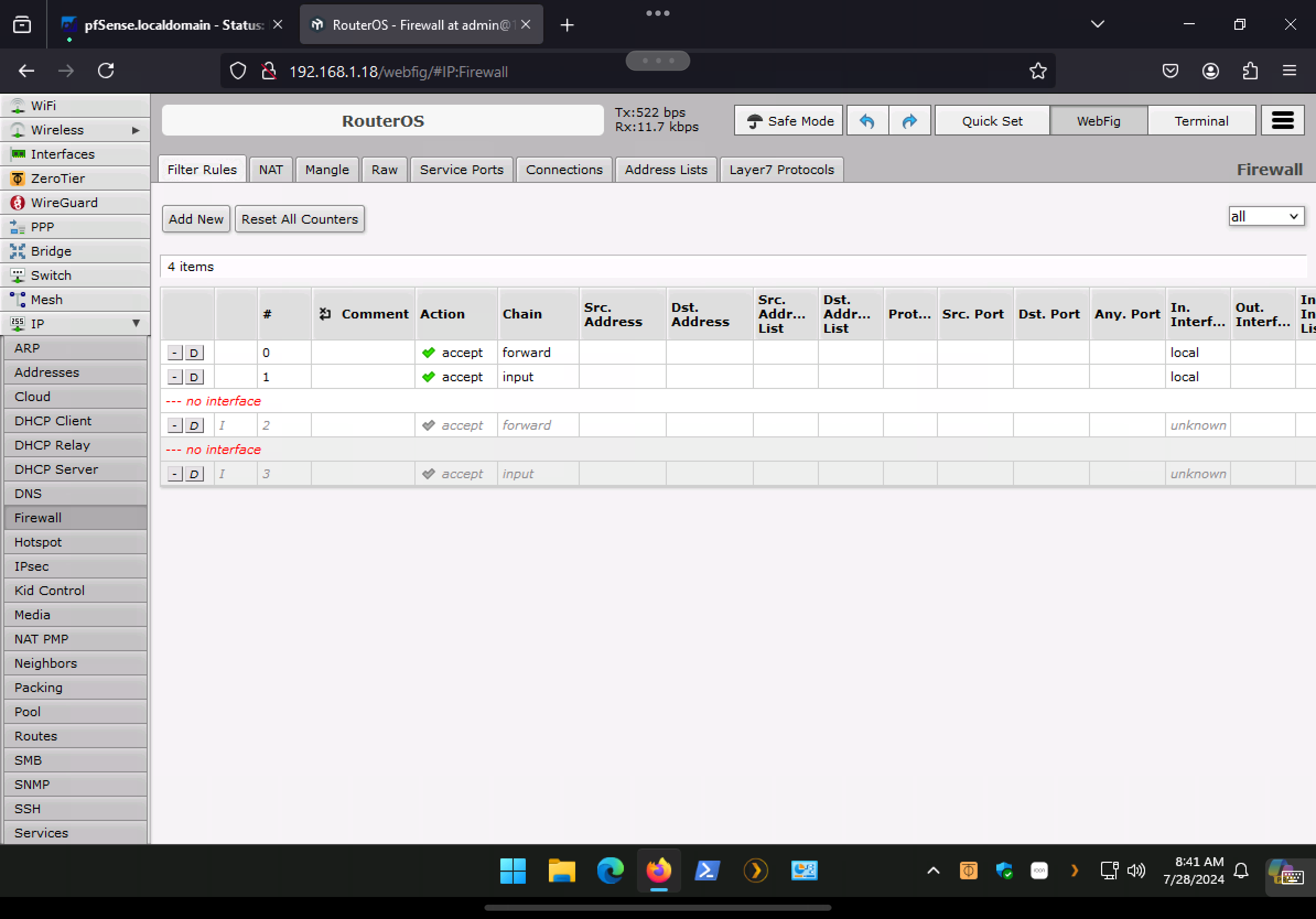
Thanks for your help. I was able to correct that error. The problem was my interfaces entry for ZT was not correct. However, after being able to add the two rules above, I am getting the errors that those rules cannot be used on an interface that is a slave. Not sure what that means…error is below:
IMG_0429.png
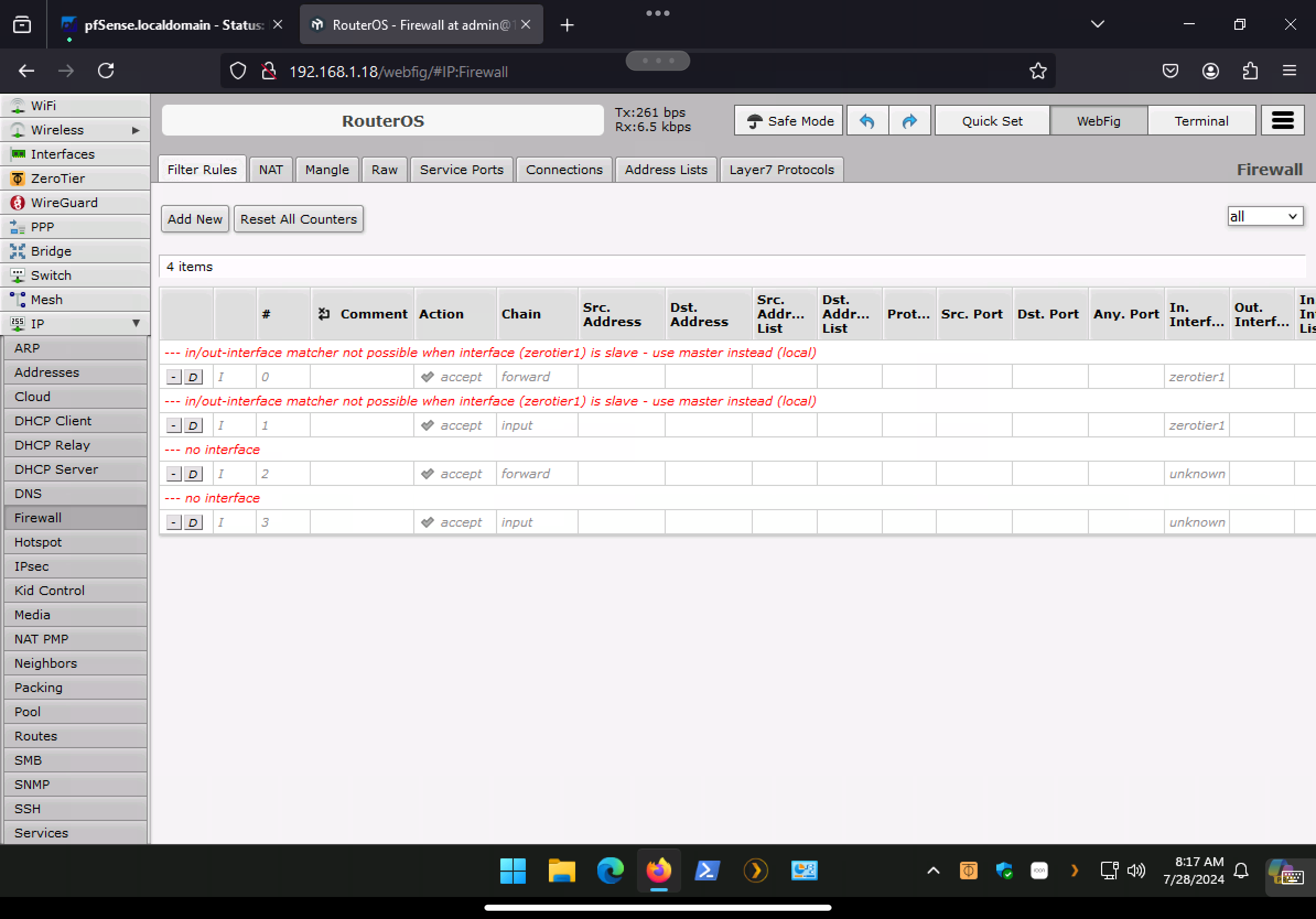
And this is what Interfaces look like:
IMG_0430.png
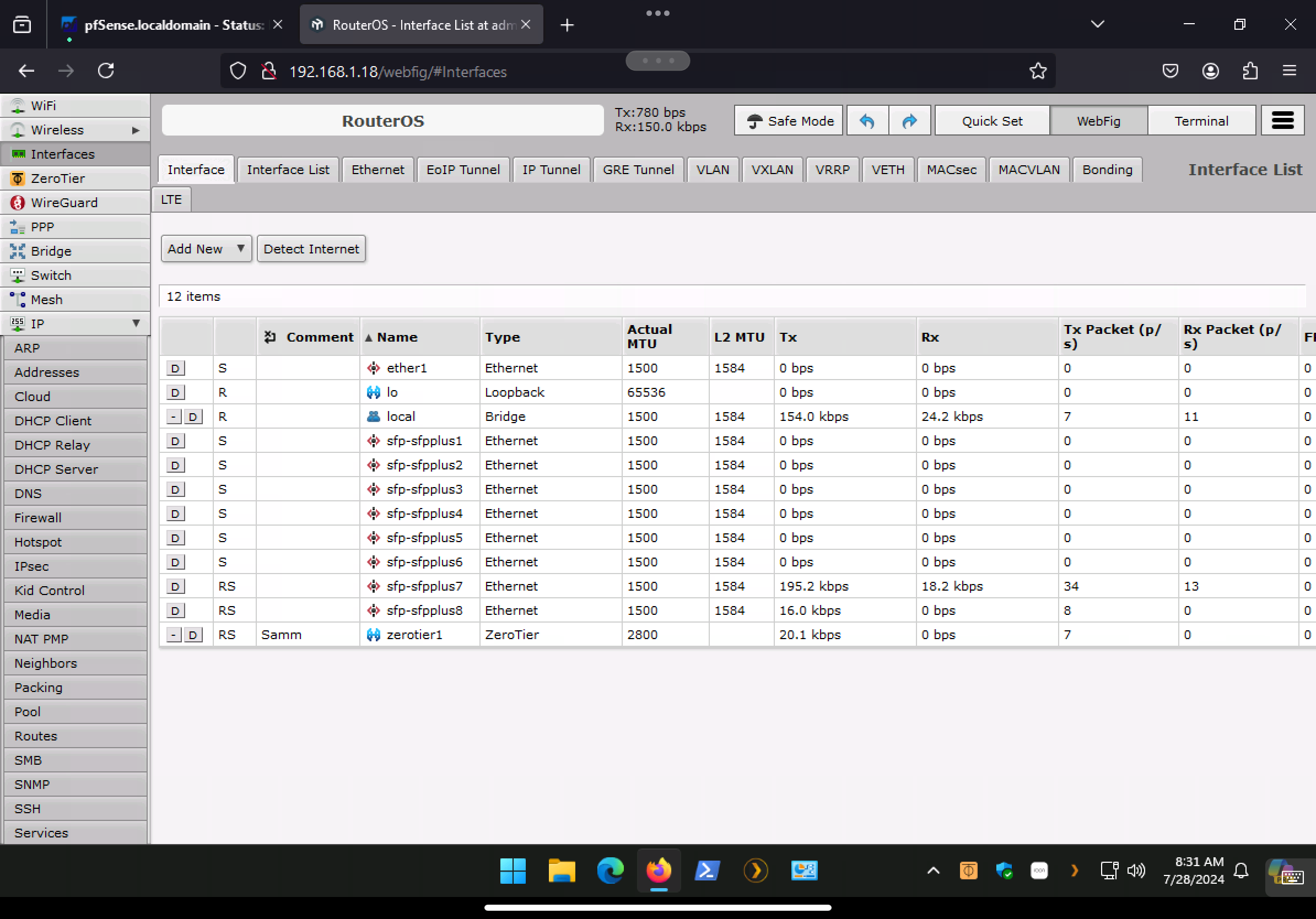
I edited both rules to reference local, but I still cannot connect remotely.
IMG_0431.png
Thank you.

The zerotier1 interface is part of (or belonging to or slave to) the bridge named “local”.
It should be “self-standing” (out of the bridge), otherwise the /ip firewall filter rules will never get used.
No idea how or why it was made part of the bridge, but maybe you are setting everything bridged, so you don’t need at all those rules.

Again, it is difficult to give advice without seeing the whole configuration, but I believe you should take your time reading this:
http://forum.mikrotik.com/t/zerotier-on-mikrotik-a-rosetta-stone-v7-1-1/155978/1

The Mikrotik instructions you probably referred to:
https://help.mikrotik.com/docs/display/ROS/ZeroTier
(like usually) work like this:

  1. you can do (say) 127 things with this
  2. here is some technobabble describing the stuff
  3. here is a (hardly useful) video
  4. here are the (vague) instructions for 1 of the 127 different possible configurations
  5. (unwritten) we leave the other 126 configurations as an exercise for the reader
  6. done

Thank you. Appreciate your help. I was able to remove the ZT interface from my bridge (and then changed the firewall rules back to referencing ZT), and also removed the interface that connects to the rest of my LAN from the bridge as well (saw that was suggested somewhere, but not sure if that’s correct to do). But still no luck. Also, In my.zerotier.com, I have two routes:

10.147.17.0/24 (LAN)
192.168.1.0/24 via 10.147.17.100

Where 10.147.17.100 is the ZT client on the MikroTik.

Note: 192.168.1.0 is my home LAN and the 10.147.17.0 is my ZT network. Is the problem there is nothing to connect my remote device which has a 10.147.17.0 address to talking to my LAN devices which are 192.168.1.0? If not, what enables these two networks to talk to each other?


Attached is the config file. Thank you!

2024-07-28 10:07:51 by RouterOS 7.15.3

software id = 4U5W-ENZ0

model = CRS309-1G-8S+

serial number = HCBXXXXX

/interface bridge
add name=local port-cost-mode=short
/interface list
add name=WAN
add name=LAN
/interface lte apn
set [ find default=yes ] ip-type=ipv4 use-network-apn=no
/interface wireless security-profiles
set [ find default=yes ] supplicant-identity=MikroTik
/ip smb users
set [ find default=yes ] disabled=yes
/port
set 0 name=serial0
/zerotier
set zt1 comment="ZeroTier Central controller - https://my.zerotier.com/"
name=zt1 port=9993
/zerotier interface
add allow-default=no allow-global=no allow-managed=yes comment=Samm disabled=
no instance=zt1 name=zerotier1 network=3XXXXXXXXXXXX
/interface bridge filter
add action=drop chain=input dst-port=68 in-interface=ether1 ip-protocol=udp
mac-protocol=ip
/interface bridge port
add bridge=local ingress-filtering=no interface=ether1 internal-path-cost=10
path-cost=10
add bridge=local ingress-filtering=no interface=sfp-sfpplus1
internal-path-cost=10 path-cost=10
add bridge=local ingress-filtering=no interface=sfp-sfpplus2
internal-path-cost=10 path-cost=10
add bridge=local ingress-filtering=no interface=sfp-sfpplus3
internal-path-cost=10 path-cost=10
add bridge=local ingress-filtering=no interface=sfp-sfpplus4
internal-path-cost=10 path-cost=10
add bridge=local ingress-filtering=no interface=sfp-sfpplus5
internal-path-cost=10 path-cost=10
add bridge=local ingress-filtering=no interface=sfp-sfpplus6
internal-path-cost=10 path-cost=10
add bridge=local disabled=yes ingress-filtering=no interface=sfp-sfpplus7
internal-path-cost=10 path-cost=10
add bridge=local ingress-filtering=no interface=sfp-sfpplus8
internal-path-cost=10 path-cost=10
/ip firewall connection tracking
set udp-timeout=10s
/ip settings
set max-neighbor-entries=8192
/ipv6 settings
set disable-ipv6=yes
/interface detect-internet
set detect-interface-list=LAN lan-interface-list=LAN
/interface ethernet switch
set 0 l3-hw-offloading=yes
/interface list member
add interface=sfp-sfpplus1 list=LAN
add interface=sfp-sfpplus2 list=LAN
add interface=sfp-sfpplus3 list=LAN
add interface=sfp-sfpplus4 list=LAN
add interface=sfp-sfpplus5 list=LAN
add interface=sfp-sfpplus6 list=LAN
add interface=sfp-sfpplus7 list=LAN
add interface=sfp-sfpplus8 list=LAN
add interface=*B list=LAN
add interface=ether1 list=WAN
/interface ovpn-server server
set auth=sha1,md5
/ip dhcp-client
add interface=local
/ip dns
set servers=9.9.9.9
/ip firewall filter
add action=accept chain=forward in-interface=zerotier1
add action=accept chain=input in-interface=zerotier1

no interface

add action=accept chain=forward in-interface=*E

no interface

add action=accept chain=input in-interface=*E
/ip smb shares
set [ find default=yes ] directory=/flash/pub
/ipv6 dhcp-server
add address-pool="" interface=local name=server1
/routing bfd configuration
add disabled=no
/routing rule
add action=lookup disabled=no dst-address=192.168.1.0/24 interface=local
routing-mark=main src-address=172.28.0.0/16 table=main
/system clock
set time-zone-name=America/New_York
/system identity
set name=RouterOS
/system note
set show-at-login=no
/system ntp client
set enabled=yes
/system ntp client servers
add address=0.pool.ntp.org
add address=1.pool.ntp.org
add address=2.pool.ntp.org
/system routerboard settings
set boot-os=router-os
/system swos
set address-acquisition-mode=dhcp-only allow-from-ports="p1,p2,p3,p4,p5,p6,p7,
p8,p9,p10,p11,p12,p13,p14,p15,p16,p17,p18,p19,p20,p21,p22,p23,p24,p25,p26,
p27,p28,p29,p30,p31"
/tool traffic-monitor
add interface=sfp-sfpplus2 name=tmon1 traffic=received
  • You either need to have 10.147.17.100 as the default gateway or add a route for 10.147.17.0/24 on the default gateway pointing to the device where Zerotier is installed.
  • No extra routing rules are needed.
  • Add the Zerotier interface ‘zt1’ to the LAN interface list to allow access to your local network.
  • For site-to-site, you’ll also need to add another ‘192.168.xx.0/24 via 10.147.17.xxx’ in Zerotier Central and follow the steps mentioned above.

Thanks. Would you be able to expand on that? What are the xx’s?

Where how/do I set the default gateway?

My default gateway (I think) is my pfsense box which is 192.168.1.1

Note, I have a Windows machine with ZT installed and connected to my ZT network, and I am able to RDP into this machine remotely. My reason for connecting the MikroTik to that same ZT network is so that I can RDP into the other Windows machines on my LAN.

What’s the local address of the Windows machine where Zerotier is installed?

I have a Windows machine (192.168.1.33) and with ZT installed and connected to my ZT network, and I am able to RDP into this machine remotely. My reason for connecting the MikroTik to that same ZT network is so that I can RDP into the other Windows machines on my LAN.

So, ZT is installed on two machines on my home LAN. The Windows box (192.168.1.33) and on the Mikrotik (192.168.1.18)

From above, I added zerotier1 (zt1 is not an option) to my LAN list on the MikroTik, and I removed from my.zerotier.com this route:

192.168.1.0/24 via 10.147.17.100

But still no luck.

Alright. On PFsense which I’m guessing is the default gateway to the internet, add a route for 10.147.17.0/24 that points to the Windows box at 192.168.1.33 (which should have the Zerotier address 10.147.17.100). You have to enable packet forwarding on Windows to allow routing. That’s it!

What role does the Mikrotik device play in all of this?

Thank you. Do you mean I don’t even need to run ZT on the MikroTik? And all I need to do is the keep that Windows machine running and I can access the rest of I LAN? While I can RDP into that machine using its ZT ip address, I would like to RDP into the rest of my Windows machines using its, 192.168.1.x address (eg., I don’t want to install ZT on every machine).

Would you know how to add the route you are referring to on my Pfsense box?

I guess ideally, I would like to the the MikroTik do the forwarding instead of doing it on the Windows machine since that one is not always on.

I’d install ZeroTier directly on your pfSense (assuming it’s the default gateway). It’ll make everything a lot easier and you won’t have to worry about the Windows box and Mikrotik at all. Then you’ll have access to all the devices on your local network directly from the ZeroTier network and vice versa.

Thanks…I looked into that and that was my first choice also, but sounds like ZT is not officially supported by pfsense and as you can tell, I’m a complete novice and I am worried if I screwed that up, then I will lose internet completely. By installing on the MikroTik, I can just reset the machine.

Do you think I’m close to getting it to work using the MikroTik?

Tailscale is available as an official package for pfSense and works just as well as Zerotier. But whether you’re using Zerotier on a Windows machine or Mikrotik you’ll need to point your default gateway to where you’re running Zerotier as I explained earlier. Another option is to use src-nat or masquerade.

Btw, didn’t you have ZT installed on the Windows box?

Thank you for your patience. Yes, I have Tailscale installed on my pfsense box, and that is what I normally use to remote into my home network. Unfortunately, I am on a cruise right now, and it seems the WiFi service is blocking Tailscale. OpenVPN (also installed on pfsense) is spotty, but ZT seems to work well in the sense that I can RDP into the windows machine with ZT installed. But I cannot access my other machines (I can first RDP in to the ZT machines and then RDP from there, but the lag is horrible).

If the only thing I am missing is adding a rule to pfsense, would you know how I can do that?

To answer your question, yes,O have ZT installed on that Windows machine. The 192.168.1.33

As I explained earlier, you need to add a route for 10.147.17.0/24 to 192.168.1.33 in pfSense and enable packet forwarding on the Windows machine. Since this isn’t a Mikrotik issue and if you need further assistance with pfSense routing or fixing Tailscale, I’d suggest checking out the official Netgate forum (forum.netgate.com).

[deleted]

Thank you. My preference (and what I’m trying to do) is to have that forwarding take place on the MikroTik. This is becuase the Windows machine is not always on. Is that possible to do on the MikroTik?

Yeah, that sounds like a good idea! As long as the MikroTik is an ARM-based device running ROS you can install ZeroTier on it.

Yes, and so am I close based on the steps above in this thread?