Hey People,
since iO13 or macOS Catalina IKEv2 VPN isn’t working anymore (client certificates).
While trying to connect you get this error:
“User authentication failed”
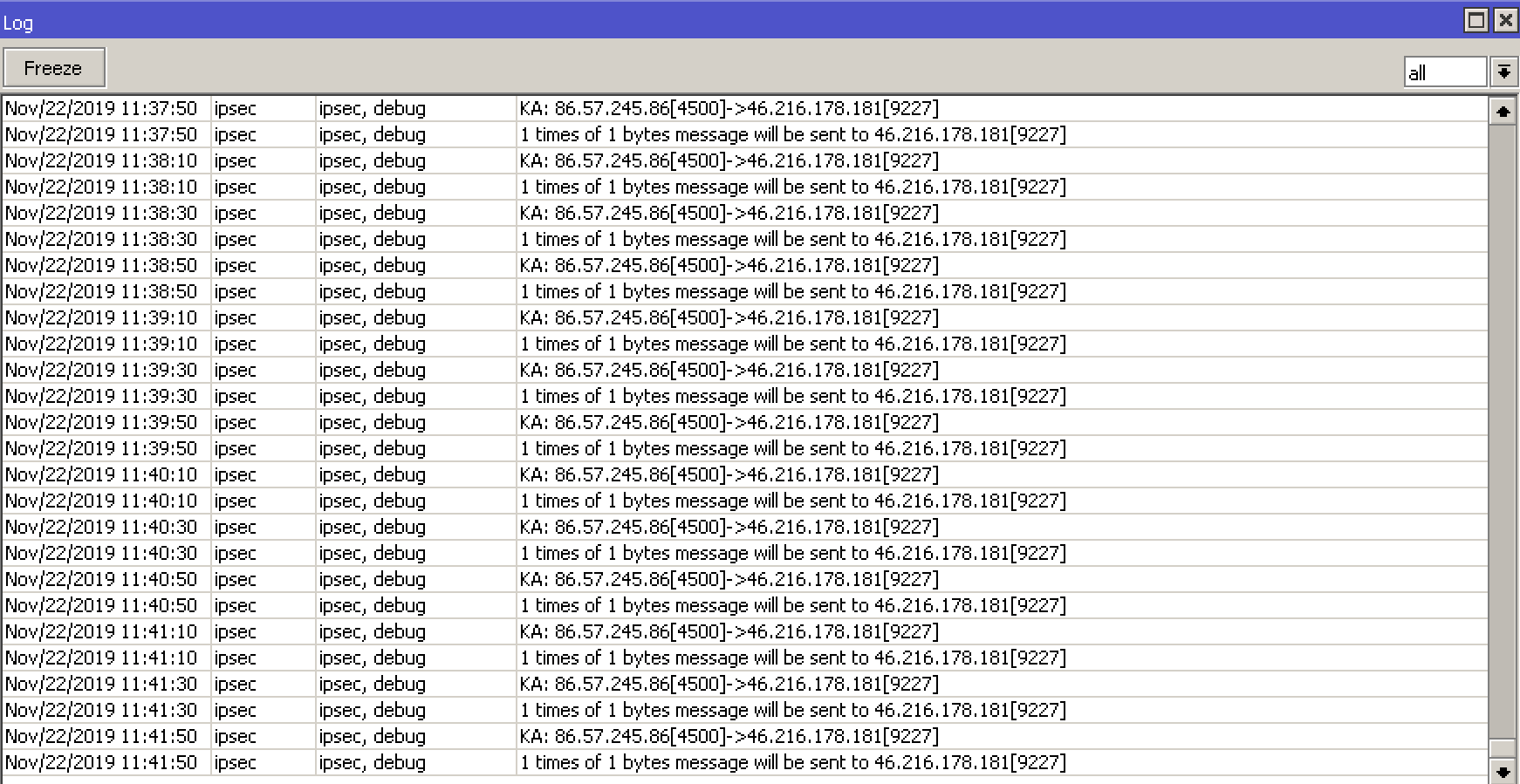
From the MikroTik logs everything looks fine (client gets an IP assigned). MacOS Mojave and iOS12 are still working fine.
This thread shows the same issue (https://forums.developer.apple.com/thread/121193) and suggests setting sha2-truncbug to “no” in /etc/ipsec.conf on the VPN server.
Whats the setting on iOS?
“Apple seems to have silently fixed their racoon code which is known to be buggy with SHA-256 authentication algorithm truncation.
The problem can be fixed also for racoon gateways by removing hmac_sha256 from the list of IKE phase 2 authentication algorithm proposals. Unfortunately, Apple IPhones with IOS13 then choose the weak SHA-1 algorithm.”
Starting with iOS 13, IPsec supports HMAC-SHA-256 with IKEv1 VPN.
“To make sure that your iOS 13 and macOS Catalina clients can connect to your IKEv1 or VPN server, configure the server to truncate the output of the SHA-256 hash to 128 bits. Truncating to a smaller number of bits might cause the server to drop data that VPN clients transmit.”
Don’t want to blame anyone… The tunnel seems to establish fine but iOS thinks it’s an “User Authentication” error.
Regarding to apple we need to “configure the server to truncate the output of the SHA-256 hash to 128 bits” on the MikroTik, but how?
Emil is already on it (opened a ticket, support.rif submitted)
If it is SHA256 issue I would expect that by using SHA1 would work. But this is not the case. Even MD5 does not work. All produce authentication errors. Lets hope that Mikrotik will release a fix soon cause this is a major issue
AUTH_HMAC_SHA2_256_128 was not mentioned in [RFC7321], as no
SHA2-based authentication was mentioned. AUTH_HMAC_SHA2_256_128 MUST
be implemented in order to replace AUTH_HMAC_SHA1_96. Note that due
to a long standing common implementation bug of this algorithm that
truncates the hash at 96 bits instead of 128 bits, it is recommended
that implementations prefer AUTH_HMAC_SHA2_512_256 over
AUTH_HMAC_SHA2_256_128 if they implement AUTH_HMAC_SHA2_512_256.
Hello,
Do you have any update on this problem please ?
“User Authentication Problem” seems to be persisted even if I changed to Sha1 proposal.
Thanks for your help.
Christophe
Not yet - Emil from support suggested to check the certificate to include the subject alternative names of local and remote id which didn’t help (i just tried it with the client certificate)
SOLVED:
Thx to Emils Z. from support.
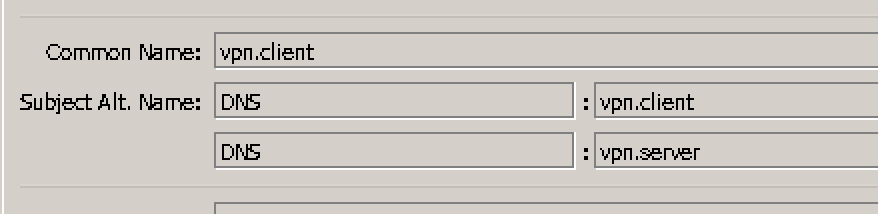
He pointed out, that in iOS13 & macOS Catalina “Apple has added SAN certificate field verification and it fails in the new version because your certificates does not have any Subject Alt”.
I re-created both certificates for client & server with subject alternative names field (SAN) configured: Solution: create certificates with SAN fields configured Now it’s working on iO13 and macOS catalina
Did you changed something else on your IKEv2 configuration? This is not working for me and I have the SAN on the certificates and in the server matching the common name with the SAN DNS.
You setup for the peer is different of mine. Wondering if that can be another of the reason. BTW, what RouterOS version are you running? Mine (6.43. doesn’t look like yours.
I'm trying to use your config - but it does not work for me!
I have 2 devices:
iOS 13.2.3
MacOS 10.15.1
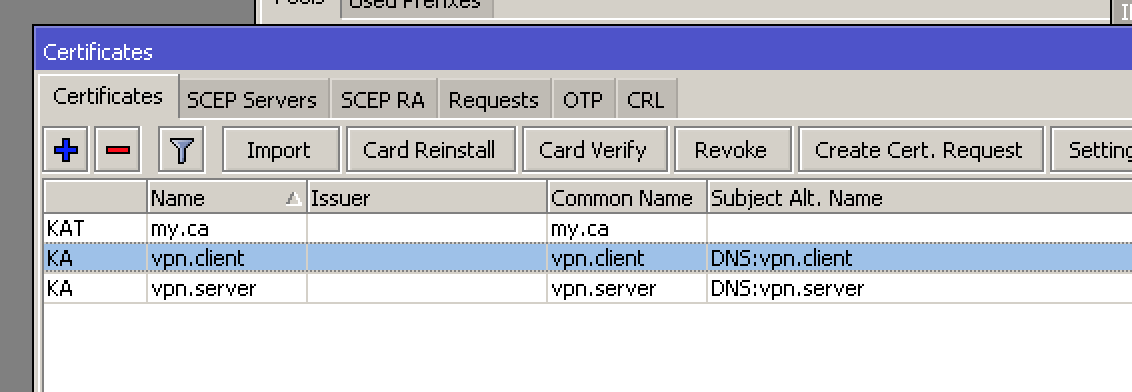
[admin@Home CCR01009] /ip ipsec policy> /certificate print
Flags: K - private-key, L - crl, C - smart-card-key, A - authority, I - issued, R - revoked, E - expired,
T - trusted
NAME COMMON-NAME SUBJECT-ALT-NAME
0 K A T my.ca my.ca DNS:my.ca
1 K A vpn.server vpn.server DNS:vpn.server
2 K A vpn.client vpn.client DNS:vpn.client
I had all this working on IOS12 / High Sierra, however since upgrading to IOS13 / Catalina, I'm getting an array of different issues. Thinking this was related to the SAN issue you mentioned above, I wiped everything out and started over while generating SAN names identical to yours for testing. We'd like to get this functioning for 3 users, each with a MacBook and an iPhone.
I'm curious about your certificates, are you generating all the certs on the Mikrotik and exporting those to the Mac devices directly or are you needing to use Apple Configurator 2 to disable EAP support per this article (https://itimagination.com/mikrotik-ikev2-vpn-server-setup-guide/)?
When this was working several months ago, on our iPhones, the remote ID and server hostname were both set to a DNS hostname that resolved to our MicroTik, is this also what you have or are you specifying it via IP (which is actually preferred if there some sort of major DNS issue)? Also, for LocalID, are you setting that to anything or leaving it blank? On our iPhone configs that used to work, those were blank.
These are our certs as of now. I'd like to add 6 in total, one for each iPhone/Laptop.
Flags: K - private-key, L - crl, C - smart-card-key, A - authority, I - issued, R - revoked, E - expired, T - trusted
NAME COMMON-NAME SUBJECT-ALT-NAME FINGERPRINT
0 K A T companyname.ca companyname.ca
1 K A vpn.server vpn.server DNS:vpn.server
2 K I vpn.client vpn.client DNS:vpn.client
3 K A vpn.JohnB-iPhone vpn.JohnB-iPhone DNS:vpn.JohnB-iPhone
 Did you change it?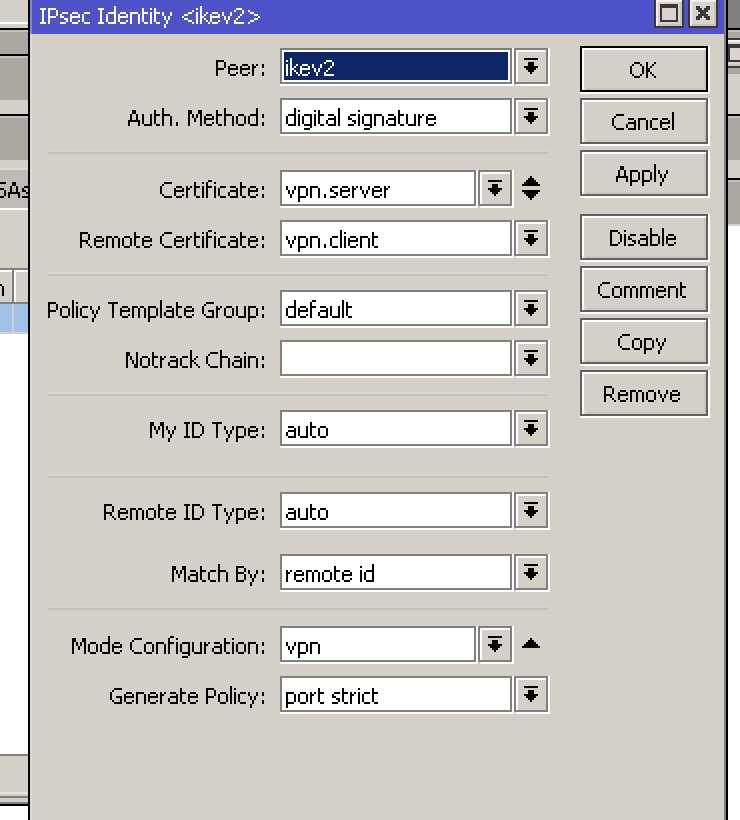
 doesn’t look like yours.