Thanks! Although I do believe that prompting an LLM agent to use Docusaurs llms.txt/*.md would already do a LOT – with no MCP required. So the new manual.mikrotik.com site should go a long way since Docusaurs seems to have WAY better architecture than Confluence for ongoing improvements. Rosetta MCP's main special ability beyond "steering to Docusaurs" is now just it's indexing/search - which manual.mikrotik.com be hard to match, as well as having all the product/changelog/video linked in one search ("tool call").
Using Rosetta as /app: https://github.com/tikoci/rosetta#install-on-mikrotik-app
And it worth commending MikroTik on the new custom /app YAML that makes it trivial to install the Rosetta MCP (and bunch of other minor improvements like multiline strings in scripting so cut-and-paste an /app/add just work). So outside the package/device-mode hell dance, it's just 3 steps, see GitHub - tikoci/rosetta: MCP Server with RouterOS docs + commands + products + changelogs, using SQLite-as-RAG, sourced from MikroTik · GitHub .
This important since adding MCP Server varies a lot. But the most "universal" method is to use a URL to an MCP Server (like Rosetta) in AI agents like Claude Code, CoPilot, Cursor, etc. Since /app will wrap Rosetta in HTTPS automatically, it's also secure without any work on my part. Previous to /app using the "raw" /container system, Rosetta setup be like 10-20 steps to explain, and add another 10-20 to setup certificates for HTTPS. With /app it's 5 commands, 1 reboot, and 1 power cycle at worst.
Further, the new cmd= support allows you to use the Rosetta /app as TUI from RouterOS Terminal. Perhaps surprisingly... all the ANSI/termcap stuff work through it. Background Rosetta also support a "TUI mode" that does NOT need AI since it just exposes searching of the SQLite DB that stores all the docs/changelogs/schemas/specs/etc. and it UX is entirely based on the SAME methods that an AI agent use navigate the data (although an agent get JSON, while TUI gets ANSI). And this can be easily accessed using one command (assuming Rosetta /app is installed):
/container/shell app-rosetta cmd="/app/rosetta browse"
Will get a search interface to RouterOS docs from the WinBox/SSH/etc terminal.
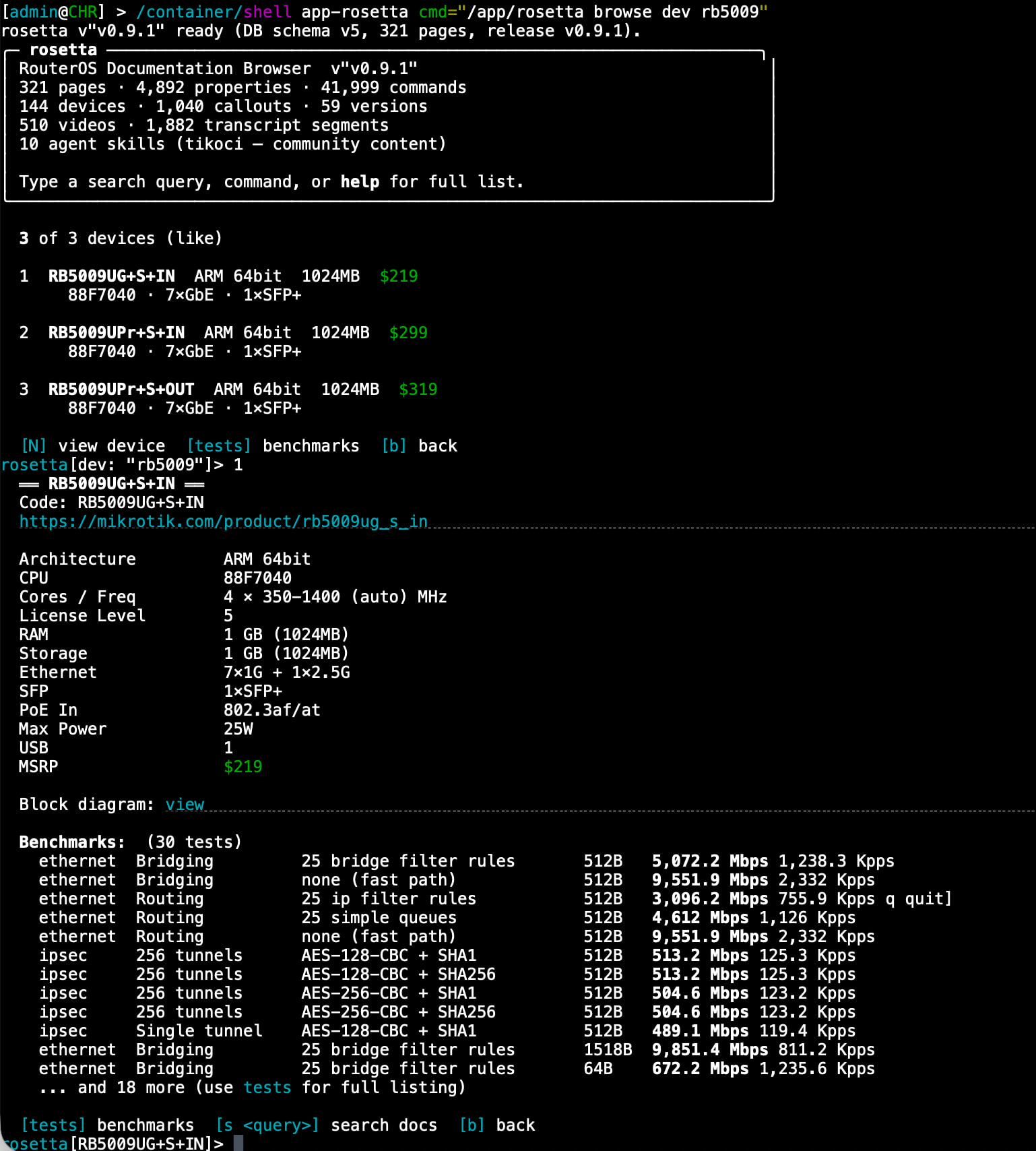
Basically I did not run into any issues in packaging Rosetta as a /app. So good work on /app, too!
@rodions was already very helpful by publishing the HTML export of Confluence, which is basis of rosetta MCP. But since you ask...
1. My #1 request be a new matrix.json that expands the existing product matrix.csv that y'all long maintained on www.mikrotik.com.
Today, rosetta's "ETL pipeline" has to scrape the www.mikrotik.com for product data CSV. As well as parse EACH product pages' HTML to find the ethernet and IPSec test results, and also locae the block diagram URL from the HTML content too.
If there were process on your www backend that generated some machine-readable JSON file like matrix.json (or whatever name) with ALL the of the product details from matrix.csv, PLUS the test results as JSON array of object under each product in JSON, along with a link to PNG with block diagram (and perhaps link to PDF brochure for completeness, although rosetta does not use the brochure)
- Alternative and trivial work: The new website lost the direct download link the matrix.csv, so rosetta has to emulate your LiveWire framework to fetch it (since CSV is generated in client-side JS in new website). But just a static URL like
http://mt.lv/products/matrix.csvwould help me. And, one line mentioning the product matrix CSV in your newllms.txton manual.mikrotik.com give AI agent a clue where it could resolve a product name into it's CPU/switch-chip/#port/PoE-abilities/etc – without rosetta MCP – likely provide even better answers if a prompt/instruction steered toward thellms.txt - e.g.: The product data allow for AI prompts that mention a device to be resolved to their specs. So for example, a user prompting an LLM with rosetta MCP installed, can ask things like "Does the RB5009 support L3HW?", which looks up the product from SQL (which then returns the
matrix.csv, "test results", and even the "block diagram" [since some LLMs can "read" an image]), and queries docs for L3HW. This important since docs reference the switch chip, but user is likely to use a router name/model. And thus allow an AI to "reason over" the L3HW docs page with router spec is way more likely to get the right answer. And answer a likely follow on question: "What is the cheapest devices with L3HW, that has at least 8 ports with 1Gb port speed?"
2. Downloadable "Captions"/subtitles and "Chapters" .vtt files for the "YouTube" videos
Rosetta actually also pulls in the @MikroTik YouTube channel, so the MCP know the full collection of videos. Since it indexes both the captions and "surfaces" the chapters to MCP clients, the "main" MCP function routeros_search() will also return any video results so an agent can offer a video, i.e. if task is more of an question, than request for configuration.
Today transcript/captions/subtitles from YouTube are collected by Rosetta's build using yt-dlp scrapper against the @MikroTik channel to find your videos, and then added some same full-text index (FTS5) so a "topic search" will return a videos that mention VRRP (with ordering determined by BM25 indexed ranking)
But scraping YouTube is very fragile so it's a manual process since it needs a cookie etc etc to run yt-dlp. I would have used MikroTik's TikTube site, since the underlying PeerTube seems to have a nice REST API that Rosetta could use to fetch captions and subtitle VTT files that could be using the GitHub CI. This be WAY cleaner than yt-dlp schemes that require me running them on desktop (so Rosetta may be few videos behind YouTube).
The issue is the YouTube catalog is NOT synced to TikTube... so only YouTube has the full set of videos. Now I don't specifically care about TikTube, although to me it make sense they were in-sync... But if you had the captions/chapters/subtitles in VTT form someplace else that available for download... that work equality as well as PeerTube's REST API.
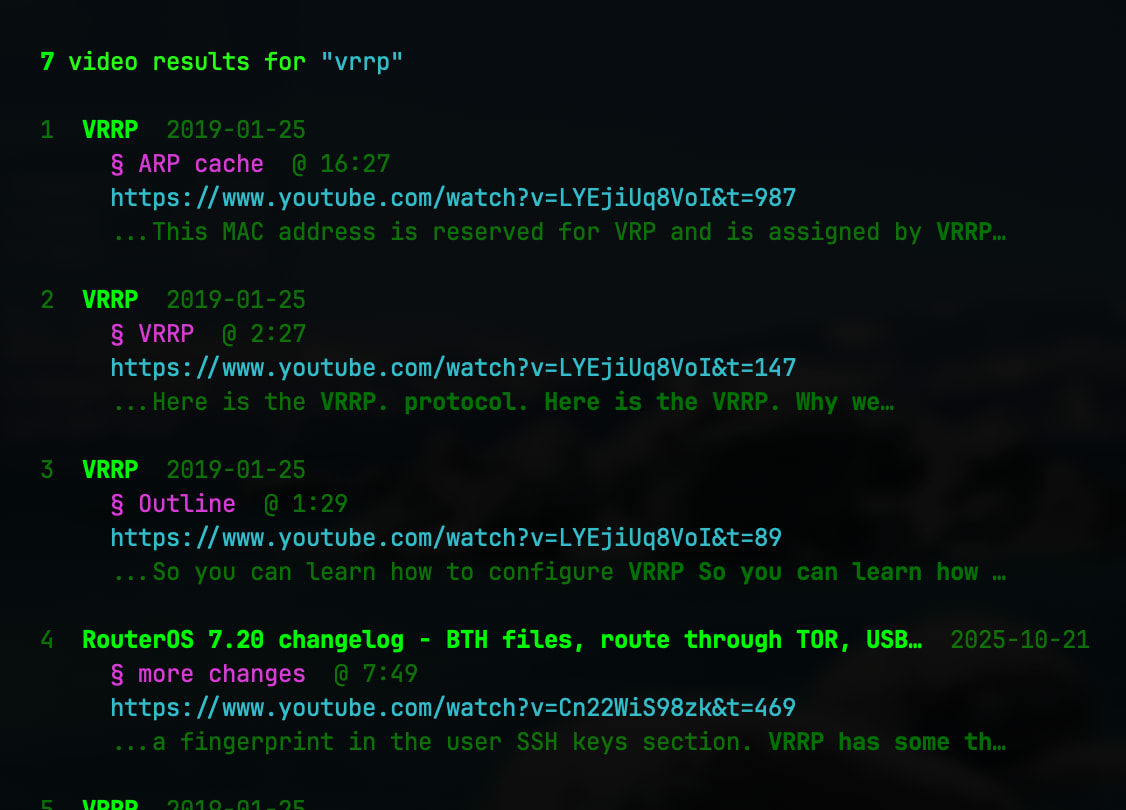
How video works in the MCP server... Since the Rosetta non-AI terminal interface ("TUI") emulates an MCP client (e.g. how an AI agent would call the Rosetta MCP server) so a human can "see" the same view as future agents. So a search on "VRRP" (for example) would find the one VRRP video from
routeros_search()with pointer to `, and it break response up by chapters, so it has time-based URL to sections within the video. This all works since transcripts are all fully index, so it can find related video like the "7.20 changelog" videos that mentioned VRRP changes. e.g.
3. Minor, and mentioned in FEEDBACK thread, but manual.mikrotik.com should avoid any URL needing url encoding since url encoding is avoidable in Docusaurus by id in front-matter.
While Rosetta should not care about urlencoding when it eventually pulls from new manual.mikrotik.com... By avoid url encoding, you prevent an entire class of bug/issues for any programatic/agentic use of the doc pages since it's always possible something re-encode/early-decode special chars given a URL may passthrough many functions/processes (and if even one thing f*ck up encoding along the way, the URL becomes worthless downstream)
4. Docs and schemas for /app YAML
Despite writing a article on custom /app YAML, publishing a "JSON schema" for /app YAML, storing per-version catalogs of the "built-in" /app catalog, and even having a web-based /app YAML editor:
Yet, Rosetta MCP itself actually knows nothing about /app YAML. Part of this is lack of time, and part is that as a first principle Rosetta ONLY sources MikroTik generated content WITHOUT personal opinions/coloring. So waiting y'all to update the docs and perhaps publish an official scheme for the /app YAML 
Side note: the /app YAML Editor support Google's experimental WebMCP interface for /app YAML - but WebMCP is completely different protocol from the "classic" MCP Server supported by Rosetta