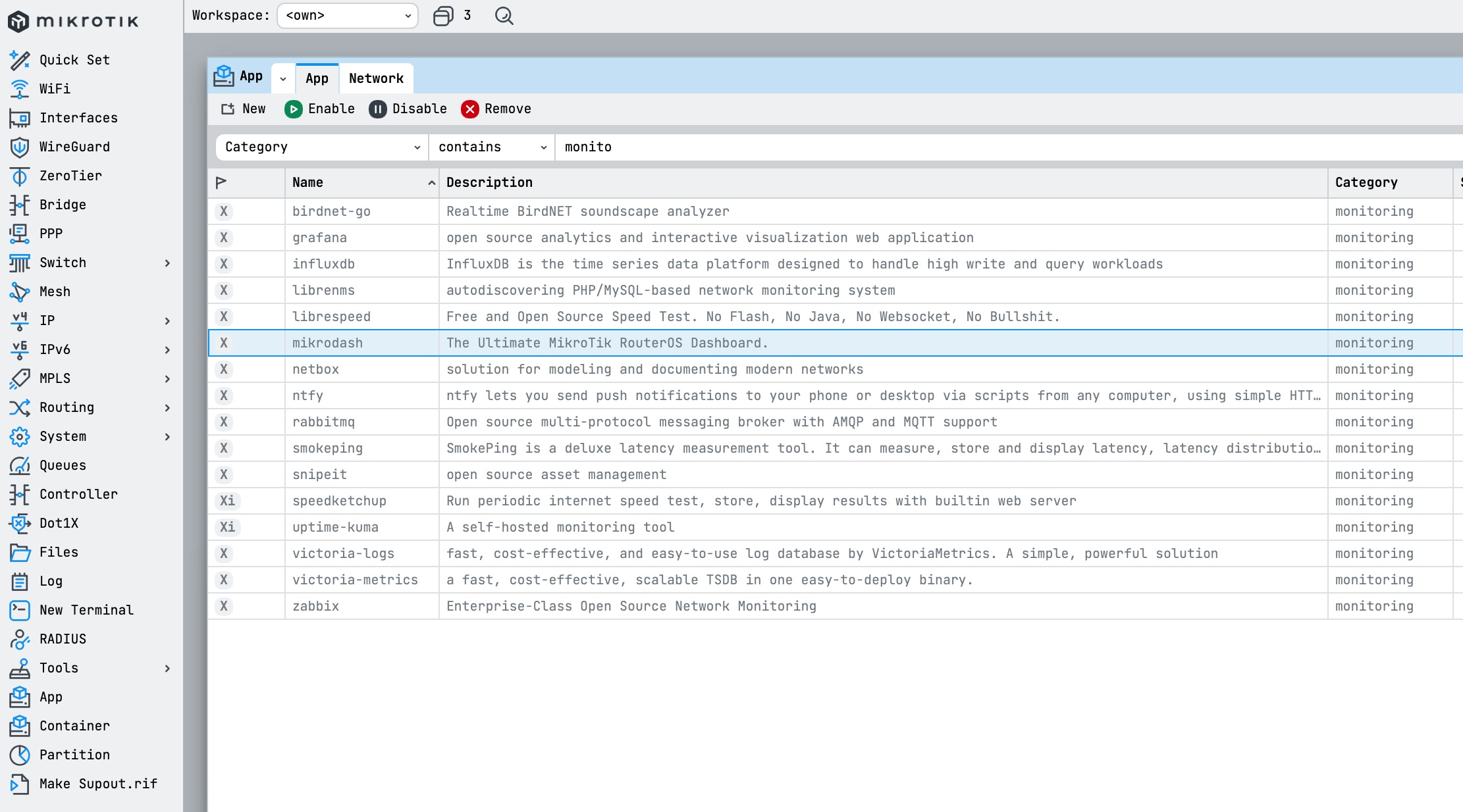
I already posted this on Reddit r/mikrotik, but I thought i would post it here as well.
I've been running MikroTik hardware at home for a while and got tired of having to SSH in or dig through WinBox just to check what's going on with my network. So I built MikroDash, a self-hosted, real-time web dashboard for RouterOS.
I set out to try my hand at some vibe coding using Claude to make an idea a reality and this was the result. (I am not a programmer). I wanted to share this with the Mikrotik community as I am sure there are others out there that will find this just as useful as it is to me.
What it does:
Live traffic chart, CPU/RAM/storage gauges, temperature and uptime.
Wireless clients with signal quality, band (2.4/5/6 GHz), IP and TX/RX rates.
World map showing where your traffic is going in real time.
DHCP leases, WireGuard VPN peers, firewall rule hit counts, and a live log stream.
Browser push notifications for interface down, WireGuard drops, high CPU and ping loss.
It connects directly to the RouterOS binary API. No agents, no SNMP, no page refreshes. Everything streams live via Socket.IO.
Self-hosted, Docker-ready, MIT licensed.
Designed for local network use only. Do not expose to the internet.
I noticed that an ARM image is now available, so I gave it a try today.
The setup was a bit difficult, as I ran into TLS handshake errors. I wasn’t able to get it working via the API over SSL, so for a short evaluation I used the plain API instead.
The dashboard seems quite “unstable”. The connection count fluctuates significantly (for example between none, 1, and the real value of 70+), and I observed similar behavior in the resource monitor, where statistics briefly show as “unknown.” Overall, the data appears inconsistent. The interfaces dashboard was the weirdest of all. It sometimes showed 3Gbps rates on my LTE link, which is a 50/10 plan right now. No way this could push 3Gbps. And ether1 showed also 2Gbps+ values, but it is a gigabit port. Very very spooky.
From my perspective, the system feels quite unstable at the moment. Also, the requirement to use a test policy just to run a ping seems unnecessary - it would be helpful if this could be disabled.
ping bellow 1 ms, for example 0.350 ms is shown as 350 ms (millileconds). Actually it’s 350 us (microseconds).
ethernet status - router 1 - ether1 is permanently down., router 2 - ether1 is permanently up. When I switch from one router to another, I get notification - ether1 up (or down). But ether1 on router 1 is not the same interface as ether1 on router 2
I would love to deploy this as a Container on My Hex S 2025 and use it to monitor our relatively small network. Getting this up on the RouterOS container environment lets me use this where we have no local servers (local desktop and cloud-based resources only). Is ARM32 possible?
Unfortunately, this did not work out for me. The Hex S 2025 is locked in as an ARM v5 system due to the way MikroTik has built it and cannot support some of the compoenents that require ARM V6 or V7. So I had to give up on this package for this one use case.
Not sure about your setup. But if you expose port 8729 on wan and you set up the TLS encryption connection you could monitor each router from a single remote instance of MikroDash. Would need manual config on a each router to expose the port and only allow to Traffic from MikroDash host public IP. That way you can monitor them all from a single VM, container, or VPS anywhere.
For this use case, that is not something we can do.
In the end, I went in a different direction with a collection of status displays and longer term reports. These were implemented mainly as a collection of lightweight scripts on RouterOS. I then setup a user and ssh key to be able to run them remotely.
I setup a container to run a simple web server. The scripts were all named according to a convention, so the web server could figure out what it would support. The results from the scripts were normalized text.
I then setup a directory for static html pages that would reference the URLs that would trigger the scripts, then run a ton of JavaScript against the results to make them pretty, implement filters and searches. All pretty lightweight on the RouterOS side.
Finally, I setup a Google Sites website to from end the whole thing. Because I am only looking for this to work inside the operation, I just load up Google Sites with pages that will only resolve internally, which is fine. They’ll also work from a PC with WireGuard and split DNS, so it should work for onsite staff as well as remote support.
Not nearly as slick as MikroDash, but handy for our purposes.
This is really awesome ! Just a question, can put this on Github if you prefer so.
It shows only mac-addresses for connected Wireless clients. (but my dhcp and dns is on OPNSense, i use the Mikrotiks only as AP) Any idea on how the get them to resolve their names ?

 Designed for local network use only. Do not expose to the internet.
 https://github.com/SecOps-7/MikroDash