We have identified that incomplete (a.k.a. unresolved) arp entries use excessive memory. While it is not an issue on routers with a high amount of RAM, it might be problematic for CRS326-24S+2Q+RM with only 64MB, where it is possible to run out of memory before the garbage collector kicks in. We have fixed the issue and currently testing the solution.
Would you mind checking the amount of incomplete ARP entries on your problematic device? If there are hundreds or even thousands of entries, then that is the case. Otherwise, we’ll need to dig elsewhere.
Our problematic devices have very few entries in the ARP table in total. And out of those normally 0 are incomplete. So probably we are suffering from different problem, yet unknown unfortunately.
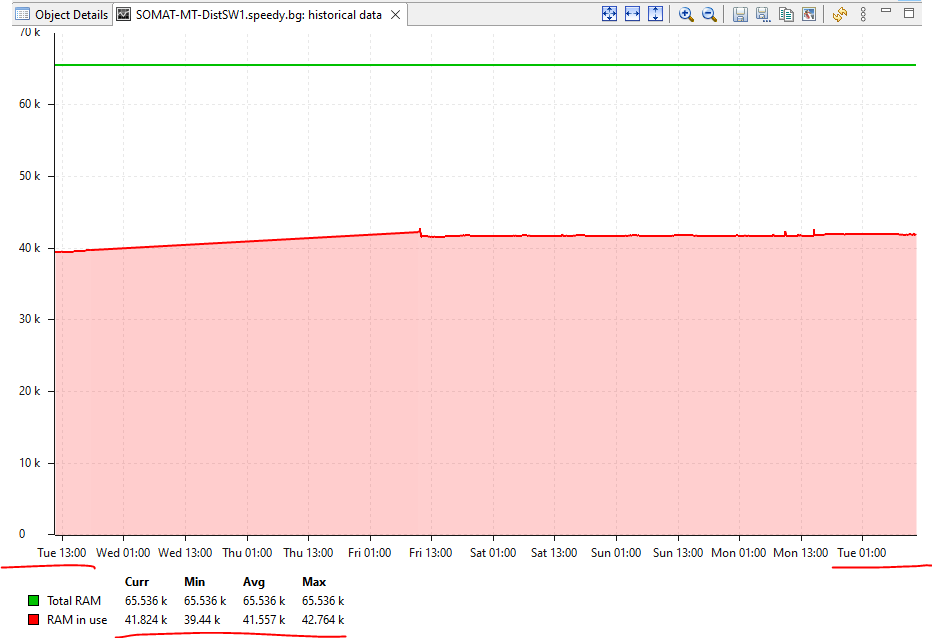
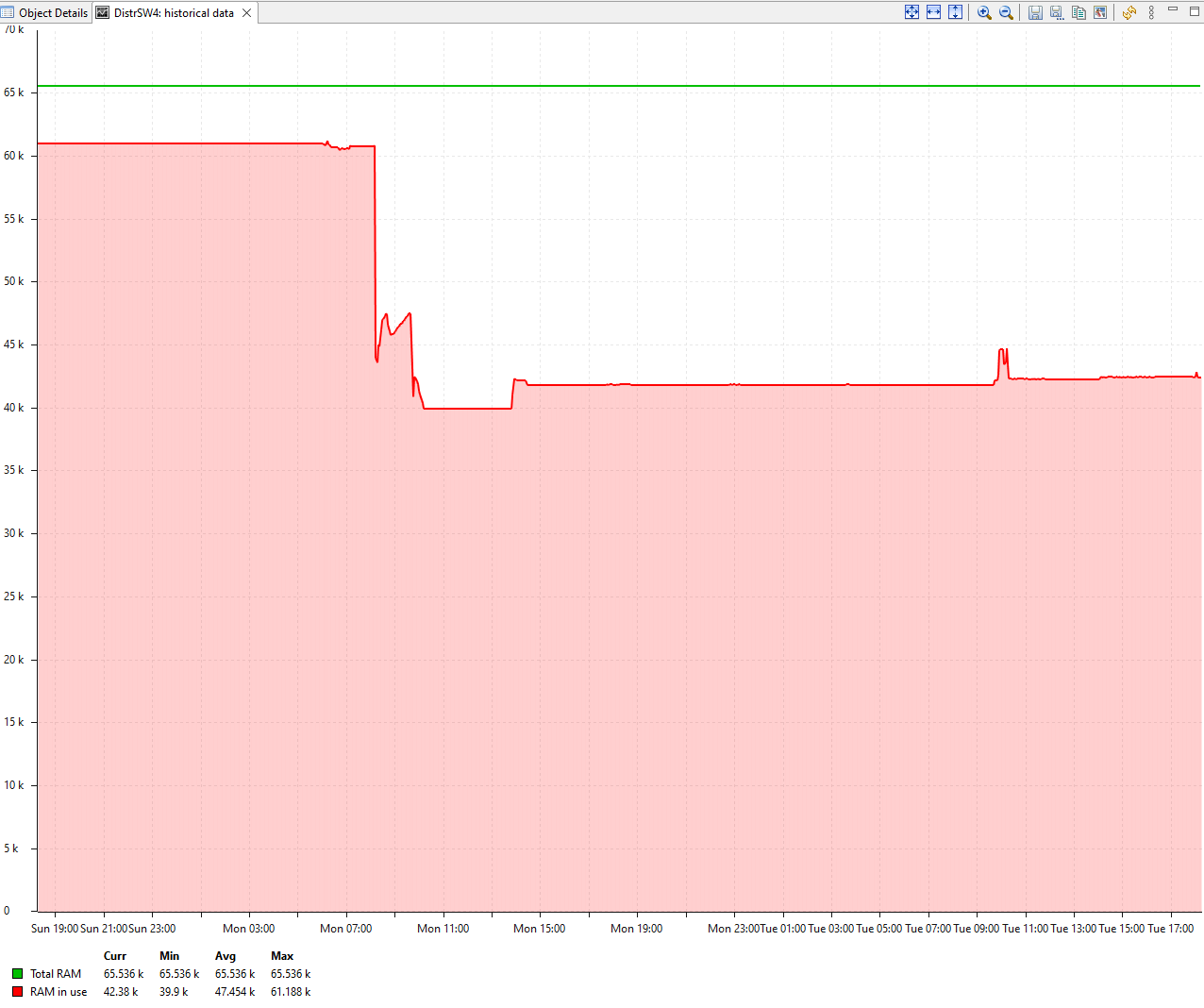
For example the same switch from the above graph:
[confmaster@DistributionSW4] > /ip/arp/print count-only where !complete
1
Since we discovered the instability we moved all users off the new network, so basically we are just keeping 2 core switches and 3 distribution switches with no real users connected.
Normally the ARP table contains like 2-3-4 entries in total. This makes sense as the Distribution switch has ARP for each core switch (L3 links) and the core switch has an entry for each distribution switch and the FW (default gw).
Then I suppose that our ARP fixed won’t help. Well, thanks for indirectly helping us to identify and solve those issues anyway.
Now back to your problem. We compared side-by-side your provided configuration of DistributionSW4. Since we are using the same hardware and software but cannot reproduce the issue, the problem must be somewhere in the configuration or different usage patterns. Please do the following steps to narrow down the scope:
Replace OSPF with static routes.
Disable log saving to disk:
/system/logging/disable [find where action=disk]
Disable RADIUS.
Disable SNMP. I know that disabling SNMP also reduces monitoring capabilities, but we need to ensure that the monitoring does not cause memory leaks under some conditions. As a temporary alternative, you may login via ssh and run:
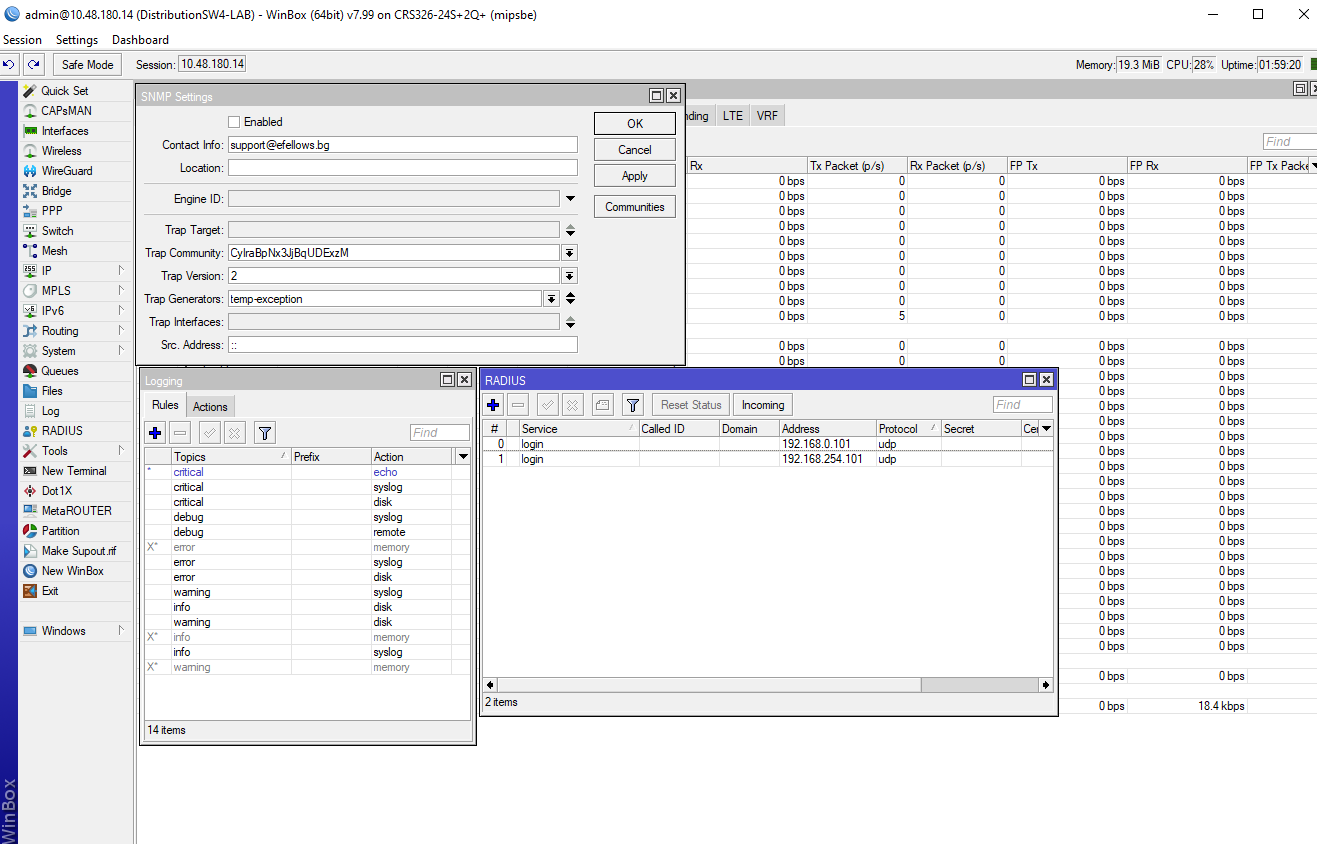
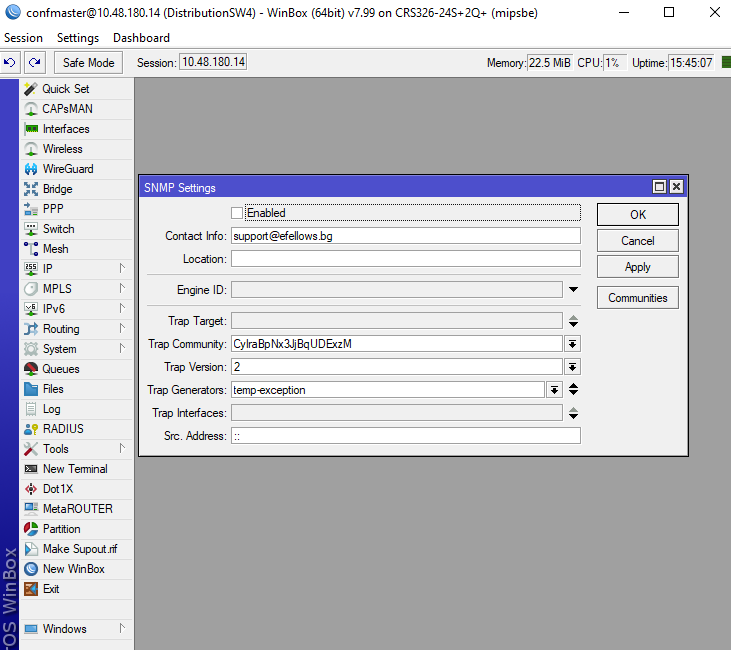
We have progress here. After disable SNMP, logging on disk and Radius on Distribution 4 RAM is stable from 15 hours. Today we started processes: logging from disk and Radius on Distr4(RAM continue be stable). From 2 hours we stopped only SNMP on Distr4-LAB and situation is stable RAM. I attach screenshots from devices.
I update ticket with some information about our issue. From 1 week there no change in situation. DistrSW4 with only SNMP service stopped is super stable. Only in this switch we have attached clients. We have one switch DistrSW1 with active service SNMP and it is stable too. All other switches is with stopped SNMP and no problems with it. The picture is that: devices without clients attached on it worked correctly( with or without SNMP), but if we have clients attached and SNMP is active, RAM started to grow and switch is restarted.
I’m glad that everything besides SNMP works fine on your end. Our support team should contact you shortly, asking for details of SNMP setup and use-cases. If they will forget, ping them via support email
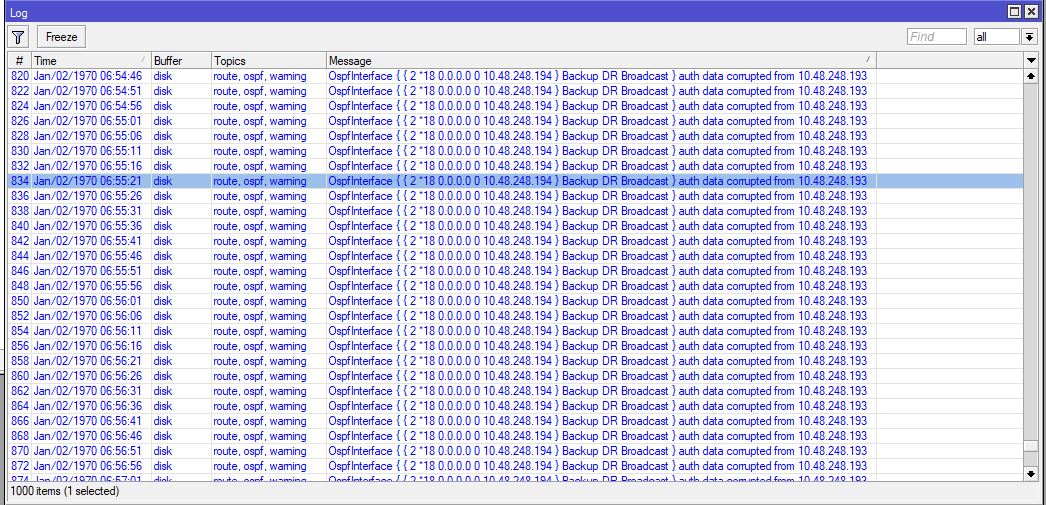
We install additional 3 CRS326-24S+2Q+RM with version 7.99-2 in the Production environment we had the problem with OSPF routing protocol with
following error and the neighbors stuck in Exchange status.
OspfInterface { { 2 *18 0.0.0.0 0 10.48.248.194 } Backup DR Broadcast } auth data corrupted from 10.48.248.193
After we disable OSPF authentication it works fine.
An issue with OSPF authentication will be fixed in the next version.
Also, we were able to reproduce an increasing memory usage by SNMP, and developers are looking for a solution.
Two days ago we update units in our lab with test version 7.2beta21 provided for as from Mikrotik Support. The routers is with stable RAM and no problem with OSPF encryption. Today we push SNMP walk dozens times and in the same time watch 4K tv and switch is Stable. Tomorrow we start update devices in production.
I’ve been watching this thread since the beginning, and I’m very interested to hear how stable the switches are in production with the now updated RouterOS. We were looking to deploy these switches in the core part of our network, but were having issues initially during testing that I believe is related to this SNMP memory leak issue. I’d love to hear an update once you’ve had a chance to run them in production for a while.