Thanks JeanPierre!!! Nice compilation of information.
MA5671A is very affordable and I understand work well. Isn’t problem for my solder the EEPROM and read it. I have got a R809F with the correct sockets.
Any advice?
Thanks!
Thanks JeanPierre!!! Nice compilation of information.
MA5671A is very affordable and I understand work well. Isn’t problem for my solder the EEPROM and read it. I have got a R809F with the correct sockets.
Any advice?
Thanks!
My advice?
Intel/Lantiq 98035 if you are not afraid of programming and, for some modules, soldering. They sometimes appear on Canadian(ebay.ca) or Italian(ebay.it) national ebay websites.
I forgot to add that Intel chip 98035 has LAN interface that can be switched from 1 Gbps to 2.5 Gbps. Important for users whose ISPs offer higher speeds than 1Gbps. This applies only to modules with OpenWRT(sgmii_mode variable is set to 5)
The best Intel/langiq module was sold by CarlitoxxPro and Hilink. Unfortunately, they don’t have them in stock. Since HL23446 firmware is available I will try to load it on my g-010s-p sfp module and see how it works!
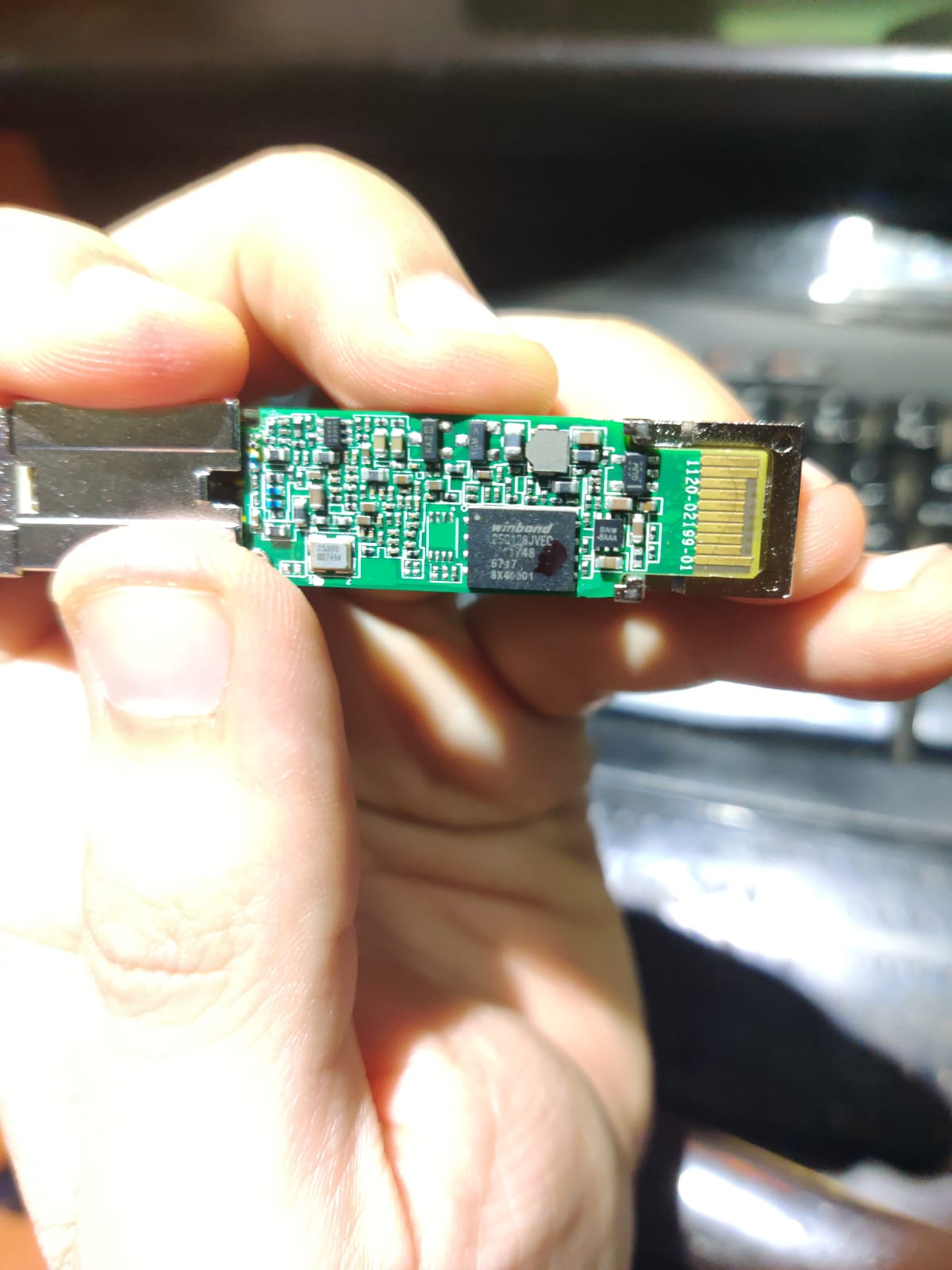
For the rest, probably DFP-34G-2C2. It has a rich web interface. The module is available under different names but the casing has a distinctive appearance. Just look at the photos from previous posts. It says “PON STICK V01” on the board. A large number of these modules are available on aliexpress in the “anddear” shop
A few users here have these modules but we have not enough reports on how they work. The modules may not work with ISP’s who check software versions.
device MA5671A
isp1 use SN+password authentication > working for MA5671A / use fw_setenv ont_serial and uci set gpon.ploam.nPassword
isp2 use LOID+CHECKCODE authentication > not working for MA5671A
how to change LOID+CHECKCODE for MA5671A ?
LOID - 1-24 characters
CHECKCODE(LOID PASSWORD) - 1-12 characters
If the firmware supports LOID authentication LOID+CHECKCODE parameters can be updated by changing two variables: omci_loid and omci_lpwd
fw_setenv omci_loid xxxxxxxxxxxxx
fw_setenv omci_lpwd xxxxxxxxxxxx
If LOID is disabled in the firmware try alternative software from CarlitoxxPro CPGOS03-0490
fw_setenv omci_loid xxxxxxxxxxxxx not working
fw_setenv omci_lpwd xxxxxxxxxxxx not working
Need backup firmware CPGOS03-0490
mtd0-mtd5
T T
HL23446 shared above should be the same as CPGOS03-0490
Hi
Do you have hl23446 firmware to download, My module is brick by mistake without backup…
Thanks in advance
Hi everyone,
I’m a GPON SFP ONU user in China, which is the country of most SFP hardware producing country.
According to what I know, most SFP use TW2312 as master chip (like Zisa OP151s,TW2312H-CDEL), which is manufacted by T&W, Shenzhen, China.
I have Zisa OP151s, TW2312H-CDEL and I believe CM5671A they all have same hardware.
Unfortunately most of them are end of life and the developer group was dismissed.
The problem I have is my SFP don’t support some OMCI command. This makes it available to some ISPs, but not others.
I’d like to try your firmwares to workout a solution.
By the way, a former engineer of T&W create a new SFP ONU which use Realtek master chip, support GPON, EPON, SN, snid, loid, MAC, with only $38.
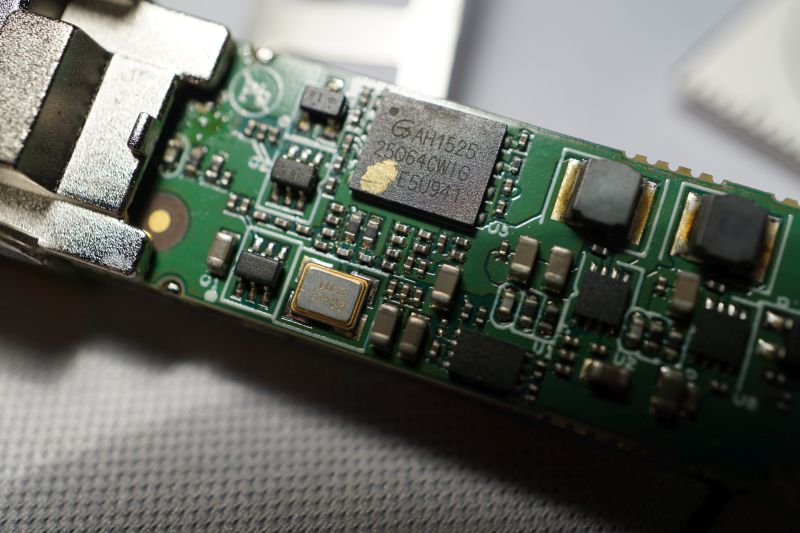
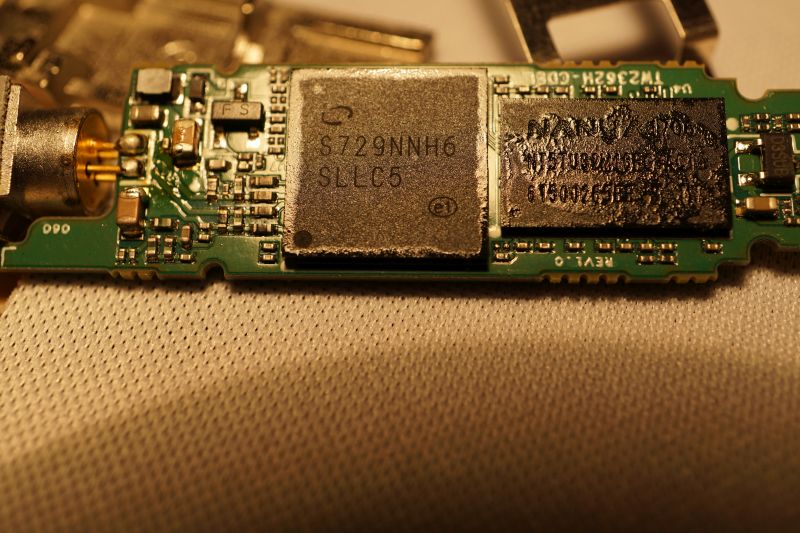
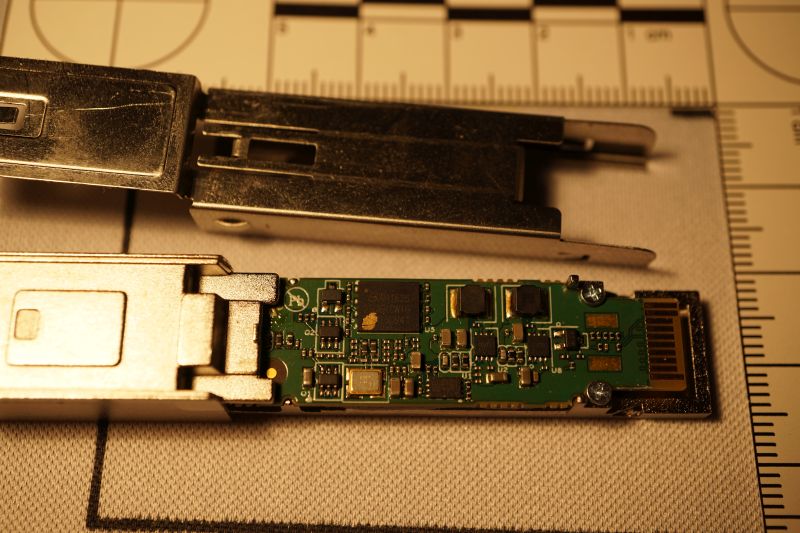
As mentioned above,ZTE is another manufacturers in China. As far as I am concerned, The framwork of ZX279125 is not same as lantiq.
What are your specific problems?
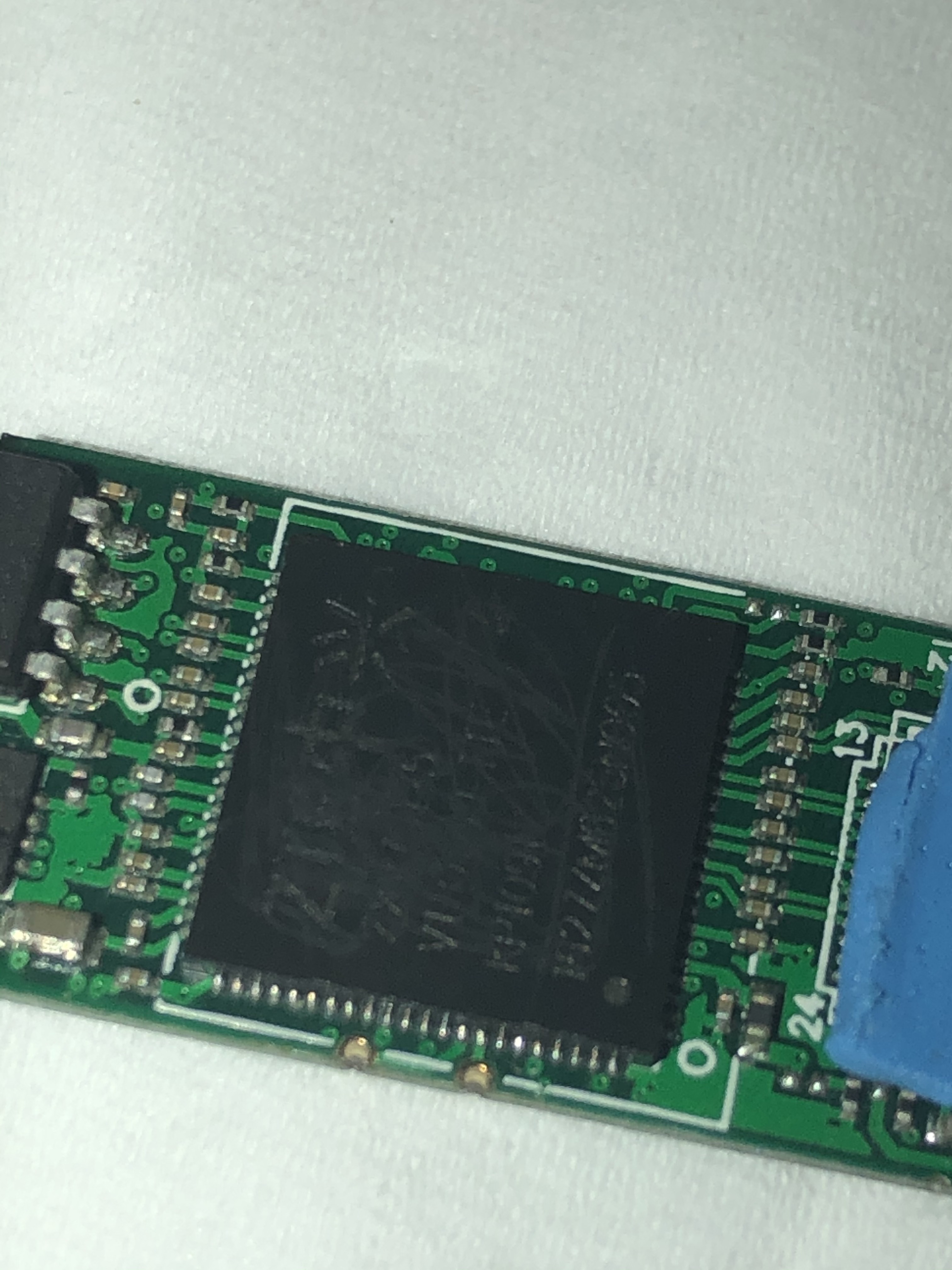
It looks that modules SPS3424THPTDFO, MA5671A, G-010S-P, CPGOS03-0490, H650SFP, HL23446 share the same MTD partition mapping.
root@SFP:/# cat /proc/mtd
dev: size erasesize name
mtd0: 00040000 00010000 “uboot”
mtd1: 00080000 00010000 “uboot_env”
mtd2: 00740000 00010000 “linux”
mtd3: 0061eedc 00010000 “rootfs”
mtd4: 00370000 00010000 “rootfs_data”
mtd5: 00800000 00010000 “image1”
Combine MTD parts from different modules to create the firmware
root@ubuntu:/# cat mtd0.bin mtd1.bin mtd2.bin mtd5.bin > firmware.bin
root@ubuntu:/# ls -l
-rw-r–r-- 1 root root 16777216 Nov 12 09:51 firmware.bin
Can you share a photo or name of the new SFP ONU with Realtek chip?
As your wish.
Left: G/Epon sfp with Realtek master chip
Right: TW2362H
I’ll dismante it later because it is in use.
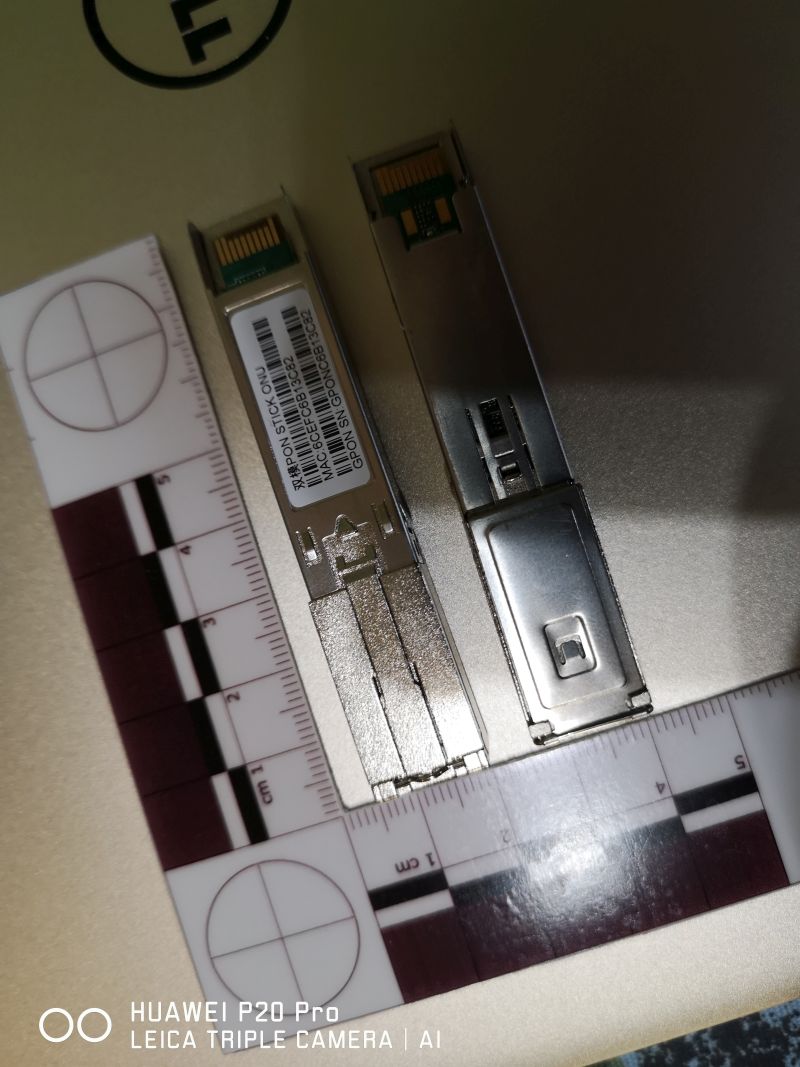
Thanks.
I’m intrigued by what model of chip is used to make this SFP module. Is it possible that RTL9601C was used?
I found more pictures and setup screens
https://www.chiphell.com/thread-2184048-1-1.html
Can you recommend a place to buy this Realtek SFP.
Yes the thread of chiphell is correct.
# cat /proc/cpuinfo
system type             : RTL8672
processor               : 0
cpu model               : 56322
BogoMIPS                : 112.23
tlb_entries             : 64
mips16 implemented      : yes
# cat /proc/version
Linux version 2.6.30.9 (root@ubuntu12) (gcc version 4.4.6 (Realtek RSDK-1.5.6p2) ) #9 Thu Oct 24 20:18:35 CST 2019 [luna SDK V1.9.0]
# cat /proc/mtd
dev:    size   erasesize  name
mtd0: 00040000 00001000 "boot"
mtd1: 00002000 00001000 "env"
mtd2: 00002000 00001000 "env2"
mtd3: 0003c000 00001000 "config"
mtd4: 00300000 00001000 "k0"
mtd5: 004c0000 00001000 "r0"
mtd6: 00300000 00001000 "k1"
mtd7: 004c0000 00001000 "r1"
mtd8: 00001000 00001000 "Partition_008"
mtd9: 00001000 00001000 "Partition_009"
mtd10: 00001000 00001000 "Partition_010"
mtd11: 00001000 00001000 "Partition_011"
mtd12: 00300000 00001000 "linux"
mtd13: 004c0000 00001000 "rootfs"
# cat /proc/meminfo
MemTotal:          16944 kB
MemFree:            5352 kB
......
# dmesg
/bin/sh: dmesg: not found
Unfortunately it is only sold in mainland of China and the price goes up recently. Please refer here (interest irrelevant)
It is incompatible with CCR’s SFP+. Only a few PCIe card tested and compatible, too.
So it is about $52+$32 postage with Universal Postal Union if you really want.
By the way, I really don’t think it’s worth it. A S/EPON modem with gigabytes port only $40 with shipping.
Bad news for DFP-34G-2C2

route mode only
how change to bridge mode with vlan support ?

ODI said bridge mode is not allowed by ZTE’s warrant. Sorry.
[delete]But the function of bridge mode exists, maybe just need to complement some webpage files. ODI said they’re trying.[/delete]
update 13 Mar:
A friend send me one of this sfp and I did some dig.
IT IS BRIDGED BY DEFAULT like a SFU, just don’t create any connect in WAN Connection page.
It works with one of my ISP but not another, same like Lantiq.
It is not work with CCR1009’s SFP+, only SFP works.
Hello!
I finally receive my first Mikrotik and SFP, a RB960PGS and MA5671A.
I'm fully noob with Mikrotik but after a couple of hours I logged in to the SFP via SSH.
My SFP need the fibber connected, the default IP is 192.168.1.10, credentials are root / admin123
After this I tried set my serial number and password without luck. The commands fw_setenv didn't work... But I found the command "set" work, but I don't know the name of the variables (I tried with "print" and other words like this)
I don't find manual or similar, commands like help or man are disable too... But I found this log.
root@192.168.1.10's password:
Welcome Visiting Huawei Home Gateway
Copyright by Huawei Technologies Co., Ltd.
2018-04-30 21:18:21 Software successfully upgraded. Source version: V8R017C00S201. Target version: V8R017C00S206
If necessary I can read the EEPROM with my R809F, but I prefer not solder.
Anyone have experience with this dongle?
Thanks!!
Yes. It’s almost same as SmartAX MA5671. try
set sn snid 5CA858829BE1
Thanks piku, I will try tomorrow.
Have you got a full manual of this sfp?
Thanks!!!
Sorry.
Huawei design it is to configurate from olt, not for separate work. So there is no official manual for commands.