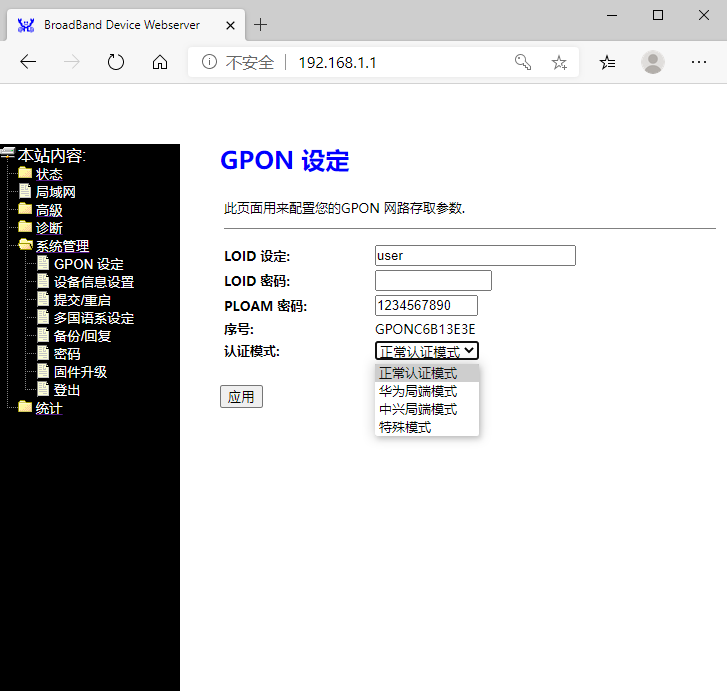
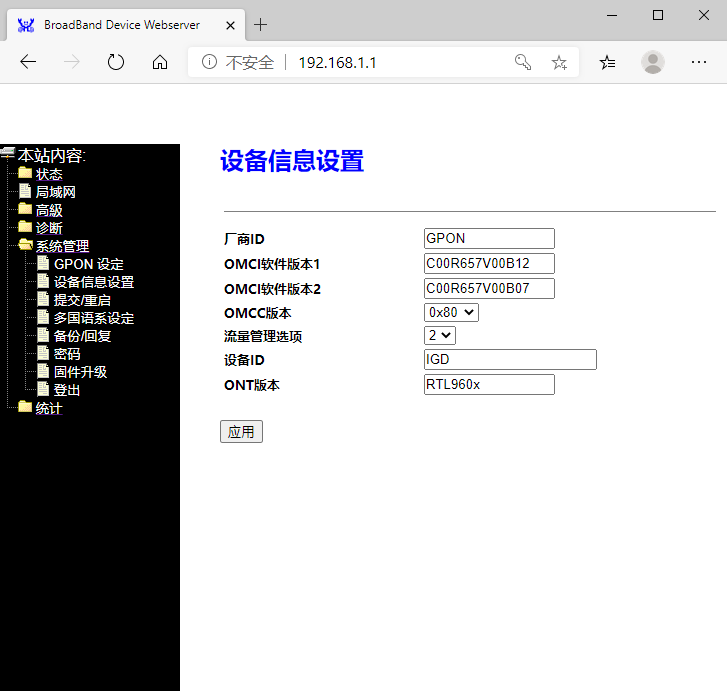
I believe the “set” command only works with DyingGasp variable
# set nDyingGaspEnable enable
Result:Success
# set nDyingGaspEnable disable
Result:Success
I believe the “set” command only works with DyingGasp variable
# set nDyingGaspEnable enable
Result:Success
# set nDyingGaspEnable disable
Result:Success
i try firmware
i have some problem about firmware for ma5671a
H650SFP image0 rev. 14_07
-working same ont
root@SFP:/# onu ploamsg
errorcode=0 curr_state=5
HL23446 notworking
-not found gpon signal
root@SFP:/# onu ploamsg
errorcode=0 curr_state=1
anyone have problem with me ?
@kapook007
Try this. It works for me
root@SFP:/# fw_setenv ont_serial HWTC1122334455
root@SFP:/# fw_setenv target oem-generic
root@SFP:/# uci set gpon.ploam.nPassword="0x31 0x30 0x30 0x30 0x30 0x30 0x30 0x30 0x30 0x39"
root@SFP:/# uci commit
root@SFP:/# reboot
It should keep the login 192.168.1.10 from MA5671A (telnet and http)
If you require more changes like model number, firmware version, MAC address, LOID have a look at Antonio’s post
http://forum.mikrotik.com/t/usage-gpon-module-sfp-in-spain/104807/1
O1 means not receive light. I doubt there is physical connection problem.
Dasan H650SFP is a product form Koera and SC/APC connecter is widely used in Korea, which is different from HL23446.
BTW, I’m not familiar with Korea. Just for your reference.
i already check physical connection
my device is ma5671a 1pc install 2 firmware
1.firmware H650SFP is working
2.firmware HL23446 not found gpon signal
i try in my home
my misunderstanding, sorry.
Hi
HL23446 firmware not found gpon signal.
i test and got problem
HL23446 found gpon signal over -15dbm
But standart gpon signal is -20dbm to -28dbm HL23446 not found gpon signal
CarlitoxxPro CPGOS03-0490 can found gpon signal -20dbm to -28dbm ???
Anyone who can share CarlitoxxPro CPGOS03-0490 firmware.
mtd0 , mtd1 , mtd2
thanks
We are very happy  by announce that we are currently on manufacturing process for the newest version of GPON ONU SFP CPGOS03-0490 V2.
New Architecture, more stability and a great interoperability between multiple OLT brands and Routers/Switches with SFP and SFP+ ports. Fully tested with TriplePlay Services (Data, VoIP, IPTV).
Its Time to replace that unreliable and limited HGU / ONT by a most advanced ONU SFP with a ultra low power compsumption and ready to work on the most faster FTTH networks.
More details very soon!! Please stay tuned. 
Ya era hora!
I have also a MA5671 flashed with HL23446 firmware.
I didn’t tried with the original firmware but (like yours) PLOAM state is 1.
Did you solve your problem?
Regards
C’mon Carlitos, we are looking forward to receiving more information and availability of your product!!!
I confirm my SFP accept set nDyingGaspEnable enable/disable.
Obvisly the problem is the firmware, I can’t configure anything or modify the variables without documentation. Next month I will receive a new programmer to dump the EEPROM. Maybe change the firmware could be a solution for me.
I can’t connect directly to the SFP from the LAN, buy I’m not Mikrotik expert, is my first time… I don’t understand how to bridge the networks 192.168.1.0/24 and 192.168.88.0/24.

after checking that image in carlitoxx facebook looks like Dfp-34g-2c2 sfp module (the cage have the same screws and look the same.) this is a new chipset (ZTE) but the question is about the firmware… its going to be openwrt or custom firmware?
Hello guys, I have a Nokia g-010s-p (Alcatel-Lucent). I tried to update it from OpenWRT ltq 12 to 14 via web using a file (image 0) provided in this thread but it bricked.
Any guide on how to de-brick it? It looks like I should power it with 3.3V and reach the UART pins inside (probably while keeping the SC/APC connected since it wont power on otherwise)
Also, any cheap recommended GPON stick. Carlitoxxpro and Zisa sticks seem unavailable.
Thank you very much.
Hello almeiras
It’s easy if you have a TTL adapter connected to pins 2 and 7. Look at the instructions how to make or buy one written for MA5671A in the openwrt forum. Most of them should apply in this scenario..
Thank you! And how would you upload and install the firmware? (Or even a custom one). I know I can connect via screen / cu but then what? I can’t find any tutorials…
EDIT: Sorry, I found this: https://openwrt.org/docs/techref/hardware/port.serial
Hi guys, Ubiquiti have released a new SFP GPON ONU stick called “UFiber Instant (UF-Instant)”.
According to its specifications, it has SGMII Ethernet LAN interface. Would this allow working with the SFP+ connection for RB4011? It would be great if someone confirms it. I am a happy owner of a RB4011iGS+5HacQ2HnD-IN, working in harmony with a UFiber Nano G, but I’m curious to know if this new UFiber Instant would work with my RB4011.
Also, if its has the same web interface as its brothers UFiber Nano G & Loco, it should work with Movistar and other ISPs that work nice with UFiber. Except of course, VLAN2 for IPTV on Movistar …
EDIT: Sorry, I was wrong. Reading instructions for use, this UFiber Instant has no web interface and is configured from a Ubiquiti OLT. It will not work for any Spanish ISP. My fault for not read the instructions for use before…
Hello again!
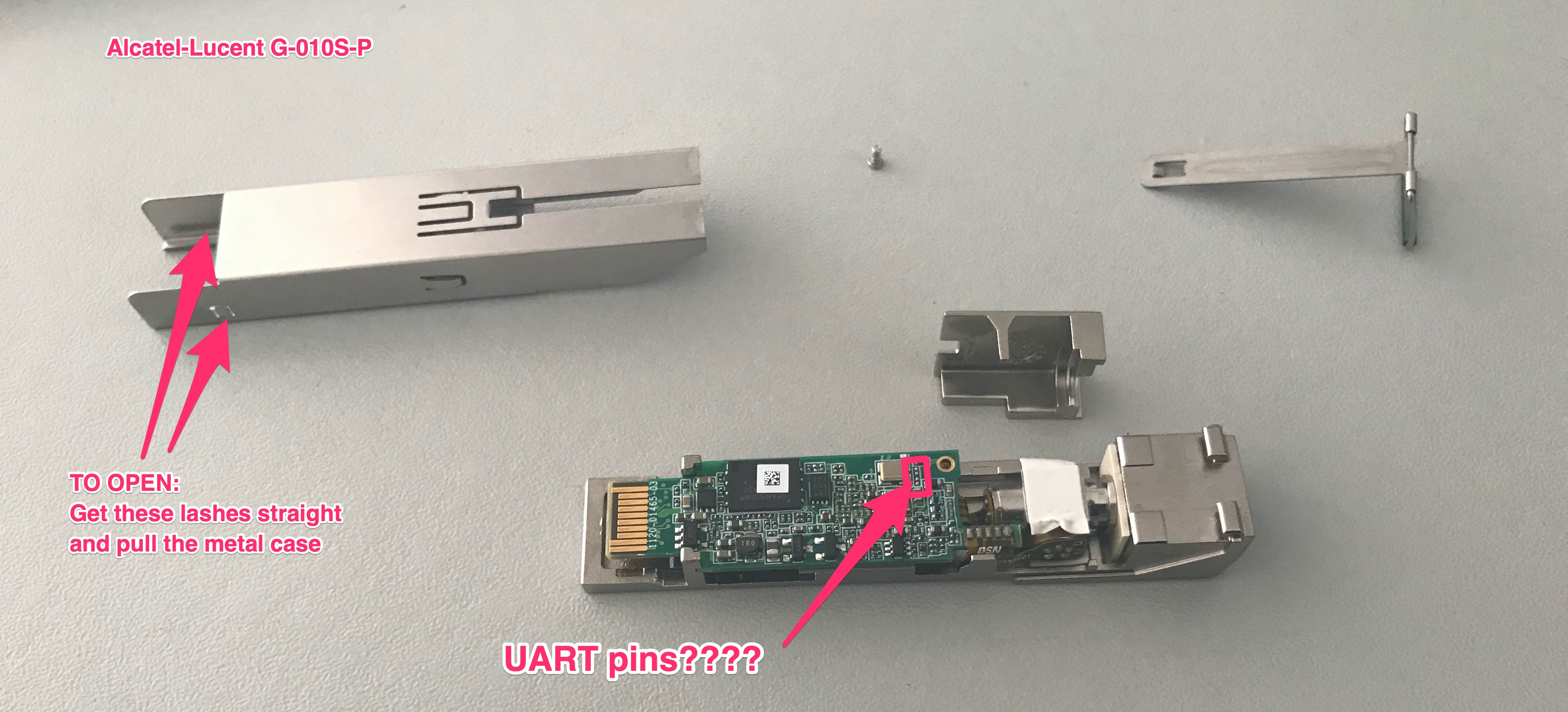
So I managed to open my bricked (Nokia) Alcatel-Lucent G-010S-P. I found four empty pads on the board, hopefully the UART pins that I am looking for. Now, I have two questions:
This image shows the possible UART pins and the opening procedure:
Thank you very much for your help!
Hello almeiras
The UART contacts I am aware of are connected to pins 2 and 7. On the openwrt forum, bmx39 and minhng99 shared photos of their adapters.
https://forum.openwrt.org/t/support-ma5671a-sfp-gpon/48042/24
Restoration of the G-010S-P module is simple. After connecting the adapter, just send the mtd2 and mtd5 firmware from the u-boot level. Our u-boot is factory unlocked. We don’t have to jump over obstacles like the owners of the MA5671A module. Remember not to destroy the mtd1 partition that contains the u-boot variables calibrated for this module.
Original firmware 12.09
https://github.com/minhng99/alcatel_lucent-lantiq_falcon/tree/master/mtd
Restoration instructions I copied from here
https://forum.openwrt.org/t/support-ma5671a-sfp-gpon/48042/17
#transfer image mtd2 by Kermit into memory
FALCON => loadb
## Ready for binary (kermit) download to 0x80800000 at 115200 bps...

#to write mtd2(image0)
sf probe 0
sf erase C0000 740000
sf write 80800000 C0000 740000

#transfer image mtd5 by Kermit into memory
FALCON => loadb
## Ready for binary (kermit) download to 0x80800000 at 115200 bps...

#to write mtd5(image1)
sf probe 0
sf erase 800000 740000
sf write 80800000 800000 740000