Ah, good to know!
Actually did Just that, downgrade to 6.48.1, rewrite Firmware, partion, Upgrade to rc6, Upgrade Firmware, Copy partion.. Looks good, Thank you!
Ah, good to know!
Actually did Just that, downgrade to 6.48.1, rewrite Firmware, partion, Upgrade to rc6, Upgrade Firmware, Copy partion.. Looks good, Thank you!
I have seen it happen once now on my RB4011 that has been running rc6 since it was released.
It is certainly not something that happens at every group key exchange!
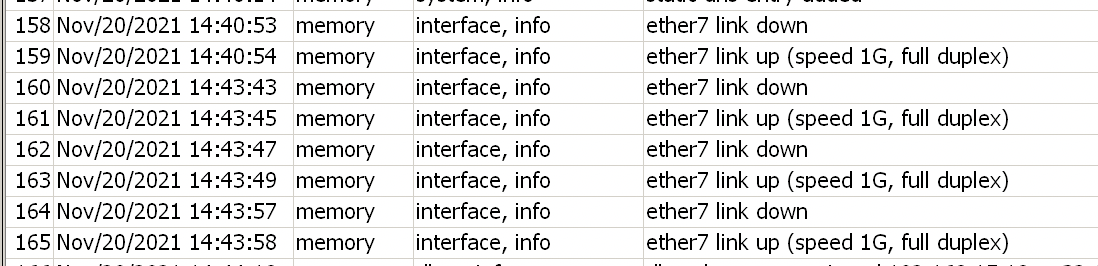
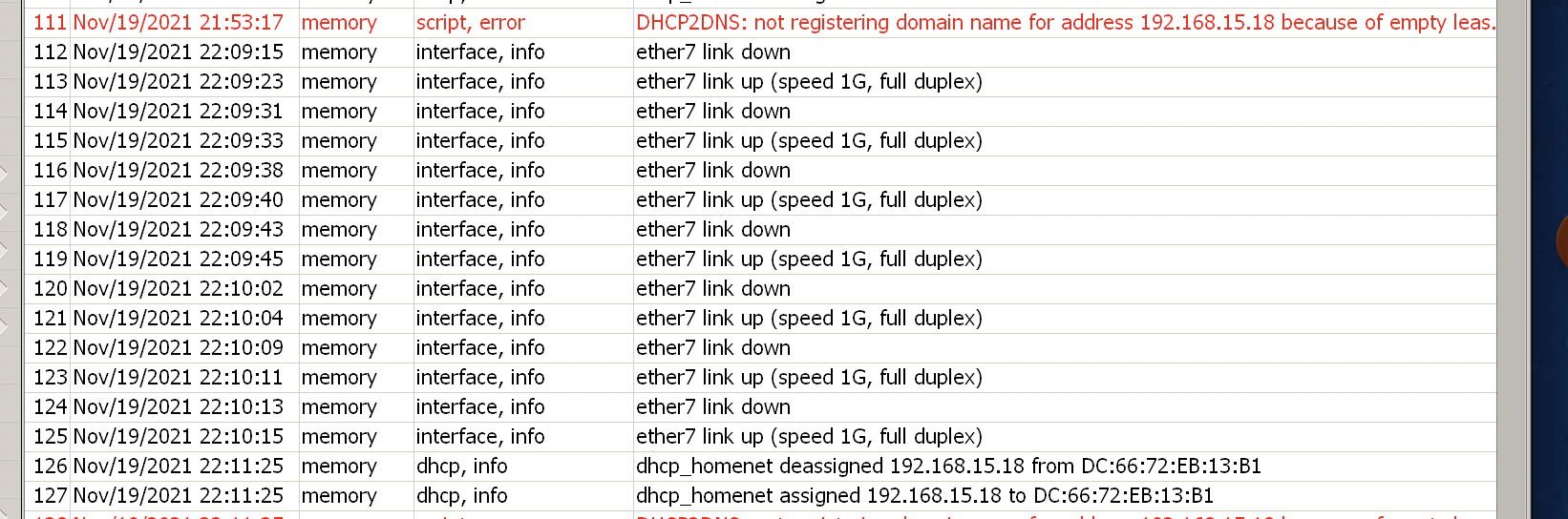
It seems that I am too facing port flapping issue on my 4011. ether7 is connected to a Unifi AC Pro and the situation was worst (Nov/19/2021) when i upgraded from rc5 to rc6. My ether8 which is also connected to a Unifi AC Lite did not encounter similar issues. I then downgraded to rc5 (Nov/20/2021) and it still exhibited some connection issues somewhat. Changed my bridge from STP protocol mode “RSTP” to “none” and move back to rc4. So far all is good now.
Delegated IPv6 Prefix Parameter is still not included in Radius Accounting Packet for PPP Service.
As I said before, If I were you, I would try to create an SQL script that automatically updates the PPP accounting sessions with the IPv6 DHCP accounting information. It should be possible at least, now that everything is being stored in RADIUS.
I’ve been running 7.1rc6 on RB5009 and HAP AC2, with simple preshared key ikev2 site to site setup.
Everything is fine except hardware acceleration did not work, or downgraded (20-40% CPU compared to 15% CPU on previous stabled build)
I am using RB4011 with 7.1rc6 and ipsec freeze after user disconnect (l2tp/ipsec vpn). After freeze, no more any setup, peers and active connections in ipsec menu and cpu usage is too high (28-30% instead of 2-3%). When I check it in profile, then it show that ipsec using the cpu. After router restart, then all are working fine until user no disconnect again.
RB5009 IGMP Proxy not working
Unlike pim, igmp-proxy is working fine here on 2 different devices. I can’t imagine it only doesn’t work on a RB5009. Check that you don’t accidently block igmp, and make sure the RB5009 is the igmp-querier for all downstream interfaces. Also try to disable and re-enable igmp-snooping in bridge settings.
Unfortunately I have lost my trust in that aspect of RouterOS, now that I have a confirmed problem on my RB4011 (arm) that does not occur with exactly the same configuration on my RB2011 (mipsbe).
Apparently there really can be architecture-dependent bugs. They could probably be triggered by:
Works great here on my RB5009
Tried disable snooping, still not work.
In my configuration not work.
Your configuration is missing from your post. At least do a /routing igmp-proxy export and post the output here.
/routing igmp-proxy
set quick-leave=yes
/routing igmp-proxy interface
add interface=bridge-local
add alternative-subnets=
10.237.224.0/19,213.75.167.0/24,213.75.112.0/21,217.166.224.0/22 interface=
vlan4 upstream=yes
/routing igmp-proxy interface
add interface=bridge1
add alternative-subnets=198.18.56.226/32,46.61.193.82/32 interface=ether3 upstream=yes
Diff an export after each reboot? What a headache. I'm also seeing regular configuration loss on reboot, particularly on devices which I've been actively working/making changes on. Configuration loss is not something we should be seeing at RC level, alpha and maybe beta, sure. I really hope Mikrotik are prioritizing this issue for next updates. Also the need to disable and re-enable bgp-networks address-list after reboot or intermittent issues, is really frustrating
Well I have posted several issues with BGP in the rc5 and rc6 release topics, both cosmetic and frustrating.
We can only hope that MikroTik reads the topic of beta and rc releases and notes down everything in work items for the upcoming versions…
As it is now, it is certainly not ready for deployment into our network (were several different admins each have to upgrade one or more routers).
My laptop is stationary but loses connection regularly. Reconnection is in progress. This was not the case before.
Mikrotik Chateau 12
v7.1rc6
wifi5

Its not RC as RC, in another company is RC usually prity stabel. But in mikrotik, is RC deep beta, stable is RC and long term is stable. But the last time they suppriesed all of us, and after upgrading to long term version many devices did not start again,..so not even the long term version is stable 