Or to put the config in version control. winbox 4 is still beta, so it still can be implemented. In beta phase anything should be allowed.
I have a problem: after updating from 7.20.1 to 7.20.4, the IPsec mode-config Split include routes stopped being given to the user. If I manually enter them in Windows, everything works.
The problem has been solved; I had to uninstall the latest Windows update.
I ran into the same Split-Tunneling issue you did a few months ago. Windows has since fixed this bug. If you're still encountering it, try removing and recreating the VPN interface—that method resolved the problem for me.
Hello.
In RouterOS 7.19.6, PPPoE worked correctly, and a higher maximum connection tracking was enabled.
When can we expect the return of higher maximum connection tracking?
Reducing the maximum connection tracking entry count didn't help with the PPPoE failures.
RouterOS 7.20.4 is now available, so what's next? PPPoE isn't working properly and the maximum connection tracking is lower. What have you done? Administrators around the world are criticizing you terribly.
Please, when will the maximum connection tracking be increased? You can create a field to set the maximum connection tracking, and everyone can set the maximum connection tracking they want.
Best regards,
Krzysztof Pawluk
No routes are coming from route print, uninstalling Windows updates helped.
I believe you might be referring to this changelog entry:
What's new in 7.20.2 (2025-Oct-21 10:28):
firewall - reduce maximum connection tracking entry count;
According to strods, this means the connection tracking size was reverted to its pre-7.20 value:
So I'm not sure what point you're trying to make - it seems rather clear that the connection tracking size isn't the issue here. The PPPoE problems still are reported in 7.20.4.
In general, I find it rather odd that reducing the connection tracking count is presented as the solution to an issue that first appeared in 7.20.
Looking back through the changelogs, the connection tracking count was actually increased in 7.18 - and apparently, that didn't cause any problems up to 7.19.6.
The reduction in 7.20.2 sounds more like a quick hotfix than an actual root-cause solution.
What's new in 7.18 (2025-Feb-24 10:47):
firewall - increased maximum connection tracking entry count based on device total RAM size;
Yes, uninstalling the updates temporarily resolves the Split-Tunneling issue. However, the update quickly reinstalls, preventing the Windows VPN from picking up DHCP Option 121, which brings us back to the original problem. We continued to manually install the necessary routes for several months. Then, upon checking, we discovered that the Windows VPN was functioning correctly, leading us to realize the issue had been fixed.
I recently installed this update on my core router. After the installation, I noticed that traffic from the connected PE drops to a few Kbps instead of the usual 700 Mbps peak. Each time I reboot the core (running RouterOS 7.20.4), the traffic returns to normal. However, if the PE undergoes any reboot, the traffic drops back to Kbps again, and the only temporary fix is to reboot the core once more.
I have verified all configurations—MPLS, BGP sessions, OSPF, and routing tables—and everything appears correct, yet traffic still refuses to pass properly.
Please assist urgently, as I cannot continue rebooting repeatedly. This issue is impacting service and causing business losses.
Move back to last known good version.
Simple, no ?
And don't apply new version without testing it first in a lab environment where you can afford downtime/problems/...
To avoid business losses,
it is recommended that should do "something else" those who think that "continuously, always and immediately updating" is a smart thing to apply in production.
Is it possible that those who "work there" don't test anything first on test machines, and in any case install software as soon as it's released?
thanks boss, do u have a suggestion on best known version that supports MPLS/BGP/CORE effectively, the last (7.16.2) i upgraded was due to consistent reboot due to kernel failure, the reboot issue was fixed on v7.20.4 and suddenly issue of traffic drops surfaced, please more ideas
But 7.16.2 is almost a year old ?
Which version did you use before moving to 7.16.2 ? Why did you move from there ?
Other then that I only can see most try to stay on either 7.19.4 or 7.20.2.
(most of my production devices are still on 7.19.2 or .3 but none use MPLS/BGP/...)
You didn't enter the device model, and you certainly didn't netinstall it when you installed 7.20.4.
In production, I continue to use 6.48.7.
Tired of the various problems, I replaced the "edge" machines that had v7 with machines that supported v6.x, and I've built up a nice supply.
After that I can sleep...
Currently, where I'm FORCED to use v7 because I can't install v6 on the machine,
I use 7.16.2, which is one of the few, and the latest, versions that can truly be called "stable", for my opinion.
Anyway, regarding the kernel issue on v7, be careful how many VLANs you have compared to the number of clients in the pppoe...
From the tests I've done, 7.20 exacerbated the problem.
Don't let the same machine do NAT and "access"...
Of course before doing that, you partitioned it (2 partitions) and copied the working version to your second partition, right? So now you can activate your second partition and reboot.
After I upgrade from 7.20.3 to 7.20.4, BGP doesn’t advertise VPNvX routes to its peer. I started BGP debug and it seems something prevents to advertising anything, only Input updates are seen. Does anybody experiencing this? The same happening when I upgrade from 7.21beta5 to beta7.
i will have to downgrade to may be 7.19.5 if is better
Use 7.19.4 as already indicated in that other thread.
7.19.5 is a factory only release but you don't know what changed in it or not.
Normally nothing but you don't know since nothing is mentioned in change logs.

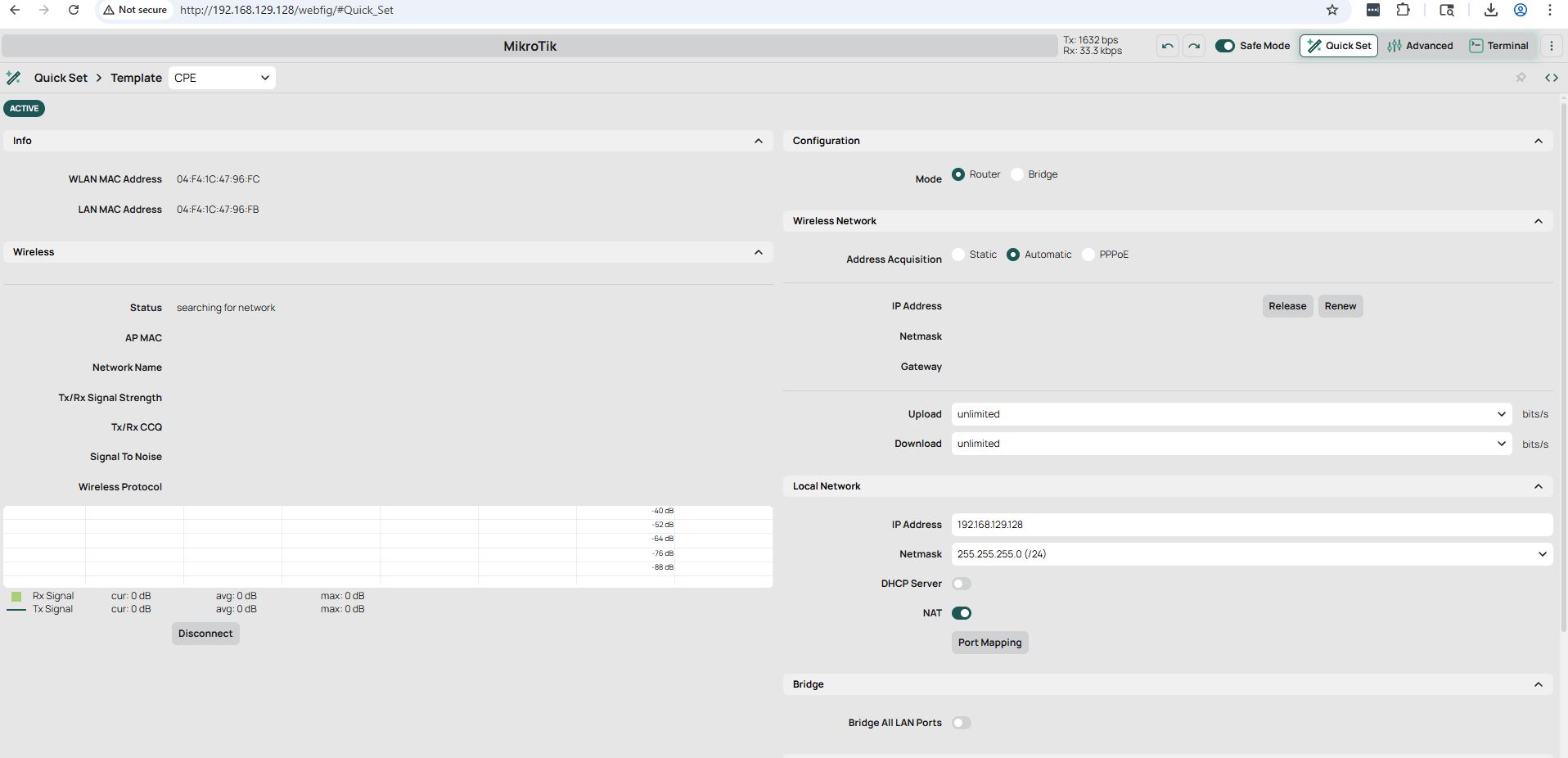
This is known issue. Webfig is pretty much broken in 7.20.4
Just upgraded from 7.15.1 to 7.20.4, everything so far is working but the https webfig (www-ssl) no longer works and it’s having issues with the TLS bit.
Tried TLS version, any and only 1.2. My certificate is still there and listed.
FingerlessGloves@Glacier:~$ curl -v https://fw-home.lynx:8443
* Host fw-home.lynx:8443 was resolved.
* IPv6: (none)
* IPv4: 192.168.2.1
*   Trying 192.168.2.1:8443...
* ALPN: curl offers h2,http/1.1
* TLSv1.3 (OUT), TLS handshake, Client hello (1):
*  CAfile: /etc/pki/ca-trust/extracted/pem/tls-ca-bundle.pem
*  CApath: none
* Send failure: Broken pipe
* TLSv1.3 (OUT), TLS alert, decode error (562):
* TLS connect error: error:0A000126:SSL routines::unexpected eof while reading
* closing connection #0
curl: (35) Send failure: Broken pipe

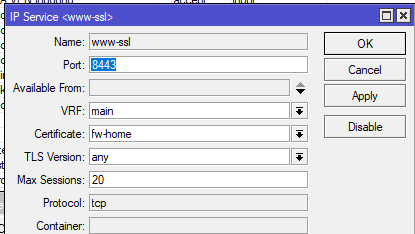
EDIT FIXED
Ah looks like it's because it wanted the certificates CRL reachable on RouterOS, maybe needs an option to ignore that for routers that don’t see crl urls