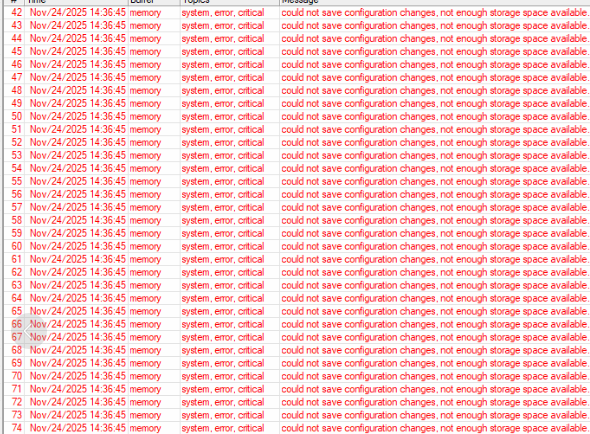
Yesterday we had an internet outage for about one hour. During that time, a lot of half-open IPsec associations were created. Today, ISAKMP-SA deleted messages started showing up as those timed out after a day.
I have deleted the expired Active Peers and that list is now clean, but in the Installed SA tab a lot of old entries are displayed and the list (and the count in the lower left in Winbox4) is changing all the time. When using the command line (“/ip/ipsec/installed-sa/print”), only a single entry is displayed and then “no such item (4)”.
I sent a supout.rif from a router running 7.19.4 that also experienced this (and was a simple config) as ticket SUP-204589 but unfortunately it was closed with the generic “try to reproduce it with the latest stable”…
Fortunately I have also routers running 7.20.4 where this happened, but they are much much more complicated. Made a new supout.rif (1.1MB…), hopefully they can use that.
Hi all, it’s unbelievable that Mikrotik has NOT yet EITHER release an updated 7.20.x version of the software correcting the serious bugs of 7.20.4 OR REMOVE the 7.20.4 from the stable series so to protect and respect other users.
They are pretend and extend the 7.21.x beta like no problem exists rather than redirect their developers attention to fix the hilarious 7.20.4 release.
Iam waiting since 24 days since the frist time release 7.20 to fix alot of pppoe problem but !! nothing
i already tested all releases 7.20.xx 7.21.xxx beta nothing new but alot of lines about fixing problems without an effective thing.
Logical approach but for one reason or the other most people keep insisting to move forward instead of going backwards to the situation where it worked.
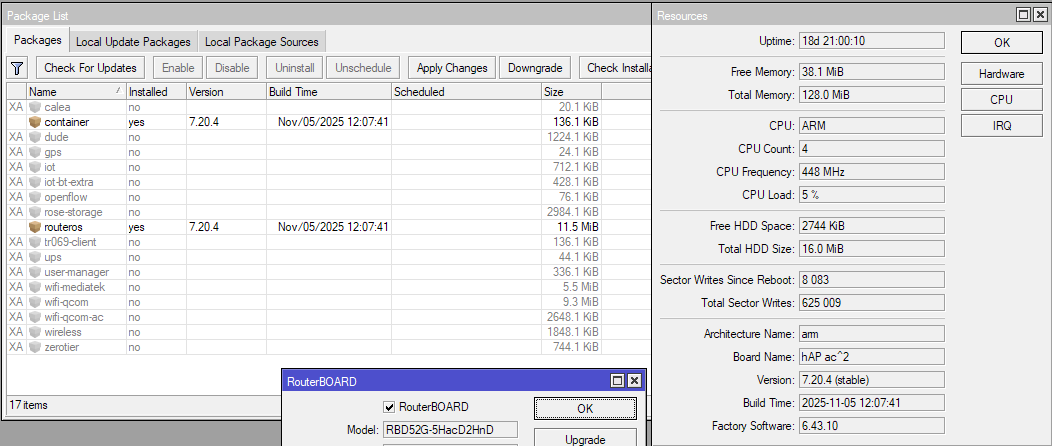
Of course. Old devices are not suitable for new wi-fi drivers. You may do netinstall and limit quantity of certificates (if you use them) and maybe get more free space. But I won’t recommend anyway.
As other have said, check the file list and the certificate list. With recent RouterOS versions you no longer need the external root CA for example (previously the CA cert bundle took nearly 1MB of my flash storage).