V7.21.3 [stable] is released!

Before an upgrade:

  1. Remember to make backup/export files before an upgrade and save them on another storage device;
  2. Make sure the device will not lose power during upgrade process;
  3. Device has enough free storage space for all RouterOS packages to be downloaded.

What's new in 7.21.3 (2026-Feb-12 15:10):

  • bridge - fixed dhcp-snooping incorrectly disabling HW offloading on QCA8337, Atheros8327 switch chips (introduced in v7.20);
  • certificate - fixed initial certificate creation using SCEP (introduced in v7.21);
  • console - improved service stability when processing files over CLI;
  • dhcpv4-server - append "s" after lease-time value in setup command;
  • gps - fixed port configuration for CubeG-5ac60ay;
  • hotspot - rename totp-secret to otp-secret;
  • ipv6 - do not invalidate router if RA without included prefix is received (introduced in v7.21);
  • ipv6 - fixed "on-link" and "autonomous" flag detection (introduced in v7.21);
  • ipv6 - invalidate router only when router lifetime expires (introduced in v7.21);
  • lte - fixed eSIM profile switching on ATL 5G R16;
  • lte - improved notification handling during firmware update for Quectel modems;
  • poe-out - firmware update for hEX PoE, OmniTIK 5 PoE ac, PowerBox Pro (the update will cause a brief power interruption to poe-out interfaces);
  • poe-out - fixed rare false overload triggers on hEX PoE, OmniTIK 5 PoE ac, PowerBox Pro;
  • sfp - fixed sfp-ignore-rx-loss parameter for hEX PoE;

To upgrade, click Check For Updates under System/Packages menu and select the stable Channel in RouterOS configuration interface, or head to our download page: http://www.mikrotik.com/download

  • Everything went smoothly
  • I encountered an issue after the update (please post about the device, configuration, and unexpected symptoms)
  • I encountered an issue, but solved it (please post the solution)
0 voters

If you experience version related issues, then please send supout file from your router to support@mikrotik.com. The file must be generated while a router is not working as suspected or after some problem has appeared on the device

Please keep this forum topic strictly related to this particular RouterOS release.

3 Likes

When you will fix CRS354-48P-4S+2Q+ controller problem?

Updated Cap ax/Hap ax2 very slow to come back but all good. thanks

1 Like

I’m having some headache with the ‘invalid’ ip filter matcher, it seems to catch as invalid what before was ok.
I’m not sure what specific version started the problem, I noticed it this morning in 7.21.2 and I tryied 7.21.3 but it’s the same.

The temp workaround is a rule to allow traffic routed between local subnets before hitting the block:

  • allow established,related
  • drop invalid

If I disable the ‘drop invalid’ → all works (but it was ok some versions ago)

To be more clear: all the connections to the internet coming from different local vlans/subnets work ok, incoming connection as well .. it’s just the traffic routed between local subnet that is hitting the ‘invalid’ rule (it seems not consistently, hit and miss).

In this box there is a quite complex config, and I know it might be some layer8 problem, but this conf has been working fine for years (with little updates and adjustments every now and then).

Just be aware that there might be something different in how the ‘invalid’ matcher works, tell me if someone experience something related.
Thanks.

I remember something like you mentioned…
You certainly are using interface-list, even then it is happening?

I have a guess…
Several moves related to VRF are appearing in 7.22.
And they are appearing slowly since a while.
MAYBE… Maybe some moves related to that are affecting that functionality you mentioned.

First time i have ever had an issue after an update.

Just did this update on a CRS309 and its now just sat there with blue PWR light light illuminated, its dead to the world none of the SFP interfaces show any life.

Same update worked fine on a CCR2004

Fixed.

Netinstalled back to 7.21.2, restored from a backup that had the same config. All working well.

Attempted the update to 7.21.3 again and this time it has worked, so no idea what casued it to go bad the first time.

Please contact MikroTik Support regarding the CRS354-48P-4S+2Q+ controller error:
https://mikrotik.com/support

[SUP-209240]

Similar things happened to me when I was upgrading, when a power supply started to soft-fail on me.

I have no idea if something like this is going on in your case, but just a reminder that hardware failure is not always binary.

I just updated it. hAP ax2 is fine. Everything is always fine with hAP ax2 anyway.

1 Like

Can you elaborate into more details the "the traffic routed between local subnet" part?

The thing is that if there is possibility for traffic to bypass your firewall in one direction (because there is either L2 connectivity or there is a more direct L3 path, available in one direction), then connection state (in firewall's view) will become invalid because it isn't able to "see" all traffic in both directions.

1 Like

What was the POE firmware update? did it fix something or give more settings?

poe-out - firmware update for hEX PoE, OmniTIK 5 PoE ac, PowerBox Pro (the update will cause a brief power interruption to poe-out interfaces);

New firmware includes a fix, see the next line:

  • poe-out - fixed rare false overload triggers on hEX PoE, OmniTIK 5 PoE ac, PowerBox Pro;

Ah ok it looked like a separate line, ok thanks

You’re right. I have been too naive because I was busy moving and renumbering a test k8s cluster. Torch fooled me (I’m more comfortable with *shark), and I came to the wrong conclusion.
Thanks :+1:

Not related to v7.12.3
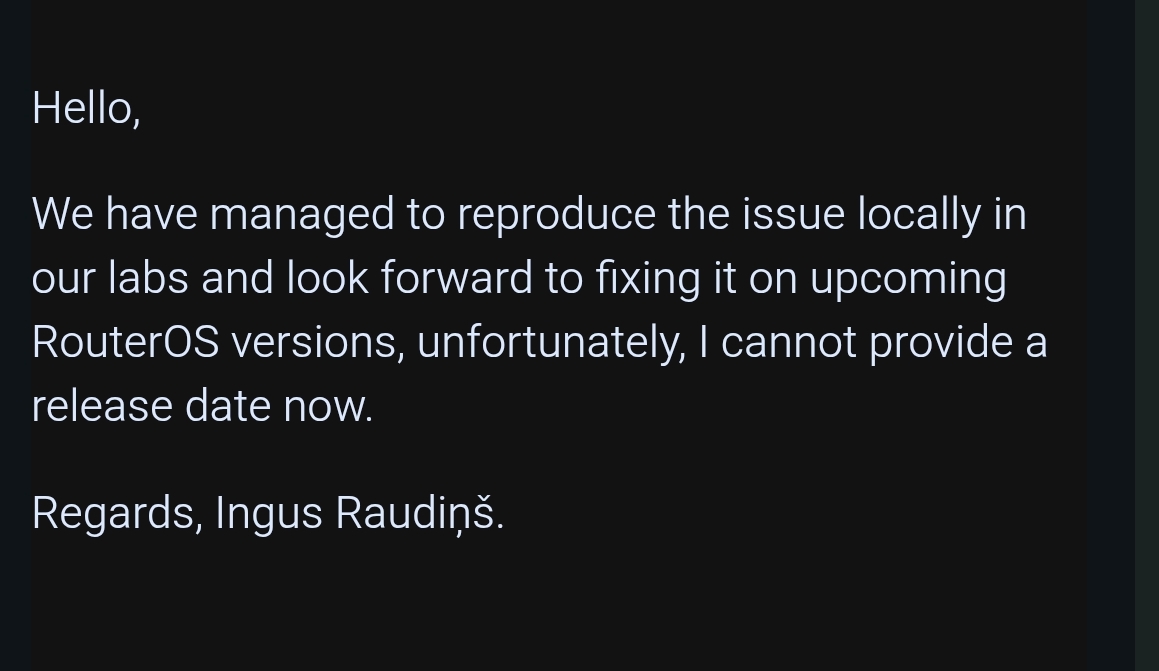
@ MT Staff could you please confirm the issues:

  • Bandwith Limit in CAKE QoS stopped working [SUP-206050]
  • /queue interface reset [find] disables vlan-filtering [SUP-208088]
  • Interface Queue only-hardware-queue is still mandatory for full FastPath? Using any other Queue (also only-hardware-queue). fp-tx-byte and fp-tx-packet stays always to 0. [SUP-208088]
Hello,
Enabling IGMP-snooping on the bridge also disables hw offload on AR8327 configured with switch-based VLANs on RB450Gx4. The VLAN filtering on the bridge is off, and I've only had VLANs configured on it for the fist time in version 7.20.

Is this expected behavior?
Thanks

Yes, it is expected behavior, see docs.

1 Like