Remember to make backup/export files before an upgrade and save them on another storage device;
Make sure the device will not lose power during upgrade process;
Device has enough free storage space for all RouterOS packages to be downloaded.
What's new in 7.22.3 (2026-May-07 12:19):
console - fixed unresponsiveness when entering safe-mode through the Windows 11 terminal;
ethernet - fixed stability issue after switch reset on devices with IPQ-40xx, IPQ-60xx CPUs (introduced in v7.22);
vrrp - fixed stability issue when using VRRP with a hardware-offloaded bridge for Marvell Prestera switch chip;
To upgrade, click Check For Updates under System/Packages menu and select the stable Channel in RouterOS configuration interface, or head to our download page: http://www.mikrotik.com/download
Everything went smoothly
I encountered an issue after the update (please post about the device, configuration, and unexpected symptoms)
I encountered an issue, but solved it (please post the solution)
0voters
If you experience version related issues, then please send supout file from your router to support@mikrotik.com. The file must be generated while a router is not working as suspected or after some problem has appeared on the device
Please keep this forum topic strictly related to this particular RouterOS release.
I seem to have a switch issue with the RB5009 in 7.22.2 (after upgrade from 7.21.3), could that be related to this “ethernet - fixed stability issue after switch reset on devices with IPQ-40xx, IPQ-60xx CPUs (introduced in v7.22);“ fix or is it more likely to be related to the “switch - disable EEE on RB5009 and CCR2004-16G-2S+ devices;” change?
Anyway, I have an issue with 7.22.2 where everything worked OK after the upgrade and associated reboot, but failed on a single port after a power cycle. I will try to debug it further (e.g. switch version without powercyle), but first I have to wait for the maintainer of the connected device to allow ping, so I can monitor it.
Updated an RB5009 and wAP AX from 7.22.2. I’ll be honest: I didn’t really need the Windows 11 fix, the other 2 don’t apply, and I’m just in it so that I can press shiny buttons.
All went smoothly and I’ll apply to my test lab later.
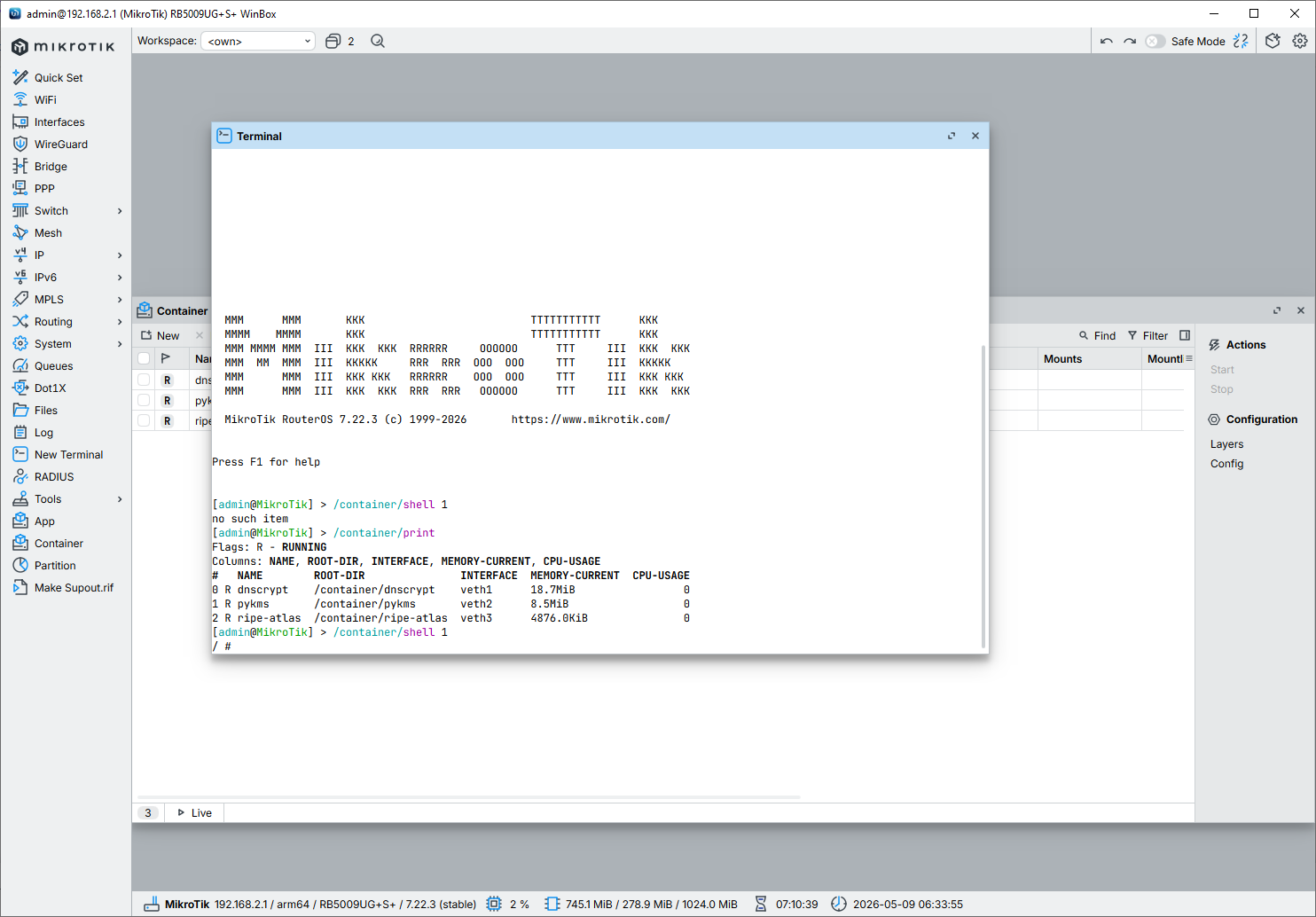
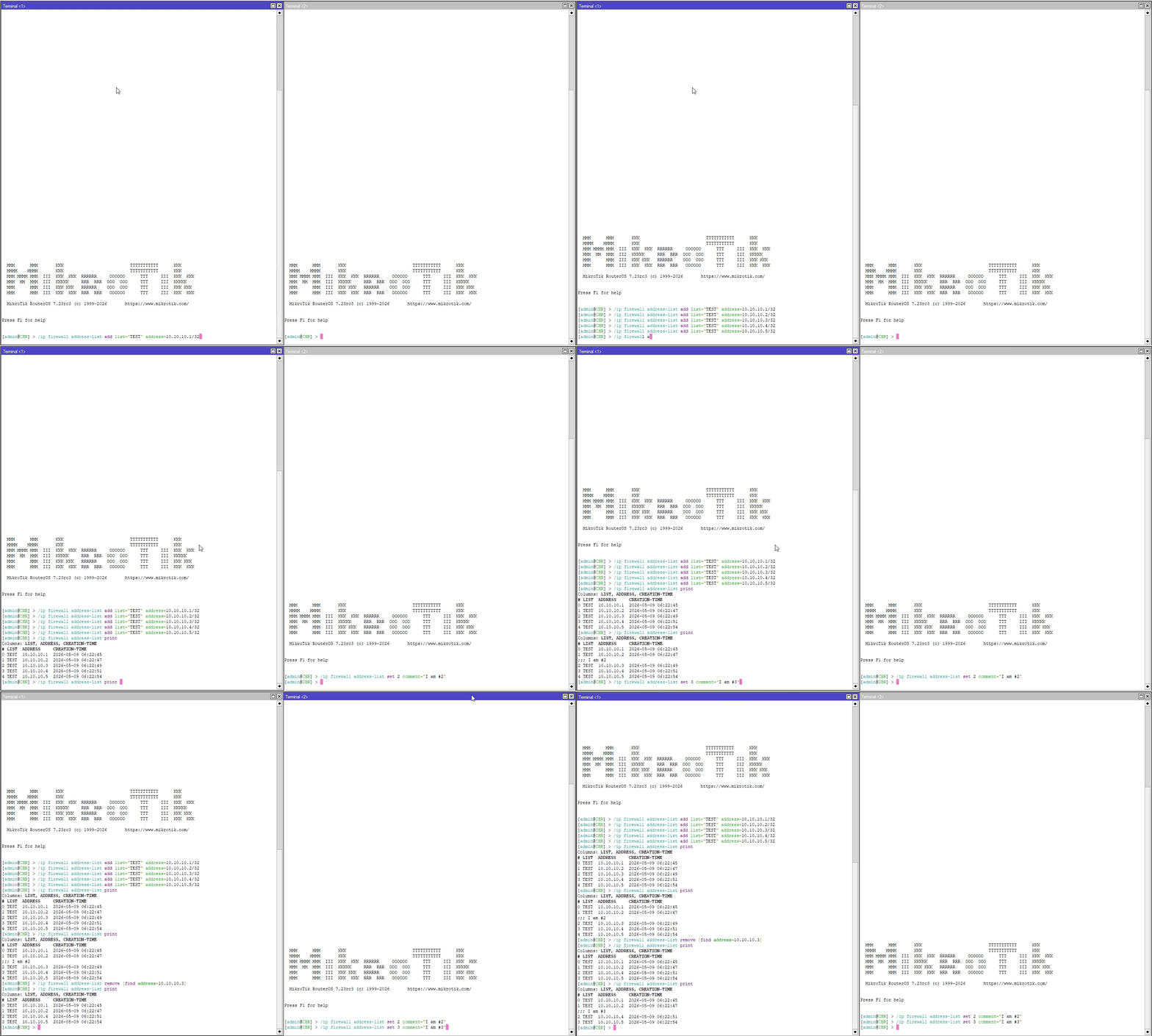
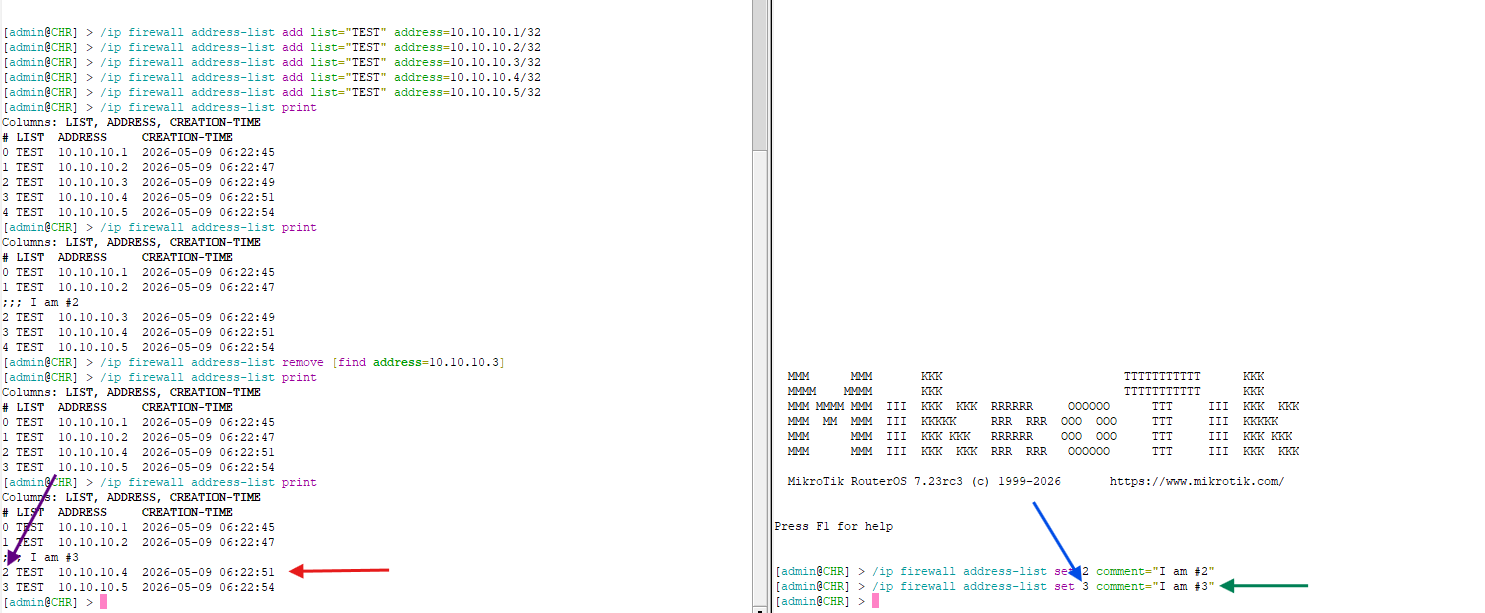
Specifying a number always requires an immediate previous print everywhere (not only under /container) to work correctly (not rely on luck). For /container, the correct way in recent RouterOS versions is to use the container name directly, for example, in your case:
Thank you for your feedback, but let's stick to what's in front of us, leave your fantasies and experiences in your head. We are not rebooting the device, talking about the operation of the system in the present tense, based on Command Line Interface - RouterOS - MikroTik Documentation etc
by the closest analogy, imagine that for your last command you would have to run /ip/firewall/address-list/print every time, not to clarify the order, but to make /ip/firewall/address-list/set work. #
Well, what's the meaning of this word in my previous post?
When you use the index numbers in your commands in the CLI, you have to make sure that nothing has modified your list between the time you last run print on that terminal (or the time you opened the terminal session, if you haven't executed the print command), and your command. You have to keep that within seconds if you don't want to get surprises like the example above.
I don't know, but - besides running print before - running: /container shell pykms
looks to me much more logical and easy/friendly than running: /container/shell 0