Also still getting a face full of this “DoH server response not OK: 0:“ to Quad9. NextDNS Cloudflared AdgurdDNS work as expected. Not sure why this happens, but I can tell you DoQ to 9.9.9.11 ECS works on other devices.
Hmm, trying to update some scripts, now that we have new functionality available. This fails though, depending on device:
/tool/fetch http-version=http1_1 ...
I know that HTTP/2 is not available on all architectures. But can we make http-version=http1_1 valid everywhere, please? Would be a real pain if I would have to maintain two versions of the same script, depending on architecture.
There is a point that you didn't take into consideration.
The initial question and suggestion was that mikrotik create containers that were pluggable to RouterOS, to replace or expand the features.
And if so, it is under their control what the parameters and UIs will be.
Examples?
A ZeroTier that would stop being an npk and become an Official Mikrotik APP.
A tailscale-gateway and a tailscale-client that became Official Mikrotik APPs.
An IPSEC-VTIe became an Official Mikrotik APP.
And this can extend to several features that are controversial regarding the size of routeros.npk.
/ipmedia
DNLA
/ip smb
Windows File Share
/ip dns
Dummy forwarder. In the cache, in the filter. As simple as possible. Excellent for APs and similar. Always present(Embedded in routeros.npk).
Advanced DNS-Server, similar to what we have now but with less limitation to be improved. When enabled, disables and overrides the native DNS service.
/ip socks
/ip socksify
I know that transforming all the features mentioned into containers would be a big problem!
Mainly for users with legacy architecture: PowerPC, SMIPS, MMIPS, MIPSBE, Tilera. Which have already left or are soon to leave the Linux Kernel mainline (both 6.19 and 7.0.1).
An action like this will certainly generate a lot of noise!
And to alleviate this noise, what comes to mind is to do this in two steps:
1- Still in version 7, from some minor release, preferably with a notable number like 7.50, throw these futures out of the main RouterOS an put then as packages in NPK format. Keeping the same native configurations that already exist.
This would reduce the fury of these guys with equipment with legacy architectures.
2- And in another release version also with a notable number like 7,100, convert this into containers for architectures that support containers, and keep it as NPK for versions that do not support containers.
I beg to disagree a bit. When you add an .npk baked in someplace is the same data /console/inspect shows. If you don't have a package, no UI no CLI. Add a package, now you do. So it is dynamic at some level. And they have a custom YAML format, that could be extended to add operations (that perhaps do /container/run and/or follow some known scheme). Basically the "plumbing" is there for new things to add new UI/CLIs.
Maybe MikroTik is already cooking up something, IDK. My bet is when folks start using hAPbe3 with Thread (which I believe plan is it's a container)... they run into in many complaints that it should be "integrated" with RouterOS. Maybe they'll ignore those, and but a different web UI for each container is hardly the "unified configuration experience" most folks think is core to RouterOS.
The "everything is a container" part I disagree with @fischerdouglas. I think a container could be "promoted" to NPK by mikrotik, so the container be a good "middle ground" for more nuanced/specialized network things. If you could model the CLI/UI surface in YAML, you can refine it as a container before being "promoted" to NPK it's truly broad. And perhaps an NPK is just a shell for install an /app with UI/CLI plumbing, IDK.
The big problem right now, /app like wanna copy Synology NAS containers without the friendliness nor network services that should already be containers. So it kinda show the focus is on making homelabbers on YouTube happy, not filling in gap in RouterOS features. Which is a shame.
For example, after 80+ apps bind9 and unbound remain not in the builtin catalog, despite years of complaints about DNS.
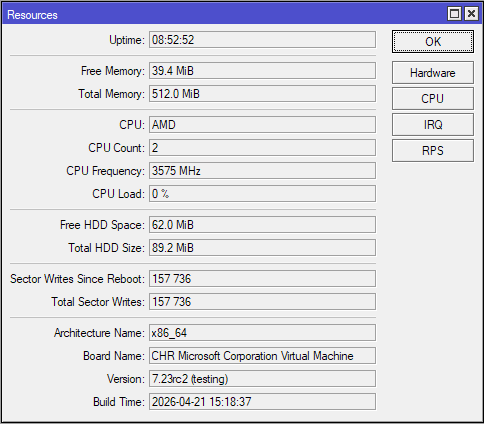
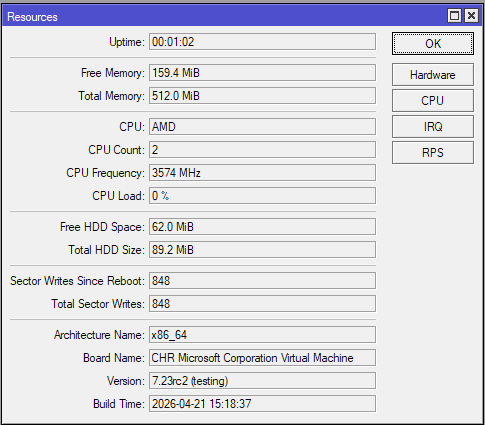
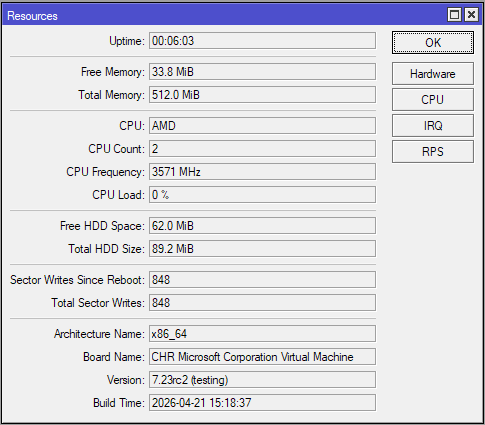
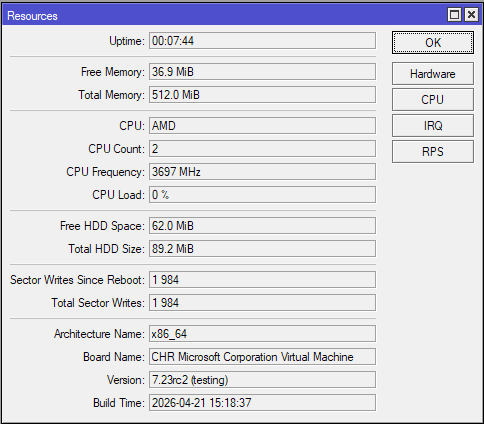
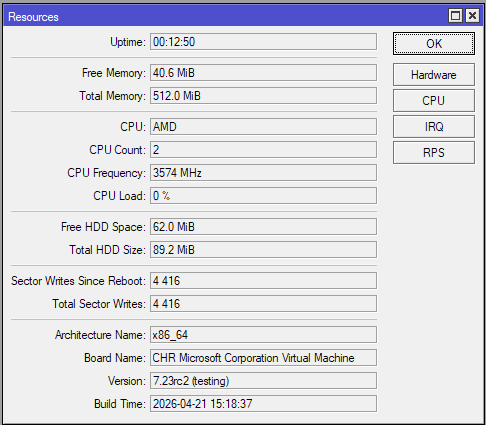
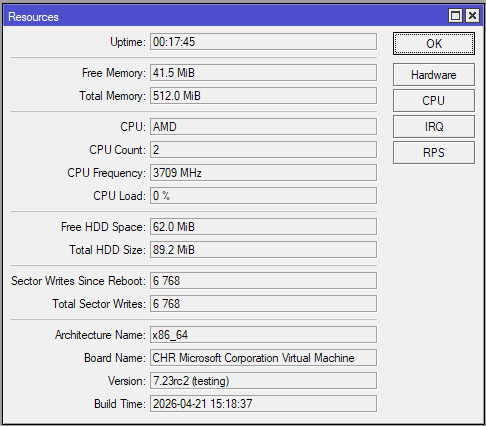
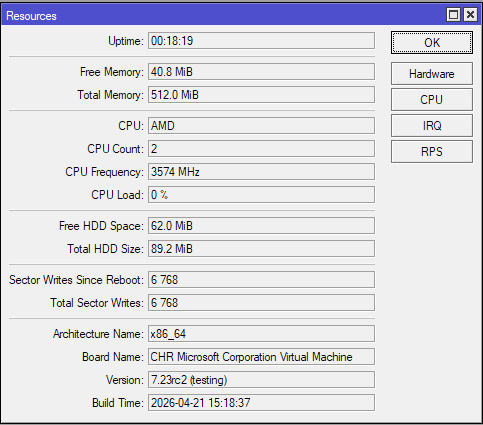
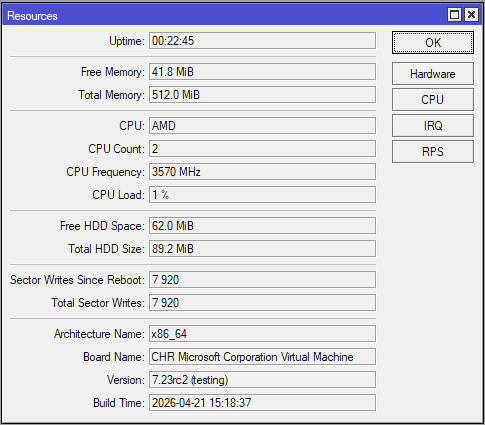
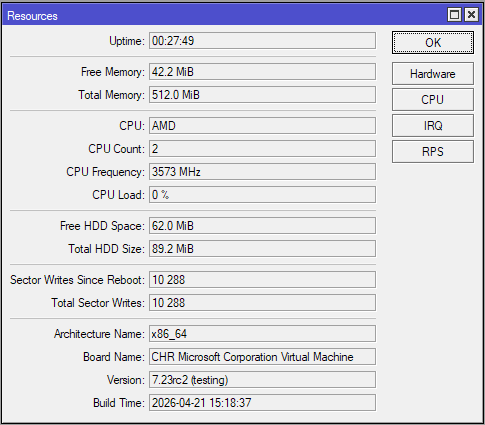
It seems as though after I run a /export and those app directories get created, I’m getting increased device flash writes from something unknown. If I reboot the router, these unexplained writes stop.
I just looked at the test CHR installation where I did run /export and then delete the apps folder, and it does have a huge number of sector writes in less than 9 hours:
Conclusion: There is a large increase in sector write rates once /export is executed. Deleting the apps folder or not doesn't seem to affect this outcome. If the issue is not fixed in the next version, then we'll have to reboot the router after running /export if we don't want to wear out the internal storage!
@CGGXANNX Thank you for checking the strange /export writes as well. It took me a bit to realize it was abnormal, as I cannot see or determine what is generating these writes to flash.
@fischerdouglas I was replying to your diction of "Imagine some app running on container" ... which covers just anything. Yes, I agree that if container was provided by MT, then it could (or should) fully integrate into MT's management.
I can imagine that MT won't be able to provide all the containers that users might want ... as this is (yet another) barrel of worms waiting to be opened.
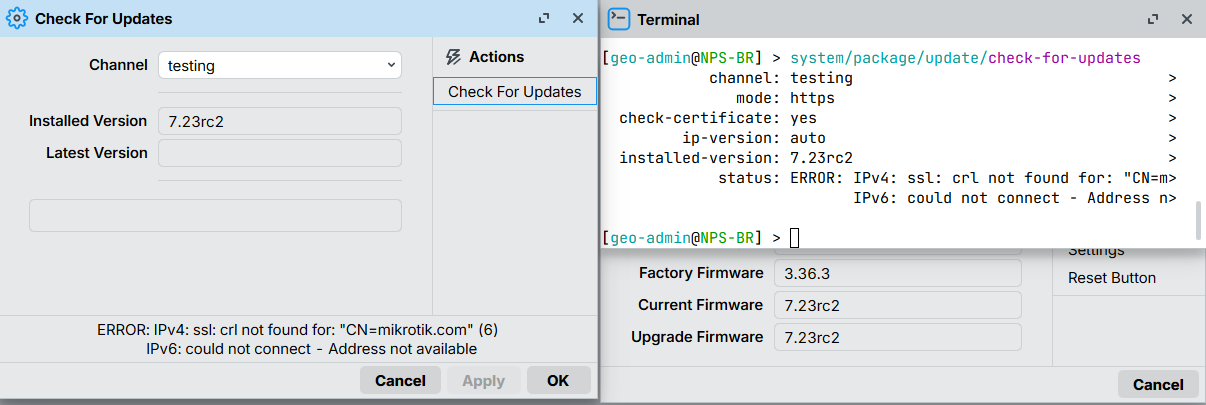
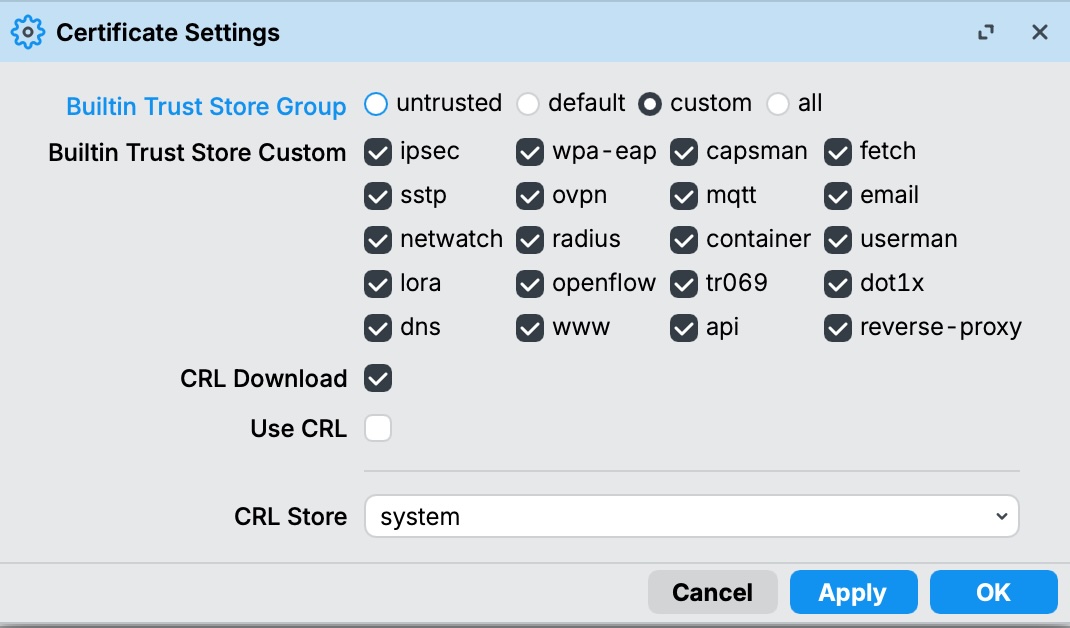
Hi, I had a similar dns related error when trying to update 7.23beta or rc on a rb1100dx4. In my case, temporarily enabling all certificates in system certificates helped.
I do not have any issues in accessing the Tik update server … my issue is strictly between my Router and my Cable Modem [I think] after upgrading to V7.23rc and rc2 …
If /certificate/settings/set crl-use is set to yes, RouterOS will check CRL for each certificate in a certificate chain, therefore, an entire certificate chain should be installed into a device - starting from Root CA, intermediate CA (if there are such), and certificate that is used for specific service.
In look at the fine grained list when you don't just pick "all", it curious that /system/package is not called out specifically there.
I suspect it may HTTP/2 support but IDK have not done a lot of verification, but have seen a download failure related to HTTP/2 is why I suggest that angle here, not certs (although may be inter-related certs with http/2, IDK).
More calling out that it's unclear what category /system/package falls under... Maybe fetch? but I'd think that's specific to /tool/fetch... Now packages have an additional level of check on signature in NPK, so maybe why it's not listed?