Success !
Powered everything down incl laptop with Linux.
Went for lunch
Powered everything up again and used netinstall.
Instead of nothing after the recognition of the device, I immediatelly saw a line “formatting”. And then I knew it was going to work !
cAP XL is running 7.6beta8 now.
But something ODD: it remembered the user passwd (I did change it before the upgrade, one of the first things I do on a new device next to activating ROMON).
Also on wireless I changed (before upgrade) the settings for country and installation. Those were remembered as well.
Ergo: netinstall did not format that device completely…
@mkx: hmmm … missed that. Good to know !
But then it is inconsistent with the Windows version since there you explicitely need to tick the option to keep user config.
Confusing …
@Znevna: seems to be a solution for quite a lot of things.
The inconsistence continues beyond that … UI is completely different.
I’m not trying to argue about what you’re saying, what I’m trying to say is that both versions (linux and windows), although having same name and basically doing same job, are completely different beasts. Additionally, CLI doesn’t offer any clues about available toggles and switches, so reading manual is pretty smart thing to do (which I usually try to avoid myself as well, making me sound a smart ass right now).
Now hold on a second… I can take a “default the unit after update”… But there had better be a clear warning that is gonna be needed BEFORE I CAN EVEN DOWNLOAD THE UPDATE.
If we need to start doing netinstalls before sending them out in the field… I wanna see a big f–king warning on the top of EVERYTHING from the Mikrotik domain.
There will/might come a point when moving from ROS6 to ROS7 you may see erratic and inexplicable behavior.
At that moment it is advised to perform a pristine clean install to clear any inconsistencies (from ROS7 point of view) left-over from previous version.
A.k.a. Netinstall.
@gotsprings …
My speculation is that over the last 2 years many personnel changes have take place in the Tik developer domain so the expertise needed to get 7.x to where it should be will take much more time …
With Tailscale [WireGuard management system] you can have your Cake and Eat it and performance is wonderful. Mastering Tailscale is no big deal exploiting Tailscale Subnet routers and traffic relay nodes provides a great deal of power in your hands.
ros6 show one ping as one row and I see the TX RX in one entry, as send and proper back package in one session.
ros7 show me two entry/row, please fix this in Torch
Greetings anav
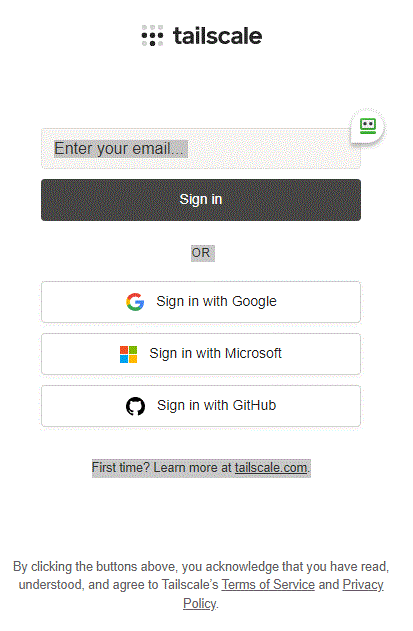
When you establish an account with Tailscale you are provided with a number of options including the most popular 2FA identity provider like google, Microsoft
Tailscale relies on existing identity provider to authenticate users. Any authentication settings from your identity provider are automatically used by Tailscale, including MFA
For Example I use google … many people I know like to use Microsoft etc. So for example once you have a Gmail account and enabled 2FA on it — that will now be used by Tailscale as the screen following depicts. Its very easy